
LDGerrits/rogen has 43 GitHub stars and 2 forks. GitHot measured 0 stars in 24 hours. Last checked 2026-11-14 19:30 UTC. Last push 2026-11-12.
計測したスター増加
- 24時間
- 0
- 7日間
- 履歴を収集中
- 15日間
- 履歴を収集中
- 1か月
- 履歴を収集中
期間ごとの純増数です。期間は重複しており、日別の値ではありません。未計測の値は空欄です。スター数は注目度の指標であり、品質の保証ではありません。
概要
A Rojo superset that keeps each feature's server and client code in one folder.
開発ツールREADME.md
オリジナル

Rogen
A Rojo superset that keeps each feature's server and client code in one folder.
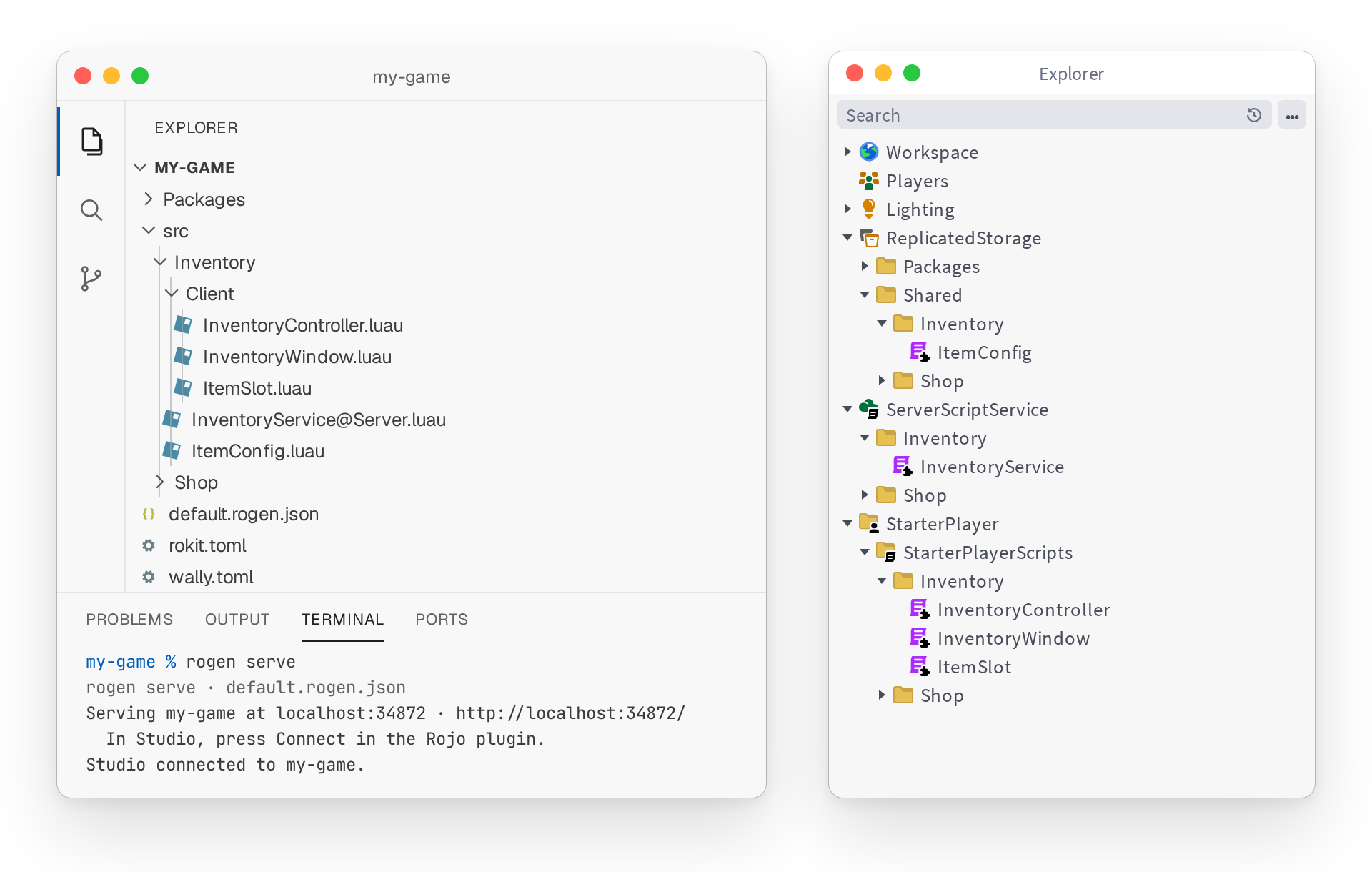
Rogen generates the Rojo project file from your file system, and sends each file to the right place in Studio.



Why Rogen?
- Organize by feature — Group all code, UI, and assets for a specific feature in one place. This gives you high cohesion, better scalability, fewer merge conflicts, and features that are simple to maintain or delete.
- Enforce boundaries — Keep coupling low with a linter. Every path names its feature, so a lint rule can stop one feature from requiring another.
- Multi-place games — Write shared code once and use it in every place. When one place needs something different, add a file with the same name to that place's folder, and it replaces the shared one there.
- Still Rojo — Rogen runs the Rojo commands you use, with the same flags. One tool, and nothing to relearn.
Built for agents
When an agent works on a feature, everything it needs is in one folder, from server to client. It spends its context on your task instead of searching the codebase.
Running several agents? Give each one a feature. A lint rule catches any agent that makes one feature require another, and there's no shared project file to conflict on. See Working with agents to set them up.
How it works
default.rogen.json is a Rojo project file with routes. Its tree holds what folder names can't say, such as your packages:
{
  "name": "my-game",
  "routes": {
    "Server": "ServerScriptService",
    "Client": "StarterPlayer/StarterPlayerScripts",
    "Shared": "ReplicatedStorage/Shared",
    "*": "ReplicatedStorage/Shared"
  },
  "tree": {
    "$className": "DataModel",
    "ReplicatedStorage": {
      "Packages": { "$path": "Packages" }
    }
  }
}
A file goes where its folder or @ suffix says: Server/ and @Server both mean ServerScriptService. Everything else goes to *, and a route you add, such as "Gui": "StarterGui", works the same way.
Installation
rokit add ldgerrits/[email protected]
rogen init
rogen init pins Rojo in rokit.toml and tells you to run rokit install to fetch it. New to Rojo? Also run rogen plugin install to add its Studio plugin. Prefer npm? Run npm i @ldgerrits/rogen@next and use npx rogen.
Usage
rogen serve                # Serve with Rojo and update the project file on changes
rogen build -o game.rbxl   # Update the project file, then build a place with Rojo
rogen check                # Print warnings and errors, and exit 1 on any
sourcemap, upload, syncback and plugin take Rojo's flags too. See the command reference for every command.
FAQ
Does Rogen replace Rojo?
Yes and no. You run rogen instead of rojo, but Rojo still does the syncing and building underneath. Its Studio plugin stays installed too.
Does Rogen work with Argon?
Yes, for syncing your files into Studio. Run rogen write --watch and serve with Argon. To bring Studio changes back, save the place and run rogen syncback --input game.rbxl. With Rojo, it's one command: rogen serve keeps the project file current and serves it.
Can I use Rogen in an existing Rojo project?
Yes. Run rogen init to move it to Rogen. See Coming from Rojo.
Contributing
Read the contributing guide before you open a pull request. You can also star the repo or sponsor its development.
License
Rogen is MIT licensed.