
Knuspii/CrunchyCleaner has 190 GitHub stars and 9 forks. GitHot measured +1 stars in 24 hours. Last checked 2026-11-09 12:22 UTC. Last push 2026-10-30.
💾🧹 A lightweight, software cache cleanup tool for Windows & Linux.
計測したスター増加
- 24時間
- +1
- 7日間
- 履歴を収集中
- 15日間
- 履歴を収集中
- 1か月
- 履歴を収集中
期間ごとの純増数です。期間は重複しており、日別の値ではありません。未計測の値は空欄です。スター数は注目度の指標であり、品質の保証ではありません。
README.md
オリジナル


CrunchyCleaner 
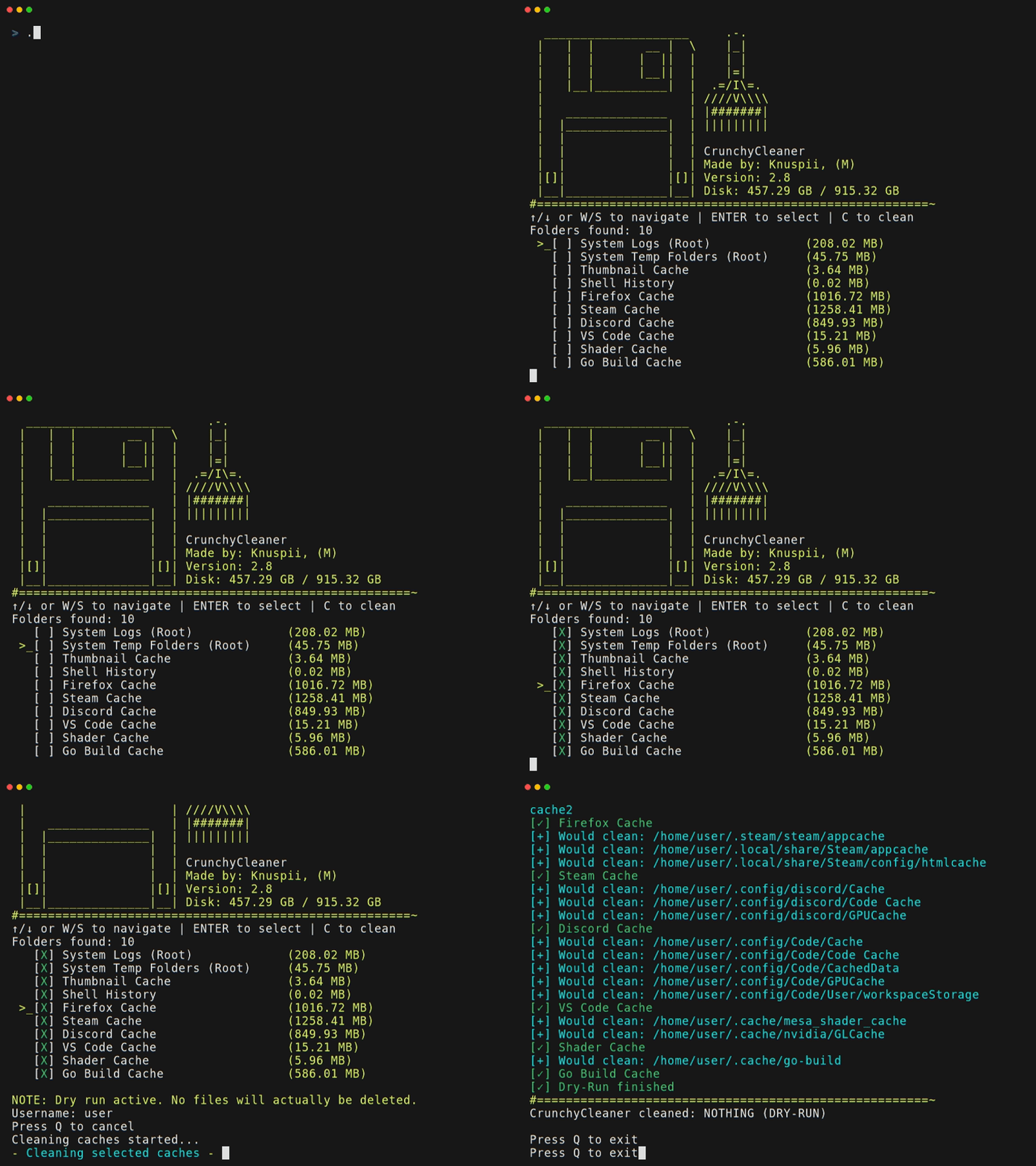
🧹 A lightweight, software cache cleanup tool for Windows & Linux.
Made by: Knuspii, (M)
- Cross-Platform: Works on both Windows and Linux
- Lightweight: Single binary, no dependencies (just download and run it)
- TUI (Text-UI): Simple, minimalist interface, no confusing menus
Supported Software List:
| Category | Software / Path |
|---|---|
| System: | System Logs, System Temp, Thumbnail, Shell History, Package Managers, Shader Cache |
| Browsers: | Firefox, Google Chrome, Microsoft Edge, Brave, Opera, Zen |
| Apps: | Steam, Epic Games(Heroic), Discord, Telegram, Spotify |
| Development: | Visual Studio Code, JetBrains IDE, Slack, Go, Pip, NPM, Yarn, Cargo, Electron, NuGet, Gradle, Playwright, Python uv, Node.js |
Flatpak is supported
Snap is NOT supported
📥 How to Install & Download
Easiest way:
Simply download the latest release from here ⬇ and run the binary.

Alternative: Install via Terminal
If you prefer installing CrunchyCleaner through your terminal, use one of the following commands.
Linux (using sudo):
curl -L https://github.com/Knuspii/CrunchyCleaner/releases/latest/download/crunchycleaner -o cc && sudo install -m 755 cc /usr/local/bin/crunchycleaner && rm cc
Windows (using PowerShell as Administrator):
$d="$env:ProgramFiles\CrunchyCleaner"; md $d -F; iwr "https://github.com/Knuspii/CrunchyCleaner/releases/latest/download/crunchycleaner.exe" -OutFile "$d\crunchycleaner.exe"; $p=[Environment]::GetEnvironmentVariable('Path',2); if($p -notlike "$d"){[Environment]::SetEnvironmentVariable('Path',"$p;$d",2)}
Go (using go install):
go install github.com/knuspii/crunchycleaner/v2@latest
After installation, restart your terminal and verify it by running:
crunchycleaner -v
Options:
  -a	Automate cleaning (select all and start immediately)
  -d	Dry-run mode without deleting files (for testing)
  -s	Show all hotkeys
  -v	Show version information
[!WARNING] You use this tool at your own risk!
[!NOTE] AI was used for this project in some parts. BUT THIS IS NOT VIBECODED!
Q&A
Q: Will this break my system?
A: No.
Q: What does it actually delete?
A: Only cache files and temp files.
Q: Why another cleaner?
A: Because this one is easy, simple, small and lightweight.
Other Downloads
CrunchyCleaner is also available on SourceForge

🎖️ Featured on
External Dependencies
This project uses the following external dependencies:
- github.com/eiannone/keyboard – used for cross-platform keyboard input (MIT License)
- golang.org/x/term – used for the menu list (BSD 3-Clause License)
- github.com/shirou/gopsuti – used for cross-platform system and hardware metrics (BSD 3-Clause License)