プロジェクト GitHubで見る
KittenYang/Animations
概要
遊びで作ったテスト用アニメーションです。
制作・メディア計測したスター増加
- 24時間
- 0
- 7日間
- 0
- 15日間
- 履歴を収集中
- 1か月
- 履歴を収集中
期間ごとの純増数です。期間は重複しており、日別の値ではありません。未計測の値は空欄です。スター数は注目度の指標であり、品質の保証ではありません。
README.md
オリジナルAnimations
A few of test animations.
一些动画的飞机稿。
1. AnimatedCurveDemo

###Usage:
-(void)viewWillAppear:(BOOL)animated{
    [super viewWillAppear:animated];

    //下拉刷新 Pull down to refresh
    KYPullToCurveVeiw *headerView = [[KYPullToCurveVeiw alloc]initWithAssociatedScrollView:self.tableView withNavigationBar:YES];
    __weak KYPullToCurveVeiw *weakHeaderView = headerView;
    [headerView triggerPulling];
    [headerView addRefreshingBlock:^{

        //Your detail action...
        //...
        double delayInSeconds = 2.0;
        dispatch_time_t popTime = dispatch_time(DISPATCH_TIME_NOW, delayInSeconds * NSEC_PER_SEC);
        dispatch_after(popTime, dispatch_get_main_queue(), ^(void){

            [weakHeaderView stopRefreshing];

        });

    }];


    // Pull up to refresh
    KYPullToCurveVeiw_footer *footerView = [[KYPullToCurveVeiw_footer alloc]initWithAssociatedScrollView:self.tableView withNavigationBar:YES];
    __weak KYPullToCurveVeiw_footer *weakFooterView= footerView;
    [footerView addRefreshingBlock:^{
        //Your detail action...
        //...
        double delayInSeconds = 2.0;
        dispatch_time_t popTime = dispatch_time(DISPATCH_TIME_NOW, delayInSeconds * NSEC_PER_SEC);
        dispatch_after(popTime, dispatch_get_main_queue(), ^(void){

            [weakFooterView stopRefreshing];

        });

    }];


}
2. AnimatedCircleDemo

A transformable layer with progress control.
3. NavbarTitleWithFadeAnimation
Just set two values: initialOffset which is the distance of title between navbar & targetHeight which means the scroll distance to target cell.
And then,the code will automaticly compute the translation value and alpha value.

4.Zoom-out splash view

Just look at the simple code.
5.GooeySlideMenu
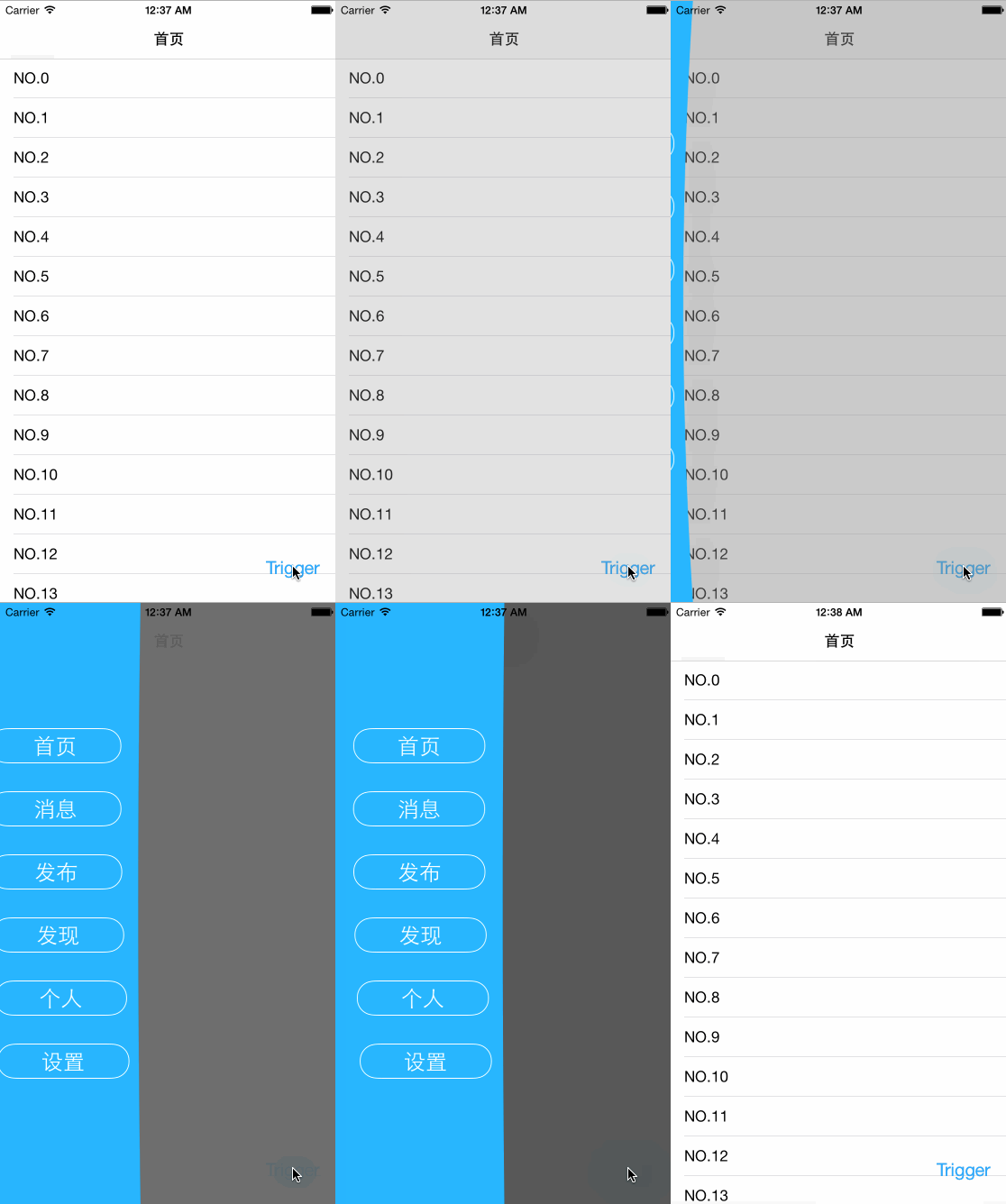
Easily to use
    menu = [[GooeySlideMenu alloc]initWithTitles:@[@"首页",@"消息",@"发布",@"发现",@"个人",@"设置"]];
    menu.menuClickBlock = ^(NSInteger index,NSString *title,NSInteger titleCounts){

        NSLog(@"index:%ld title:%@ titleCounts:%ld",index,title,titleCounts);
    };

    [menu trigger];
Then the buttons will automatically layout depend on your buttons counts.It's really smart.
関連プロジェクトを探す
読み込み中…