プロジェクト GitHubで見る
JeasonWong/Particle
JeasonWong/Particle has 1,473 GitHub stars and 162 forks. GitHot measured 0 in 7 days and -1 in 15 days. Last checked 2026-11-18 11:13 UTC. Last push 2016-09-19.
計測したスター増加
- 24時間
- 更新が遅れています
- 7日間
- 0
- 15日間
- -1
- 1か月
- 履歴を収集中
期間ごとの純増数です。期間は重複しており、日別の値ではありません。未計測の値は空欄です。スター数は注目度の指標であり、品質の保証ではありません。
概要
It's a cool animation which can use in splash or somewhere else.
制作・メディアREADME.md
オリジナルWhat's Particle ?
It's a cool animation which can use in splash or anywhere else.
Demo
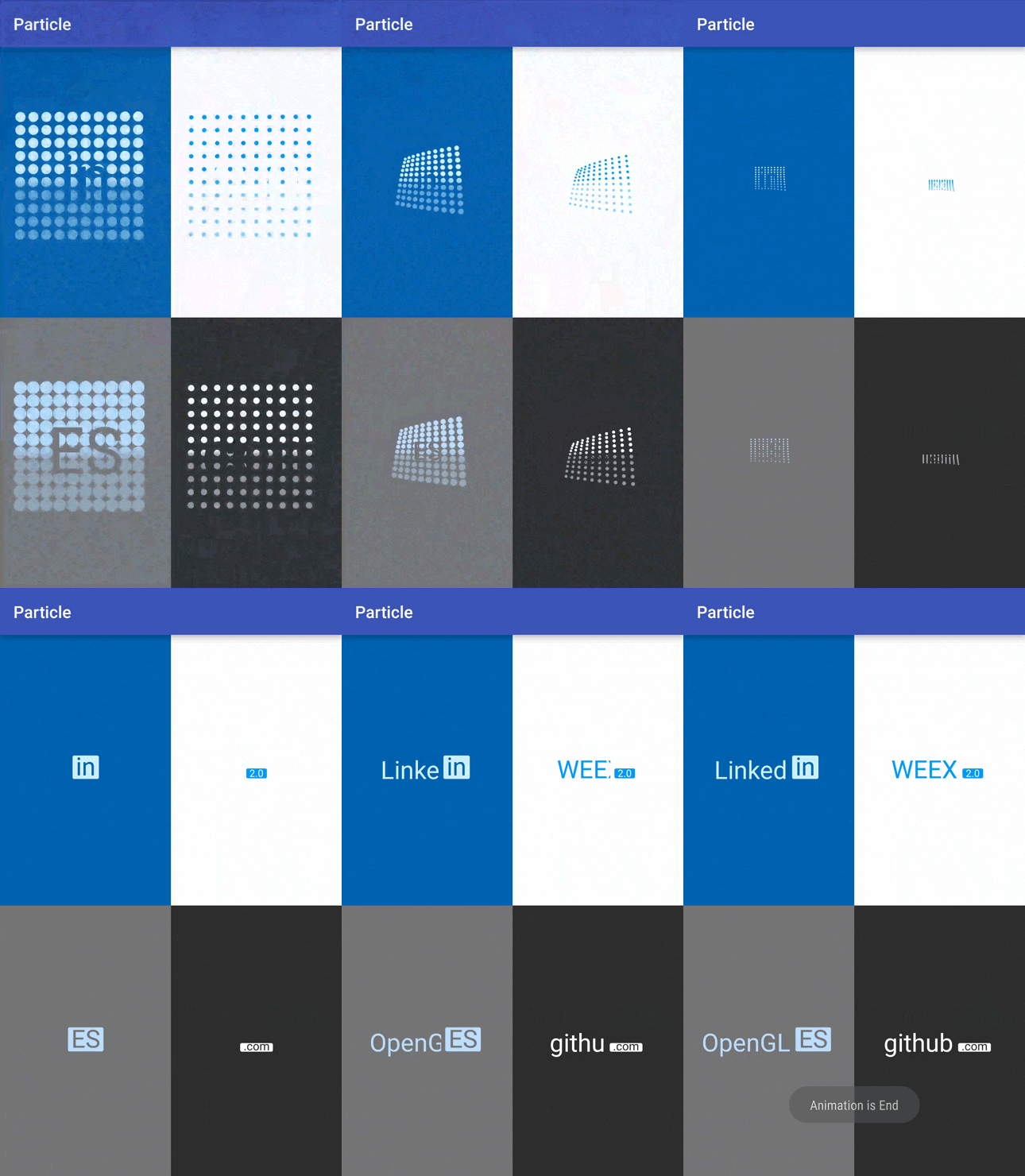
Article
Attributes
| name | format | description | 中文解释 |
|---|---|---|---|
| pv_host_text | string | set left host text | 设置左边主文案 |
| pv_host_text_size | dimension | set host text size | 设置主文案的大小 |
| pv_particle_text | string | set right particle text | 设置右边粒子上的文案 |
| pv_particle_text_size | dimension | set particle text size | 设置粒子上文案的大小 |
| pv_text_color | color | set host text color | 设置左边主文案颜色 |
| pv_background_color | color | set background color | 设置背景颜色 |
| pv_text_anim_time | integer | set particle text duration | 设置粒子上文案的运动时间 |
| pv_spread_anim_time | integer | set particle text spread duration | 设置粒子上文案的伸展时间 |
| pv_host_text_anim_time | integer | set host text displacement duration | 设置左边主文案的位移时间 |
Usage
Define your banner under your xml :
<me.wangyuwei.particleview.ParticleView
    android:layout_width="match_parent"
    android:layout_height="match_parent"
    pv:pv_background_color="#2E2E2E"
    pv:pv_host_text="github"
    pv:pv_host_text_size="14sp"
    pv:pv_particle_text=".com"
    pv:pv_particle_text_size="14sp"
    pv:pv_text_color="#FFF"
    pv:pv_text_anim_time="3000"
    pv:pv_spread_anim_time="2000"
    pv:pv_host_text_anim_time="3000" />
Start animation :
mParticleView.startAnim();
Add animation listener to listen the end callback :
mParticleView.setOnParticleAnimListener(new ParticleView.ParticleAnimListener() {
    @Override
    public void onAnimationEnd() {
        Toast.makeText(MainActivity.this, "Animation is End", Toast.LENGTH_SHORT).show();
    }
});
Import
Step 1. Add it in your project's build.gradle at the end of repositories:
repositories {
    maven {
        url 'https://dl.bintray.com/wangyuwei/maven'
    }
}
Step 2. Add the dependency:
dependencies {
  compile 'me.wangyuwei:ParticleView:1.0.4'
}
About Me
QQ Group 欢迎讨论
479729938
##License
Copyright [2016] [JeasonWong of copyright owner]

Licensed under the Apache License, Version 2.0 (the "License");
you may not use this file except in compliance with the License.
You may obtain a copy of the License at

    http://www.apache.org/licenses/LICENSE-2.0

Unless required by applicable law or agreed to in writing, software
distributed under the License is distributed on an "AS IS" BASIS,
WITHOUT WARRANTIES OR CONDITIONS OF ANY KIND, either express or implied.
See the License for the specific language governing permissions and
limitations under the License.