
概要
Unity向けのモーションマッチング実装
制作・メディア計測したスター増加
- 24時間
- 0
- 7日間
- +3
- 15日間
- 履歴を収集中
- 1か月
- 履歴を収集中
期間ごとの純増数です。期間は重複しており、日別の値ではありません。未計測の値は空欄です。スター数は注目度の指標であり、品質の保証ではありません。
README.md
オリジナルMotion Matching
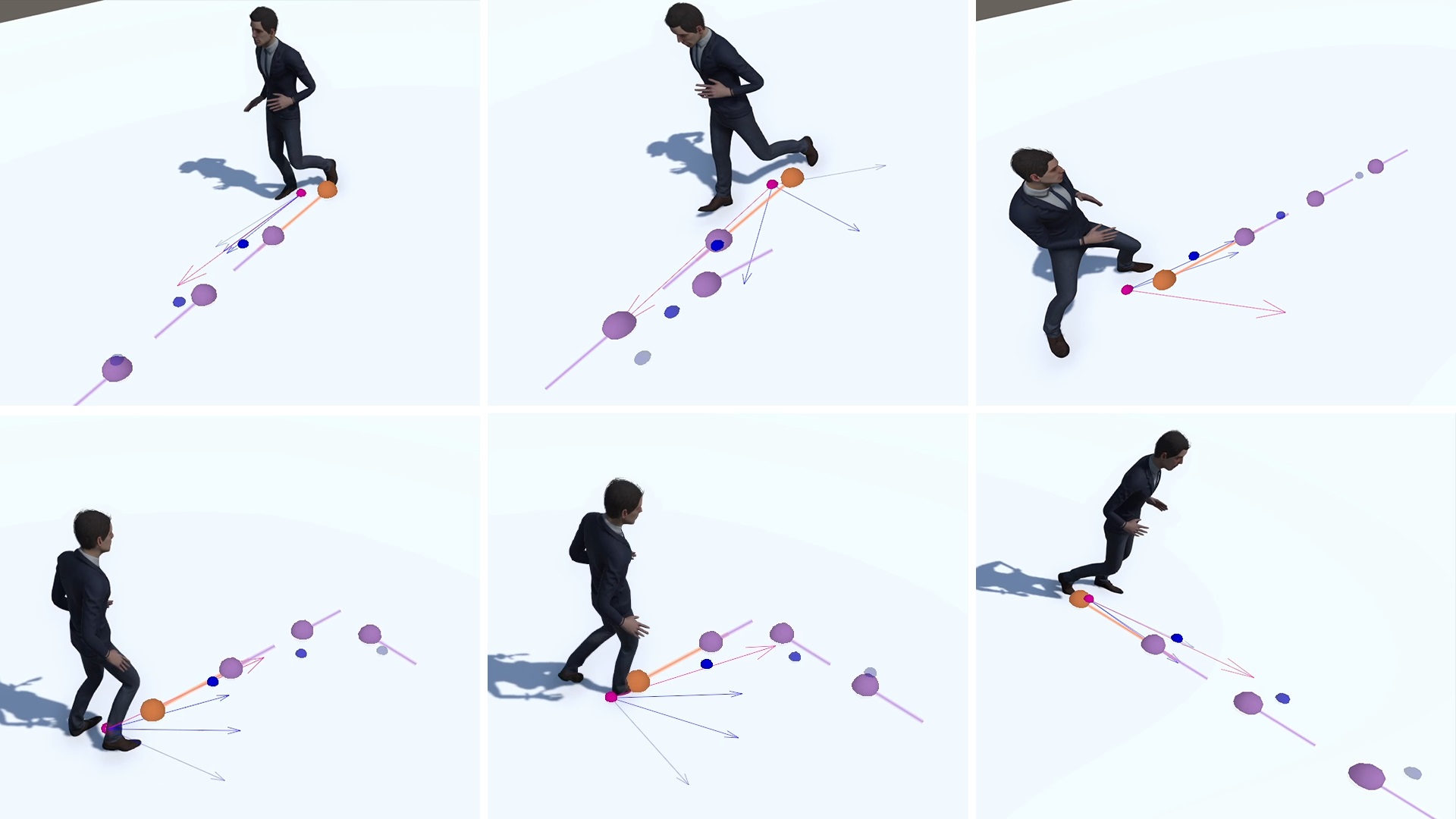
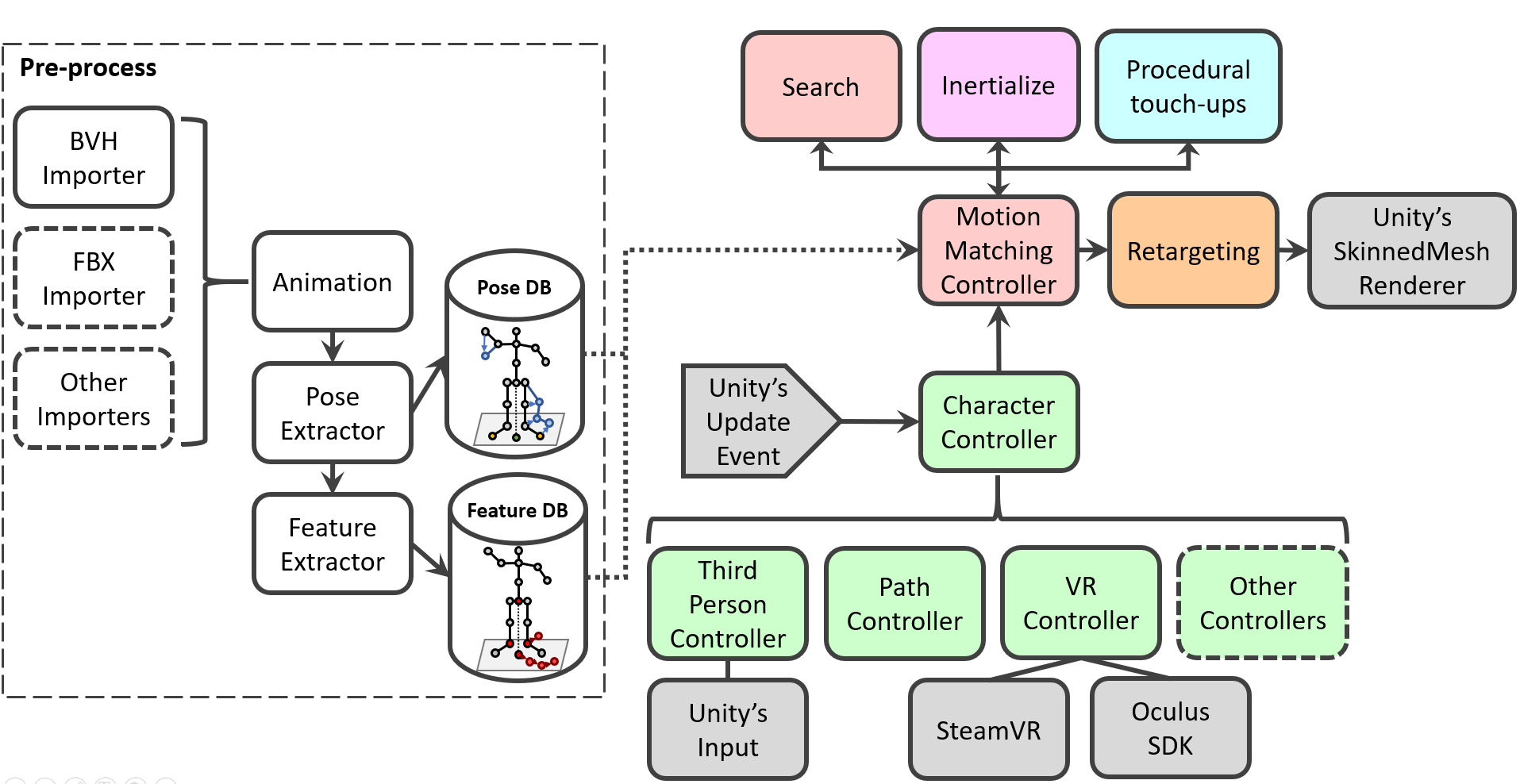
Welcome to the Motion Matching implementation designed for the Unity game engine. This project originated from the author's master thesis, providing a deep dive into both the Motion Matching technique and the workings of this specific Unity package. Download the complete thesis here for an extensive overview. The project is a work-in-progress, aiming to offer a comprehensive Motion Matching solution for Unity. It can serve as a useful resource for those keen to learn or implement their own Motion Matching solution or even extend this existing package.
Quick Start Guide
Follow these steps to get started with the Motion Matching package for Unity. Visit the 📚 Documentation for an in-depth description of the project.
Installation Steps
Ensure you have Unity 6+ installed (untested on other versions).
Open the Unity Editor and navigate to Window > Package Manager.
In the Package Manager, click Add (+) > Add package by git URL....
Insert the following URL into the git URL field and click Add:
https://github.com/JLPM22/MotionMatching.git?path=/com.jlpm.motionmatchingNote: All sample scenes use the Universal Render Pipeline (URP). Conversion may be necessary if you are using a different render pipeline.
[Optional] In the Package Manager, click on Motion Matching, then import the example scenes by selecting Samples > Examples > Import.
[Optional] Go to
Examples/Scenes/in the Project Window to explore the sample scenes.
Project Overview
Directories
Samples/Animations: Contains motion capture (MoCap) files (with .txt extensions but originally .bvh files) and MMData files to define the animation database for the Motion Matching System.StreamingAssets/MMDatabases: Contains the processed pose and feature databases, as well as skeletal information. This directory is automatically created when generating databases from an MMData file.
Key Components
Demo scenes consist of two primary GameObjects:
Character Controller: Creates trajectories and imposes positional constraints, like limiting the maximum distance between the simulated and animated character positions.
MotionMatchingController: Handles all Motion Matching operations. It provides adjustable parameters for enabling/disabling features like inertialize blending or foot locking.
Feel free to tweak and explore these components to get a better understanding of the system.
Roadmap
Here's a list of upcoming features and improvements to enhance the capabilities and usability of the Motion Matching package for Unity:
Planned Features
Visit Roadmap for a detailed list of upcoming features and improvements.
Your contributions and suggestions are always welcome as we continue to develop this project into a comprehensive Motion Matching solution for Unity.
Projects using this package
- Environment-aware Motion Matching (SIGGRAPH Asia 2025)
- Motion Matching for VR
- Exploring the Role of Expected Collision Feedback in Crowded Virtual Environments
- Ragdoll Matching
- Social Crowd Simulation
- Improving Motion matching for VR
- XR4ED
Citation
If you find this package beneficial, please cite the SIGGRAPH Asia 2025 paper — it's the recommended citation. The master's thesis is kept below for background and extra details.
Preferred citation (recommended):
@article{2025:ponton:emm,
  author = {Ponton, Jose Luis and Andrews, Sheldon and Andujar, Carlos and Pelechano, Nuria},
  title = {Environment-aware Motion Matching},
  year = {2025},
  publisher = {Association for Computing Machinery},
  booktitle = {SIGGRAPH Asia 2025},
  address = {New York, NY, USA},
  issn = {0730-0301},
  doi = {10.1145/3763334},
  journal = {ACM Trans. Graph.},
}
Also for background:
@mastersthesis{ponton2022mm,
  author  = {Ponton, Jose Luis},
  title   = {Motion Matching for Character Animation and Virtual Reality Avatars in Unity},
  school  = {Universitat Politecnica de Catalunya},
  year    = {2022},
  doi     = {10.13140/RG.2.2.31741.23528/1}
}
License
This project is distributed under the MIT License. For complete license details, refer to the LICENSE file.
関連プロジェクトを探す
読み込み中…