プロジェクト GitHubで見る
Collective-Software/ClickPaste
概要
Windows 10/11の通知領域で動作するC#アプリです。クリックした場所に、クリップボードの内容をキー入力として貼り付けられます。
開発ツール計測したスター増加
- 24時間
- 0
- 7日間
- +1
- 15日間
- 履歴を収集中
- 1か月
- 履歴を収集中
期間ごとの純増数です。期間は重複しており、日別の値ではありません。未計測の値は空欄です。スター数は注目度の指標であり、品質の保証ではありません。
README.md
オリジナルClickPaste
Windows 10/11 notification area app in C# that can paste clipboard contents as keystrokes to whatever location you click.
Starting
- You can install ClickPaste using the MSI installer or get the portable ZIP from the Releases page
- Note that in order to paste to UAC-elevated processes, Microsoft requires the ClickPaste binary to be run from the system drive's "Program Files" folder. (The easiest way to achieve that is to use the MSI installer.)
- Launch ClickPaste from a shortcut or by double-clicking ClickPaste.exe.
Usage
First of course, you need to have some text in your clipboard. Then:
- Click the target notification icon to begin:

- Click to choose a location you want to paste the text:
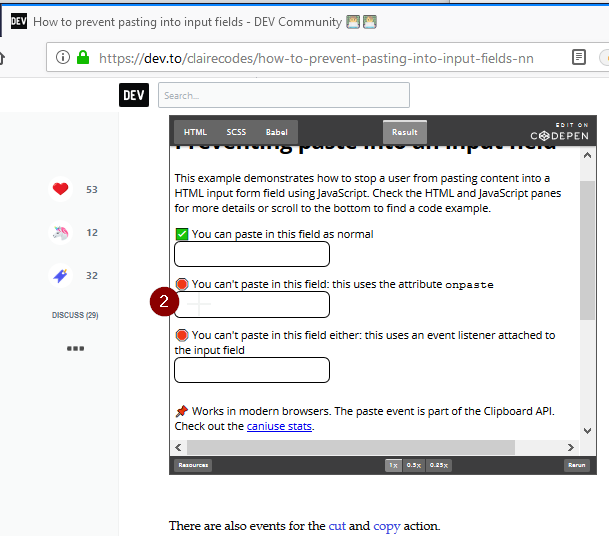
- Your clipboard contents should be typed as keystrokes onto the window you selected:

Settings
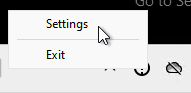
Right-click the notification icon and select Settings.
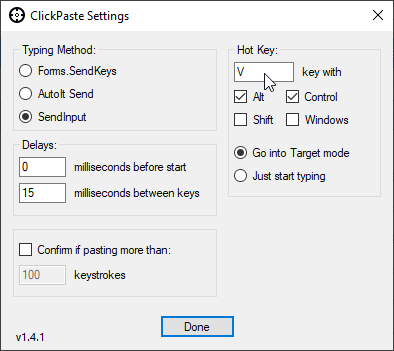
- You can change between key typing modes,
- Set how much delay there is before and between keystrokes,
- Trigger a confirmation when the clipboard contains more than a chosen number of characters,
- Configure what "hot key" combination will be used (Clear the key textbox with delete or backspace if you wish to have no hotkey),
- Configure whether the "hot key" will activate the target selector to pick a paste location or just start typing immediately.
Stopping
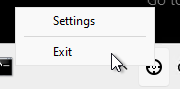
- Right-click the notification icon and select Exit.
Download
関連プロジェクトを探す
読み込み中…