
BapiGso/gopanel has 32 GitHub stars and 4 forks. GitHot measured 0 stars in 24 hours and 0 in 7 days. Last checked 2026-11-25 04:49 UTC. Last push 2026-11-16.
できること
- Monitor - See CPU, memory, disk, and network usage live
- Website - Edit and run a Caddy config from the browser
- Files - Browse, upload, and edit server files; WebDAV access
- Terminal - Open a shell in the browser (WebSSH)
計測したスター増加
- 24時間
- 0
- 7日間
- 0
- 15日間
- 履歴を収集中
- 1か月
- 履歴を収集中
期間ごとの純増数です。期間は重複しており、日別の値ではありません。未計測の値は空欄です。スター数は注目度の指標であり、品質の保証ではありません。
概要
a lite server manage panel
開発ツールREADME.md
オリジナルGoPanel
Manage your server from the browser. One small Go binary, one install command, no database and no build step.





Entertainment project. Do not use in production.
Why GoPanel
- Install in one line. The installer sets up the service for you on Linux, macOS, and FreeBSD.
- Everything in one place. Monitoring, websites, files, a terminal, scheduled tasks, Docker, FRP, and firewall, all in one panel.
- Single binary. Go compiles everything into one file. Normal builds need no Node.js or other runtime.
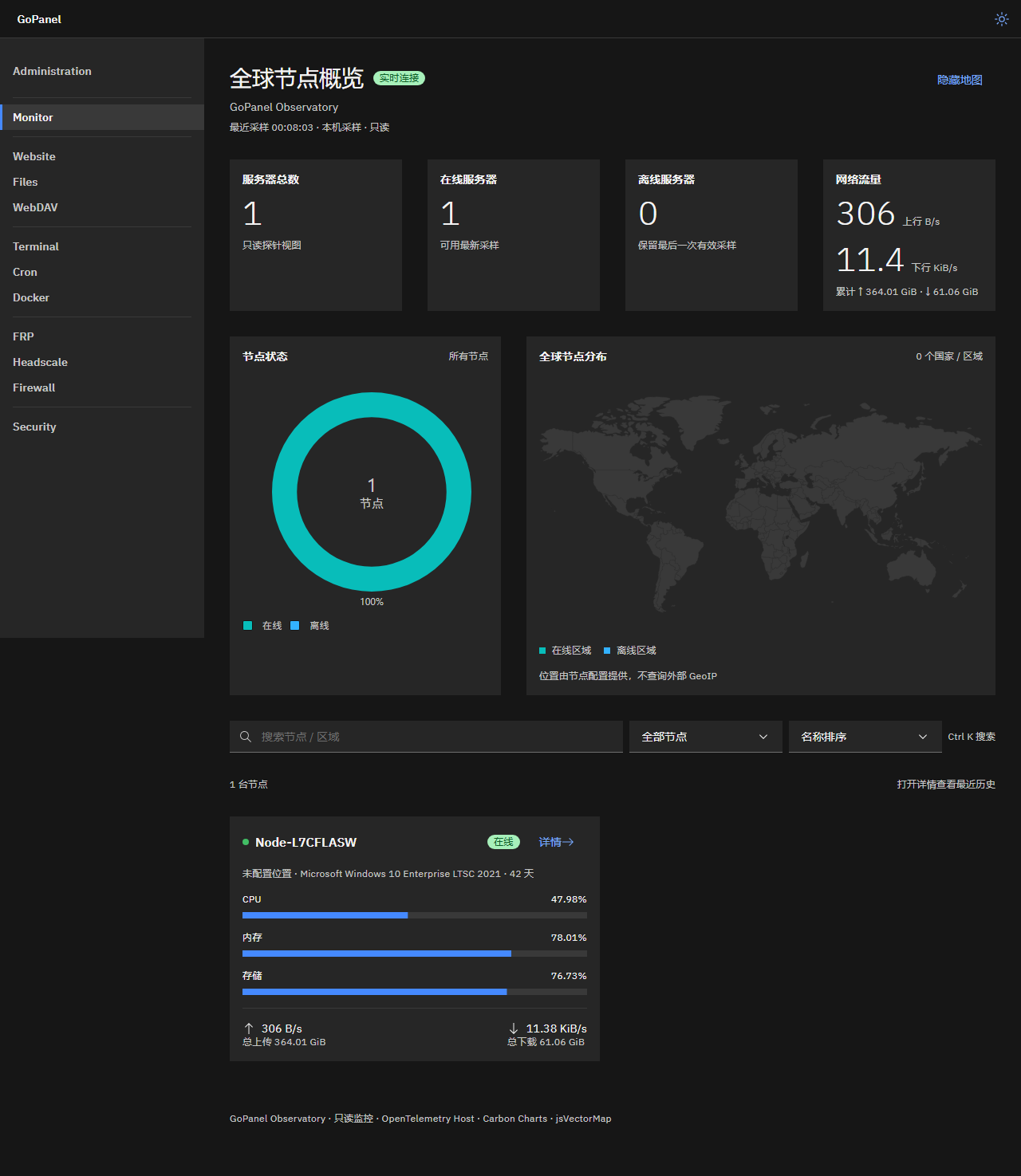
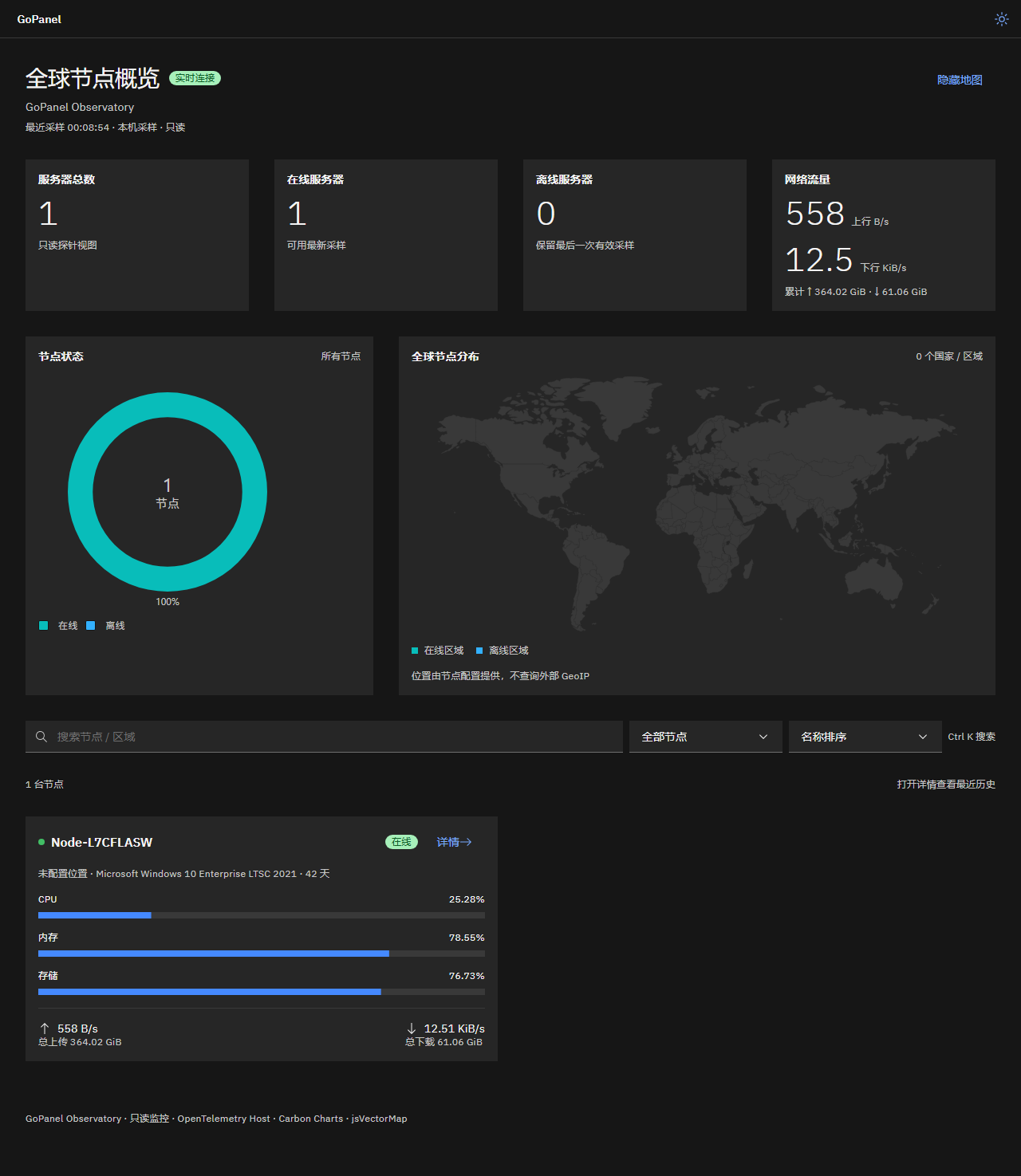
- Watch many servers. A read-only observatory shows the status of all your nodes on one page.
Install
sh -c "$(curl -fsSL https://raw.githubusercontent.com/BapiGso/gopanel/master/shell/install_gopanel.sh)"
# without curl:
sh -c "$(wget -qO- https://raw.githubusercontent.com/BapiGso/gopanel/master/shell/install_gopanel.sh)"
Run the same command again to update. Your settings and data in /opt/gopanel are kept.
Supported: Linux (systemd or OpenRC), macOS (launchd), and FreeBSD (rc.d). On Windows or other systems, download a binary from the Releases page and run it manually.
Uninstall
sh -c "$(curl -fsSL https://raw.githubusercontent.com/BapiGso/gopanel/master/shell/uninstall_gopanel.sh)"
# without curl:
sh -c "$(wget -qO- https://raw.githubusercontent.com/BapiGso/gopanel/master/shell/uninstall_gopanel.sh)"
Settings and data are kept by default, and interactive runs ask before deleting /opt/gopanel. To delete it without a prompt, run sh "$script" --purge.
Features
| Module | What you can do |
|---|---|
| Monitor | See CPU, memory, disk, and network usage live |
| Website | Edit and run a Caddy config from the browser |
| Files | Browse, upload, and edit server files; WebDAV access |
| Terminal | Open a shell in the browser (WebSSH) |
| Cron | Schedule recurring tasks |
| Docker | Manage containers and images |
| FRP | Manage frps and frpc |
| Firewall | Manage firewall rules |
| Security | Protect the panel entrance |
 |
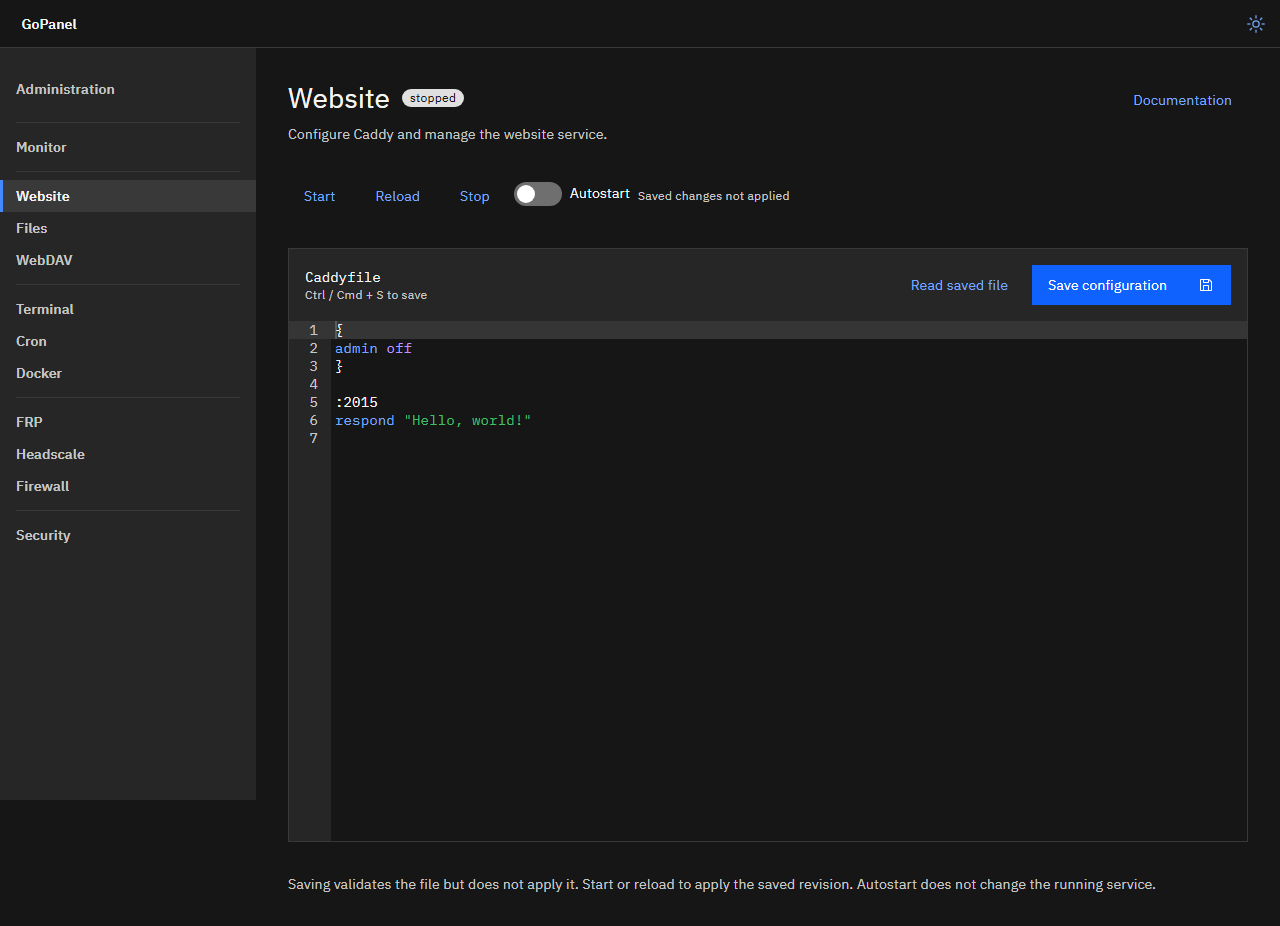 |
| Read-only observatory | Website configuration |
Monitor many servers
Choose one server as the master and list the other servers in its gopanel_monitor.json peers field. Give every server the same monitoring key. The master pulls read-only snapshots from the other servers. No monitoring database is needed. See monitoring and probe setup for details.
For developers
go build -o gopanel .
- HTTP API: a versioned JSON API at
/api/v1, with an OpenAPI 3.1 spec at/api/v1/openapi.json. See the HTTP API guide. - Configuration: set
GOPANEL_CONFIG_DIRto choose where settings are stored. See configuration storage. - Frontend: Go templates, Alpine.js, and IBM Carbon, all embedded with no npm build. See frontend architecture. Run frontend tests with
node --test frontend/observatory.test.cjs. - Carbon assets: to re-download the embedded Carbon components, see vendored asset sources.
Roadmap
- headscale (juanfont/headscale)
Links
関連プロジェクトを探す
読み込み中…