
0xle0ne/wireguard-gui has 330 GitHub stars and 28 forks. GitHot measured 0 stars in 24 hours and 0 in 7 days. Last checked 2026-11-24 14:44 UTC. Last push 2026-11-23.
できること
- List all profile
- Add a new profile
- Remove a profile
- Start a profile
計測したスター増加
- 24時間
- 0
- 7日間
- 0
- 15日間
- 履歴を収集中
- 1か月
- 履歴を収集中
期間ごとの純増数です。期間は重複しており、日別の値ではありません。未計測の値は空欄です。スター数は注目度の指標であり、品質の保証ではありません。
概要
A wireguard client GUI for Linux made with nextauri
セキュリティREADME.md
オリジナルWireguard GUI
❤️ Made with love with Nextauri ❤️






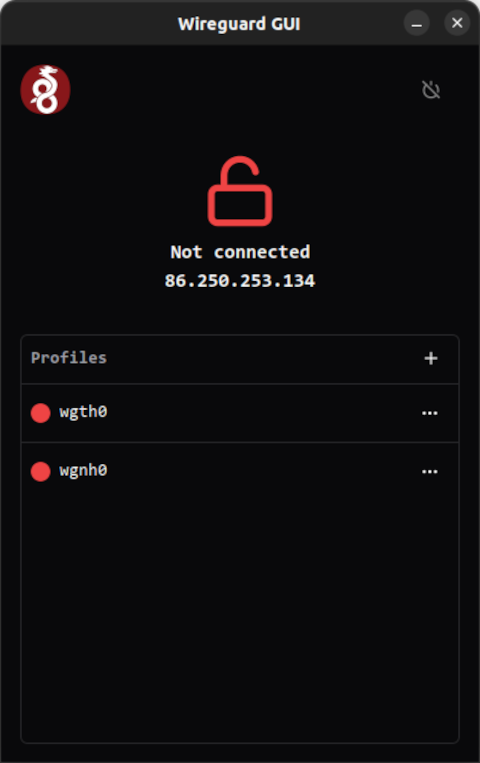
What is Wireguard GUI ?
Wireguard GUI is a Linux application that allow you to manage your Wireguard VPN configuration.
Features
- List all profile
- Add a new profile
- Edit a profile
- Remove a profile
- Start a profile
- Stop a profile
- Import a profile
- Export a profile
Motivation
I didn't found any GUI application that allow me to manage my Wireguard VPN configuration.
I wanted to make an application with nextauri since a while, so i took this opportunity to make it.
Pre-requisites
In order to work properly, the application needs the following dependencies:
sudo apt-get install libwebkit2gtk-4.1-0 libayatana-appindicator3-1 iproute2 wireguard-tools pkexec resolvconf -y
The .deb package installs its required dependencies automatically. AppImage users
need to install them on the host. NetworkManager is recommended; when available,
the application uses nmcli to manage connections. Otherwise it uses wg-quick
and requests administrator authorization through pkexec.
Installation
Install from Releases:
Release are currently available as .deb package for Debian/Ubuntu or Appimage for others distro.
Install from AUR:
yay -S wireguard-gui-bin
Install with Nix (Linux):
nix run github:0xle0ne/wireguard-gui
To build a local checkout, run nix build. Enable NetworkManager on the host
(for NixOS, networking.networkmanager.enable = true;) to manage WireGuard
connections through nmcli. Host networking and authorization services are
required even when the application itself is installed with Nix.
Developing
Be sure you have NodeJS and Rust installed on your system
See Tauri prerequisites to prepare your system to build
TauriClone or fork this repository
git clone https://github.com/0xle0ne/wireguard-gui
cd wireguard-gui
Install node dependencies
npm install
To get started you only need one command
npm run dev
E2E tests (WebDriver)
This project includes Tauri end-to-end tests powered by WebdriverIO and @wdio/tauri-service.
On Linux, install WebKit WebDriver support first:
sudo apt-get install webkit2gtk-driver -y
Build the debug app binary (without .deb/.rpm bundles) and run tests:
npm run e2e
Or run each step manually:
npm run e2e:build
npm run e2e:test
Production
To build only the production app binary in a single command (no .deb / .rpm / .appimage bundles):
npm run build
Documentation
To learn more about Tauri and Next.js, take a look at the following resources:
- Tauri Guides - guide about Tauri.
- Tauri API - discover javascript Tauri api.
- Next.js Documentation - learn more about Next.js.
- Next.js Tutorial - interactive Next.js tutorial.
Troubleshooting
Error: NetworkManager is not running.
You need to connect the snap to network manager
sudo snap connect wireguard-gui:network-manager :network-manager
関連プロジェクトを探す
読み込み中…