
mpolden/jarvis2
Tentang
Awesome dashboard built with Flask and Mithril
PembelajaranPertumbuhan bintang terukur
- dalam 24 jam
- 0
- dalam 7 hari
- 0
- dalam 15 hari
- Mengumpulkan riwayat
- dalam 1 bulan
- Mengumpulkan riwayat
Perubahan bersih pada periode yang tumpang tindih, bukan total harian. Pengukuran yang belum tersedia dibiarkan kosong. Bintang menunjukkan perhatian, bukan kualitas.
README.md
AsliJARVIS

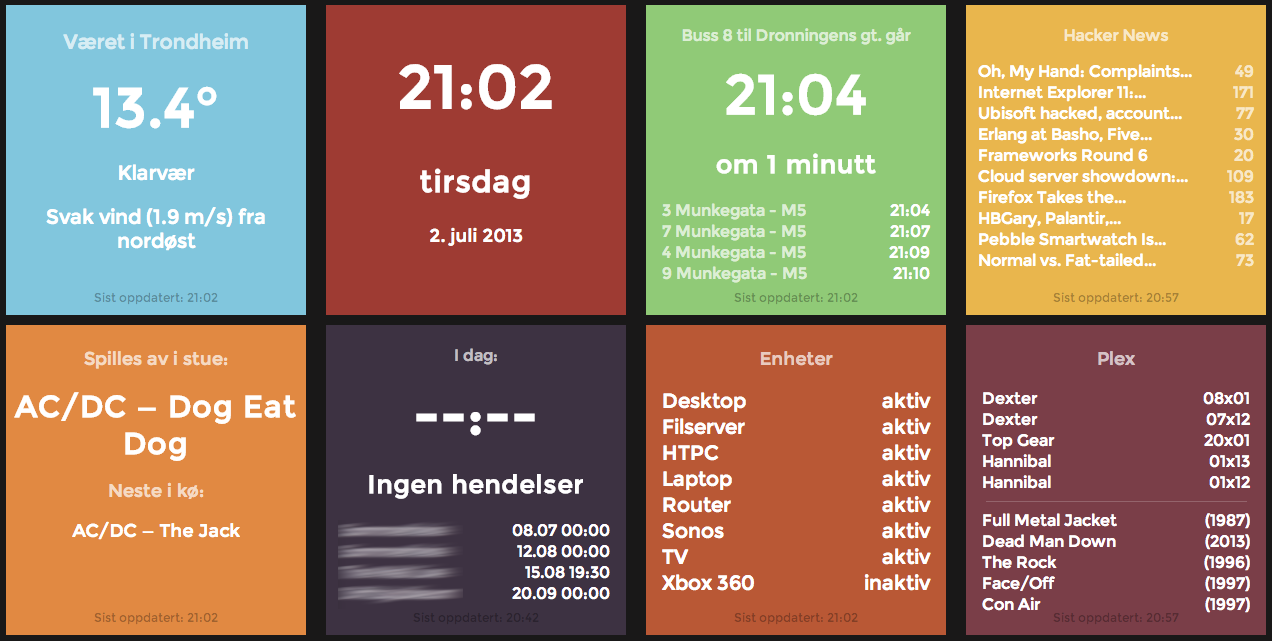
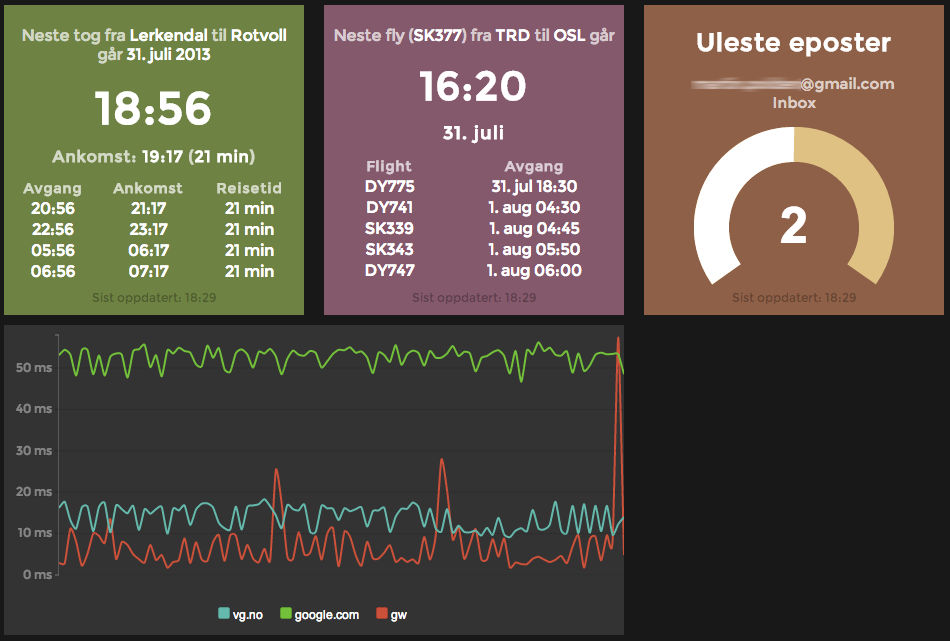
JARVIS is a dashboard framework designed to run on the Raspberry Pi.
It features live-updating widgets using server-sent events and can be easily extended to fit your needs.
Screenshots
Dependencies
- JARVIS requires Python 3.11+ to run.
- The development environment is managed with uv.
Configuration
All configuration of widgets is done in a single Python source file. The
configuration is specified by setting the JARVIS_SETTINGS environment
variable.
A sample config (jarvis/config.py.sample) is provided. This file can be used as a
starting point for your own configuration.
Copy jarvis/config.py.sample to jarvis/config.py and edit it to suit your needs.
Usage
After installing dependencies and creating a config file, the app can be started by running:
JARVIS_SETTINGS=config.py make run
To start the app in debug mode, use:
JARVIS_SETTINGS=config.py make debug
Run a job standalone and pretty-print output (useful for debugging):
JARVIS_SETTINGS=config.py make run-job
Create Google API credentials (required for calendar and gmail widget):
JARVIS_SETTINGS=config.py make google-api-auth
Create a new widget:
make widget
Create a new dashboard:
make dashboard
Widgets
See WIDGETS.md for documentation on available widgets.
Deployment
See INSTALL.md for a basic deployment guide.
License
Licensed under the MIT license. See the LICENSE file if you've never seen it before.
Jelajahi proyek terkait
Memuat…