
clickswave/crossfyre-toolchain
Tentang
Recon and vulnerability scanning tools that run in your terminal. Find subdomains, scan ports, discover hidden paths, fingerprint what's running, and check it for vulns.
Alat pengembanganPertumbuhan bintang terukur
- dalam 24 jam
- 0
- dalam 7 hari
- +2
- dalam 15 hari
- Mengumpulkan riwayat
- dalam 1 bulan
- Mengumpulkan riwayat
Perubahan bersih pada periode yang tumpang tindih, bukan total harian. Pengukuran yang belum tersedia dibiarkan kosong. Bintang menunjukkan perhatian, bukan kualitas.
README.md
Asli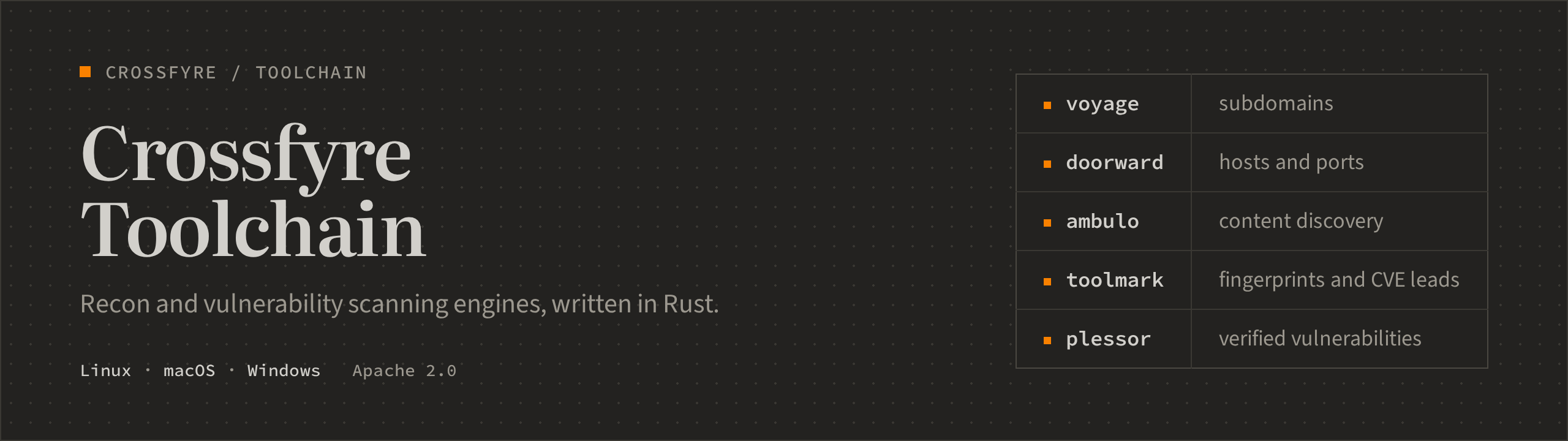




Five engines for recon and vulnerability scanning, written in Rust, that you run from the terminal on systems you are authorized to test. Each one works on its own, with no account, and nothing leaves your machine unless you connect it to the Crossfyre platform yourself.
| Engine | What it does |
|---|---|
voyage |
Finds subdomains, from passive sources and wordlist brute-forcing. |
doorward |
Scans hosts and ports, with service detection. |
ambulo |
Fuzzes paths and parameters to discover content. |
toolmark |
Fingerprints services and technologies, and flags CVE leads by version. |
plessor |
Tests for vulnerabilities with nuclei-compatible templates and an injection engine, and confirms each finding before it reports it. |
Alongside them: crossfyre, the CLI that installs and updates everything, node, the agent that runs the engines for the platform, oast, an out-of-band server you can host with crossfyre oast serve so plessor confirms blind bugs on your own domain, and mobile, Crossfyre Mobile for Android, which is on Google Play.
This repository began as voyage, the standalone subdomain finder, and its history is kept on that branch. ambulo began as mach.
Install
On Linux (x86_64 or aarch64) or macOS (Intel or Apple silicon):
curl -fsSL https://get.crossfyre.io/install.sh | sudo bash
On Windows, in PowerShell run as administrator:
irm https://get.crossfyre.io/install.ps1 | iex
Or from the apt repository, on Debian, Ubuntu or Kali
curl -fsSLO https://bins.crossfyre.io/apt/crossfyre-archive-keyring.gpg
echo "5dd16a4067070a7763afe58deb829c5129618af9ac3bc096637345b6f43cc020  crossfyre-archive-keyring.gpg" | sha256sum -c - && sudo tee /usr/share/keyrings/crossfyre-archive-keyring.gpg < crossfyre-archive-keyring.gpg > /dev/null
sudo tee /etc/apt/sources.list.d/crossfyre.sources > /dev/null <<'EOF'
Types: deb
URIs: https://bins.crossfyre.io/apt
Suites: stable
Components: main
Signed-By: /usr/share/keyrings/crossfyre-archive-keyring.gpg
EOF
sudo apt update
sudo apt install crossfyre crossfyre-archive-keyring
The keyring is installed only if its SHA-256 matches. Its key's fingerprint is 992F106C6CF032E43A3CA8BED5D92DAC3BA8CDBF. After that, sudo apt upgrade keeps the CLI current.
Or the CLI on its own, from Homebrew or Scoop
brew install clickswave/tap/crossfyre
scoop bucket add clickswave https://github.com/clickswave/scoop-bucket
scoop install clickswave/crossfyre
These install the crossfyre CLI for your own user, and the package manager keeps it current. The engines and the node service go into a system directory, so for those use the installer above.
crossfyre update all updates the engines, and with them the templates, signatures and CVE data they read, which crossfyre update data takes on its own, signed and with no new binary. crossfyre.io/docs/install covers the .deb, signature checks and removal.
When the CLI fetches from bins.crossfyre.io, the request's User-Agent carries its name, version and platform and whether it is an install, an update or a check of the release manifest, and nothing else.
Use
# Subdomains of a domain
voyage scan example.com --wordlist-path /usr/share/seclists/Discovery/DNS/subdomains-top1million-5000.txt

# Ports and services across a range
doorward scan 10.0.0.0/24 --ports top-1000 --service-detection

# Content discovery, fuzzing the path at ::FUZZ::
ambulo scan https://example.com/::FUZZ:: --wordlist-path /usr/share/seclists/Discovery/Web-Content/common.txt
A wordlist can be any file you can read: the command line reads it and sends its words to the daemon, a chunk at a time. A request that names a wordlist path instead, as the node's do, is read by the daemon only from a few directories, since it would otherwise read any file a request names: /usr/share/wordlists and /usr/share/seclists on Linux, Homebrew's seclists on macOS, and in the temp directory only the lists the node hands over. Add your own directories for those with CFX_WORDLIST_ROOTS, separated like PATH.
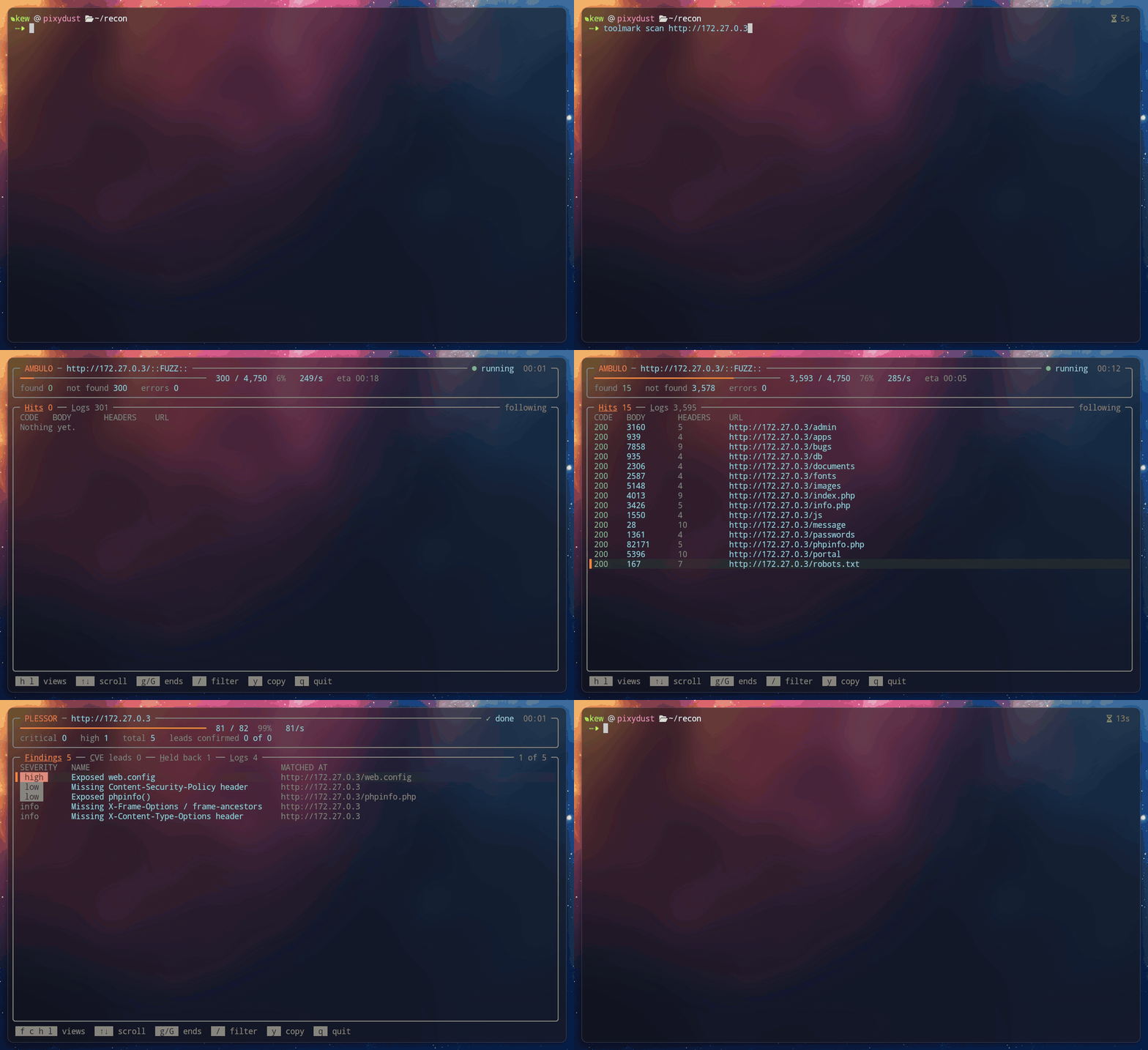
In a terminal every engine's scan draws a live dashboard, and so do toolmark services and plessor inject. --no-tui prints JSON instead, and exec always does. Piped or redirected, every engine writes newline-delimited JSON, one event per line, and exits non-zero if the run ends in an error. voyage, doorward and ambulo save findings as they go, so a stopped scan resumes where it left off. Add --help to any command for the rest.
From 0.1.46 the dashboard scrolls: the arrow keys, PgUp and PgDn move through the rows, g and G go to either end, and reaching the last row follows new ones again. / filters the rows, y copies the selected one through the terminal (inside tmux, with set -g set-clipboard on), and the underlined letter of a tab opens it. Where the terminal shows 24-bit colour it is drawn in Crossfyre's colours, in a dark or a light set after the terminal's background, and elsewhere in the terminal's own sixteen. CROSSFYRE_THEME=light or dark settles the background for a terminal that does not say, and NO_COLOR turns colour off.
From 0.1.38, crossfyre completions <shell> prints a completion script for bash, zsh, fish, powershell or elvish: mkdir -p ~/.local/share/bash-completion/completions && crossfyre completions bash > ~/.local/share/bash-completion/completions/crossfyre. Each engine takes the same command, as in voyage completions zsh.
From 0.1.38, crossfyre mcp serves toolmark and plessor to an MCP client over stdio, so an agent can fingerprint a service, test endpoints for injection and replay single requests, and refuses any destination that a scope file you write does not list. See crossfyre/MCP.md.
When one machine is not enough
Enrol the host as a node and the same engines run under the Crossfyre platform, with a fleet of nodes, scheduled scans, pacing tuned to each target, and one dashboard for your team:
crossfyre login
crossfyre node init
The platform is optional. Nothing here needs it.
What comes with a plan
Three components are not in this repository. They come with a Crossfyre plan that includes them, and the CLI installs them beside the binaries once you log in:
| Component | What it adds | Without it |
|---|---|---|
plessor-authz |
plessor's authorization testing (BOLA, BFLA and BOPLA), as a daemon of its own on port 4446, which the node sends a scan's authorization tests to | plessor's authz operation says it needs plessor-authz and reports no findings |
pacing, the pacing module |
Pacing tuned to how each target answers | The engines pace with the baseline in adaptive |
egress, the egress helper |
Brings up a node's VPN or Tor tunnel when it has one | The node sends from the machine's own address, or, with the node's kill switch on, runs no ops until a helper answers |
crossfyre login offers to install the ones your plan includes, crossfyre update components installs them later, crossfyre node init installs what a node needs with the node's own key, crossfyre update keeps them current, and crossfyre status lists them with their versions. Each file is checked against a manifest signed with the release key before it is installed, and an engine checks the pacing module's own signature each time it loads it. Every engine says which pacing it runs as it starts, pacing: module <version> or pacing: baseline (<why>). When a plan ends, what is installed stays and stops being updated.
How the engines run
Each engine is a daemon and the commands that talk to it. The daemon does the work, on 127.0.0.1 and a port of its own (ambulo 4441, voyage 4442, doorward 4443, toolmark 4444, plessor 4445), and the commands you type are its clients. When a command finds no daemon on its port it starts one: on Linux the engine's systemd user unit, when crossfyre registered one for you, and otherwise the engine's own binary, which writes to logs/<engine>.log in the toolchain directory (~/.config/crossfyre on Linux). The command says started voyage daemon (pid N) on stderr, so its JSON on stdout stays clean.
A daemon started from the binary exits once it has had no client and no scan for 30 minutes. For another limit, set CFX_DAEMON_IDLE_EXIT to a number of seconds in the environment of the command that starts it. voyage daemon, and the same for every engine, runs one by hand, which never exits on its own. --no-autostart or CFX_NO_AUTOSTART=1 turns the starting off. Nothing is started for a command run with sudo, since the daemons and their database belong to your user.
Where no service manager runs, as on WSL without systemd and in most containers, crossfyre node up runs the engines along with the node. It runs them as you, starts one again when it exits and stops them when it stops, and crossfyre extension start says so instead of starting one. node up runs in the foreground there, so start it where it keeps running, such as a container's command or tmux. On WSL, turning systemd on lets the services run the engines instead.
Where scan state is kept
Every engine keeps its scans in PostgreSQL. voyage, doorward and ambulo keep the state of each one, so a stopped scan picks up where it left off, and so does a plessor template scan. toolmark keeps what it found on each host and when that changed. config.toml in the toolchain directory names the database they use.
By default it is a local one: a PostgreSQL cluster of your own in the toolchain directory, made with the PostgreSQL programs installed on the machine (on Debian, Ubuntu or Kali, sudo apt install postgresql). It runs as you, listens on 127.0.0.1 only, and its generated password is kept in config.toml. The first daemon to start makes it, or crossfyre db up does ahead of time. crossfyre db stop stops it, and crossfyre db status says how it is.
To use a PostgreSQL server you run yourself, record it with crossfyre db external HOST PORT USER. It asks for the password, or reads it from CROSSFYRE_DB_PASSWORD, and records the server only once it lets that user in. The engines keep their tables in one database there, crossfyre unless db_name in config.toml names another, with a schema each. The local database is stopped and kept with its settings, and crossfyre db up goes back to it.
A scan's settings are kept so that it can be taken up again, without the credentials it was given: a scan that needs them is given them again. Each engine's scans command lists the scans it keeps, the latest first, and takes a stopped one up again by its id; one given credentials is taken up by a request that asks for it as it was first asked for and names its id, as ambulo scan --resume ID does. crossfyre db status says how much each engine keeps. crossfyre db purge --scan ID deletes one scan with what it found, and crossfyre db purge --older-than DAYS every scan made longer ago than that, from every engine; a running scan is left alone. Each engine's own db purge does the same for that engine, and its db reset deletes everything it keeps.
Build from source
With a stable Rust toolchain:
git clone https://github.com/clickswave/crossfyre-toolchain.git
cd crossfyre-toolchain
cargo build --release
Or install one engine with cargo install --git https://github.com/clickswave/crossfyre-toolchain.git ambulo.
A plain source build gives ambulo, voyage, toolmark and plessor rustls, with a TLS fingerprint a WAF can tell from a browser's. The released binaries are built each on its own, those four with --features impersonate, which puts them on BoringSSL and presents a browser's TLS and HTTP/2 fingerprint: cargo build --release -p plessor --features impersonate. That needs CMake and Clang (sudo apt install cmake clang libclang-dev on Debian, Ubuntu or Kali; brew install cmake on macOS; the MSVC toolchain, CMake and NASM on Windows, as MinGW cannot build BoringSSL). Build the four one at a time, and not together with the CLI: BoringSSL and the OpenSSL the CLI links define the same symbols.
A source build sets up no services, and needs none: the first command you give an engine starts its daemon, and the first engine daemon to start makes the local database, so install PostgreSQL's programs before the first scan. How the engines run has the rest.
cfx-script embeds Python, so building it needs one. On Linux that is your distribution's Python and its development files. On macOS it has to be Python 3.10 or later, and the python3 that comes with the Xcode command line tools is 3.9, so name another one: PYO3_PYTHON=/opt/homebrew/bin/python3 cargo build --release. Windows needs no Python to build it, and Python 3.10 or later to run scripts.
The binaries on the Releases page are the ones the installer and the package managers install, built by GitHub Actions from the tag, and gh attestation verify says which commit each came from. What a plan adds is the three components in What comes with a plan, none of which is compiled into them.
Running an engine as a daemon on another address
Every engine can run as a daemon (<engine> daemon) that its client talks to over loopback. The protocol is unauthenticated, so the bind address is the security boundary. CFX_DAEMON_BIND moves the listener to another IP, and CFX_DAEMON_TOKEN makes it require a token, which the clients and the node read from the same variable. If you move the listener, set the token: ambulo takes a wordlist path, so an open daemon can be made to read files.
What else is in this repository
| Crate | What it does |
|---|---|
core |
What crossfyre and node share: sign-in, installs and updates, the release manifest check, the node service and the Web Tracer. |
capture |
The Web Tracer's capture core, used by the desktop proxy and the Android app. |
cfx-script |
Runs .cfx scripts in an embedded Python interpreter. |
tui |
The terminal dashboard every engine draws. |
finding |
The one shape every engine reports a finding in. |
transport |
The engines' HTTP client. |
dguard |
The daemon listener policy. |
scope |
The destinations an operator may test, and the guard that refuses the rest. |
mcp |
The crossfyre mcp server: the engines as MCP tools, fenced by a scope file you write, with an audit line for every call. |
spec |
Reads OpenAPI, Swagger, Postman, HAR and Insomnia files. |
surface |
Describes a scanned attack surface and diffs it between runs. |
adaptive |
The engines' pacing and retry decisions, answered by the pacing module when one is installed and by the baseline otherwise. |
pacing |
Checks the pacing module's signature and runs it, with a limit on what each call may use. |
relsign |
Signs the release manifest. Used to build releases, not shipped. |
Responsible use
Only scan systems you own or have written permission to test. Unauthorized scanning is illegal in most places and can disrupt the systems you point it at.
Contributing
Issues and pull requests are welcome. Open pull requests against dev; main tracks the latest release. See CONTRIBUTING.md. To report a security issue, see SECURITY.md or email [email protected] rather than opening a public issue.
License
Jelajahi proyek terkait
Memuat…