
becheran/roumon
Tentang
Universal goroutine monitor using pprof and termui
Alat pengembanganYang dapat Anda lakukan
- Track live state of all active goroutines
- Terminal user interface written with termui 🤓
- Simple to integrate pprof server for live monitoring
- Dynamic history of goroutine count
Pertumbuhan bintang terukur
- dalam 24 jam
- 0
- dalam 7 hari
- 0
- dalam 15 hari
- Mengumpulkan riwayat
- dalam 1 bulan
- Mengumpulkan riwayat
Perubahan bersih pada periode yang tumpang tindih, bukan total harian. Pengukuran yang belum tersedia dibiarkan kosong. Bintang menunjukkan perhatian, bukan kualitas.
README.md
Asliroumon


A goroutine monitor to keep track of active routines from within your favorite shell.
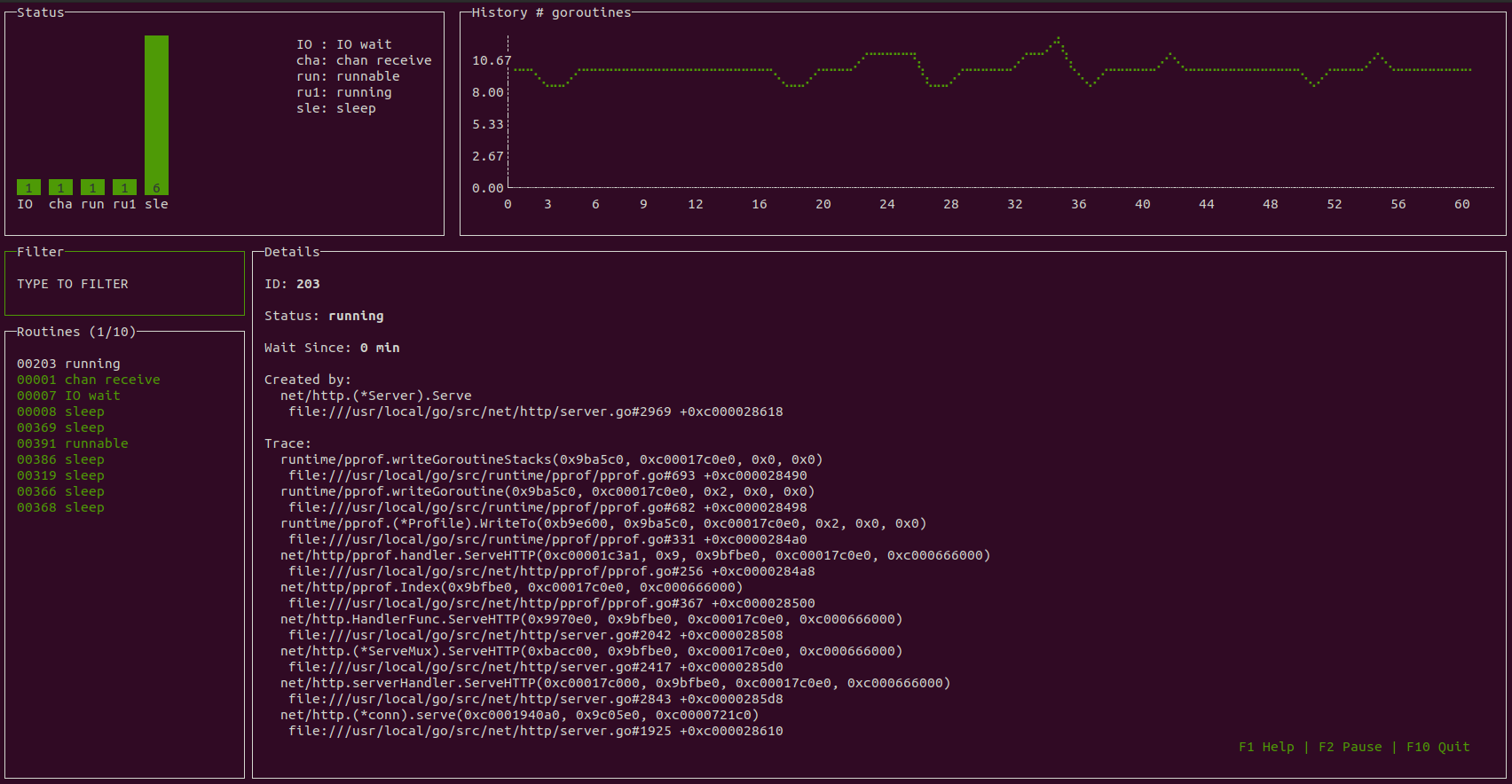
Features
- Track live state of all active goroutines
- Terminal user interface written with termui 🤓
- Simple to integrate pprof server for live monitoring
- Dynamic history of goroutine count
- Full-text filtering
- Overview of routine states
Installation
go install github.com/becheran/roumon@latest
Or download the pre-compiled binaries from the releases page.
Usage
Before starting roumon, the go app which shall be monitored needs to be prepared to export pprof infos via http.
pprof
The program which shall be monitored needs to run a pprof server.
Import pprof into you program:
import _ "net/http/pprof"
Run a webserver which will listen on a specific port:
go func() {
    log.Println(http.ListenAndServe("localhost:6060", nil))
}()
Start your program and check that the pprof site is available in you web-browser: http://localhost:6060/debug/pprof
roumon
Start roumon in from your command line interface. Use optional arguments if needed.
For example roumon -debug=logfile -host=192.168.10.1 -port=8081 will start the routine monitor for the pprof profiles exposed to 192.168.10.1:8081 and write a debug logfile to ./logfile.
Run roumon with -h or --help to see all commandline argument options:
Usage of roumon:
  -debug string
        Path to debug file
  -host string
        The pprof server IP or hostname (default "localhost")
  -port int
        The pprof server port (default 6060)
From within the Terminal User Interface (TUI) hit F1 for help F10 or ctrl-c to stop the application.
Contributing
Pull requests and issues are welcome!
Jelajahi proyek terkait
Memuat…