Proyek Lihat di GitHub
bassaer/ChatMessageView
Tentang
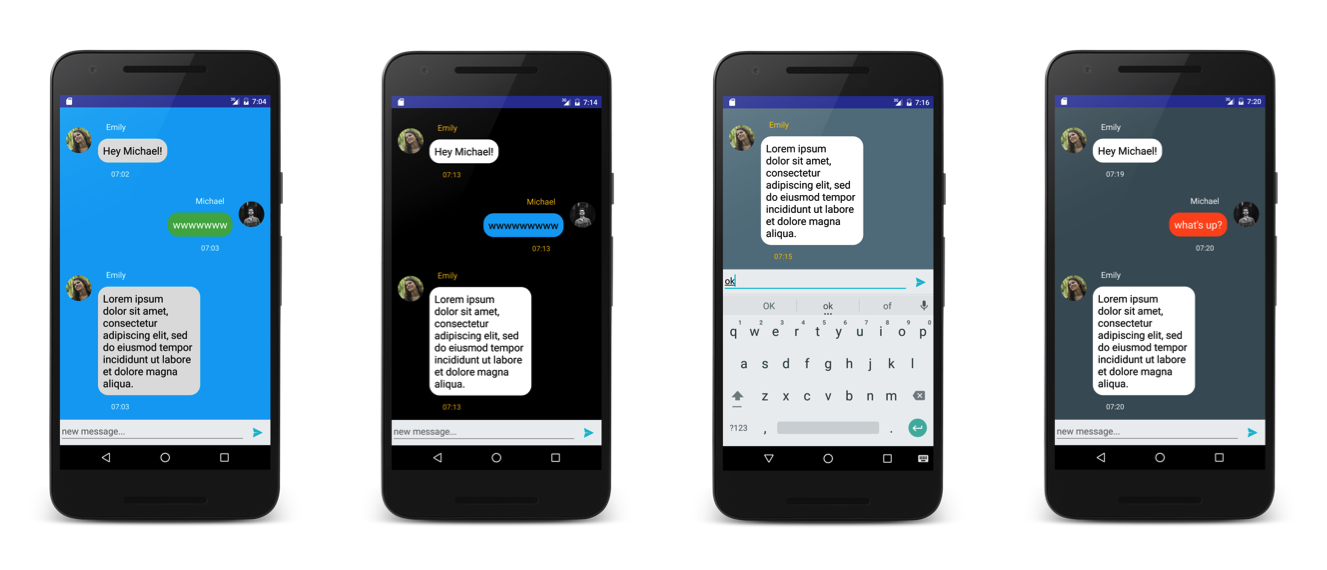
Chat UI library for Android :zap:
Alat pengembanganPertumbuhan bintang terukur
- dalam 24 jam
- 0
- dalam 7 hari
- 0
- dalam 15 hari
- Mengumpulkan riwayat
- dalam 1 bulan
- Mengumpulkan riwayat
Perubahan bersih pada periode yang tumpang tindih, bukan total harian. Pengukuran yang belum tersedia dibiarkan kosong. Bintang menunjukkan perhatian, bukan kualitas.
README.md
AsliChatMessageView



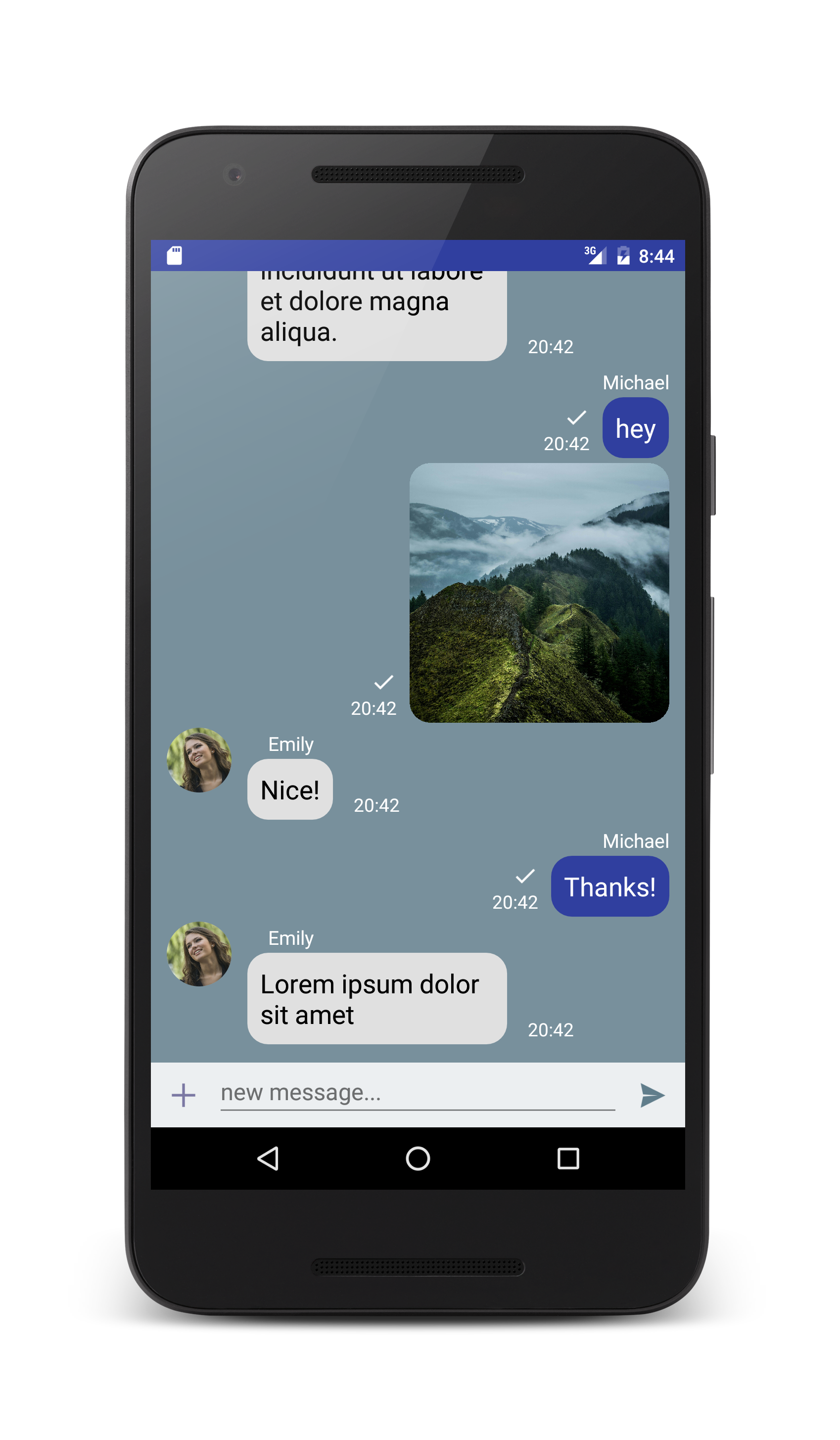
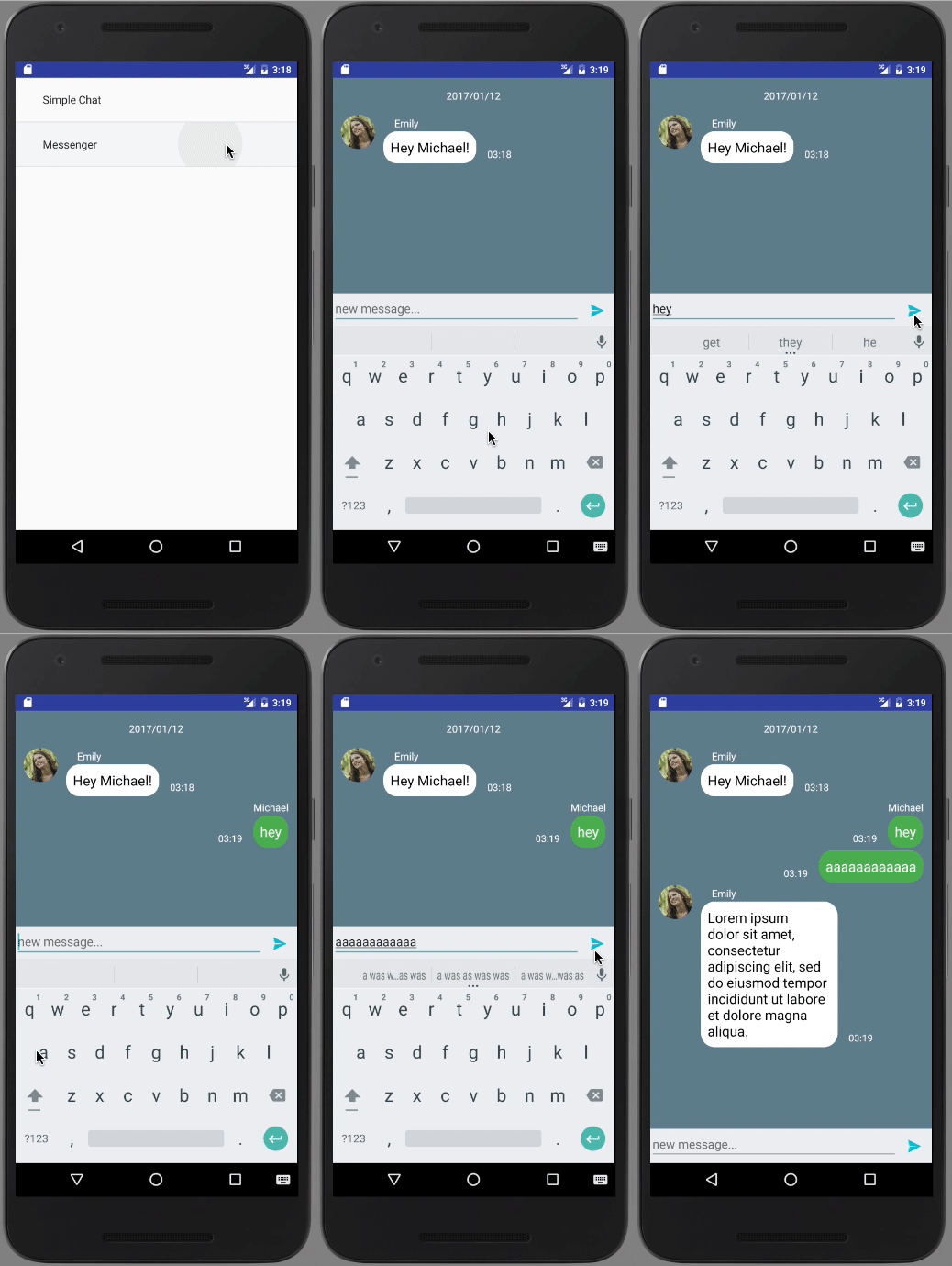
This library aims to provide a chat UI view for Android.
Feature
- You need to write just few code to create chat view.
- Auto date setting
- Easy to use for bot app
Gradle
dependencies {
    implementation 'com.github.bassaer:chatmessageview:2.1.0'
}
Usage
Only MessageView
<?xml version="1.0" encoding="utf-8"?>
<LinearLayout xmlns:android="http://schemas.android.com/apk/res/android"
              android:orientation="vertical"
              android:layout_width="match_parent"
              android:layout_height="match_parent">

    <com.github.bassaer.chatmessageview.view.MessageView
        android:id="@+id/message_view"
        android:layout_width="match_parent"
        android:layout_height="match_parent"/>

</LinearLayout>
ChatView has MessageView and text box.
<?xml version="1.0" encoding="utf-8"?>
<LinearLayout xmlns:android="http://schemas.android.com/apk/res/android"
              android:orientation="vertical"
              android:layout_width="match_parent"
              android:layout_height="match_parent">

    <com.github.bassaer.chatmessageview.view.ChatView
        android:id="@+id/chat_view"
        android:layout_width="match_parent"
        android:layout_height="match_parent"/>

</LinearLayout>
Sample code
public class MessengerActivity extends Activity {

    private ChatView mChatView;

    @Override
    public void onCreate(Bundle savedInstanceState) {
        super.onCreate(savedInstanceState);
        setContentView(R.layout.activity_messenger);

        //User id
        int myId = 0;
        //User icon
        Bitmap myIcon = BitmapFactory.decodeResource(getResources(), R.drawable.face_2);
        //User name
        String myName = "Michael";

        int yourId = 1;
        Bitmap yourIcon = BitmapFactory.decodeResource(getResources(), R.drawable.face_1);
        String yourName = "Emily";

        final User me = new User(myId, myName, myIcon);
        final User you = new User(yourId, yourName, yourIcon);

        mChatView = (ChatView)findViewById(R.id.chat_view);

        //Set UI parameters if you need
        mChatView.setRightBubbleColor(ContextCompat.getColor(this, R.color.green500));
        mChatView.setLeftBubbleColor(Color.WHITE);
        mChatView.setBackgroundColor(ContextCompat.getColor(this, R.color.blueGray500));
        mChatView.setSendButtonColor(ContextCompat.getColor(this, R.color.cyan500));
        mChatView.setSendIcon(R.drawable.ic_action_send);
        mChatView.setRightMessageTextColor(Color.WHITE);
        mChatView.setLeftMessageTextColor(Color.BLACK);
        mChatView.setUsernameTextColor(Color.WHITE);
        mChatView.setSendTimeTextColor(Color.WHITE);
        mChatView.setDateSeparatorColor(Color.WHITE);
        mChatView.setInputTextHint("new message...");
        mChatView.setMessageMarginTop(5);
        mChatView.setMessageMarginBottom(5);

        //Click Send Button
        mChatView.setOnClickSendButtonListener(new View.OnClickListener() {
            @Override
            public void onClick(View view) {
                //new message
                Message message = new Message.Builder()
                        .setUser(me)
                        .setRight(true)
                        .setText(mChatView.getInputText())
                        .hideIcon(true)
                        .build();
                //Set to chat view
                mChatView.send(message);
                //Reset edit text
                mChatView.setInputText("");

                //Receive message
                final Message receivedMessage = new Message.Builder()
                        .setUser(you)
                        .setRight(false)
                        .setText(ChatBot.talk(me.getName(), message.getText()))
                        .build();

                // This is a demo bot
                // Return within 3 seconds
                int sendDelay = (new Random().nextInt(4) + 1) * 1000;
                new Handler().postDelayed(new Runnable() {
                    @Override
                    public void run() {
                        mChatView.receive(receivedMessage);
                    }
                }, sendDelay);
            }

        });

    }
}
License
Jelajahi proyek terkait
Memuat…