
Cosmo/Clippy
Tentang
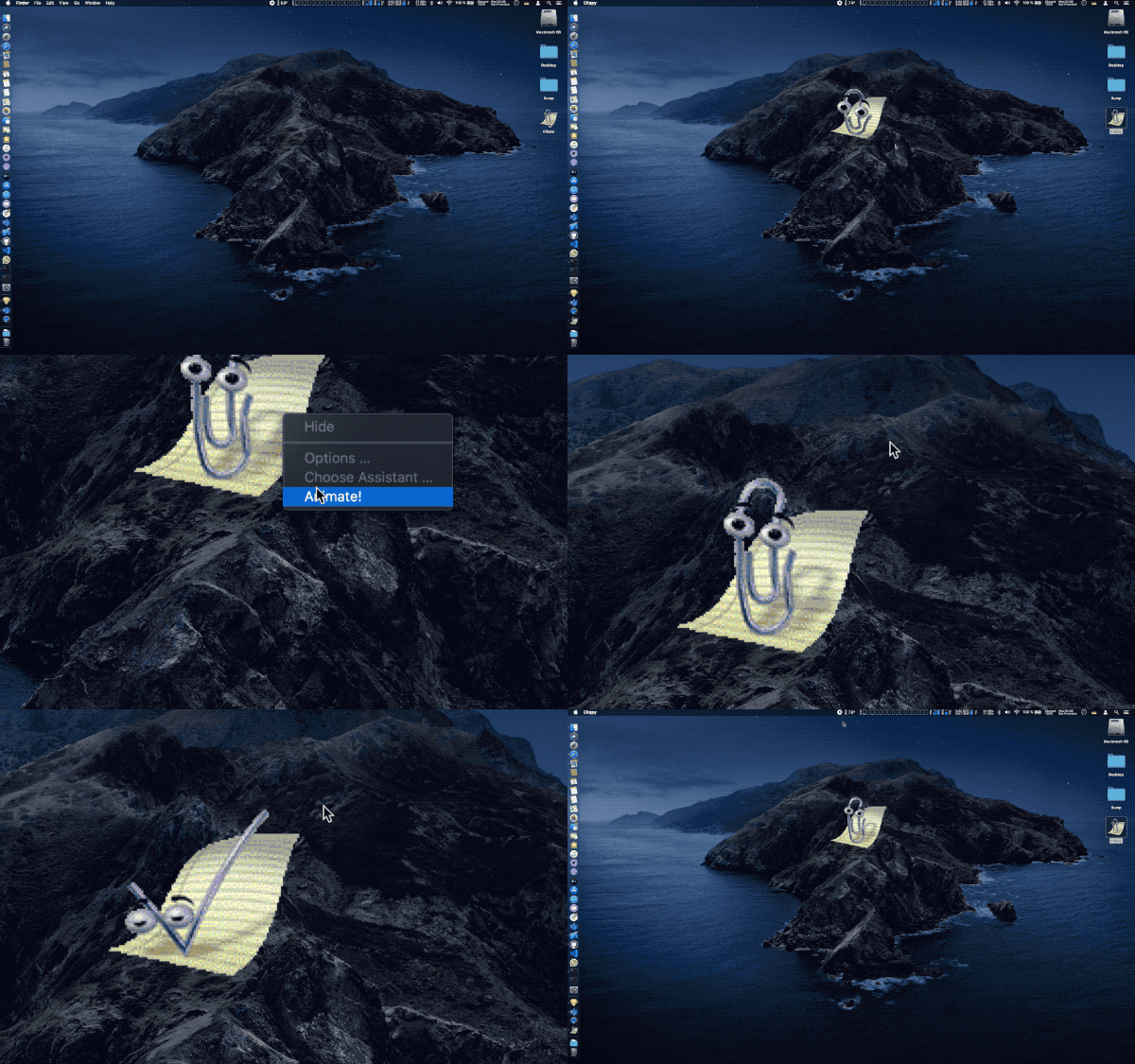
Clippy from Microsoft Office is back and runs on macOS! Written in Swift.
Alat pengembanganPertumbuhan bintang terukur
- dalam 24 jam
- 0
- dalam 7 hari
- +1
- dalam 15 hari
- Mengumpulkan riwayat
- dalam 1 bulan
- Mengumpulkan riwayat
Perubahan bersih pada periode yang tumpang tindih, bukan total harian. Pengukuran yang belum tersedia dibiarkan kosong. Bintang menunjukkan perhatian, bukan kualitas.
README.md
AsliClippy
Yes, Clippy from Microsoft Office is back — on macOS!
Clippy can be moved around (drag with mouse) and be animated (right-click).
The SpriteKit-Framework is used to animate through Clippy's sprite map.
First start
- Download Clippy for macOS or build from source.
- Run
- Click
📎→Show in Finderin the menu bar - Unzip all files
- Click
📎→Reload - Pick an Agent under
📎→Agents→…
Todos
- Animations (Right-Click → Animate! or press the Space bar)
- Always on top
- Sounds
- Mute / Unmute
- Transparent when out of focus
- Support for other agents
- Agent picker
- Menu bar Item
- Original size / Zoom
- Actions
- Hide
- Show
- MoveTo x y
- GestureAt x y
- Play animation
- Clean up
- Rewrite the ugly parts (many references and force unwraps)
- Extract the Agent reader into its own libary
- Test!
- HitTest on transparent regions
- Support branching and probability
- Idle animations
- Languages
- Control via command line
Demo
Build
git clone https://github.com/Cosmo/Clippy.git
- Open project with Xcode
- Build and run the macOS target
Add other Agents (optional)
An *.acs file includes all required resources (bitmaps, sounds, definitions, etc.) of an agent.
Unfortunately, this project does not support *.acs files, yet. But hopefully in the future — pull-requests are welcome.
Until then, you can convert *.acs files with the "MSAgent Decompiler" by Lebeau Software.
This software extracts all resources that we need, from an *.acs.
There are a few steps involved.
Requirements
brew install imagemagick
Will be used to merge single *.bmp sprites into a single 32 bit PNG-file.
brew install ffmpeg
Will be used to convert *.wav-files in RIFF format to MP3 files.
Conversion
Included in this project is a converter called agent-converter.sh.
This tool takes opaque BMP sprites, removes background colors, puts them together to one big transparent PNG file and converts all sounds to MP3.
./agent-convert.sh PATH_TO_AGENT NEW_NAME
AGENT_PATH path to decompiled agent directory.
NEW_NAME should only include lowercase letters.
Example
./agent-convert agents/CLIPPIT clippy
Final step
After the conversion step, you will get a new folder called NEW_NAME.agent.
- Click
📎→Show in Finderin the menu bar. - Move it to the Agents directory.
- Click
📎→Reload - Select new Agent under
📎→Agents→…
Attributions
Inspiration was taken from:
- https://github.com/tanathos/ClippyVS (C#)
- https://github.com/smore-inc/clippy.js (JavaScript)
Graphics were created by Microsoft.
Clippy: The Unauthorized Biography
Watch the Unauthorized Biography with Steven Sinofsky, if you're interested in Clippy's history!

Contact
- Devran "Cosmo" Uenal
- Twitter: @maccosmo
Jelajahi proyek terkait
Memuat…