
z3n70/Frida-Script-Runner
À propos
Web-based Frida framework and toolkit for Android & iOS penetration testing, mobile security, and dynamic analysis, featuring AI-assisted Frida script generation.
SécuritéWhat you can do
- Codex CLI (for AI-powered script generation - setup guide)
- Ghidra MCP Server (for binary analysis integration)
- JADX MCP Server (for Android APK analysis)
- Binary Analysis: AI can access Ghidra/JADX data for accurate function names and addresses
Progression mesurée des étoiles
- in 24h
- 0
- in 7 days
- -1
- in 15 days
- Historique en cours
- in 1 month
- Historique en cours
Variations nettes sur des périodes qui se chevauchent, pas des totaux quotidiens. Les mesures absentes restent vides. Les étoiles indiquent l’intérêt, pas la qualité.
README.md
Original

Frida Script Runner
Powerful web-based for mobile Android & iOS penetration testing toolkit





Quick Start
Frida Script Runner is a powerful plug & play web-based toolkit designed for Android and iOS penetration testing and mobile application security analysis. This tool simplifies the process of interacting with Frida by providing a user-friendly Flask-based interface, significantly improving the efficiency of penetration testing workflows.
It features AI-powered script generation through Codex CLI integration with MCP (Model Context Protocol) servers, enabling advanced binary analysis using Ghidra MCP and JADX MCP with minimal manual configuration.
A comprehensive toolkit for analyzing, manipulating, and interacting with mobile applications (Android & iOS), including APK/IPA dumping and automated Frida script generation.
Tech Graph
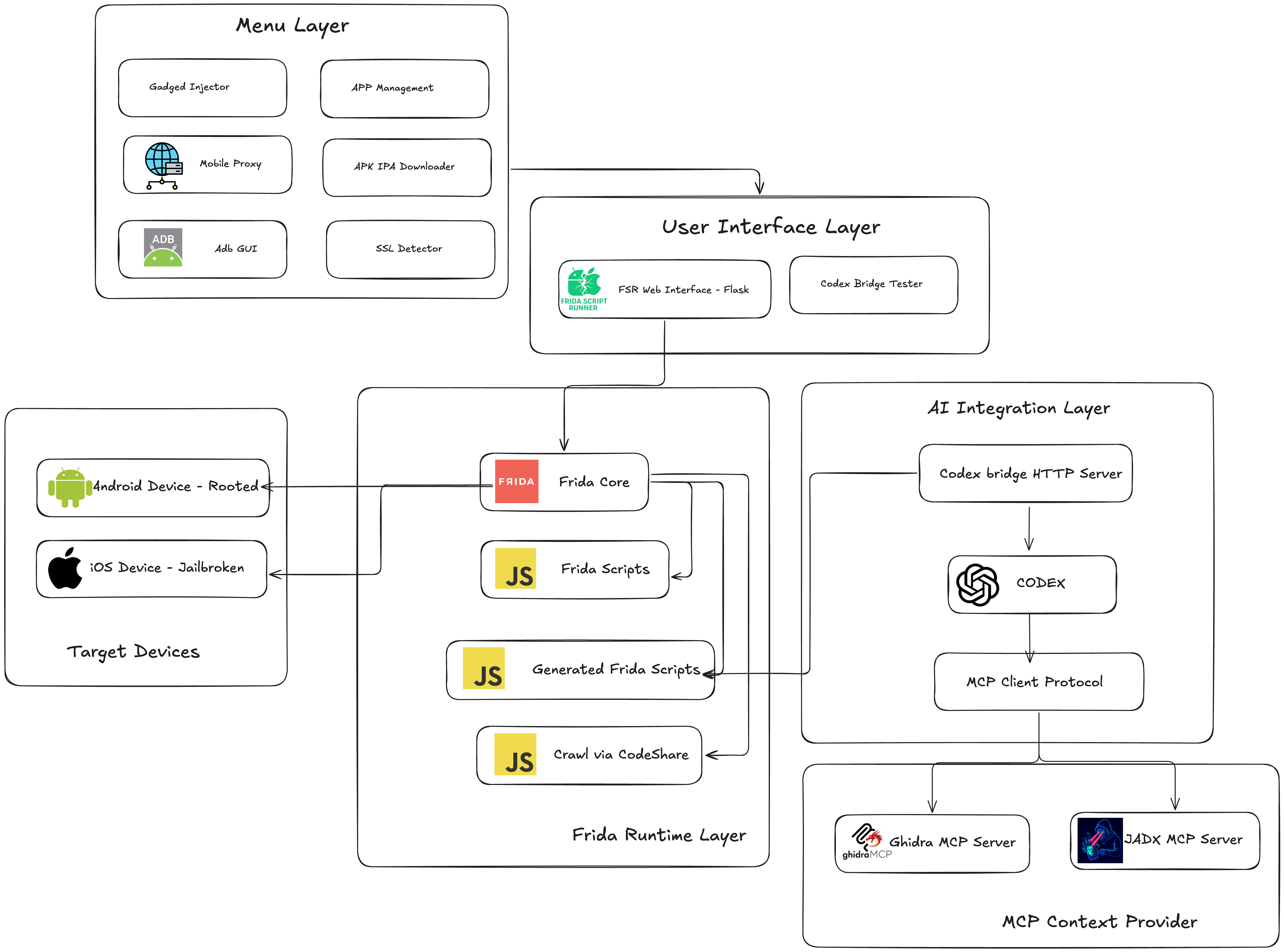
Feature Overview
| Feature Category | Key Features | Status |
|---|---|---|
| Core Frida | Script execution, REPL, real-time output, auto-fix | ✅ |
| AI Generation | Codex CLI, MCP integration (Ghidra & JADX), prompt engineering | ✅ |
| Server Management | Version control, start/stop, auto-detect | ✅ |
| Frida Gadget Injector | APK modification, script embedding, multi-arch | ✅ |
| SSL Detection | Static analysis, pattern recognition, code preview | ✅ |
| Mobile Proxy | HTTP proxy setup, auto IP detection | ✅ |
| ADB GUI | Package management, device control, monitoring | ✅ |
| Codeshare | Script search, browse, import | ✅ |
| App Management | Dump APK/IPA, install, split APK support | ✅ |
| Device Monitoring | Real-time status, multi-device support | ✅ |
Video Tutorials
FSR - New Version and Other Features
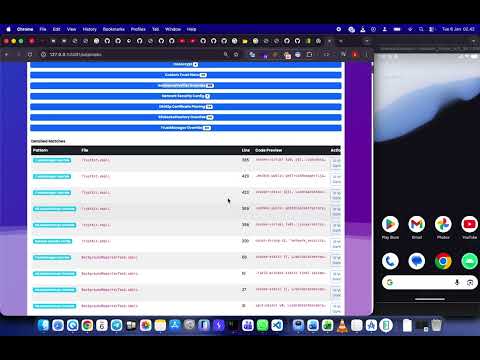
FSR - AI
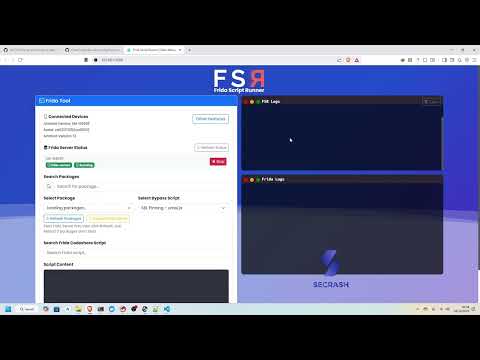
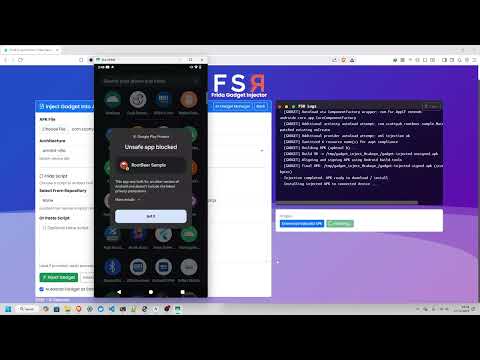
Server Manager & Inject Frida Gadget
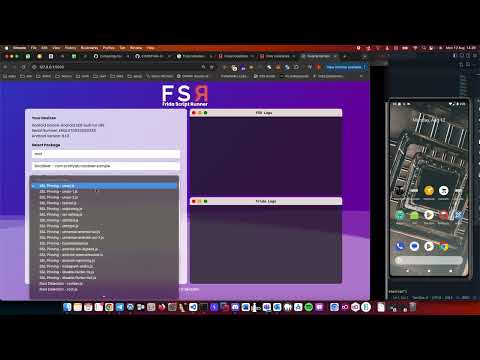
Android & Custom Script
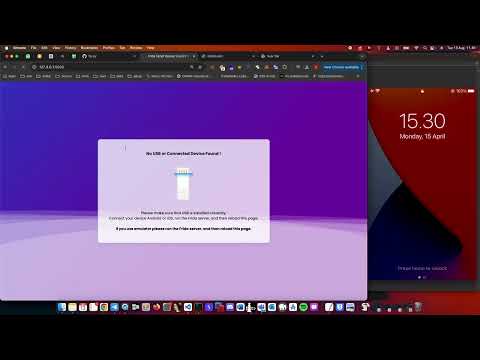
iOS
Prerequisites
Required Software
- Python 3.11.x (required)
- Flask (web framework)
- Frida (instrumentation toolkit)
- ADB (for Android - installation guide)
- ideviceinfo (for iOS - installation guide)
AI Features (Optional)
- Codex CLI (for AI-powered script generation - setup guide)
- Ghidra MCP Server (for binary analysis integration)
- JADX MCP Server (for Android APK analysis)
Device Requirements
- Android: Root access required for Frida server installation
- iOS: Jailbroken device with Frida installed via Cydia/Sileo/Zebra
Installation
Method 1: Native Installation
1. Clone the repository:
git clone https://github.com/z3n70/Frida-Script-Runner.git
cd Frida-Script-Runner

2. Install Dependencies:
pip3 install -r requirements.txt

3. Run The Application:
python3.11 frida_script.py

4. Access the Web Interface:
http://127.0.0.1:5000
Method 2: Docker Installation
1. Build and run with Docker Compose:
docker-compose up --build

2. Start Codex Bridge (for AI features):
# On host machine (Windows/Linux/macOS)
python codex-bridge.py

3. Access the Applications:
Frida Script Runner: http://localhost:5000
Codex Bridge Tester: http://localhost:8091
Method 3: Auto Installation
1. Clone repository
git clone https://github.com/z3n70/Frida-Script-Runner.git
cd Frida-Script-Runner

2. Run Command
chmod +x install.sh

3. And Run
./install.sh
AI Setup (Optional)
If you want to use AI-powered script generation:
- Install Codex CLI:
- Follow the Codex CLI setup guide
- Authenticate with your OpenAI account and ensure the
codexcommand is available
- Configure MCP Servers (MUST):
- Set up Ghidra MCP server for binary analysis
- Configure JADX MCP server for APK analysis
- Update paths in
codex-bridge.pyif needed - Copy
.config.toml.exampleto.config.tomland adjust MCP server paths for your setup
Usage
Basic Usage
- Device Setup:
- Connect your USB device and run Frida Server (root/jailbreak required)
- For iPhone: Ensure Frida is installed via Cydia, Sileo, Zebra, or another package manager
- Run Scripts:
- Open the web interface and select the target package and script
- Click "Run Frida" to start the Frida process
- View real-time output in the output container
- Script Management:
- Android scripts: Place in
Script Directory 1 - iOS scripts: Place in
Script Directory 2 - See
script.jsonfor structure and naming conventions
- Android scripts: Place in
AI-Powered Script Generation
Using the Web Interface:
- Navigate to the "AI Generate" tab
- Enter your request (e.g., "Hook the login function and log parameters")
- Click "Generate Script" to create a custom Frida script
Using the Codex Bridge Tester:
- Access http://localhost:8091 (when bridge is running)
- Test different prompts and refine your requests
- Generated scripts are optimized for ARM Android devices
Example Prompts:
- "Intercept SSL pinning bypass for Android app"
- "Hook Java method com.example.App.authenticate and modify return value"
- "Monitor file operations and log file paths"
- "Hook the main function and log all parameters"
Advanced Features
- Binary Analysis: AI can access Ghidra/JADX data for accurate function names and addresses
- Auto-Fix: Scripts automatically include ARM stability patterns and error handling
- Real-time Analysis: MCP servers provide live binary analysis during script generation
Contributing
Contributions welcome! Please read our Contributing Guidelines.
- Fork the repository
- Create feature branch
- Test on Android & iOS
- Submit pull request
Contact: @zenalarifin_
Contributors
Acknowledgments
- Frida Project - Instrumentation toolkit
- Frida-ios-dump - IPA decryption
- OpenAI - Codex-powered generation
- Claude - Claude is a next generation AI
- MCP Servers - Binary analysis
- GhidraMCP - allowing LLMs to autonomously reverse engineer applications.
- JadxMCP - It lets LLMs communicate with the decompiled Android app
- Apktool - A tool for reverse engineering Android apk files
Made with ❤️ Secrash © 2025
Explorer des projets similaires
Chargement…