
srixivas/PcapXray
À propos
:snowflake: PcapXray — outil de criminalistique réseau permettant de visualiser hors ligne une capture de paquets sous forme de diagramme réseau, avec identification des appareils, mise en évidence des communications importantes et extraction de fichiers.
SécuritéProgression mesurée des étoiles
- in 24h
- 0
- in 7 days
- -1
- in 15 days
- +2
- in 1 month
- Historique en cours
Variations nettes sur des périodes qui se chevauchent, pas des totaux quotidiens. Les mesures absentes restent vides. Les étoiles indiquent l’intérêt, pas la qualité.
README.md
OriginalPcapXray 


A network forensics tool — visualize PCAP files or live traffic as an annotated network diagram with device identification, protocol classification, Tor detection, and malicious traffic flagging.
Module Overview
graph TD
    UI[user_interface.py\nGUI controller] --> PR[pcap_reader\nFile + Live capture]
    PR --> ENG[engines/\nauto · dpkt · scapy · pyshark]
    PR --> MEM[(memory.py\nShared state)]
    MEM --> CDF[communication_details_fetch\nDNS · whois]
    MEM --> DDF[device_details_fetch\nOUI vendor lookup]
    MEM --> TTH[tor_traffic_handle\nTor consensus]
    MEM --> MTI[malicious_traffic_identifier\nHeuristic flags]
    MEM --> SS[sqlite_store\nSession persistence]
    MEM --> PLN[plot_lan_network\nGraphviz PNG + pyvis HTML]
    UI --> IG[interactive_gui\nMatplotlib panel]
    IG --> MEM
    PLN --> OUT[Reports + Diagrams]
Design Specification
Goal
Given a PCAP file or a live network interface, plot a network diagram displaying hosts, traffic flows, important/Tor/malicious communication, and data involved in each session.
Problem
- Investigation of a PCAP file takes a long time given the initial glitch to start the investigation
- Faced by every forensics investigator and anyone analyzing network traffic
Solution: Speed up the investigation process
Make a network diagram with the following features:
Tool Highlights:
- Network Diagram — summary network diagram of the full network
- Web traffic with server details
- Tor traffic detection
- Possible malicious traffic flagging
- Data obtained from packets in report — device/traffic/payloads
- Device details — OUI vendor, hostname resolution, whois
- Live traffic capture with real-time graph updates
- Interactive graph — pyvis HTML for in-browser exploration
- Session persistence — SQLite cache for reload without re-analysis
Screenshots
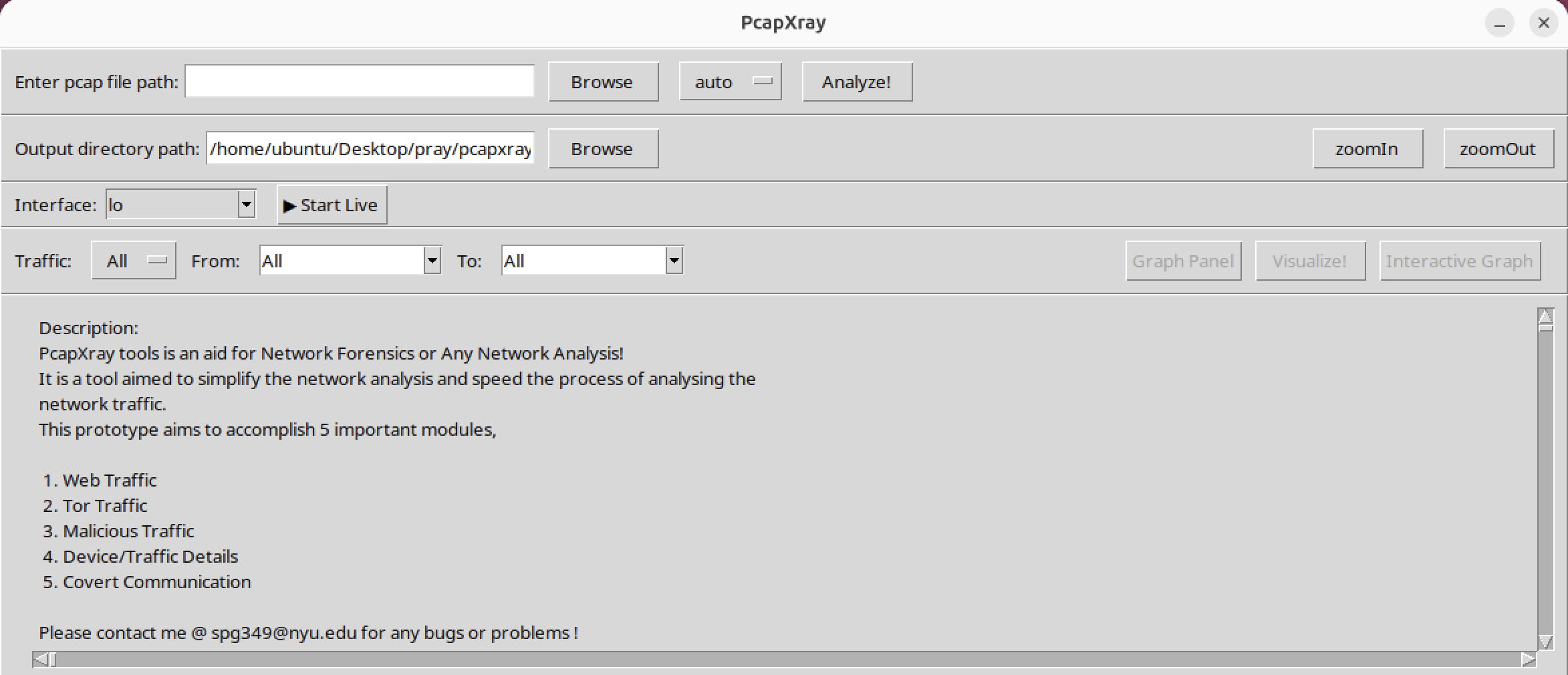
Main application panel
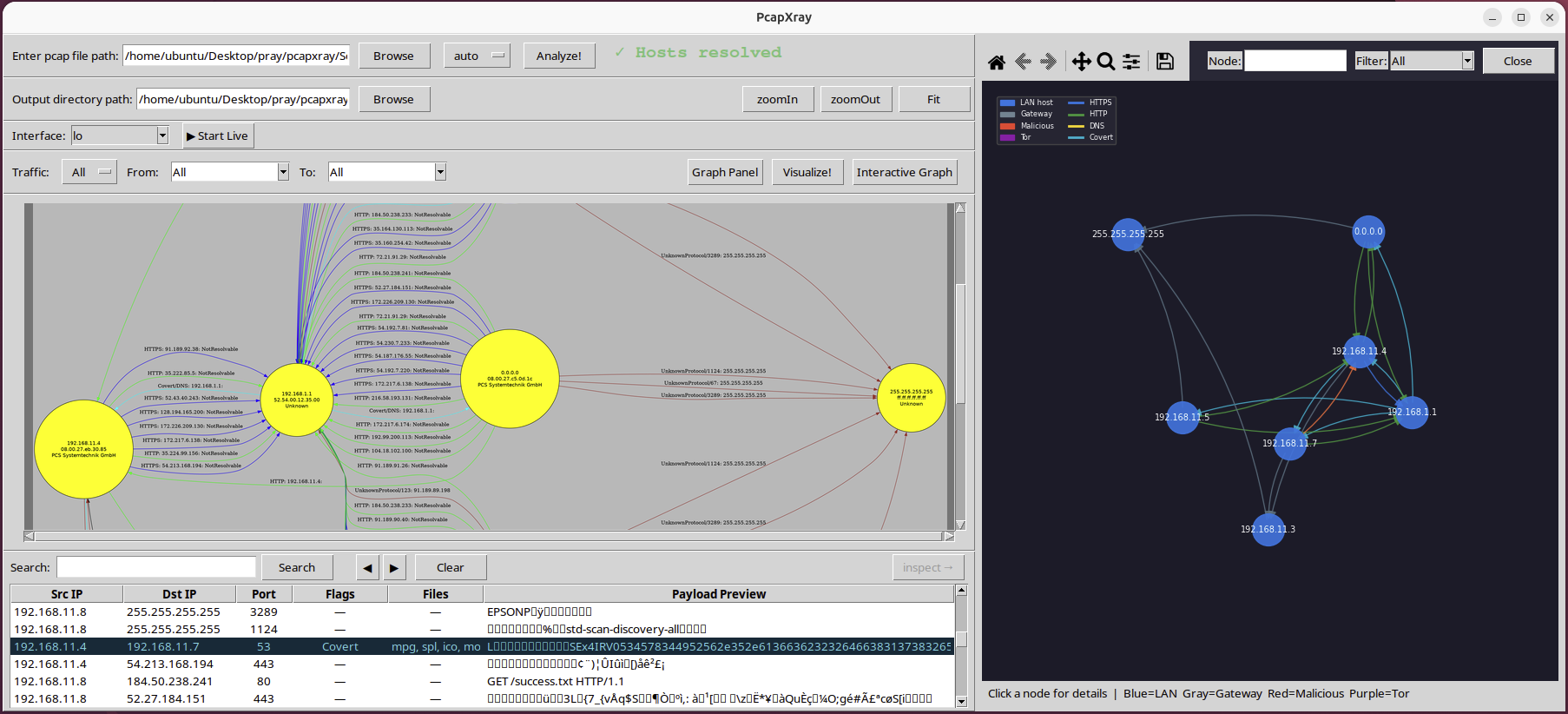
Static network graph — natural layout with auto-fit zoom
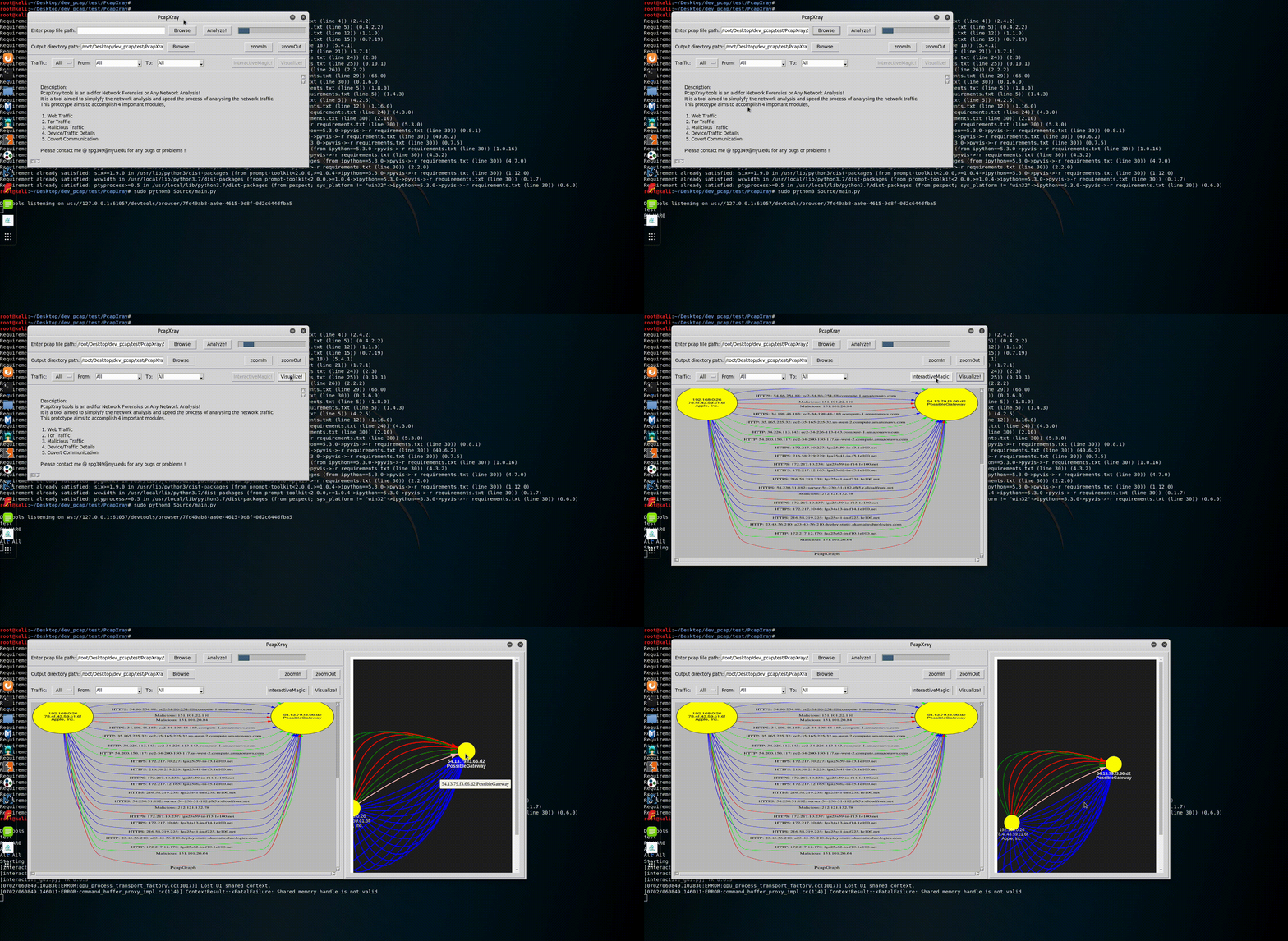
Demo
Setup
Requirements: Python 3.10+
Linux (Ubuntu/Debian)
sudo apt-get update
sudo apt-get install -y python3-tk graphviz tshark
pip3 install -r requirements.txt
sudo python3 Source/main.py
If using a specific Python version (3.11, 3.12), replace
python3-tkwithpython3.11-tkorpython3.12-tk. Install Pillow via pip only — do not installpython3-pilfrom apt as it conflicts.
macOS
brew install graphviz
pip3 install -r requirements.txt
sudo python3 Source/main.py
sudois required for live capture. File analysis runs without it.
Usage
File analysis
- Enter or browse to a
.pcap/.pcapngfile - Choose output directory
- Select engine (default:
auto) - Click Analyze!
- Click Visualize! to generate the network diagram
- Click Interactive Graph to open the pyvis HTML in your browser
- Click Graph Panel to open the matplotlib interactive view
Live capture
- Select your network interface from the dropdown
- Click ▶ Start Live (requires
sudo/ root) - The graph panel opens and updates every 4 seconds
- Click ⏹ Stop to end capture — runs covert channel detection post-capture
- Click Visualize! to generate a point-in-time static snapshot
PCAP Engines
PcapXray supports four interchangeable parsing backends selectable from the toolbar:
| Engine | Best for | Notes |
|---|---|---|
auto |
General use | Tries dpkt first, falls back to scapy |
dpkt |
Large files, low memory | Fast offline parsing |
scapy |
Deep protocol inspection | TLS-aware, slower on large files |
pyshark |
Maximum protocol coverage | Requires tshark installed |
Components
- Network Diagram — graphviz-rendered PNG of the full LAN topology
- Device/Traffic Details and Analysis — per-session payloads, TLS records, DNS queries
- Malicious Traffic Identification — port and domain heuristic-based flagging
- Tor Traffic — consensus download + session matching
- Live Capture — AsyncSniffer with real-time matplotlib graph, 4-second refresh
- GUI — Tkinter interface with filter options, zoom, and session controls
Python Libraries
All dependencies are in requirements.txt — install with pip3 install -r requirements.txt.
Tkinter is the only library not on PyPI — install via your system package manager (python3-tk on Linux, included with Python on macOS).
| Library | Purpose |
|---|---|
| scapy | Packet reading and live capture |
| dpkt | Fast PCAP parsing engine |
| pyshark | tshark-backed parsing engine |
| ipwhois | Whois / RDAP lookup |
| netaddr | IP address classification |
| pillow | Image processing for graph display |
| stem | Tor consensus data fetch |
| graphviz | Network diagram rendering |
| networkx | Graph construction and layout |
| matplotlib | Embedded interactive graph panel |
| pyvis | Interactive HTML network graph |
| pydantic | Typed data models for session state |
| cryptography | TLS cipher suite parsing |
Development & Architecture
See DEV.md for full architecture documentation, call flow diagrams, module responsibilities, threading model, and how to add a new engine.
Security
See SECURITY.md for responsible disclosure, security posture, and known limitations.
Testing
# Fast suite — no network calls
pytest -m "not network" Test/

# Full suite including real DNS + Tor
pytest Test/

# Isolated engine environments
tox
tox -e all-engines
96+ tests across Python 3.10, 3.11, 3.12.
Additional Information
- Tested on macOS and Linux
- Traffic filter options: All, HTTP, HTTPS, Tor, Malicious, ICMP, DNS
- Presented at DEF CON 27 Demo Labs
Known Limitations
- macOS minimize restore — clicking the dock icon after minimizing may not restore the window due to a known Tk/Cocoa bug. Use Cmd+Tab or right-click the dock icon → Show as a workaround.
- Large captures — memory usage scales with session count; very large PCAPs (1GB+) may be slow. Use
dpktengine for best performance on large files. - Live capture privileges — requires root/sudo on all platforms for raw socket access.
Future
- More protocol support (QUIC, HTTP/2, mDNS)
- Web UI / eBPF engine
- Go rewrite for PacketTotal-scale performance
Credits
- Professor Marc Budofsky
- Kevin Gallagher
- All contributors and dependent library authors
- Logo: logomakr.com + inkscape.org
- Presented at DEF CON 27 Demo Labs
Just for Security Fun!
Explorer des projets similaires
Chargement…