
rcourtman/presspeech
rcourtman/presspeech has 34 GitHub stars and 3 forks. Star changes are not measured yet. Last checked 2026-11-12 06:08 UTC. Last push 2026-11-09.
Comment ces chiffres sont mesurés
Fast, private push-to-talk dictation for Apple Silicon Macs — local Parakeet TDT v3, no cloud or telemetry.
Progression mesurée des étoiles
- in 24h
- Historique en cours
- in 7 days
- Historique en cours
- in 15 days
- Historique en cours
- in 1 month
- Historique en cours
Variations nettes sur des périodes qui se chevauchent, pas des totaux quotidiens. Les mesures absentes restent vides. Les étoiles indiquent l’intérêt, pas la qualité.
README.md
Original
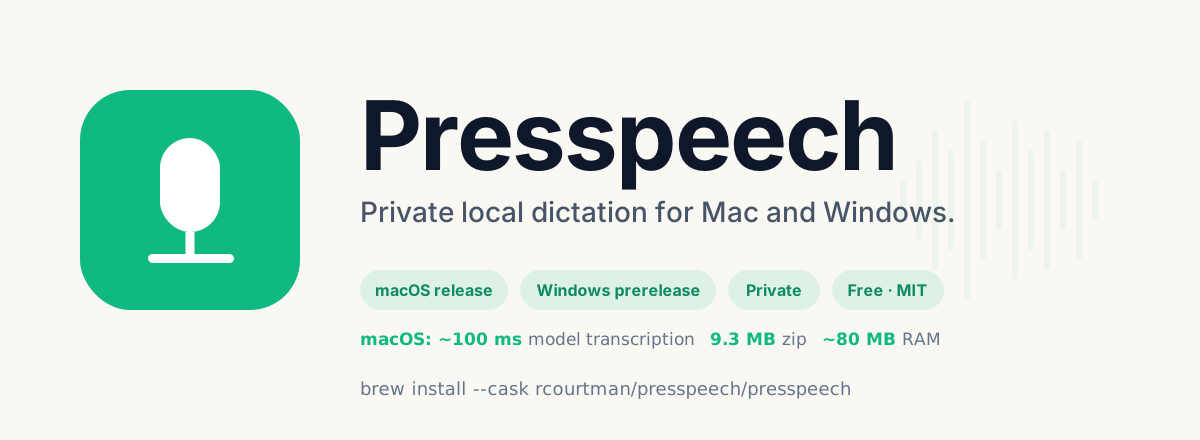


Presspeech
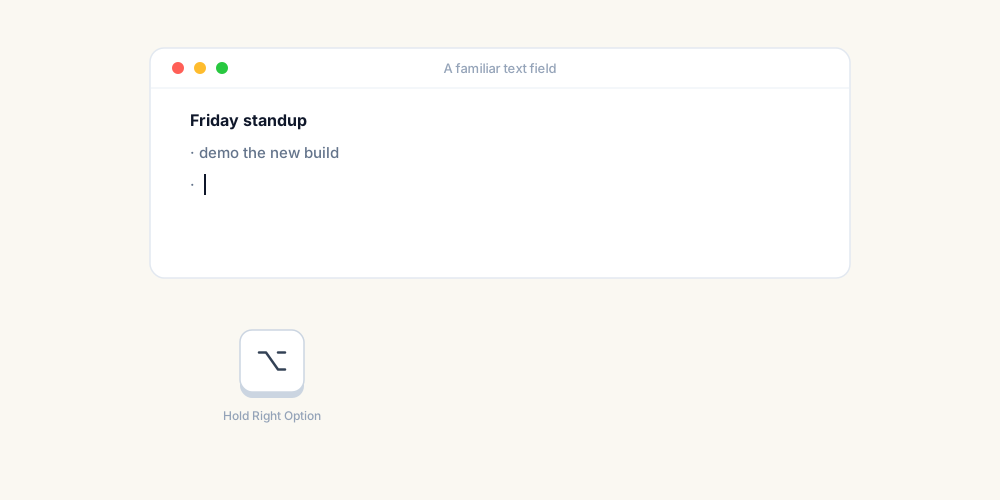
Hold a key, speak, let go — your words appear at the cursor.
Free, open-source dictation that runs entirely on your computer. No account, no subscription, and your voice never leaves your machine. A native Mac app for Apple Silicon, with a Windows preview.
~90–150 ms warm ASR inference · 9.3 MB release zip
Why Presspeech
- Fast. Speech recognition runs on the Apple Neural Engine, using NVIDIA's multilingual Parakeet TDT v3 model via FluidAudio. Once warm, a typical sentence is transcribed in about a tenth of a second. How it's measured.
- Private by design. There is no cloud transcription path. Audio stays in memory and is discarded after transcription, and transcripts are never logged. Every network call, listed.
- Light. A small native menu-bar app that sits idle until you hold the key.
- Pastes where you started. If you switch windows, or Presspeech cannot verify the original destination, it skips automatic paste so you can paste manually from the clipboard instead of it typing into the wrong place. It cannot always detect a move to another field or browser tab in the same window, so keep the starting field and tab selected until the text lands.
- Yours to tune. Hold-to-talk or press-to-toggle, any hotkey, local correction rules and text shortcuts, spoken formatting, filler-word removal.
How it compares
| Presspeech | Apple Dictation | Superwhisper | Wispr Flow | VoiceInk | |
|---|---|---|---|---|---|
| Price | Free | Included with macOS | Free tier; Pro from $8.49/month | 2,000 words/week free; Pro $15/month | Free trial, then from $25 one-time |
| Where your audio goes | Stays on your Mac | On-device for some languages, otherwise Apple's servers | Local or cloud, depending on the model you pick | Always the cloud | Local, or cloud if you choose it |
| Account | None | None | No sign-in documented; Pro uses a licence key | Required | No sign-in documented; paid build uses a licence key |
| Source code | Open (MIT) | Closed | Closed | Closed | Open (GPL-3.0) |
| Languages | 25 European, auto-detected | 63 locales (48 on-device) | 100+ | 100+ | No official count |
Taken from each app's own published docs and pricing; sources, dates and more apps on the comparison page. Prices change, so check before you buy.
Presspeech does one thing: fast, private, word-for-word dictation. If you want AI rewriting, meeting notes or 100+ languages, one of the others may suit you better.
Install
Windows 0.1.13 asks before missing first-run model downloads and offers Set Up Later.
Before opening a published build: check GitHub Releases and the deployed install guide for your platform (macOS or Windows) for the exact version; the source branch can contain an unreleased candidate. A clean installation of macOS 0.3.9, macOS 0.3.10 or macOS 0.3.11 asks before its first speech-model download. Existing installations retain automatic startup, so a missing model may still download on launch. On Windows 0.1.12, a missing speech-model download starts on launch and may send Hugging Face usage telemetry or an available token, including to a custom download route. Audio and transcripts are never sent. If you are unsure, install but leave the app unopened (on Windows, clear the installer's final Launch Presspeech option, which starts checked) and read the macOS or Windows launch decision first. Already ran macOS 0.3.8? Check what it may have sent.
Start here: first dictation guide · macOS install · Windows install
macOS — Released, signed, and notarised. Apple Silicon, macOS 14+.
brew install --cask rcourtman/presspeech/presspeech
Or use the version-pinned download and checksum. When you open the app, Setup Checklist covers the ~500–600 MB speech model and the Microphone, Accessibility, and Input Monitoring permissions (why each is needed).
Windows — Prerelease, unsigned installer, x64. Verify and install the Windows prerelease.
Install links resolve to published releases. The main branch can contain
an unreleased candidate.
Assistant Install Prompt
Have a shell-capable coding assistant install Presspeech for you
Install Presspeech from https://github.com/rcourtman/presspeech on this Mac.

Before choosing an install or launch path, verify the published macOS version on https://github.com/rcourtman/presspeech/releases and the deployed https://rcourtman.github.io/presspeech/install.html#direct-download guide. Use the version-pinned download only when both identify the same available release; if they disagree or the release asset is unavailable, stop and wait. The source branch, release notes, and local site metadata can be ahead of the downloadable build. Do not infer publication from those files alone.

Before installing or launching, explain the model download. Presspeech downloads its local speech model (~500-600 MB) from Hugging Face; the public model needs no account token, and from 0.3.9 Presspeech removes inherited Hugging Face account tokens from its model requests. Model downloads do not include dictation audio or transcripts. Valid inherited lowercase `https_proxy` or `http_proxy` settings still route model requests: a TLS-inspecting proxy trusted by macOS can read them, while a tunnelling proxy cannot. If the user depends on a proxy whose trust is unclear, wait. From 0.3.9, Presspeech refuses to start if either setting is malformed, naming only the variable; the user corrects or removes it before relaunching. Downloading the ZIP or installing the app without opening it does not make the model request. On a clean install, Setup waits for Download Model or Set Up Later; an existing installation with a missing model may start a download on launch. Do not inspect or display token values or proxy values, change credential settings, share logs containing them, or launch without the user's informed choice. If the user chooses to wait, skip the `open` command below and leave the app unopened. See https://rcourtman.github.io/presspeech/privacy.html#network-calls.

Before downloading or installing, run these read-only compatibility checks:
  uname -m
  sw_vers -productVersion

Stop if the Mac is not Apple Silicon (arm64) or macOS is older than 14. Do not download, install, or launch Presspeech on an unsupported Mac.

Presspeech has two notarised install paths: a direct release zip and a Homebrew Cask. After the compatibility checks pass, check whether Homebrew is already available:
  command -v brew

If Homebrew is available and the user chooses it, install with:
  brew install --cask rcourtman/presspeech/presspeech

Otherwise offer the direct notarised zip using the current version-pinned download and verification steps at https://rcourtman.github.io/presspeech/install.html#direct-download. Do not install Homebrew just for Presspeech. After verification, unzip and move Presspeech.app to Applications, but do not follow the guide's launch instruction yet. Do not run the Homebrew command when Homebrew is unavailable.

Before launching, read the installed app's version without opening it:
  plutil -extract CFBundleShortVersionString raw -o - /Applications/Presspeech.app/Contents/Info.plist
If it does not match the published version and launch decision you reviewed, stop; do not launch a different installed build. If an older 0.3.8 build is present, also point the user to https://rcourtman.github.io/presspeech/privacy.html#macos-0-3-8-after-use. The installation method alone does not establish which version is present at that path.

Only after the user makes an informed choice to launch the verified published version:
  open /Applications/Presspeech.app

After launch, Download Model in Setup starts the speech-model download and Set Up Later defers it; a valid cached model loads without another download. Before asking the user to enable Input Monitoring, explain that macOS's grant can expose typed keys; Presspeech requests keyboard events only to detect the configured hotkey and Escape to cancel an active recording, passes other keys through without saving, logging, or sending their values, and does not inspect mouse or trackpad events. Offer Apple's guide at https://support.apple.com/guide/mac-help/mchl4cedafb6/mac. Use Setup Checklist to finish the model, permissions, and hotkey readiness. The default dictation key is Right Option. Focus on setup and the first in-app test; explain that the scratchpad can still use the system clipboard and use only harmless words. Do not ask the user to star, review, or otherwise endorse the project.

A successful Try Dictation scratchpad test proves only the in-app path, not automatic paste into another app. Do not use a production field, live chat, form that can submit, or command shell as a first target. If the user asks to try another app, follow https://rcourtman.github.io/presspeech/getting-started.html#first-app with harmless words in a blank, disposable field. Count an automatic-paste pass only when the complete text appears once with no recovery notice. On macOS, a copied notice is manual recovery, not a paste pass: inspect the intended field first, then verify the clipboard still holds the complete transcript before manual paste; a later copy may have replaced it. Do not retry blindly. Use https://rcourtman.github.io/presspeech/app-compatibility.html before relying on repeated delivery to a specific app.

Only if the user asks about a future build: check GitHub Releases and the deployed install guide before describing its controls as available. Source changes alone do not make a new download available.
Learn more
- Getting started · Troubleshooting · FAQ
- Privacy and every network call
- App compatibility — test automatic paste in the apps you use
- Compare with other dictation apps
- Windows guide · Changelog · Roadmap · Support
Develop
git clone https://github.com/rcourtman/presspeech.git
cd presspeech/swift
./dev-run.sh
swift run Presspeech --self-test all
The macOS app is swift/Sources/Presspeech/main.swift; the Windows build lives
in windows/. See CONTRIBUTING.md for
checks, release steps, and the Windows toolchain.
License
MIT. See LICENSE.
Explorer des projets similaires
trimstray/the-book-of-secret-knowledge
Une collection de listes inspirantes, de manuels, d’antisèches, de blogs, d’astuces, de commandes en une ligne, d’outils CLI et web, et plus encore.
257,837 étoilesHack-with-Github/Awesome-Hacking
Une collection de diverses listes awesome pour les hackers, les pentesters et les chercheurs en sécurité.
125,254 étoilesswisskyrepo/PayloadsAllTheThings
Une liste de payloads et de méthodes de contournement utiles pour la sécurité des applications web et le pentest/CTF.
82,583 étoilescaddyserver/caddy
Serveur web HTTP/1-2-3 rapide, extensible et multiplateforme, avec HTTPS automatique
78,959 étoiles