
puritysb/AgentDeck
puritysb/AgentDeck has 297 GitHub stars and 59 forks. Star changes are not measured yet. Last checked 2026-11-13 22:54 UTC. Last push 2026-11-13.
Progression mesurée des étoiles
- in 24h
- Historique en cours
- in 7 days
- Historique en cours
- in 15 days
- Historique en cours
- in 1 month
- Historique en cours
Variations nettes sur des périodes qui se chevauchent, pas des totaux quotidiens. Les mesures absentes restent vides. Les étoiles indiquent l’intérêt, pas la qualité.
À propos
Local dashboards and physical controls for AI coding agents — native 3D aquariums, Stream Deck, Apple/Android apps, e-ink, ESP32 and LED displays.
Outils de développementREADME.md
Original

AgentDeck








Your AI agents, at a glance. Across your desk.
AgentDeck brings your AI agents into one local dashboard. See which are working, waiting for you, or finished—across projects and tools. Watch them in a living aquarium, follow the timeline, and keep usage limits in view. Use your Mac or terminal on its own, or add a tablet, Stream Deck, e-ink reader, or small desk display.

Photographed on September 28, 2026. See the full desk.
Start with what you already have. No extra hardware required. Use your Mac or terminal on its own, then add the displays that fit your desk.
Get started → · Choose your view ↓ · Watch the hardware desk tour
▶ Watch the AgentDeck product tour · 🌊 Project website · Devices · Live preview · Design system
AgentDeck · 2.0 product tour
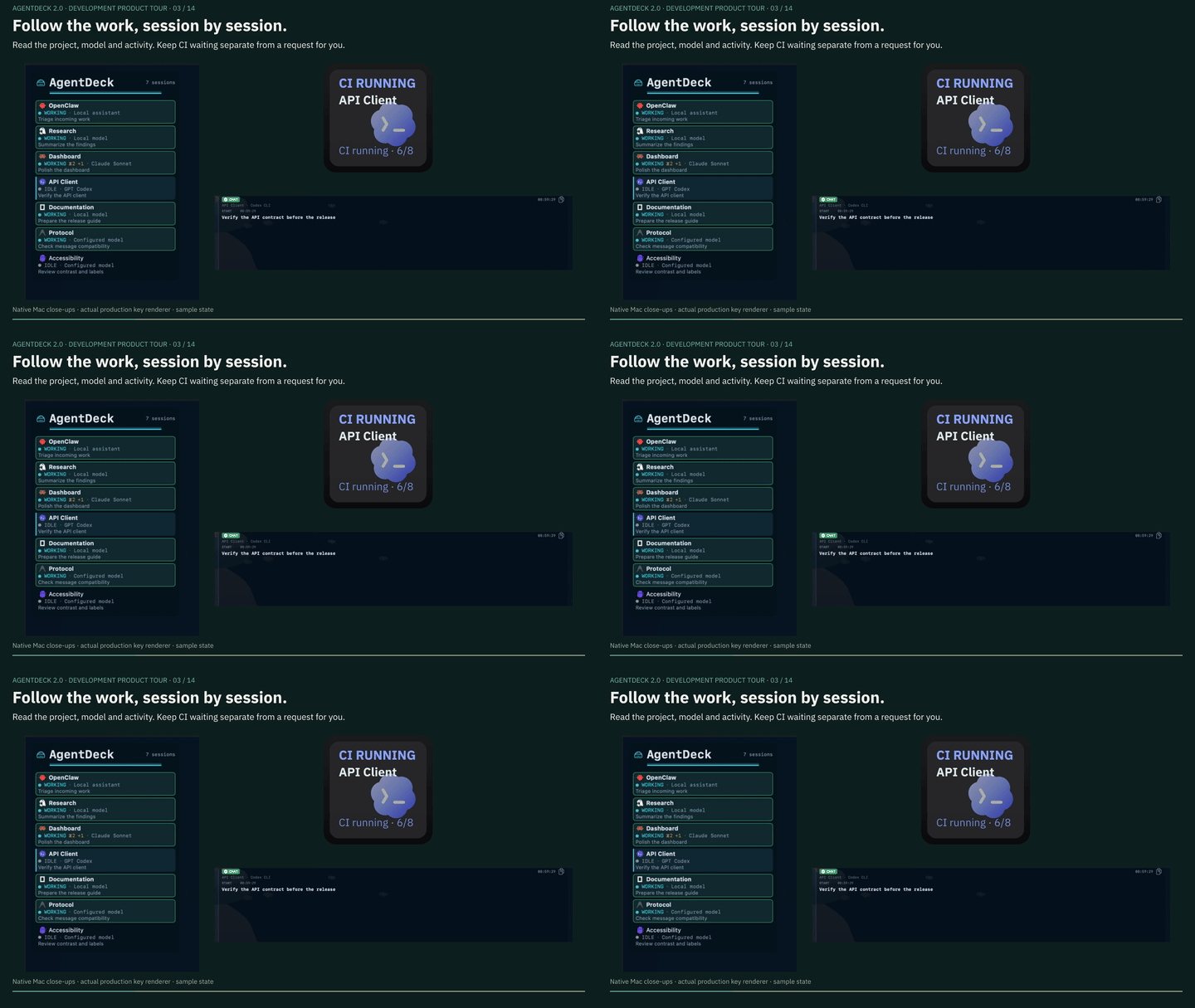
A 2 minute 24 second tour of the whole workflow: parallel agent sessions, per-session history and CI waiting, collaboration, usage windows, original choices and one-time approval, voice and native agent controls, task evaluation and recorded evidence, then the roles of keypads, tablets, e-ink and small displays.
Actual Mac/iPad UI and production renderers use fictional activity; the phone control chapter uses a real local OpenCode execution. Static captures and older hardware photographs are labeled in the video. It was recorded on 2.0 builds, with English, Korean and Japanese captions; released downloads retain their channel versions. CloudKit/Watch remains a separate development experiment.
Watch the captioned product tour · Choice and approval detail · Aquarium detail · Device captures · Media provenance
Historical photographs and earlier recordings remain available. The device gallery labels its AI-assisted photo composite separately from actual app and firmware captures.
Start here
No extra hardware required. Choose a native dashboard or the terminal path.
Mac, iPhone, and iPad
Install from the App Store. The Mac app includes its own daemon and needs no Node.js. Enable your agent integrations in Settings, then run your agents normally. iPhone/iPad pair with an AgentDeck daemon on your network.
Requires macOS 26+ or iOS/iPadOS 17+. See the Apple guide.
Terminal, Windows, Linux, and external integrations
Requires Node.js 22, 24, or 26 and a supported agent on macOS 15+, Windows 11, or Linux.
npx @agentdeck/setup
agentdeck daemon install   # refresh hooks and start observation
claude                     # or: codex · opencode · kiro-cli
In another terminal:
agentdeck dashboard # live sessions, aquarium, usage, and timeline
The Mac app can also attach to the CLI daemon for additional integrations,
including Claude subscription gauges and ADB device support.
Compare capabilities.
For setup problems, run agentdeck diag agents or see
installation and troubleshooting.
Existing managed sessions and remote attach
agentdeck claude, agentdeck codex, agentdeck opencode, and
agentdeck monitor are a long-term compatibility path; no removal is planned.
Ordinary local sessions should use the daemon with normal agent commands.
Daemon-first equivalents exist for launch arguments (agentdeck run), deck
ordering (agentdeck order) and remote sessions (agentdeck relay,
experimental). Immediate terminal steering stays managed-only. See the
CLI reference,
remote attach guide, and
decision record.
Choose your view
Start with your Mac or terminal; add screens and controls as needed. Mobile apps and hardware connect to a daemon on your computer.
| Surface | What it offers | Setup |
|---|---|---|
| Mac · iPhone · iPad | Native dashboard and 3D aquarium; Mac includes the daemon | Apple guide |
| Terminal | Sessions, braille aquarium, usage and timeline | TUI guide |
| Android tablet or e-ink reader | A dedicated companion dashboard | Android guide |
| Stream Deck · Ulanzi | Physical session keys and supported controls | Stream Deck · Ulanzi |
| ESP32 · TRMNL | Compact panels, rotary controls and e-ink status boards | Firmware guide |
| Pixoo · TC001 · Timebox · iDotMatrix | Agent status on pixel displays | Device guide |
| Vobot Mini Dock | Live session and Claude and Codex usage display on a trusted LAN. The development build adds full-screen input alerts and a pulsing rear LED | Vobot guide · Device photo |
Controls require a supported session control path; other surfaces show status. D200X support covers LCD keys, not encoders. See the hardware compatibility matrix for model-specific limits.
Browse device photos and live previews →
A dashboard that feels alive
On your Mac, no extra hardware required. Watch the native app in action below.
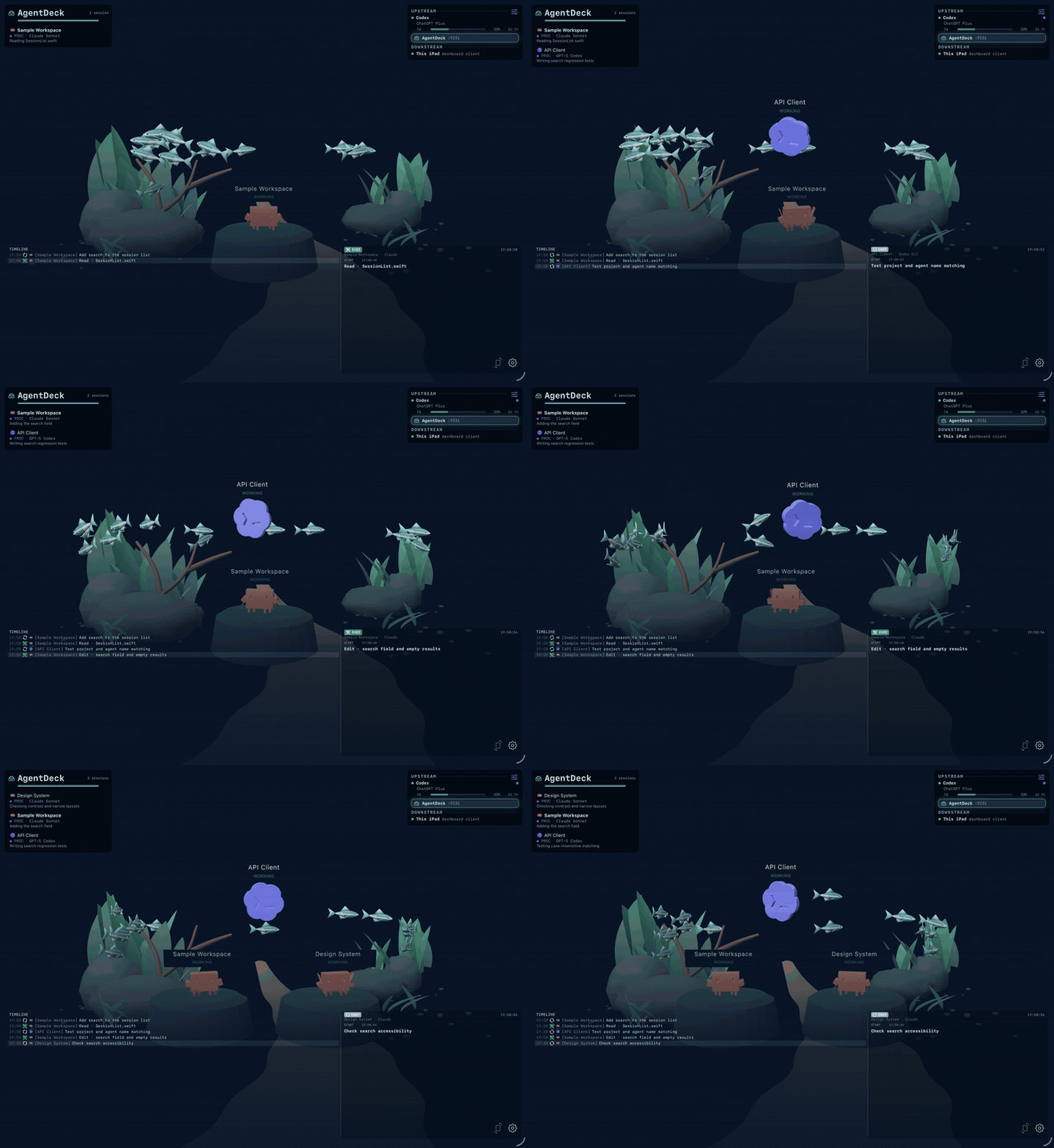
Choose the familiar dashboard or the native 3D aquarium on Mac, iPhone/iPad, and Android LCD devices. Each session becomes a creature; its activity changes its movement, and nearby fish react. On mobile, tap empty water to hide the panels and move closer. Tap again to return. Existing preferences are preserved.
The preview above shows fictional activity in the real native app; no private workspace data is shown. Watch the current aquarium recording or take the hardware desk tour.
What it does
- Follow parallel work. Session names, current tools, and a shared timeline explain what each agent is doing. Collaboration shows reported subagents, task relationships, and recent task history.
- Notice when you are needed. Permission and input requests stand out. Answer or interrupt from supported surfaces when the session provides a real control path; otherwise prompts are display-only.
- Keep usage visible. Claude, Codex, and z.ai/GLM gauges appear where the connected provider supplies usage data. Agent identity and model provider remain separate.
- Choose your display. The 3D scene keeps up to eight foreground residents readable while the roster retains every session. E-ink uses a static rendered backdrop and restrained motion; compact panels keep their focused layouts.
Agents
AgentDeck is growing beyond coding workflows: Hermes Agent is supported as an opt-in preview (see the table). The table below lists current integrations and how each is observed.
| Agent | Observation |
|---|---|
| Claude Code | Lifecycle hooks; primary supported integration |
| Codex CLI | Lifecycle hooks and rollout logs |
| Codex Desktop | Observed on macOS; Windows verification pending |
| OpenCode | Observer plugin and native events |
| Kiro CLI / IDE | Transcript observation; delayed, idle-only activity |
| Antigravity | Passive observation through the CLI daemon |
| OpenClaw | Experimental Gateway integration |
| Hermes Agent | Preview: opt-in observer plugin (agentdeck hermes-observer, then hermes plugins enable agentdeck-observer); read-only |
Run agents normally; AgentDeck reads their native events rather than scraping terminal screens. Kiro has no managed launcher, and the sandboxed Mac app needs a one-time folder grant for its transcripts. Detailed setup and limitations: configuration, Apple guide, and Gateway guide.
Releases
Compatibility and delivery channels
Use the channel for your device. Components with the same major version work together; target-specific updates can ship at different times. Delivery records distinguish published downloads, Store listings and pending review, with the date each was checked.
| Product | Install / update | Release tag |
|---|---|---|
| Mac · iPhone · iPad | App Store | apple-v* |
| Android tablets and e-ink | Google Play · signed GitHub APK | android-v* |
| CLI + daemon | npx @agentdeck/setup |
npm-v* |
| Stream Deck / Mini / XL / Plus / + XL | Elgato Marketplace | streamdeck-v* |
| Ulanzi D200H / D200X LCD keys | Ulanzi Marketplace; D200X encoders are not supported | ulanzi-v* |
| Vobot Mini Dock | Wi-Fi pairing on stock firmware 1.2.6 or later | Gallery 0.3.0 approved |
| ESP32 panels and TRMNL 7.5" | Browser flasher · firmware releases | esp32-v* |
Update Android through your existing signing channel: Play and GitHub APK signatures can differ. Supported ESP32 boards offer Wi-Fi OTA after the first USB flash. See the changelog, all releases, and version policy.
Compatible Companion Projects
Independent integrations have their own releases and support. Both projects below are Community integrations; listing does not imply verified compatibility.
- Pocket Daily Reader: an
offline-first reader using the
portable-reader/v1profile. - Bitfocus Companion module
by @houtacheng: session tiles, controls, and usage
through
companion-control/v1.
See the Surface Protocol for capabilities, runtime status, integration manifests, and conformance levels.
Documentation
Start with the website — puritysb.github.io/AgentDeck carries the rendered device catalog, live renderer previews, the design system, and build health.
| Using it | CLI reference · Configuration · Troubleshooting · Windows · Linux |
| Surfaces | Hardware matrix · Stream Deck layout · Devices · ESP32 · Android · Apple · TUI |
| Internals | Architecture · Surface protocol · Internal bridge protocol · Daemon · Gateway protocol · Testing |
| Evaluation | Why APME · APME · Pipeline |
| Design | DESIGN.md · Tokens · Resource map |
| Project | Roadmap · Releasing · Changelog · Agent harness · AI-assisted maintenance |
Automated security checks


Dependency audits and pairing-token detection run on PRs, master pushes and
daily. CodeQL adds source analysis; Snyk provides a monthly comparison, and an
hourly watchdog checks scan freshness. PR dependency review flags newly
introduced high/critical advisories.
Badges show workflow status, not a vulnerability-free certification. CodeQL can complete with alerts; Snyk can complete with findings recorded for review. The report preserves each run's commit, date, scope and limitations.
Results and coverage · Security scanning runbook · Report a vulnerability privately
Development
pnpm install && pnpm build
pnpm -r --parallel dev
pnpm test
Build from source · Testing · Build health. Coding agents should start at AGENTS.md.
Community
Bug reports, hardware verification, documentation fixes, and focused pull requests are welcome. Read CONTRIBUTING.md, use SECURITY.md for private vulnerability reports, and follow the Code of Conduct. See AI-assisted maintenance for how maintainers review agent-assisted work.
License & attribution
MIT — see LICENSE.
Independent project. Not affiliated with Anthropic, OpenAI, Google, Elgato, DIVOOM, or any other third party referenced here. All trademarks belong to their respective owners. Full notices in ATTRIBUTION.md.
Explorer des projets similaires
codecrafters-io/build-your-own-x
Maîtrisez la programmation en recréant de zéro vos technologies préférées.
562,340 étoilespublic-apis/public-apis
Une liste collective d'API gratuites
498,778 étoilesmorluto/rea
Rétro-ingénierie de n'importe quoi avec des agents, du comportement des applications jusqu'aux binaires natifs.
457,544 étoilesopenclaw/openclaw
L'IA qui fait vraiment les choses. Tout système d'exploitation, toute plateforme. À la manière du homard. 🦞
394,396 étoiles