
pbugnion/jupyterlab-sql
pbugnion/jupyterlab-sql has 428 GitHub stars and 52 forks. GitHot measured 0 stars in 24 hours. Last checked 2026-11-10 04:24 UTC. Last push 2023-01-05.
Comment ces chiffres sont mesurés
SQL GUI for JupyterLab
Progression mesurée des étoiles
- in 24h
- 0
- in 7 days
- Mise à jour retardée
- in 15 days
- Mise à jour retardée
- in 1 month
- Mise à jour retardée
Variations nettes sur des périodes qui se chevauchent, pas des totaux quotidiens. Les mesures absentes restent vides. Les étoiles indiquent l’intérêt, pas la qualité.
README.md
Original

jupyterlab-sql
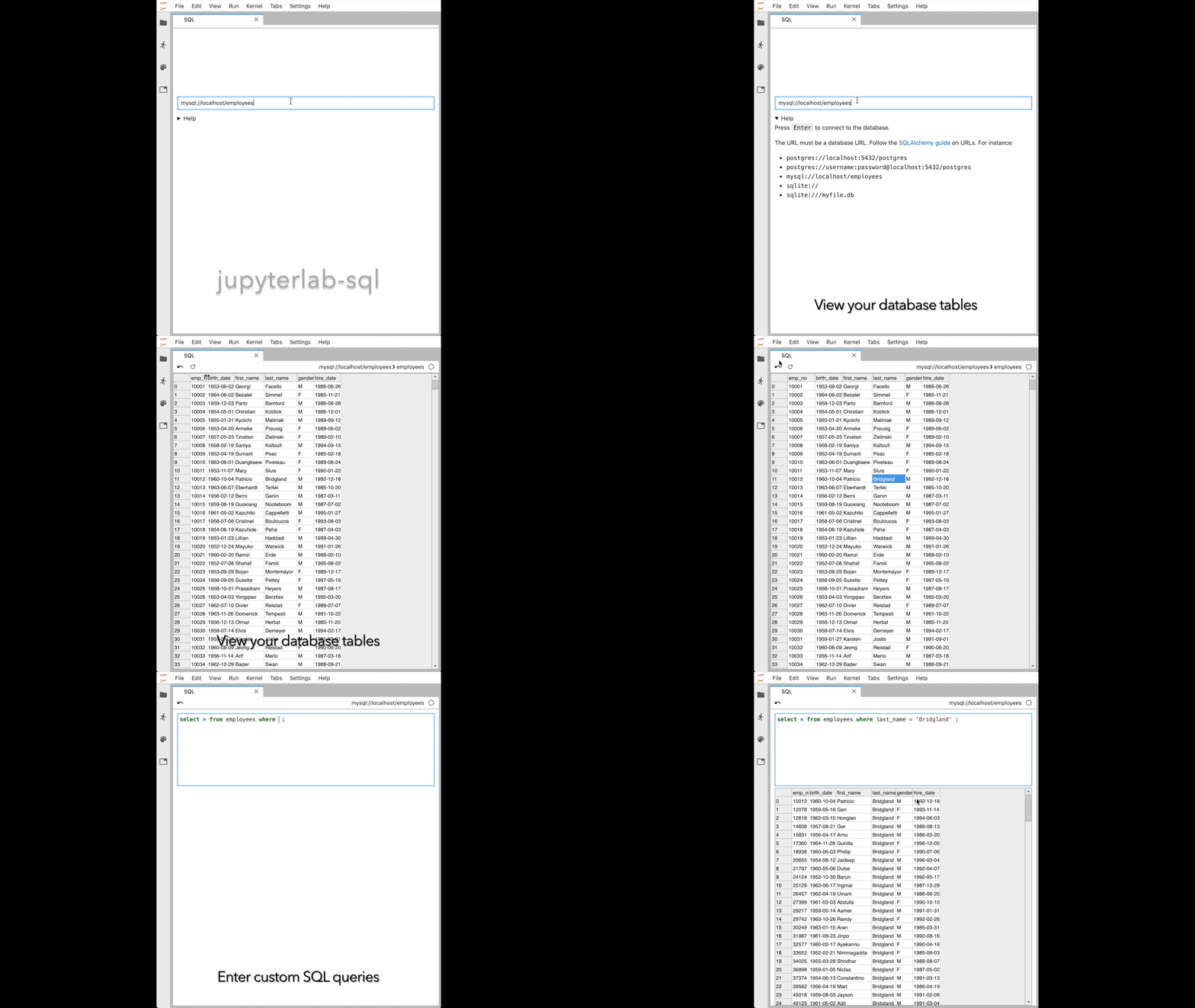
jupyterlab-sql adds a SQL user interface to JupyterLab:
- explore your tables with a point-and-click interface
- read and modify your database with custom queries
Installation
Installing on JupyterLab 1.x
To install jupyterlab-sql, run the following commands:
pip install jupyterlab_sql
jupyter serverextension enable jupyterlab_sql --py --sys-prefix
jupyter lab build
You will then need to restart any running Jupyter servers.
jupyterlab-sql only works with Python 3.5 and above.
JupyterLab legacy
To install jupyterlab-sql on versions of JupyterLab pre 1.0, run:
pip install jupyterlab_sql==0.2.1
jupyter serverextension enable jupyterlab_sql --py --sys-prefix
jupyter lab build
Usage
Starting a new SQL session
There is a SQL icon in the launcher (File > New Launcher):

You can also launch a session from the command palette: search for SQL.
Formulating the connection URL
The connection URL needs to be a valid database URL. Follow the SQLAlchemy guide on database URLs.
Executing statements
Press shift + enter or ctrl + enter while in the main query
area to dispatch the statement.
Database support
jupyterlab-sql is tested against SQLite, PostgreSQL, and MySQL databases.
Other databases supported by sqlalchemy may also work.
If you need support for other types of databases, see issue #113.
In-memory SQLite and persistence
The lifetime of a SQLite in-memory database is tied to the lifetime of the Jupyter server. Restarting the Jupyter server will clear any data in your in-memory database.
Issue reporting and contributing
Report issues using the issue tracker.
Contributions are welcome. If you have not developed JupyterLab extensions before, I recommend following this tutorial.
Contributors
jupyterlab-sql is maintained by Pascal Bugnion (@pbugnion) with contributions from:
- Ashwin Chopra (@shwinnn)
jupyterlab-sql is built and maintained by people who give their time (in many cases, their free time) to the project.
I would like to join this list. How can I help?
We are currently looking for contributions of:
- code: if you are unsure how to start, open an issue or email Pascal Bugnion.
- additional database support: see issue #113.
Explorer des projets similaires
Asabeneh/30-Days-Of-Python
Le défi de programmation 30 Days of Python est un guide pas à pas pour apprendre le langage de programmation Python en 30 jours. Ce défi peut prendre plus de 100 jours. Avancez à votre rythme. Ces vidéos peuvent aussi vous aider : https://www.youtube.com/channel/UC7PNRuno1rzYPb1xLa4yktw
78,560 étoilesgrafana/grafana
Plateforme ouverte et composable d’observabilité et de visualisation de données. Visualise les métriques, les journaux et les traces issus de plusieurs sources, comme Prometheus, Loki, Elasticsearch, InfluxDB, Postgres et bien d’autres.
77,830 étoilesredis/redis
Pour les développeurs qui créent des applications en temps réel pilotées par les données, Redis est le cache, le serveur de structures de données et le moteur de requêtes documentaires et vectorielles préféré, le plus rapide et le plus riche en fonctionnalités.
77,395 étoilesapache/superset
Apache Superset est une plateforme de visualisation et d'exploration de données.
75,473 étoiles