
orf/gping
orf/gping has 12,732 GitHub stars and 373 forks. GitHot measured -1 stars in 24 hours and +3 in 7 days. Last checked 2026-11-05 19:44 UTC. Last push 2026-10-06.
Comment ces chiffres sont mesurés
Ping, mais avec un graphique
Progression mesurée des étoiles
- in 24h
- -1
- in 7 days
- +3
- in 15 days
- Historique en cours
- in 1 month
- Historique en cours
Variations nettes sur des périodes qui se chevauchent, pas des totaux quotidiens. Les mesures absentes restent vides. Les étoiles indiquent l’intérêt, pas la qualité.
README.md
Originalgping 🚀


Ping, but with a graph.
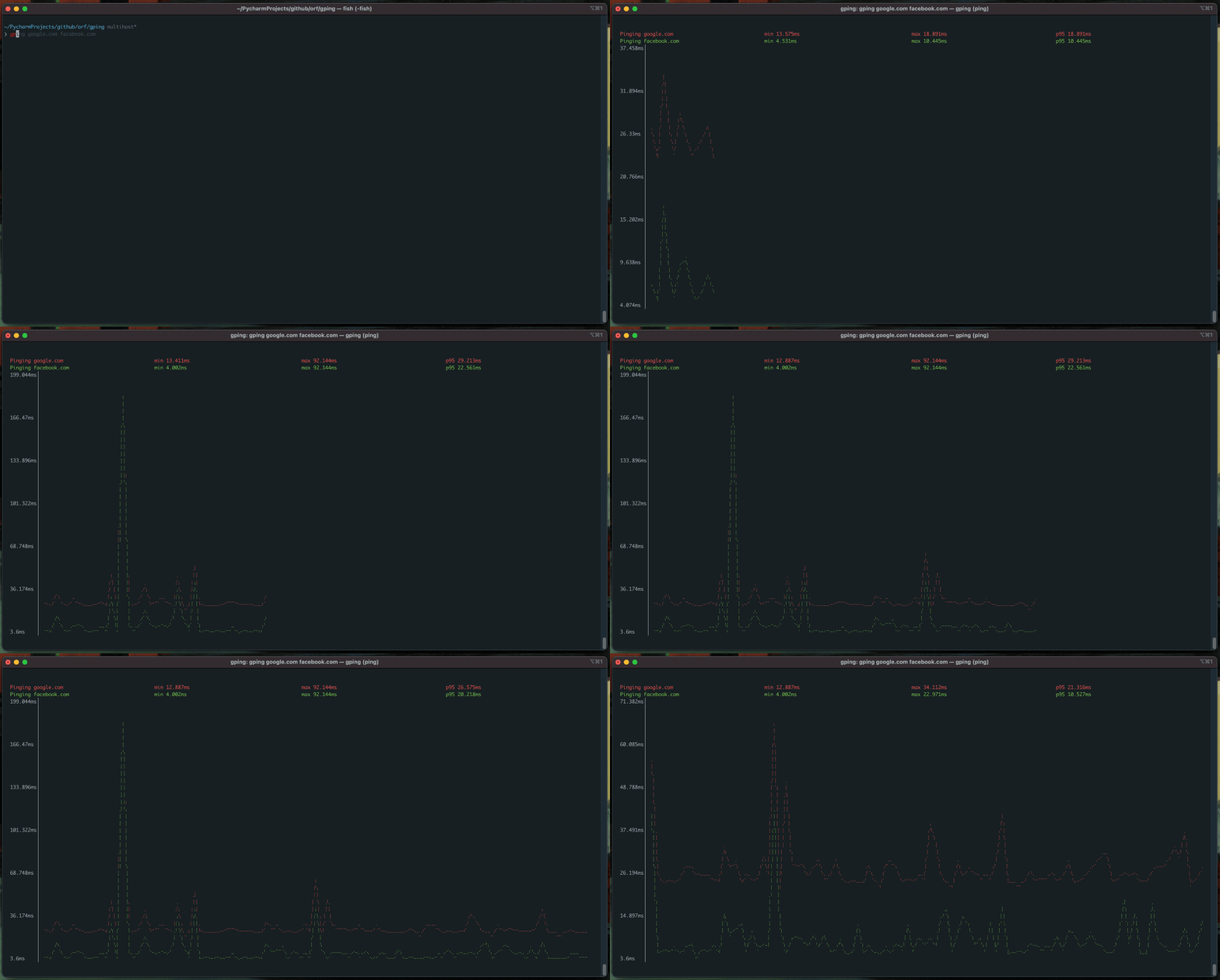
Comes with the following super-powers:
- Graph the ping time for multiple hosts
- Graph the execution time for commands via the
--cmdflag - Custom colours
- Windows, Mac and Linux support
Table of Contents

Install :cd:
- macOS
- Linux (Homebrew):
brew install gping - CentOS (and other distributions with an old glibc): Download the MUSL build from the latest release
- Windows/ARM:
- Scoop:
scoop install gping - Chocolatey:
choco install gping - WinGet:
winget.exe install orf.gping - Download the latest release from the github releases page
- Scoop:
- Fedora (COPR):
sudo dnf copr enable atim/gping -y && sudo dnf install gping - Cargo (This requires
rustcversion 1.67.0 or greater):cargo install gping - Arch Linux:
pacman -S gping - Alpine linux:
apk add gping - Ubuntu >23.10/Debian >13:
apt install gping - Ubuntu/Debian (Azlux's repo):
echo 'deb [signed-by=/usr/share/keyrings/azlux.gpg] https://packages.azlux.fr/debian/ bookworm main' | sudo tee /etc/apt/sources.list.d/azlux.list sudo apt install gpg curl curl -s https://azlux.fr/repo.gpg.key | gpg --dearmor | sudo tee /usr/share/keyrings/azlux.gpg > /dev/null sudo apt update sudo apt install gping - Gentoo (dm9pZCAq overlay):
sudo eselect repository enable dm9pZCAq sudo emerge --sync dm9pZCAq sudo emerge net-misc/gping::dm9pZCAq - FreeBSD:
- Docker:
# Check all options docker run --rm -ti --network host ghcr.io/orf/gping:gping-v1.15.1 --help # Ping google.com docker run --rm -ti --network host ghcr.io/orf/gping:gping-v1.15.1 google.com - Flox:
# Inside of a Flox environment flox install gping - gah:
gah install gping
Usage :saxophone:
Just run gping [host]. host can be a command like curl google.com if the --cmd flag is used. You can also use
shorthands like aws:eu-west-1 or aws:ca-central-1 to ping specific cloud regions. Only aws is currently supported.
$ gping --help
Ping, but with a graph.

Usage: gping [OPTIONS] [HOSTS_OR_COMMANDS]...

Arguments:
  [HOSTS_OR_COMMANDS]...  Hosts or IPs to ping, or commands to run if --cmd is provided. Can use cloud shorthands like aws:eu-west-1.

Options:
      --cmd
          Graph the execution time for a list of commands rather than pinging hosts
  -n, --watch-interval <WATCH_INTERVAL>
          Watch interval seconds (provide partial seconds like '0.5'). Default for ping is 0.2, default for cmd is 0.5.
  -b, --buffer <BUFFER>
          Determines the number of seconds to display in the graph. [default: 30]
  -4
          Resolve ping targets to IPv4 address
  -6
          Resolve ping targets to IPv6 address
  -i, --interface <INTERFACE>
          Interface to use when pinging
  -s, --simple-graphics
          Uses dot characters instead of braille
      --vertical-margin <VERTICAL_MARGIN>
          Vertical margin around the graph (top and bottom) [default: 1]
      --horizontal-margin <HORIZONTAL_MARGIN>
          Horizontal margin around the graph (left and right) [default: 0]
  -c, --color <color>
          Assign color to a graph entry. This option can be defined more than once as a comma separated string, and the order which the colors are provided will be matched against the hosts or commands passed to gping. Hexadecimal RGB color codes are accepted in the form of '#RRGGBB' or the following color names: 'black', 'red', 'green', 'yellow', 'blue', 'magenta','cyan', 'gray', 'dark-gray', 'light-red', 'light-green', 'light-yellow', 'light-blue', 'light-magenta', 'light-cyan', and 'white'
  -h, --help
          Print help information
  -V, --version
          Print version information
      --clear
          Clear the graph from the terminal after closing the program
Explorer des projets similaires
codecrafters-io/build-your-own-x
Maîtrisez la programmation en recréant de zéro vos technologies préférées.
560,149 étoilespublic-apis/public-apis
Une liste collective d'API gratuites
496,428 étoilesmorluto/rea
Rétro-ingénierie de n'importe quoi avec des agents, du comportement des applications jusqu'aux binaires natifs.
434,459 étoilesopenclaw/openclaw
L'IA qui fait vraiment les choses. Tout système d'exploitation, toute plateforme. À la manière du homard. 🦞
393,992 étoiles