
monomere/pshine
À propos
Atmosphere and planet rendering playground. Moved to Codeberg.
Création et médiasProgression mesurée des étoiles
- in 24h
- 0
- in 7 days
- 0
- in 15 days
- Historique en cours
- in 1 month
- Historique en cours
Variations nettes sur des périodes qui se chevauchent, pas des totaux quotidiens. Les mesures absentes restent vides. Les étoiles indiquent l’intérêt, pas la qualité.
README.md
OriginalMoved to Codeberg!
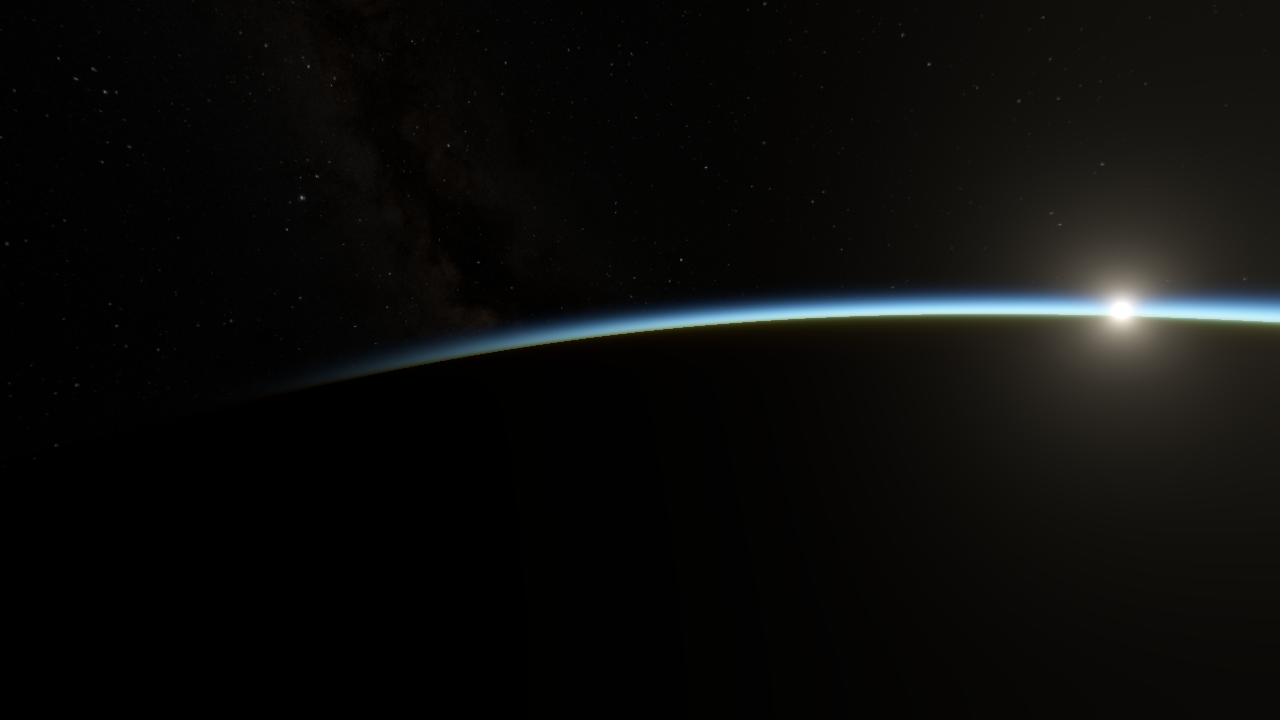
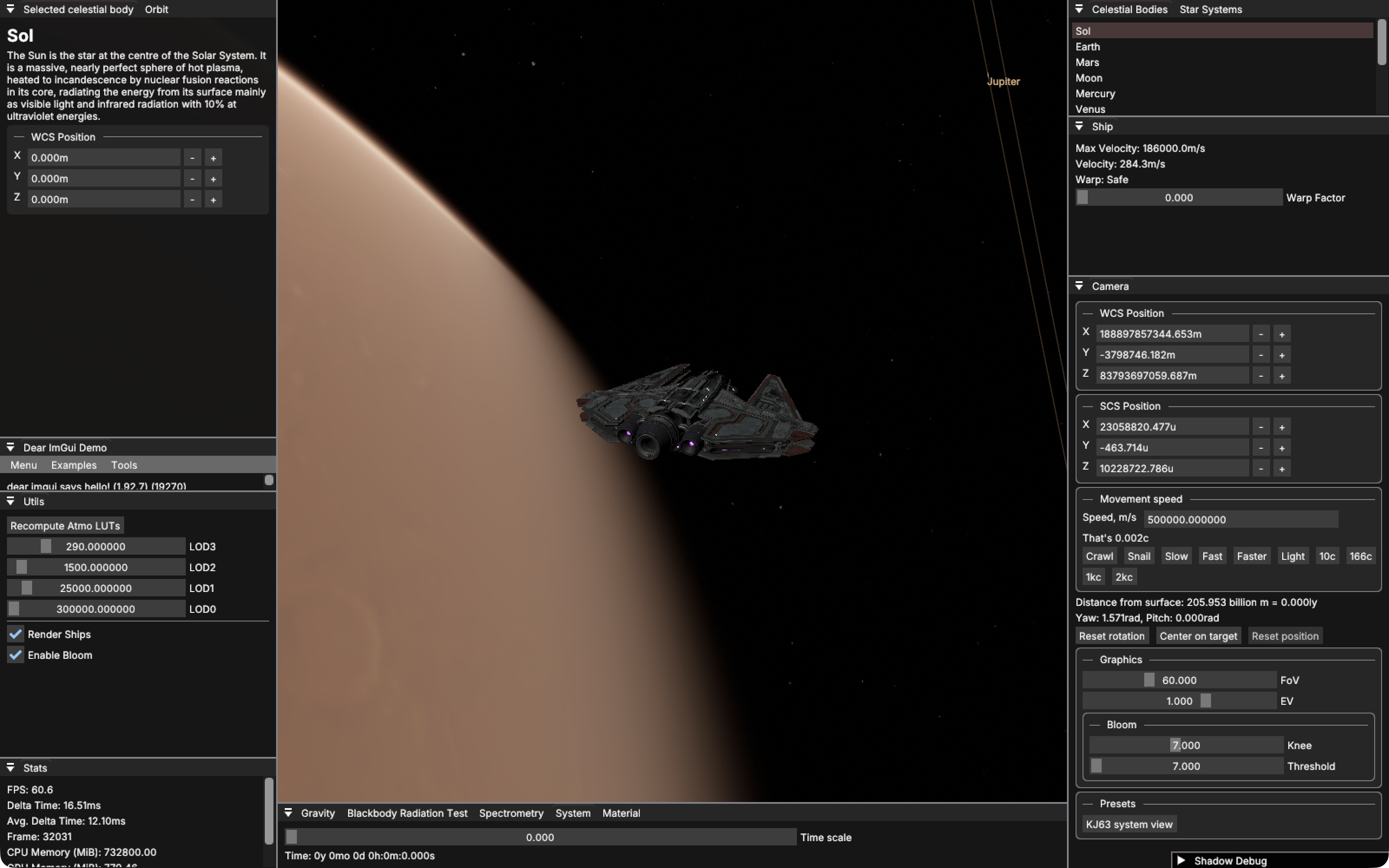

Graphics playground. Eternally WIP. No AI was used in making this code, at all.
TODO:
- Rendering
- Actual atmosphere rendering
- Vulkan backend
- Fix PBR
- Better effects
- Animations
- Gameplay
- Ship cabin view
- Better controls
- Orbits
- Elliptic orbits, propagation
- Non-elliptic orbits untested
- Planets
- Textures
- Planetary terrain
Setting Up
requirements: git, internet connection
git clone https://github.com/monomere/pshine --recurse-submodules --shallow-submodules --depth=1
cd pshine
./setup.sh # Sets the ninja platform file, you can do it manually instead.
Building
requirements: ninja modern gcc-compatible c/c++ compiler, glfw, python (optional)
To build (incremental)
ninja
If you edit generate_math.py, ninja will try to regenerate the math.h header, which requires python.
NB: by default, the build.ninja file uses the full LLVM setup with lld, clang, libc++, etc. To use the system-provided stuff change the first line in
build.ninjato includebuild.system.ninjainstead. Or make your own config if you want to (or need to)!
Running
requirements: vulkan ≥1.4 with validation layers
MacOS and MoltenVK: If you installed MoltenVK and Vulkan through Homebrew,
add VK_LAYER_PATH=/opt/homebrew/opt/vulkan-validationlayers/share/vulkan/explicit_layer.d
to your environment (or maybe not I'm not sure).
build/pshine/main
Pass -fullscreen for fullscreen.
Linux and X11: By default pshine uses wayland, but you can pass -x11 to use X11 instead.
Controls
| Key | Action |
|---|---|
| F | Switch camera mode (default is ship) |
| F2 | Hide all UI |
| Shift+F2 | Only hide the debug windows |
| P | Toggle precise rotation |
Ship Mode
| Key | Action |
|---|---|
| A/D | Yaw |
| W/S | Pitch |
| W/S | Roll |
| Shift/Ctrl | Increase/decrease velocity |
| Y | Enter/exit Warp (100c by default). |
Hold left mouse button and drag to rotate the camera around the ship.
Arcball Mode
| Key | Action |
|---|---|
| A/D | Rotate left/right (yaw) |
| W/S | Rotate up/down (pitch) |
| X/Z | Zoom in/out |
Flycam Mode
| Key | Action |
|---|---|
| A/D | Move left/right |
| W/S | Move forward/backward |
| E/Q | Move down/up |
| ←/→ | Rotate on global Y axis (yaw) |
| ↑/↓ | Rotate on local X axis (pitch) |
Credits
- Spaceship model by FilipZelinka, from SketchFab. Under CC BY 4.0.
- Spaceship model by Kerem Kavalci, from SketchFab. Under Free Standard License.
Useful stuff
- Unite 2013 - Building a new universe in Kerbal Space Program how ksp does stuff!
Resources
This isn't the full set of resources used unfortunately.
Survey of Efficient Representations for Independent Unit Vectors - Cigolle et al., 2014
https://gist.github.com/pezcode/1609b61a1eedd207ec8c5acf6f94f53a
http://www.songho.ca/opengl/gl_projectionmatrix.html#perspective
https://discourse.nphysics.org/t/reversed-z-and-infinite-zfar-in-projections/341/2
https://playerunknownproductions.net/news/atmospheric-scattering
https://paminerva.github.io/docs/LearnVulkan/02.F-Compute-Shader.html
https://bgolus.medium.com/normal-mapping-for-a-triplanar-shader
Textures: https://planetpixelemporium.com/
Textures: https://svs.gsfc.nasa.gov/4720
Textures: https://bjj.mmedia.is/
https://en.wikipedia.org/wiki/Permuted_congruential_generator
Amazing resource for orbital mechanics: https://orbital-mechanics.space/
Vulkan discord
Terrain Rendering
Explorer des projets similaires
Chargement…