
makccr/dot has 639 GitHub stars and 69 forks. GitHot measured 0 stars in 24 hours and -1 in 7 days. Last checked 2026-11-13 01:44 UTC. Last push 2026-11-01.
Comment ces chiffres sont mesurés
A repository to contain any and all of my personal application configuration files.
Progression mesurée des étoiles
- in 24h
- 0
- in 7 days
- -1
- in 15 days
- Historique en cours
- in 1 month
- Historique en cours
Variations nettes sur des périodes qui se chevauchent, pas des totaux quotidiens. Les mesures absentes restent vides. Les étoiles indiquent l’intérêt, pas la qualité.
README.md
Original
Dotfiles
These are my dot files. I primarily use Arch, or, if I'm feeling lazy some flavor of Arch like Manjaro or Cachy OS(Cachy OS is pictured below). But I do also run Ubuntu LTS andior Fedora Workstation from time to time, so I also try to make sure my dotfiles work there as well. The same thing is also true of FreeBSD, which I also have been known to daily drive for brief periods, but in no way do I put a ton of effort into ensuring my configs work there as well. My primary use case is writing, some light web design and the general scripting and hacking that comes with using Window Managers and light-weight systems, so I do tend to keep things as minimal and performant as possible.
Note: There are some OSX and Windows specific configs here as as well, but I use something other than Linux or BSD about once a year when I absolutely have to. These configs, only get updated on the rare occasion that I happen to use them, and find an issue that needs to be fixed.
The main things here are:
- My Neovim configuration.
- My Zsh configuration.
- My window manager configuration, primarily Hyprland these days; but I have used BSPWM, DWM and Awesome WM extensively in the past, and those configurations are also contained here.
- My Alacritty configuration, as well as a few back up terminals.
- My status bar configuration. With the switch to Wayalnd, my status bar of choice has become Waybar, but I also have an extensive amount of Polybar configuration available in these files as well.
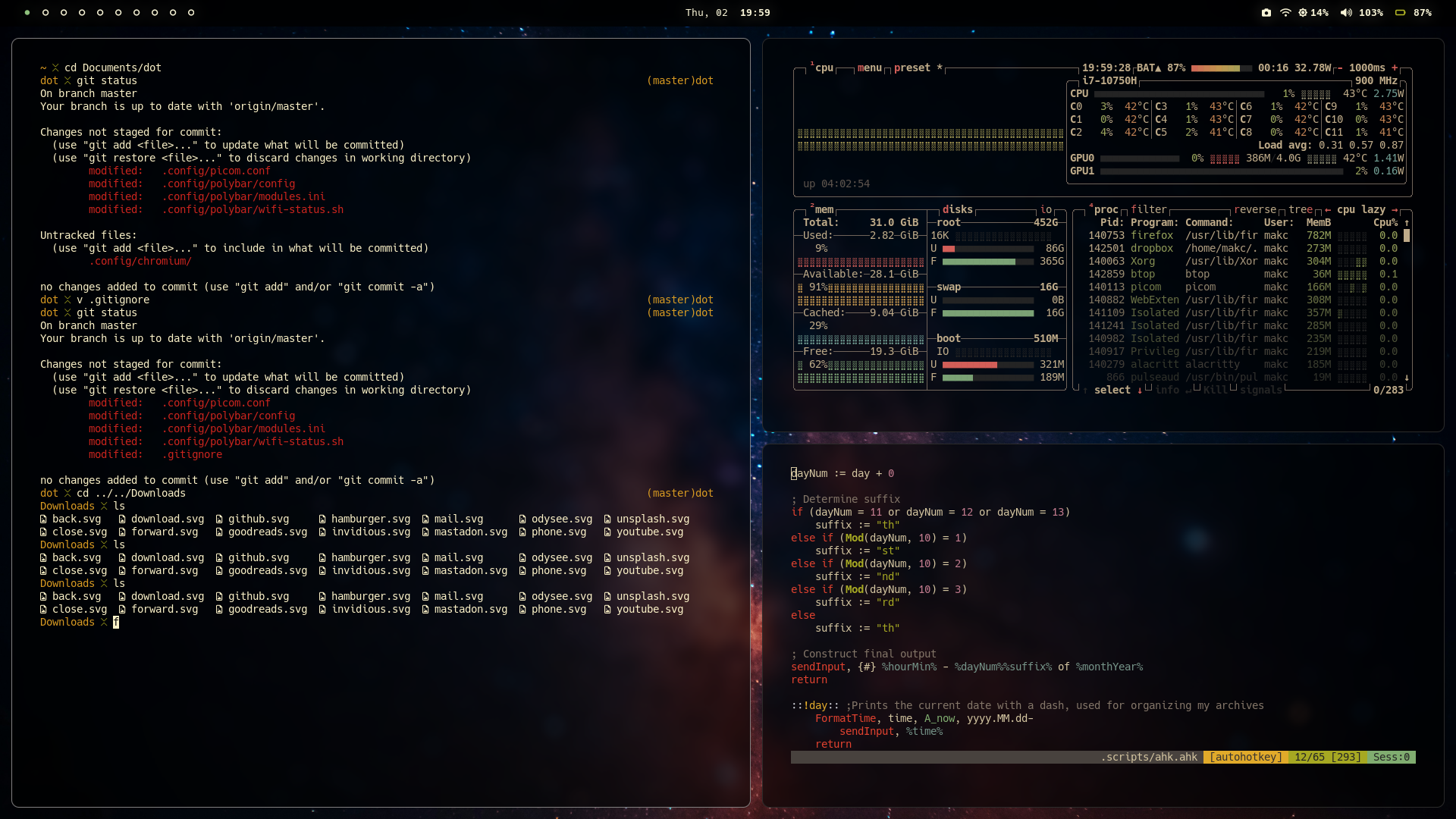

Usage
Typically I use a git clone to pull down my dot files into the ~/Documents folder, or some other convenient location and then use symbolic links to have things end up in the right place:
Step by step guide
- Change directory into a convenient location
cd ~/Documents
- Clone the repo
git clone --depth 1 https://codeberg.org/makccr/dot
- Move back into home directory
cd
- Set up symbolic links
ln -sf ~/Documents/dot/.config .
ln -sf ~/Documents/dot/.scripts .
ln -sf ~/Documents/dot/.gitconfig .
ln -sf ~/Documents/dot/.zshenv .
ln -sf ~/Documents/dot/.tmux.conf .
ln -sf ~/Documents/dot/.Xresources .
ln -sf ~/Documents/dot/.xbindkeysrc .
Note: I've also built a script to automate this process. setup.sh can be founnd in the .scripts folder & makes the symbolic link process take about 0.36 seconds:
./~/Documents/.scripts/setup.sh
Explorer des projets similaires
sindresorhus/awesome
😎 Listes Awesome sur toutes sortes de sujets intéressants [NOTE : les pull requests sont temporairement désactivées jusqu’à ce que j’aie l’occasion de rattraper celles qui existent déjà]
536,144 étoilesEbookFoundation/free-programming-books
:books: Livres de programmation librement disponibles
401,519 étoilesnilbuild/developer-roadmap
Feuilles de route interactives, guides et autres contenus éducatifs pour aider les développeurs à progresser dans leur carrière.
371,936 étoilesvinta/awesome-python
La liste de référence qui répond à « Je veux faire X en Python : quel outil dois-je utiliser ? ».
334,417 étoiles