
longitachi/ZLPhotoBrowser
longitachi/ZLPhotoBrowser has 4,991 GitHub stars and 1,016 forks. GitHot measured 0 stars in 24 hours, +1 in 7 days, and +3 in 15 days. Last checked 2026-11-24 22:21 UTC. Last push 2026-10-19.
What you can do
- Support SwiftUI.
- Support iPad multi-window.
- Support iPhone Duo.
- Portrait and landscape.
Progression mesurée des étoiles
- in 24h
- 0
- in 7 days
- +1
- in 15 days
- +3
- in 1 month
- Historique en cours
Variations nettes sur des périodes qui se chevauchent, pas des totaux quotidiens. Les mesures absentes restent vides. Les étoiles indiquent l’intérêt, pas la qualité.
À propos
Un sélecteur d’images à la manière de WeChat. Il permet de sélectionner des photos, des vidéos, des GIF et des Live Photos, de modifier des images et de recadrer des vidéos. Il prend aussi en charge l’aperçu, la prise de photos et l’enregistrement de vidéos dans l’album, la sélection par glissement ou balayage, la modification d’images et de vidéos, ainsi que plusieurs langues.
Création et médiasREADME.md
Original





English | 简体中文
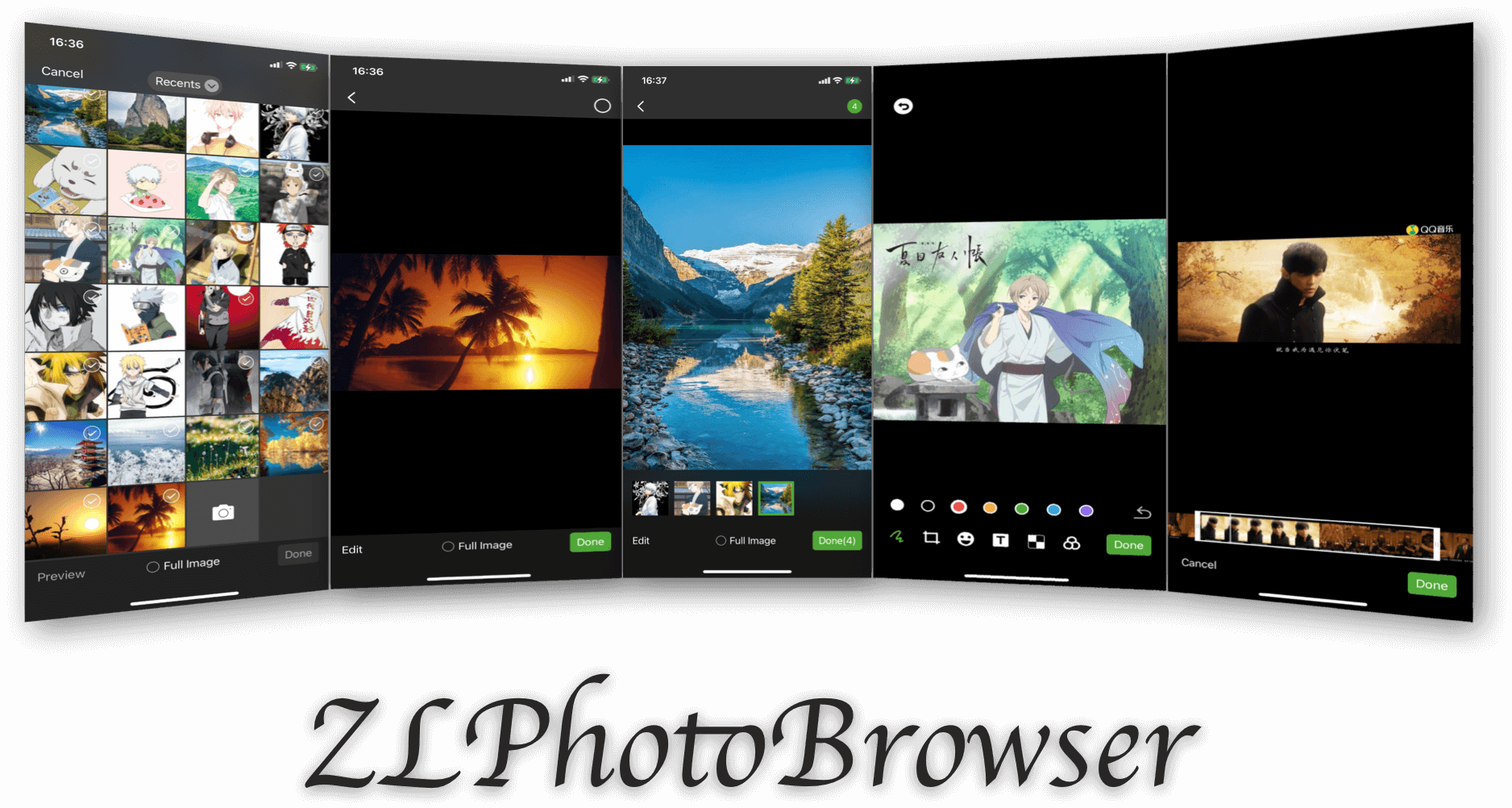
ZLPhotoBrowser is a Wechat-like image picker. Support select normal photos, videos, gif and livePhoto. Support edit image and crop video.
Directory
- Features
- Requirements
- Usage
- Change Log
- Languages
- Installation(Support Cocoapods/Carthage/SPM)
- Support
- Demo Effect
Detailed usage of Swift and OC, please refer to Wiki.
If you only want to use the image edit feature, please move to ZLImageEditor.
Features
- Support SwiftUI.
- Support iPad multi-window.
- Support iPhone Duo.
- Portrait and landscape.
- Two framework style.
- Support page loading.
- Preview selection (Support drag and drop).
- Library selection (Support sliding selection).
- Image/Gif/LivePhoto/Video.
- Customize the maximum number of previews or selection, the maximum and minimum optional duration of the video.
- Customize the number of columns displayed in each row.
- Image editor (Draw/Crop/Image sticker/Text sticker/Mosaic/Filter/Adjust(Brightness, Contrast and Saturation)), (Draw color can be customized; Crop ratio can be customized; Filter effect can be customized; You can choose the editing tool you want).
- Video editor.
- Custom camera.
- Multi-language.
- Selected index.
- Selected/unselectable state shadow mask.
- The selected photos are displayed at the bottom of the big picture interface, which can be dragged and sorted.
- The camera's internal photo cell can displays the captured images of the camera.
- Customize font.
- The color of each part of the framework can be customized (Provide dynamic color can support light/dark mode).
- Customize images.
If you have good needs and suggestions in use, or encounter any bugs, please create an issue and I will reply in time.
Requirements
| version | iOS | Xcode |
|---|---|---|
| >=6.0.0 | 15.0 | 27 |
| <6.0.0 | 10.0 | 26 |
Usage
- Preview selection
let picker = ZLPhotoPicker()
picker.selectImageBlock = { [weak self] results, isOriginal in
    // your code
}
picker.showPreview(animate: true, sender: self)
- Library selection
let picker = ZLPhotoPicker()
picker.selectImageBlock = { [weak self] results, isOriginal in
    // your code
}
picker.showPhotoLibrary(sender: self)
- Pay attention, you need to add the following key-value pairs in your app's Info.plist
// If you don’t add this key-value pair, multiple languages are not supported, and the album name defaults to English
Localized resources can be mixed   YES

Privacy - Photo Library Usage Description

Privacy - Camera Usage Description

Privacy - Microphone Usage Description
Change Log
● 6.0.0
  Add:
    Adapted UI for iPhone Duo. Updated APIs to iOS 15.0.
● 5.0.0
  Add:
    Optimized UI for iPad multitasking and custom window sizes.
    Updated partial APIs for iOS 26 and iOS 27 compatibility.
    Added parameter to control whether camera dismisses when app enters background.
    Added `supportLandscape` attribute; `enableWideCameras` now defaults to true.
    Added `thumbVCAllowPanToDismiss` property.
    Significantly optimized sticker and doodling editing experience.
    Updated album filtering logic to display more system albums.
  Fix:
    Fixed incorrect selection limit prompt when only videos are allowed. #1048
    Fixed transparent PNG images rendered with a white background. #1045
    Fixed selection state not syncing after deselecting in preview. #1042
● 4.7.4
  Add:
    Supports editing multiple videos.
    Change the license from MIT to Apache-2.0.
...
Languages
🇨🇳 Chinese, 🇺🇸 English, 🇯🇵 Japanese, 🇫🇷 French, 🇩🇪 German, 🇷🇺 Russian, 🇻🇳 Vietnamese, 🇰🇷 Korean, 🇲🇾 Malay, 🇮🇹 Italian, 🇮🇩 Indonesian, 🇪🇸 Spanish, 🇵🇹 Portuguese, 🇹🇷 Turkish, 🇸🇦 Arabic, 🇳🇱 Dutch.
Installation
There are four ways to use ZLPhotoBrowser in your project:
- using CocoaPods
- using Carthage
- using Swift Package Manager
- manual install (build frameworks or embed Xcode Project)
CocoaPods
To integrate ZLPhotoBrowser into your Xcode project using CocoaPods, specify it to a target in your Podfile:
source 'https://github.com/CocoaPods/Specs.git'
platform :ios, '10.0'
use_frameworks!

target 'MyApp' do
  # your other pod
  # ...
  pod 'ZLPhotoBrowser'
end
Then, run the following command:
$ pod install
If you cannot find the latest version, you can execute
pod repo updatefirst
Carthage
To integrate ZLPhotoBrowser into your Xcode project using Carthage, specify it in your Cartfile:
github "longitachi/ZLPhotoBrowser"
Then, run the following command to build the ZLPhotoBrowser framework:
$ carthage update
If you get an error like Building universal frameworks with common architectures is not possible. The device and simulator slices for "ZLPhotoBrowser" both build for: arm64 Rebuild with --use-xcframeworks to create an xcframework bundle instead. Click this link.
Swift Package Manager
- Select File > Add Packages. Enter https://github.com/longitachi/ZLPhotoBrowser.git in the "Choose Package Repository" dialog.
- In the next page, specify the version resolving rule as "Up to Next Major" with "6.0.0" as its earliest version.
- After Xcode checking out the source and resolving the version, you can choose the "ZLPhotoBrowser" library and add it to your app target.
Support
- ★ Star this repo.
- Support with
 or
 or

Demo Effect
Selection
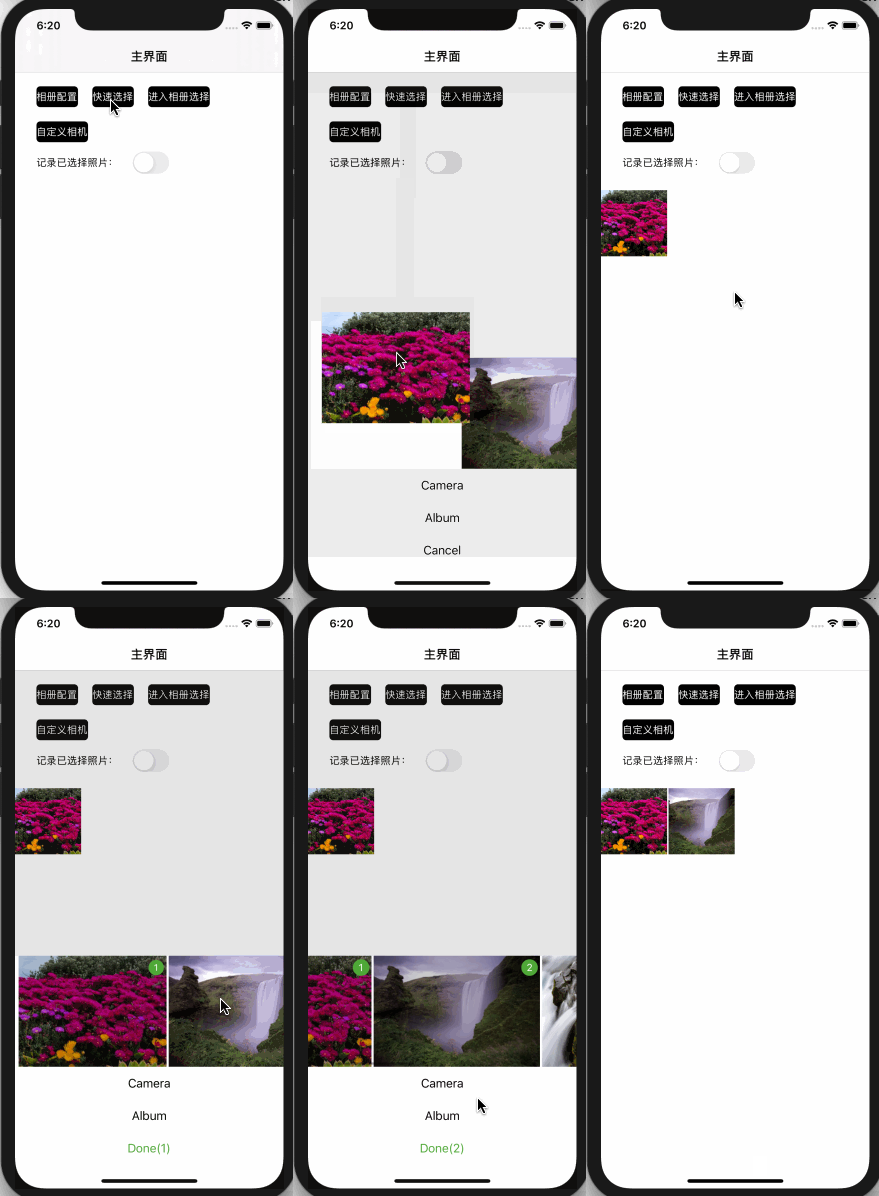
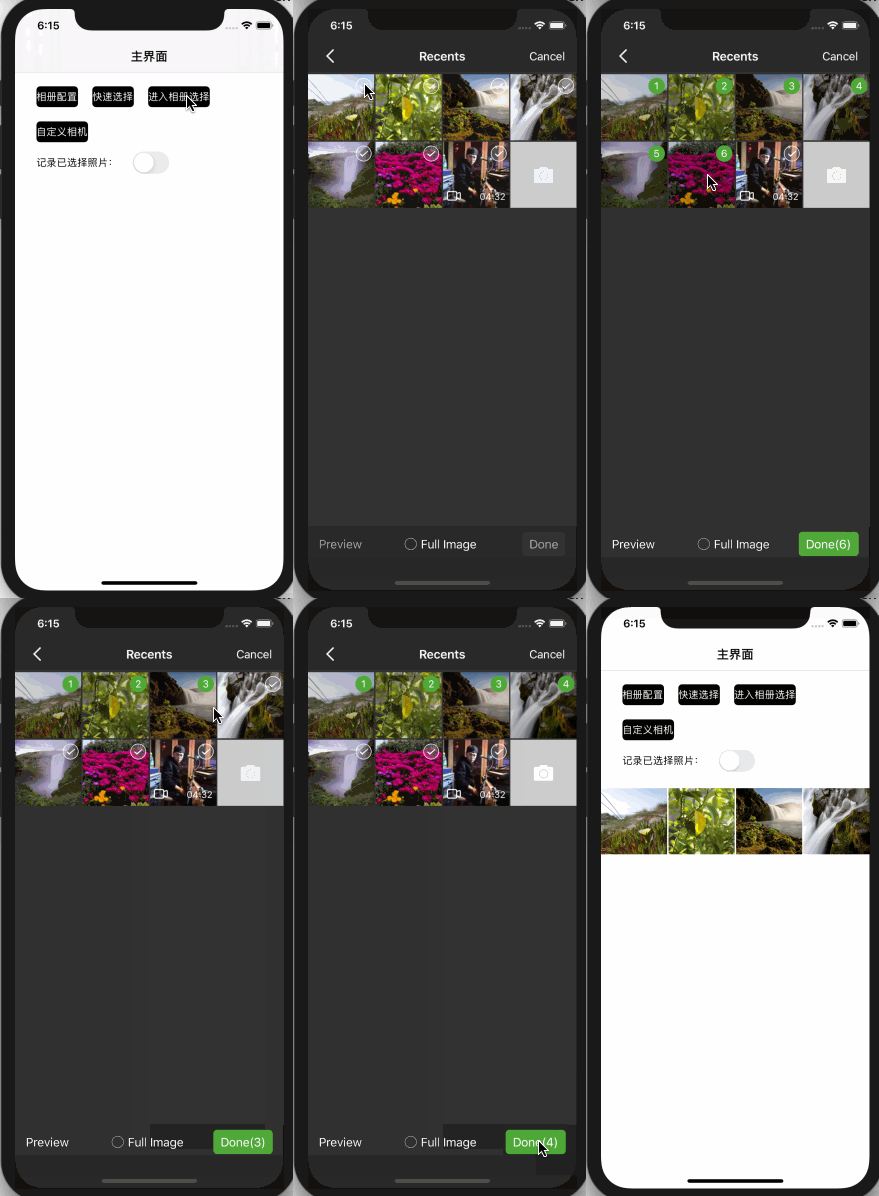
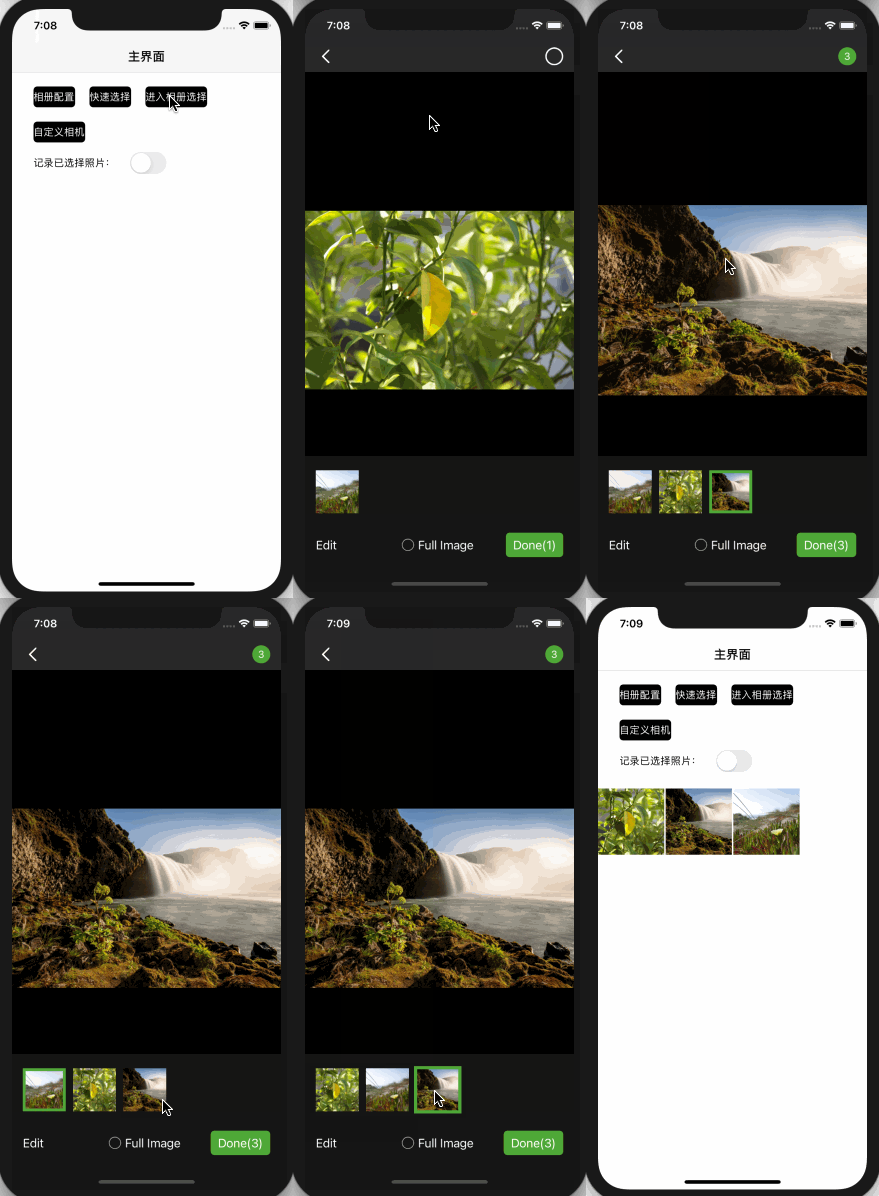
Image editor
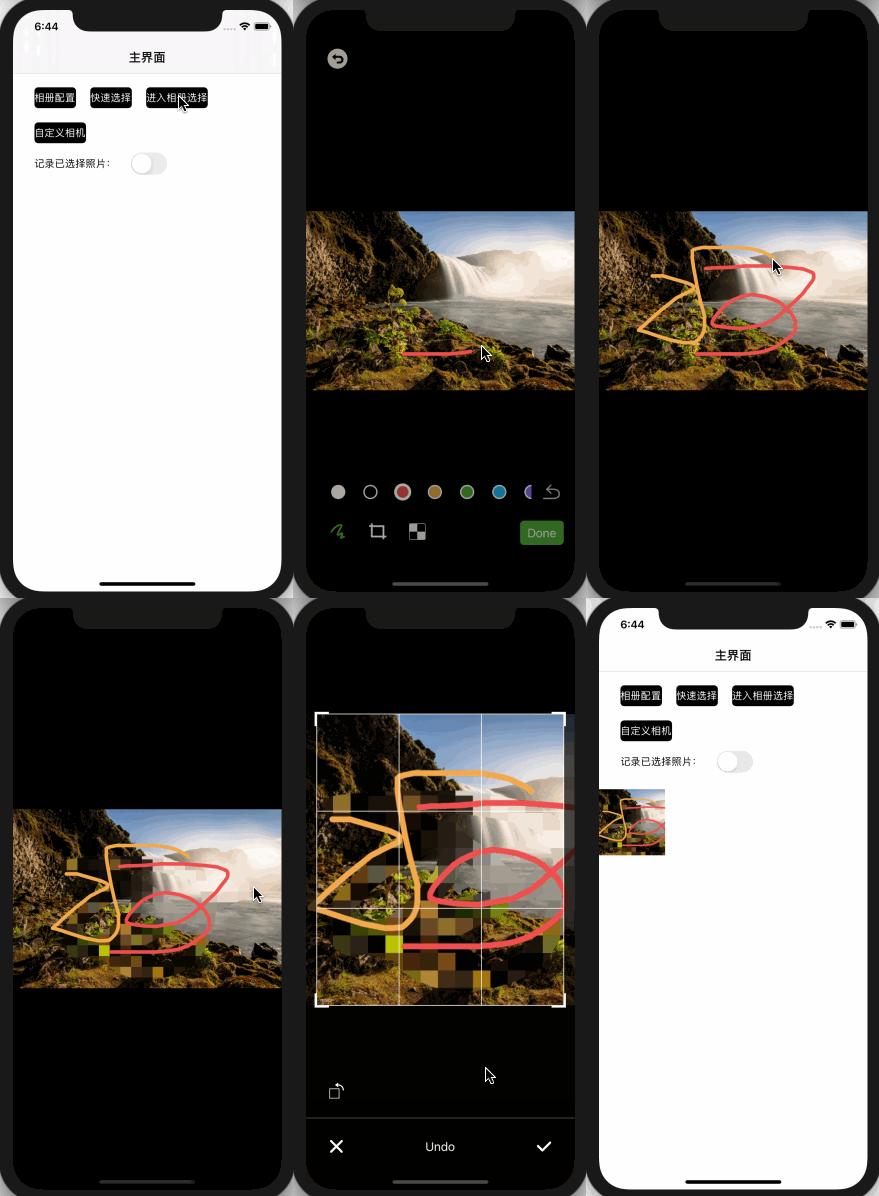
- Video editor
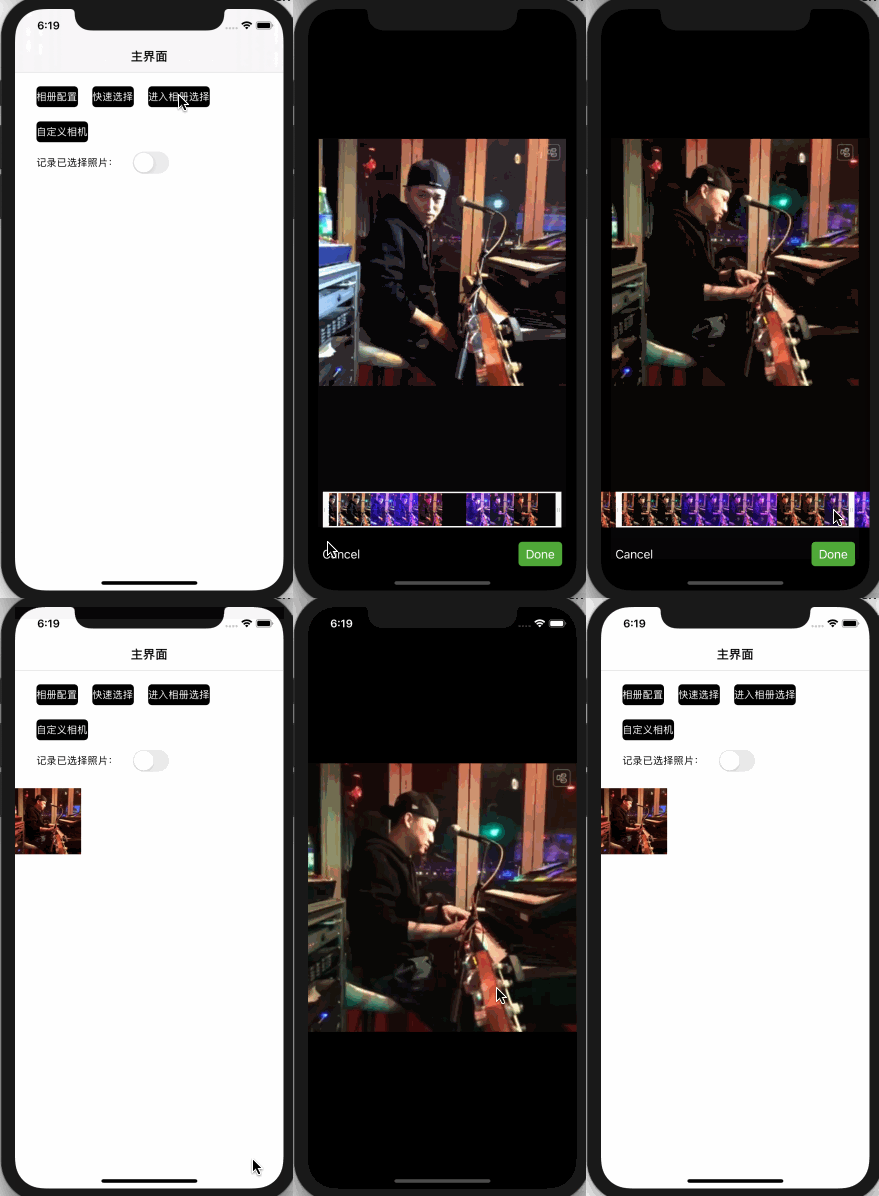
- Multi-language
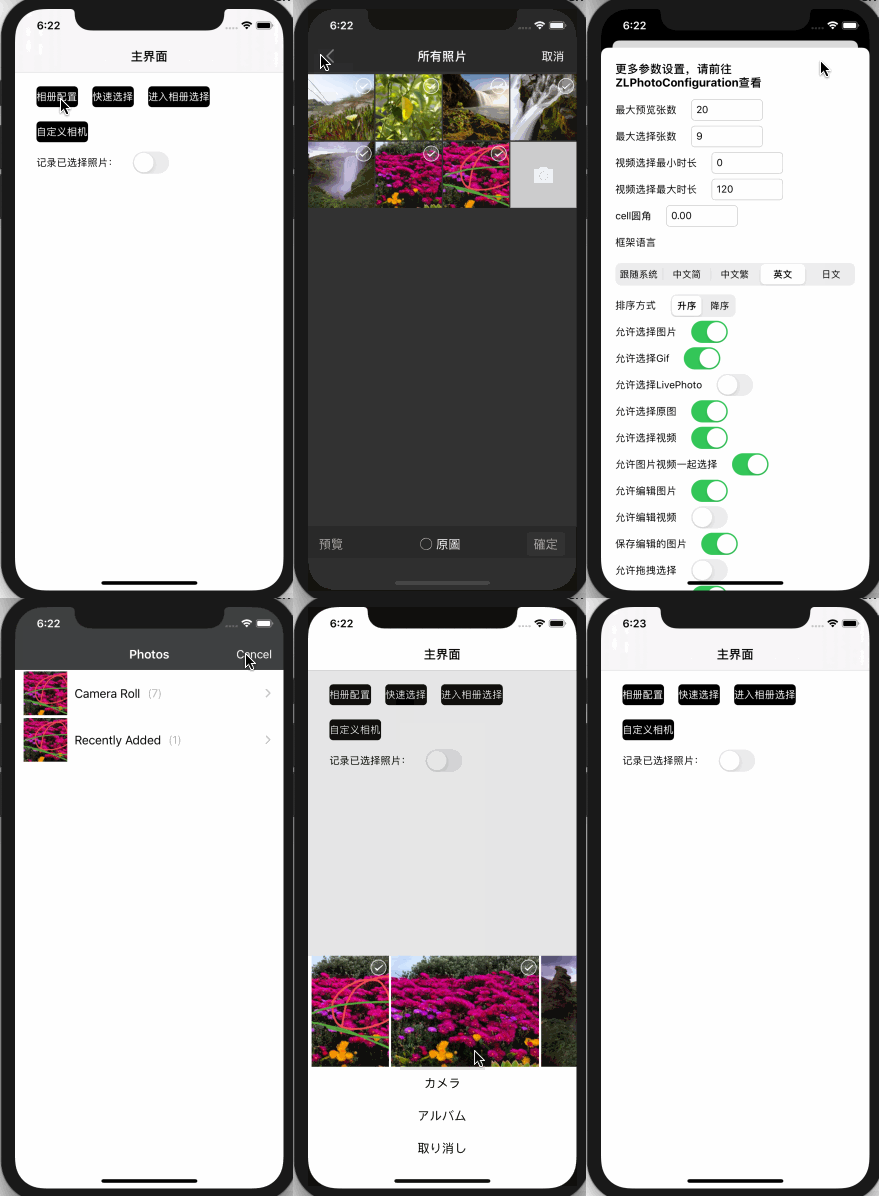
- Custom camera
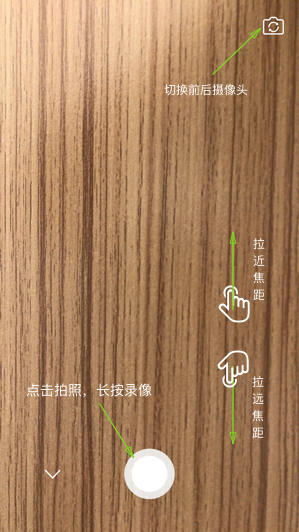
Explorer des projets similaires
Chargement…