
josephernest/SamplerBox
À propos
Un instrument de musique sampler basé sur Raspberry Pi.
Création et médiasProgression mesurée des étoiles
- in 24h
- 0
- in 7 days
- 0
- in 15 days
- Historique en cours
- in 1 month
- Historique en cours
Variations nettes sur des périodes qui se chevauchent, pas des totaux quotidiens. Les mesures absentes restent vides. Les étoiles indiquent l’intérêt, pas la qualité.
README.md
OriginalSamplerBox
Update: Remove drums from song with the VST DrumExtract!
SamplerBox is an open-source DIY audio sampler project based on RaspberryPi.
Website: www.samplerbox.org
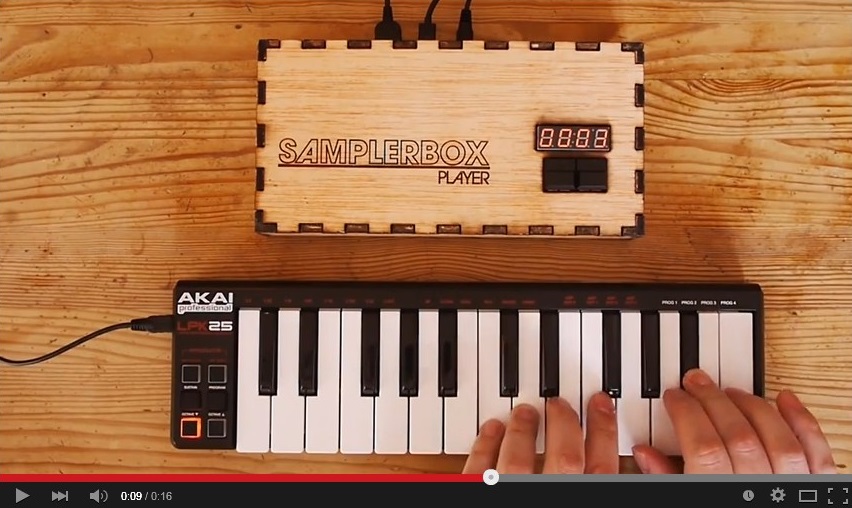
Install
SamplerBox works with the RaspberryPi's built-in soundcard, but it is recommended to use a USB DAC (PCM2704 USB DAC for less than 10€ on eBay is fine) for better sound quality.
You can use a ready-to-use ISO image from the Releases page or do a manual install:
Start with a standard RaspiOS intsall. The following steps have been tested with 2021-05-07-raspios-buster-armhf-lite.zip.
Install the required dependencies (Python-related packages and audio libraries - the current version requires at least Python 3.7):
 sudo apt update
 sudo apt -y install git python3-pip python3-smbus python3-numpy libportaudio2
 sudo apt -y install raspberrypi-kernel  # quite long to install, do it only if necessary, it solves a "no sound before 25 second on boot" problem
 sudo pip3 install cython cffi sounddevice pyserial
 sudo pip3 install git+https://github.com/SamplerBox/rtmidi-python.git     # now also works for Python3.9+ and Cython3 ; for Windows, see below
Download SamplerBox and build it with:
 git clone https://github.com/josephernest/SamplerBox.git
 cd SamplerBox
 sudo python3 setup.py build_ext --inplace
Reboot the Pi, and run the soft with:
sudo python3 samplerbox.pyPlay some notes on the connected MIDI keyboard, you'll hear some sound!
(Optional) Modify
config.pyif you want to change root directory for sample-sets, default soundcard, etc.
How to use it
See the FAQ on https://www.samplerbox.org.
Notes
A few remarks:
- the current version works on Pi 2, 3, 4 (re-tested on Pi2 & Pi4 on 2022-08-09)
- the current version also works on Windows if all the required modules are installed
- MIDI via GPIO/serial should be re-tested with the current version, see https://github.com/josephernest/SamplerBox/issues/49
- 7-segment display confirmed working as of 2022-08-09, see requirement
ISO image
The ready-to-use ISO images available on www.samplerbox.org are built with the help of a script that can be found in isoimage/maker.sh.
Platforms
- SamplerBox has been primarily made for Raspberry Pi / RaspiOS
- It also works more generally on major Linux distributions
- It also works on Windows, but you are a bit on your own with no support ;)
Example: to install the dependency
rtmidi-python, you have to do:pip install cython,git clone https://github.com/SamplerBox/rtmidi-python.git,cd rtmidi-python,python setup.py install.
About
Author : Joseph Ernest (twitter: @JosephErnest, mail: [email protected])
Sponsors and consulting
I am available for Python, Data science, ML, Automation consulting. Please contact me on https://afewthingz.com for freelancing requests.
Do you want to support the development of my open-source projects? Please contact me!
I am currently sponsored by CodeSigningStore.com. Thank you to them for providing a DigiCert Code Signing Certificate and supporting open source software.
License
Explorer des projets similaires
Chargement…