
joryeugene/dadbod-grip.nvim
joryeugene/dadbod-grip.nvim has 183 GitHub stars and 10 forks. Star changes are not measured yet. Last checked 2026-11-14 07:51 UTC. Last push 2026-11-03.
Progression mesurée des étoiles
- in 24h
- Historique en cours
- in 7 days
- Historique en cours
- in 15 days
- Historique en cours
- in 1 month
- Historique en cours
Variations nettes sur des périodes qui se chevauchent, pas des totaux quotidiens. Les mesures absentes restent vides. Les étoiles indiquent l’intérêt, pas la qualité.
À propos
Dadbod Grip turns database tables into editable Vim buffers, with schema browsing, staged mutations, generated SQL, relationship navigation, and cross-database federation inside Neovim.
DonnéesREADME.md
Originaldadbod-grip.nvim


Dadbod Grip turns database tables into editable Vim buffers, with schema browsing, staged mutations, generated SQL, relationship navigation, and cross-database federation inside Neovim.
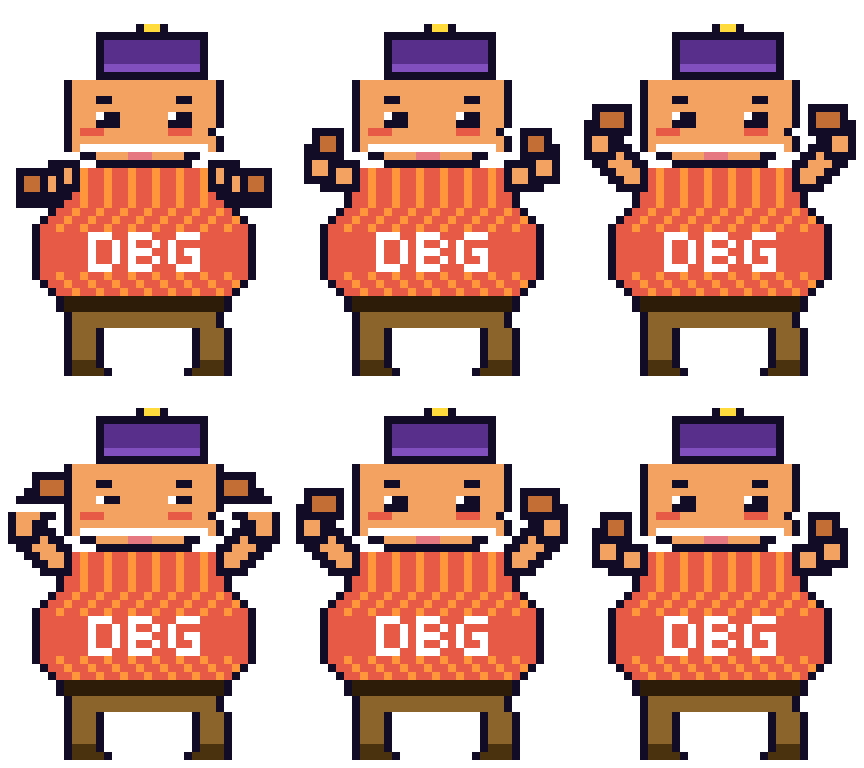
Chonk
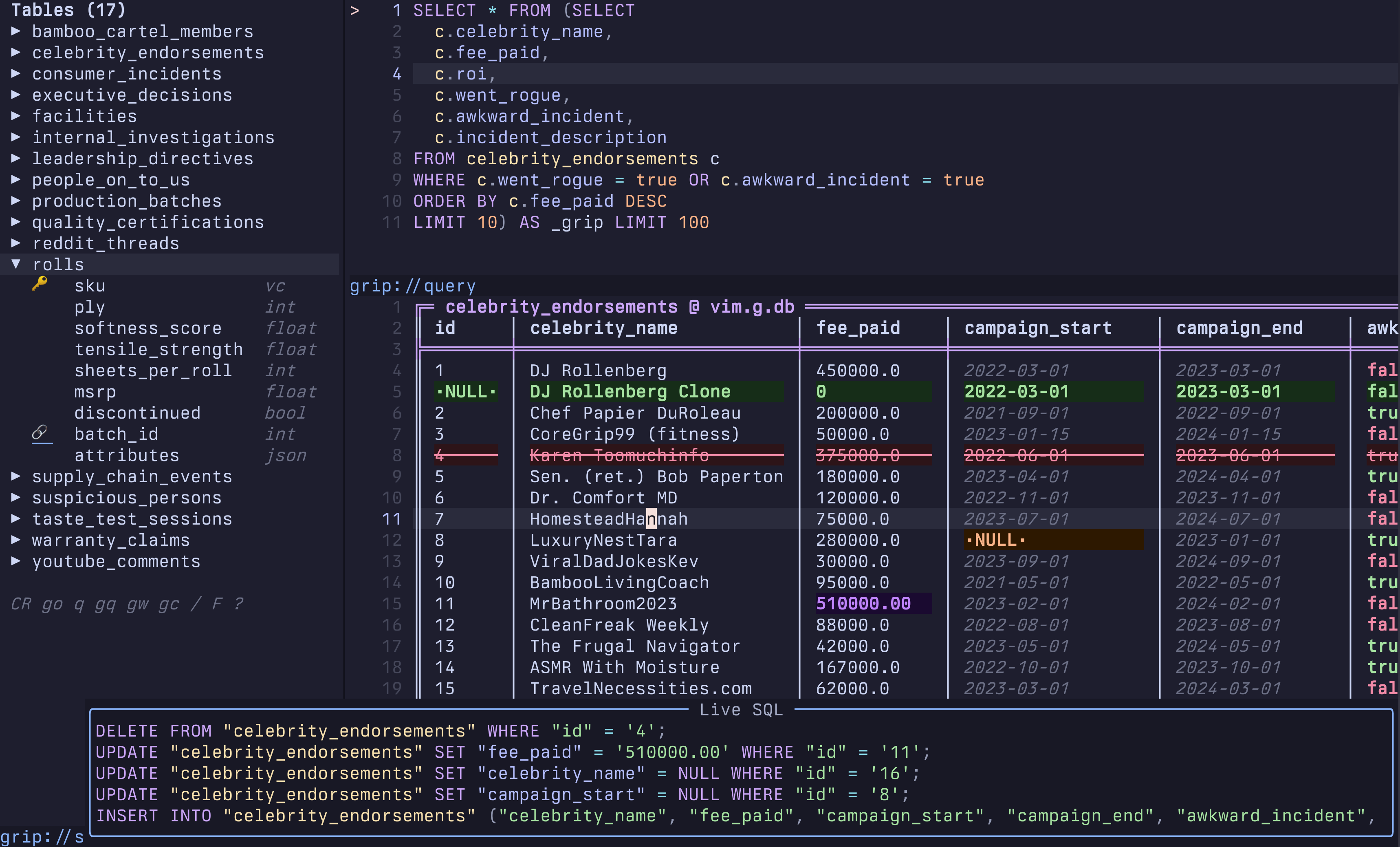
Workflow. Browse a schema, edit rows with Vim motions, follow foreign keys, and run saved SQL without leaving the editor.
Safety. Changes remain staged until you review the generated SQL and apply one transaction.
In this frame. The schema sidebar, query pad, and editable grid keep navigation, SQL, and pending mutations visible together.
Start in five minutes
Requirements
Dadbod Grip requires Neovim 0.10 or newer and the command-line client for each database you use.
| Data source | Required client |
|---|---|
| PostgreSQL | psql |
| MySQL or MariaDB | mysql |
| SQLite | sqlite3 |
| DuckDB, local files, HTTP, or S3 | duckdb |
| SQL Server | sqlcmd |
The built-in demo requires either duckdb or sqlite3, but it requires no database server or manual setup. DuckDB loads the full dataset; SQLite provides a compact fallback. Install both CLIs to include the automatically attached supplier-federation chapter. Dadbod Grip has no required Lua dependencies. vim-dadbod-ui, completion plugins, SQL formatters, and AI providers are optional integrations.
Install with lazy.nvim
{
  "joryeugene/dadbod-grip.nvim",
  opts = {},
  keys = {
    { "<leader>db", "<cmd>GripConnect<cr>", desc = "Database connections" },
  },
}
The plugin ships its own Lazy command triggers. Do not copy a cmd list or add a version wildcard.
Restart Neovim, then check the clients available on your machine:
:checkhealth dadbod-grip
Open the disposable demo:
:GripStart
The demo recreates its database from the bundled seed each time, so edits cannot damage your own data.
It opens the schema sidebar and walkthrough with the cursor inside the first SQL block. Press <C-CR> to run that block; opening the demo does not run it automatically. To browse a table first, press gb, select rolls, press Enter, and then press 2 to return to SQL.
The walkthrough's Daily practice section covers finding a view, filtering and exporting results, staging an edit, reviewing SQL, undoing or applying it, and keeping useful queries. Both demo engines include an incident summary view. DuckDB adds a collapsible reporting schema and a SQL macro. The demo guide also provides an optional local PostgreSQL lab for nested partitions, a view, and function source browsing.
Run :Grip or :GripHome for the welcome screen. The DBG logo sits above four action rows: open the demo, connect a database, browse tables, and open SQL. Use Tab/Shift-Tab or native j/k to select a row, then press Enter. The diagram follows configured keys; with defaults, 1 opens schema, 2 opens SQL, and 3 opens the table picker.
Other panes have contextual actions: 2 in SQL opens history, and 1 in schema opens connections. Press ? for that pane's effective keys; the help ends with Chonk's About section. Default bindings remain unchanged.
Connect to a database
Run the picker to select, add, or discover a connection:
:GripConnect
You can also connect directly:
:GripConnect postgresql://user:password@localhost:5432/app
:GripConnect mysql://user:password@localhost:3306/app
:GripConnect mariadb://user:password@localhost:3306/app
:GripConnect sqlite:/absolute/path/to/app.db
:GripConnect duckdb:/absolute/path/to/warehouse.duckdb
:GripConnect sqlserver://user:password@localhost:1433/app
New connections save to .grip/connections.json in the project. Press G in the connection picker to promote a connection to ~/.grip/connections.json, where it becomes available across projects. Existing g:dbs, $DATABASE_URL, g:db, and labeled local Docker containers also appear in the picker.
To keep a password out of the connection file, use an environment placeholder:
{
  "name": "development",
  "url": "postgresql://app:${APP_DB_PASSWORD}@localhost:5432/app"
}
Dadbod Grip resolves placeholders when it connects. An unresolved or empty value fails instead of silently trying another credential source. The connection guide covers project files, global files, .env files, read-only sessions, colors, and DuckDB attachments.
Edit your first table
After connecting:
- Put the cursor on a table in the schema sidebar and press
<CR>. - Move to a cell and press
ior<CR>to edit it. - Press
<CR>in the cell editor to stage the value. - Press
gsto inspect the SQL for every staged change. - Press
ato confirm and apply the changes in one transaction.
Use u to undo one staged edit or U to discard every staged edit. Press ? in any Dadbod Grip buffer for the complete context-sensitive keymap.
Everyday workflow
These commands cover the normal path:
| Command | Purpose |
|---|---|
:GripConnect |
Opens the connection picker and full workspace. |
:GripStart |
Recreates and opens the built-in demo. |
:Grip users |
Opens a table in an editable grid. |
:Grip SELECT * FROM users |
Runs SQL and opens the result. |
:GripQuery |
Opens the query pad. |
:GripAsk |
Generates SQL from a natural-language request. |
:GripExport |
Exports the current page or every matching row. |
:GripImport |
Previews and stages CSV, TSV, or JSON rows from the clipboard or !command. |
:GripHome |
Returns to the welcome screen. |
:GripZoom |
Maximizes the current pane or restores its split layout. |
:GripZen |
Toggles automatic shortcut hints across the session. |
A slow query counts up while it runs: past half a second the loading float appends live elapsed time (querying users... 3.4s), so a long wait is legible before the grid appears. After a successful query, the results footer keeps its client-observed query duration, such as Query: 3.4s client.
After a successful write and reload, the footer keeps Write: ... client for the database write and a separate Query duration for the SELECT that refreshes the grid. An interrupted or timed-out client wait leaves the database outcome unknown. Refresh and check the database before retrying the write.
In the query pad, <C-CR> runs SQL and gA generates SQL. In the grid, f filters by the current cell, s sorts the current column, gf follows a foreign key, and gE exports to the clipboard.
The complete command and keymap reference lives in :help dadbod-grip. The documentation website provides task-focused guides and screenshots.
Use gb to focus the sidebar, then <Esc> to close it. Press gz in the grid, query pad, sidebar, or welcome screen to zoom that pane, and press it again to restore the layout. Native <C-w> window navigation still works, and <C-p> opens the searchable command palette in the grid, query pad, and sidebar.
Opening SQL from another zoomed pane restores its split layout. Result shortcut hints fit in two rows for each window's width and stay visible during horizontal table scrolling. Narrow panes prioritize help and core actions.
Files and federation
Open a supported local or remote file with :Grip:
:Grip /data/orders.parquet
:Grip /data/events.jsonl
:Grip https://example.com/report.csv
:Grip s3://analytics-bucket/warehouse/orders.parquet
Supported extensions: .parquet .csv .tsv .json .ndjson .jsonl .xlsx .orc .arrow .ipc
DuckDB supplies file access and cross-database federation. CSV, TSV, JSON, NDJSON, JSONL, Parquet, Arrow, and IPC files can opt into write mode. XLSX and ORC remain read-only because Dadbod Grip does not have an explicit safe write format for them.
Use :GripAttach from a DuckDB connection to attach another database, then query across sources from one query pad. Persisted attachments return with their parent connection.
Configuration
Dadbod Grip calls setup() with sensible defaults. Override only what you need:
require("dadbod-grip").setup({
  limit = 100,
  timeout = 10000,
  completion = true,
  open_sidebar = true,
  show_running_time = true,
  show_result_time = true,
  show_hints = true,
  engine_timing = false,
})
Set open_sidebar = false to connect directly into the main workspace. Set completion = false when another completion engine owns SQL suggestions. Set ai = false to skip SQL generation and schema preloading; the AI keys remain registered and explain that AI is disabled.
Standalone SQL suggestions wait for two characters or a qualifier dot and leave your text unchanged until you select a match. DuckDB completion also offers catalog functions in expressions and table functions after FROM or JOIN. Catalogs warm in the background through the query queue; completion adds no extension installs or loads.
Set show_running_time = false to hide the loading counter or show_result_time = false to hide retained timing labels. Set show_hints = false for Zen display, or use :GripZen to toggle it during the session. These controls are independent; Zen keeps essential status and explicit ? help available without changing pane layout.
Set engine_timing = true to collect DuckDB profiler latency during an eligible single statement's original execution. Profiling adds overhead and never reruns the statement. Batches and other adapters report unsupported timing; missing or invalid profiles report unavailable timing. See :help grip-engine-timing for the metric and support limits.
Set highlights = { GripColHighlight = { link = "Visual" }, GripHeaderActive = { link = "Visual" } } to follow your colorscheme's selection colors. Overrides survive colorscheme and connection changes. See :help grip-highlights for supported groups and precedence.
All default values, picker integrations, connection fields, remappable actions, and AI-provider options live in :help grip-config and the getting-started guide.
Welcome actions are also configurable, for example keymaps = { welcome_next = "<F2>", welcome_activate = "<F3>" }. Setting an action to false removes its mapping. Welcome keeps command fallbacks visible, and ? shows effective keys for the current pane. The palette remains available in the grid, query pad, and sidebar.
Safety and privacy
Dadbod Grip stages cell edits, inserted rows, and deletions in memory. Nothing reaches the database until you inspect the generated SQL and confirm the apply action. A connection with "mode": "ro" disables editing and asks the database client for a read-only session, but database permissions remain the real security boundary.
Dadbod Grip keeps original SQL, mutation values, AI prompts, schema context, and request bodies out of process arguments. They travel through stdin, as do API-key lookup commands. SQLite reads also use a generated SQL script with selected column identifiers, created as 0600 inside a fresh 0700 temporary directory and removed after the client exits. Those identifiers can be sensitive.
For :GripImport !command, the parent shell receives the script through stdin, but child commands retain normal shell argument visibility. Pass credentials through environment variables, stdin, or configuration files instead of command arguments.
Passwords and connection parameters use client environment variables or invocation-scoped files instead of command arguments. Processes running as your user may still read those environment variables, so this prevents casual process-list exposure rather than replacing operating-system isolation.
Credentialed DuckDB federation uses an invocation-scoped DuckDB secret and never creates a persistent DuckDB secret. Saved queries bind to an opaque connection ID instead of copying a URL or password into the SQL file.
Read SECURITY.md to report a vulnerability privately.
Load a local checkout
Keep the repository name so Lazy retains the plugin identity, and use dir to load your development checkout:
{
  "joryeugene/dadbod-grip.nvim",
  dir = "~/Documents/github/dadbod-grip.nvim",
  opts = {},
}
Lazy should show the local directory instead of a cached release. The development checkout should remain on main; use Git worktrees for feature branches.
Documentation
- Run
:help dadbod-gripfor the exhaustive in-editor manual. - Read the website for guided workflows.
- Use
keymaps.jsonas the machine-readable catalog for persistent mappings. - Follow the demo investigation to explore the bundled database.
- Read CONTRIBUTING.md before preparing a change.
- Review CHANGELOG.md for shipped behavior.
Ecosystem
Dadbod Grip works by itself and can also read vim-dadbod and vim-dadbod-ui connection variables. It is listed in awesome-neovim.
Contributors
Contributions are welcome. Read CONTRIBUTING.md and open a focused pull request when you see something Dadbod Grip can do better.
A special thank-you to Gleb Yavorski (@GlebYavorski) for his contributions.
Jory Pestorious (@joryeugene) created and maintains Dadbod Grip, which is available under the MIT License.
Explorer des projets similaires
Asabeneh/30-Days-Of-Python
Le défi de programmation 30 Days of Python est un guide pas à pas pour apprendre le langage de programmation Python en 30 jours. Ce défi peut prendre plus de 100 jours. Avancez à votre rythme. Ces vidéos peuvent aussi vous aider : https://www.youtube.com/channel/UC7PNRuno1rzYPb1xLa4yktw
78,718 étoilesgrafana/grafana
Plateforme ouverte et composable d’observabilité et de visualisation de données. Visualise les métriques, les journaux et les traces issus de plusieurs sources, comme Prometheus, Loki, Elasticsearch, InfluxDB, Postgres et bien d’autres.
77,897 étoilesredis/redis
Pour les développeurs qui créent des applications en temps réel pilotées par les données, Redis est le cache, le serveur de structures de données et le moteur de requêtes documentaires et vectorielles préféré, le plus rapide et le plus riche en fonctionnalités.
77,491 étoilesapache/superset
Apache Superset est une plateforme de visualisation et d'exploration de données.
75,523 étoiles