
genai-io/san has 149 GitHub stars and 36 forks. Star changes are not measured yet. Last checked 2026-11-13 10:07 UTC. Last push 2026-11-13.
Comment ces chiffres sont mesurés
Open-source terminal agent runtime. Lean context, native speed, open all the way down — in a single Go binary.
Progression mesurée des étoiles
- in 24h
- Historique en cours
- in 7 days
- Historique en cours
- in 15 days
- Historique en cours
- in 1 month
- Historique en cours
Variations nettes sur des périodes qui se chevauchent, pas des totaux quotidiens. Les mesures absentes restent vides. Les étoiles indiquent l’intérêt, pas la qualité.
README.md
Original< SAN ✦ />
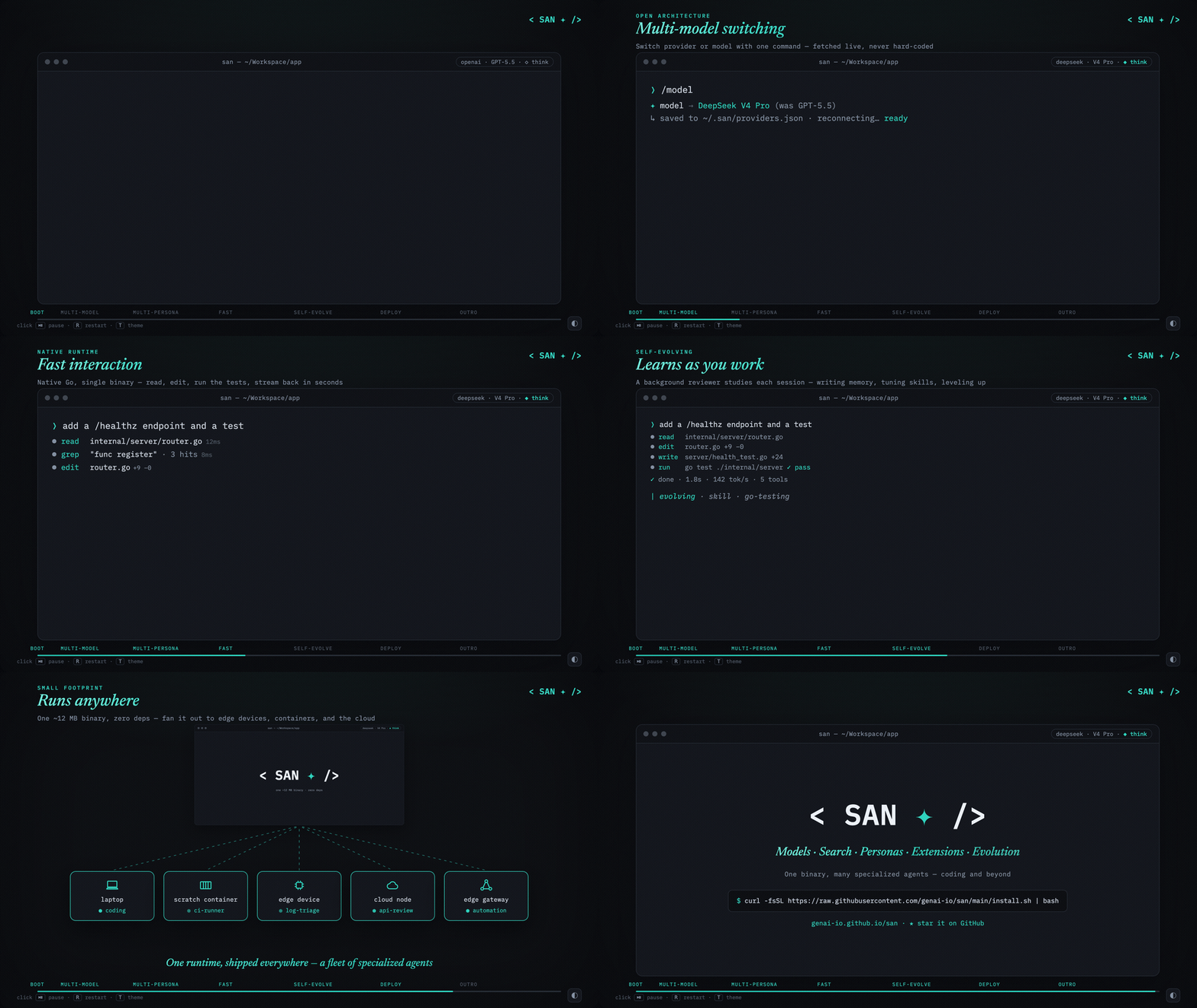
Minimal overhead. Maximum agent.
Lean context, native speed, open all the way down.


English · 简体中文
Why San
- Small and fast — A single native Go binary with minimal context overhead. No Node.js or Python required.
- A less opinionated harness — A model-agnostic runtime with a consistent interface for shaping agent behavior through system prompts, personas, skills, and tools.
- Multi-agent coordination — Subagent collaboration, cross-session messaging, and dynamic workflows.
- Control and visibility — Configure execution permissions and inspect model context and tool calls.
*The name — San, written 三 ("three") and drawn ☰. From the Dao De Jing, 三生万物 — "three begets the ten-thousand things": one runtime that becomes any agent, running a three-step loop (reason → act → observe). The command stays san.*
Installation
macOS / Linux — choose one:
# Homebrew
brew install genai-io/san/san

# Or use the install script
curl -fsSL https://raw.githubusercontent.com/genai-io/san/main/install.sh | bash
Windows (PowerShell)
irm https://raw.githubusercontent.com/genai-io/san/main/install.ps1 | iex
Other installation methods, updates and uninstall
Uninstall
# macOS / Linux
curl -fsSL https://raw.githubusercontent.com/genai-io/san/main/install.sh | bash -s uninstall
# Windows (PowerShell)
& ([scriptblock]::Create((irm https://raw.githubusercontent.com/genai-io/san/main/install.ps1))) uninstall
Go Install (requires Go 1.26.9+)
go install github.com/genai-io/san/cmd/san@latest
Build from Source
git clone https://github.com/genai-io/san.git
cd san
go build -o san ./cmd/san
mkdir -p ~/.local/bin && mv san ~/.local/bin/
Updates
- Automatic: new releases install in the background; the status line prompts you to restart.
- Manual: run
san update, orbrew update && brew upgrade genai-io/san/sanfor Homebrew installations. The Homebrew formula syncs daily, so newly published releases may take time to appear. - Disable automatic updates: use
/settings› General or setSAN_DISABLE_AUTOUPDATE=1.
Usage
Run san, then choose a model and add its API key when prompted.
san                          # interactive
san "explain this function"  # one-shot
san -p "do something"        # print mode (no TUI), pipe-friendly
san --continue               # resume the latest session
san --resume                 # pick a past session to resume
Use san --help for CLI options and /help for interactive commands.
Benchmark: San vs Claude Code
Compared with Claude Code v2.1.112 on Apple Silicon, same model (claude-sonnet-4-6):
| Metric | San | Claude Code | Advantage |
|---|---|---|---|
| Download size | 12 MB | 63 MB (+ Node.js 112 MB) | 5x smaller |
| Disk footprint | 38 MB | 175 MB | 4.6x smaller |
| Startup time | ~0.01s | ~0.20s | 20x faster |
| Startup memory | ~32 MB | ~189 MB | 5.8x less |
| Simple task | ~2.4s / 39 MB | ~10.4s / 286 MB | 4.3x faster, 7.3x less memory |
| Tool-use task | ~3.3s / 39 MB | ~26.0s / 285 MB | 7.9x faster, 7.2x less memory |
| Harness context* | ~2.3k tokens | ~20.9k tokens | ~9x leaner |
*Context overhead is system prompt + tool schemas on an empty first turn, measured separately on San v1.22.0 vs Claude Code v2.1.220 — see method. All other rows are from the v1.13.2 / v2.1.112 run.
Comparable feature sets — the gap is client-side overhead, not capability. docs/operations/benchmark.md
Documentation
- Get started — setup, configuration, commands, and permissions.
- Features — capabilities and detailed documentation.
- Customize and extend — prompts, personas, skills, and integrations.
- Develop and contribute — architecture, development, and design.
Related Projects
- Claude Code — Anthropic's AI coding assistant
- Aider — AI pair programming in terminal
- Continue — Open-source AI code assistant
Community
Two ways in — WeChat for the Chinese community, Slack for everyone else:
- WeChat — 关注公众号「极客外传」· 回复
san或三入群 - Slack — Join our Slack
Contributing
Contributions welcome! See CONTRIBUTING.md for guidelines.
License
Apache License 2.0 - see LICENSE for details.
Explorer des projets similaires
codecrafters-io/build-your-own-x
Maîtrisez la programmation en recréant de zéro vos technologies préférées.
562,223 étoilespublic-apis/public-apis
Une liste collective d'API gratuites
498,626 étoilesmorluto/rea
Rétro-ingénierie de n'importe quoi avec des agents, du comportement des applications jusqu'aux binaires natifs.
456,310 étoilesopenclaw/openclaw
L'IA qui fait vraiment les choses. Tout système d'exploitation, toute plateforme. À la manière du homard. 🦞
394,426 étoiles