
cweijan/vscode-database-client
cweijan/vscode-database-client has 2,927 GitHub stars and 384 forks. GitHot measured 0 stars in 24 hours and +2 in 7 days. Last checked 2026-11-11 08:13 UTC. Last push 2026-06-13.
Comment ces chiffres sont mesurés
Database Client For Visual Studio Code
Progression mesurée des étoiles
- in 24h
- 0
- in 7 days
- +2
- in 15 days
- Historique en cours
- in 1 month
- Historique en cours
Variations nettes sur des périodes qui se chevauchent, pas des totaux quotidiens. Les mesures absentes restent vides. Les étoiles indiquent l’intérêt, pas la qualité.
README.md
OriginalDatabase Client
This repository contains the early source code. The new version is closed source.
This project is a database client for Visual Studio Code, supporting the management MySQL/MariaDB, PostgreSQL, SQLite, Redis, ClickHouse, 达梦, and ElasticSearch, and works as an SSH client, boost your maximum productivity!
Project site: vscode-database-client, 中文文档

Installation
Install from the Visual Studio Code Marketplace or Open VSX.
Telemetry Reporting
The Database Client extension will collects and sends anonymous usage data to the Database Client server to help improve our products and services. Read our Privacy Statement to learn more.
Telemetry reporting follows the telemetry settings of VS Code. Additionally, you can independently disable it by setting "database-client.telemetry.usesOnlineServices": false.
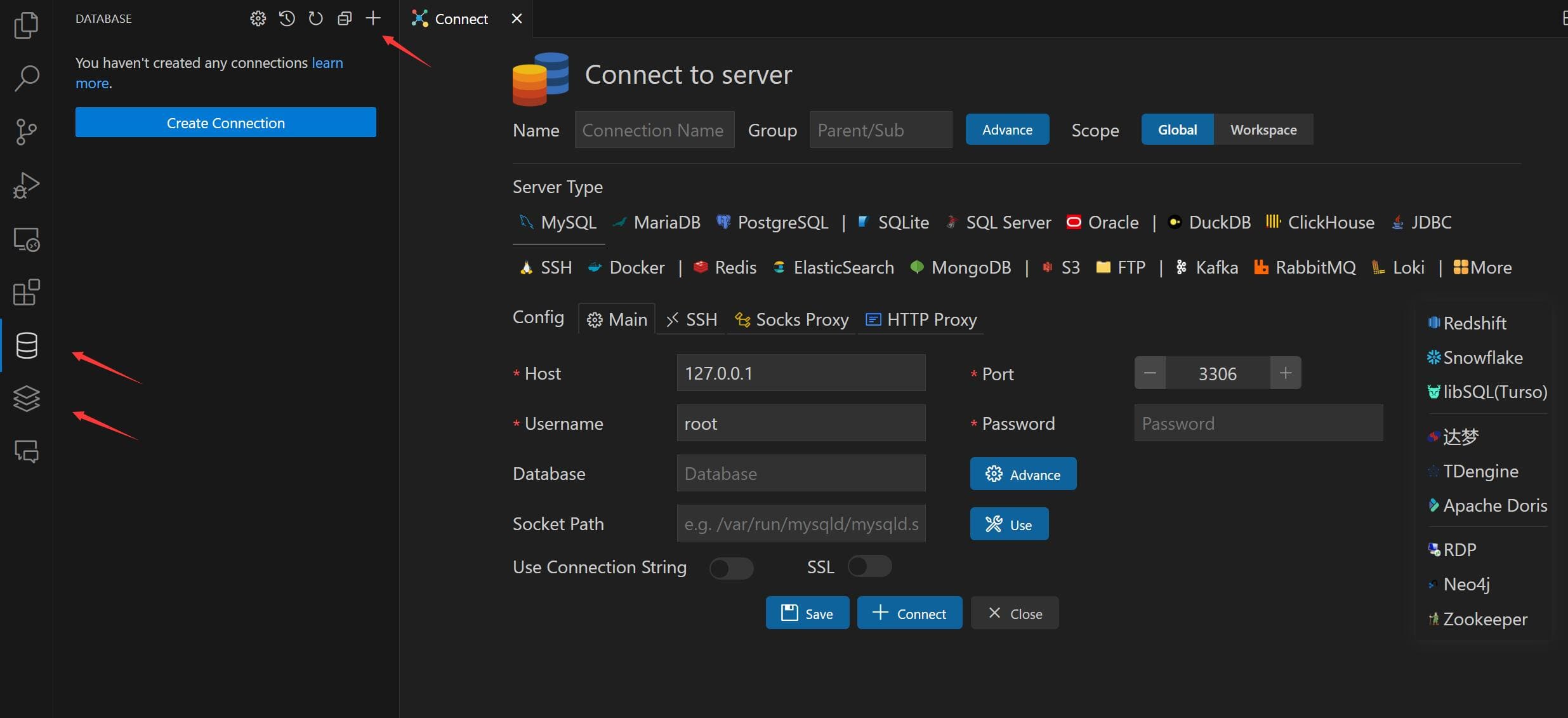
Connect
- Open Database Explorer panel, then click the
+button. - Select your database type, input connection config then click the connect button.
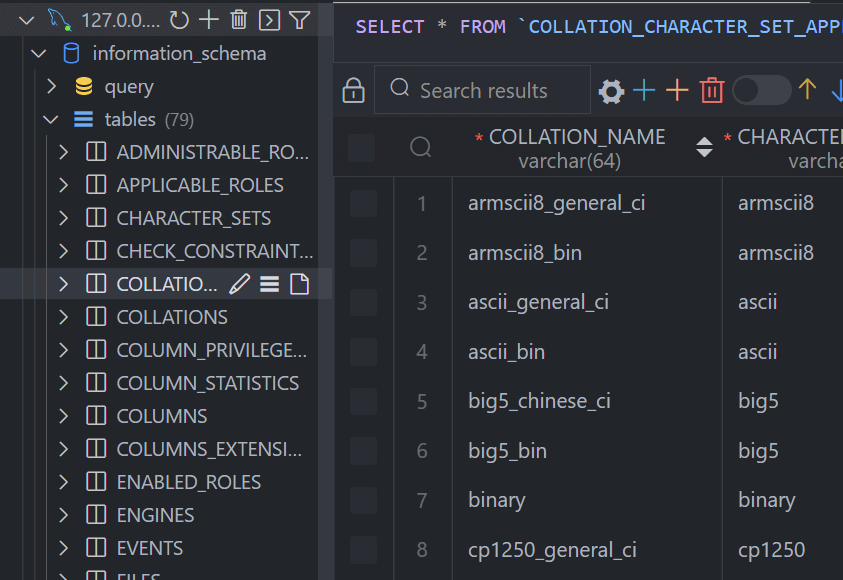
Table
- Click table to open table view.
- Click button beside table to open new table view.
- Then you can do data modification on the table view.
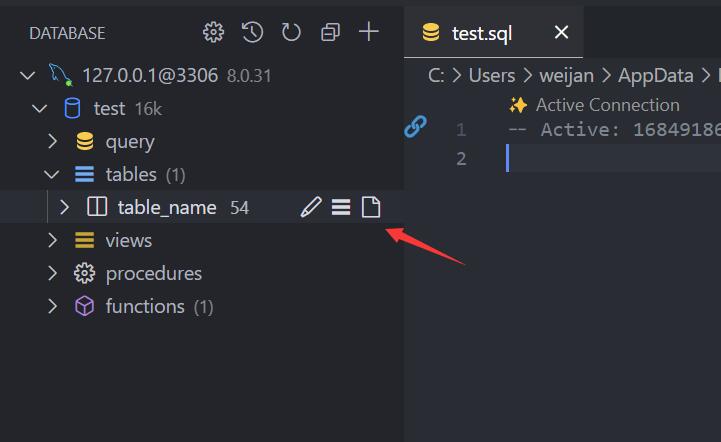
Execute SQL Query
In the Database Explorer panel, click the Open Query button.
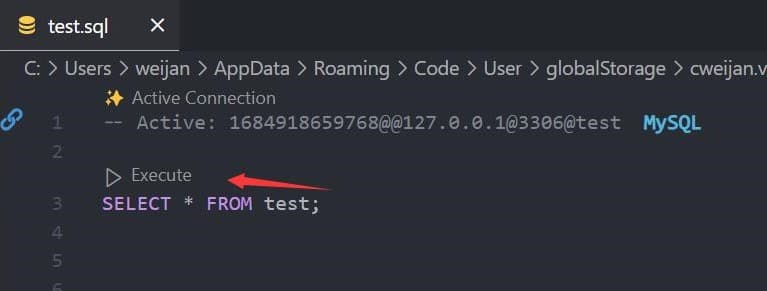
That will open a SQL editor bind of database, it provider:
- IntelliSense SQL edit.
- snippets:
sel、del、ins、upd、joi... - Run selected or current cursor SQL (Shortcut : Ctrl+Enter).
- Run all SQL (Shortcut : Ctrl+Shift+Enter, Command ID:
mysql.runSQL).
The database can be searched by clicking the search button to the right of "Tables".

Cache
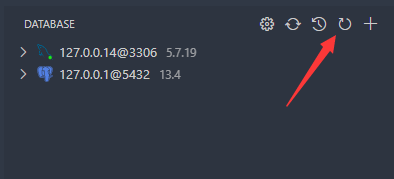
In order to improve performance, the database information is cached. If your database structure changes externally, you need to click the refresh button to refresh the cache。
Backup/Import
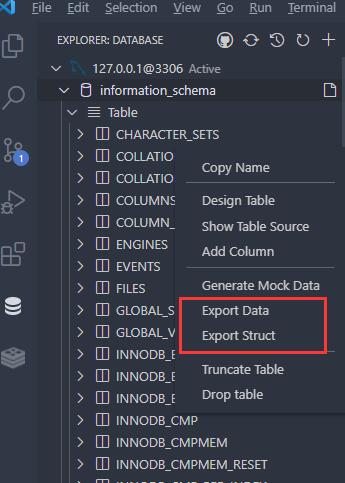
Move to ant DatabaseNode or TableNode. The export/import options are listed in the context menu (right click to open).
The extension implements the backup function, but it is not stable enough. You can add mysql_dump or pg_dump to the environment variable, and the extension will use these tools for backup.
Setting
The extension provides some settings, you can refer to the following operations to go to the console settings.

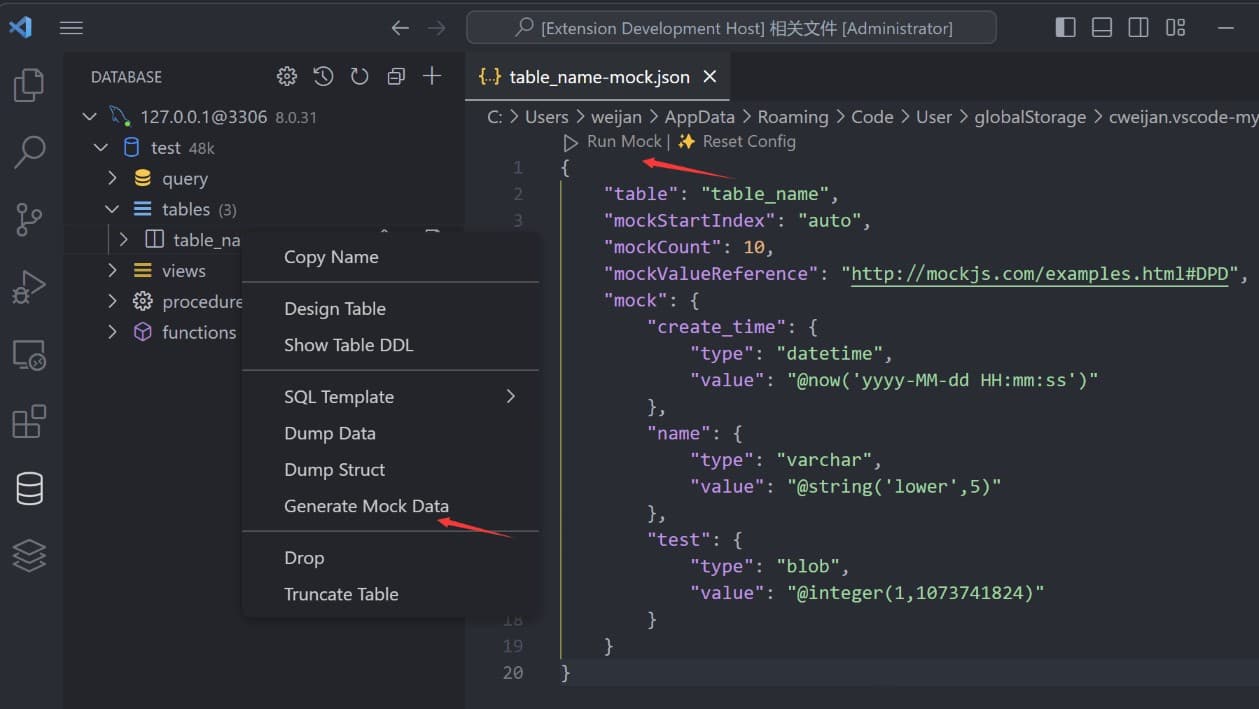
Generate Mock Data
You can easily generate test data.
History
Click the history button to open the list of recently executed query history records.

Credits
- ssh2: SSH client.
- sql-formatter SQL format lib.
- Client Lib:
- node-mysql2 : MySQL client.
- node-postgres: PostgreSQL client.
- tedious: SqlServer client.
- ioredis: Redis client.
- vscode-sqlite: SQLite client code reference.
Explorer des projets similaires
Asabeneh/30-Days-Of-Python
Le défi de programmation 30 Days of Python est un guide pas à pas pour apprendre le langage de programmation Python en 30 jours. Ce défi peut prendre plus de 100 jours. Avancez à votre rythme. Ces vidéos peuvent aussi vous aider : https://www.youtube.com/channel/UC7PNRuno1rzYPb1xLa4yktw
78,560 étoilesgrafana/grafana
Plateforme ouverte et composable d’observabilité et de visualisation de données. Visualise les métriques, les journaux et les traces issus de plusieurs sources, comme Prometheus, Loki, Elasticsearch, InfluxDB, Postgres et bien d’autres.
77,830 étoilesredis/redis
Pour les développeurs qui créent des applications en temps réel pilotées par les données, Redis est le cache, le serveur de structures de données et le moteur de requêtes documentaires et vectorielles préféré, le plus rapide et le plus riche en fonctionnalités.
77,395 étoilesapache/superset
Apache Superset est une plateforme de visualisation et d'exploration de données.
75,473 étoiles