
cognitom/paper-css
À propos
Paper CSS pour des impressions plus agréables
Outils de développementProgression mesurée des étoiles
- in 24h
- 0
- in 7 days
- 0
- in 15 days
- 0
- in 1 month
- Historique en cours
Variations nettes sur des périodes qui se chevauchent, pas des totaux quotidiens. Les mesures absentes restent vides. Les étoiles indiquent l’intérêt, pas la qualité.
README.md
OriginalPaper CSS for happy printing

Front-end printing solution - previewable and live-reloadable!
Recently, we say "front-end" every day. Then why don't we make the printing documents in front-end? We believe we can make it perfectly without back-end. Paper CSS is just a small snippet of CSS, but it helps us create them in browser easily.
Table of Contents
- Installation
- Basic Usage
- Live Preview
- PDF Generation
- Why Paper CSS?
- License
Installation
Get Paper CSS from cdnjs (recommended):
<link rel="stylesheet" href="https://cdnjs.cloudflare.com/ajax/libs/paper-css/0.3.0/paper.css">
Or download paper.css file from GitHub manually, or via npm:
$ npm install paper-css
Basic Usage
Load paper-css into <head> like this:
<!-- Load paper.css for happy printing -->
<link rel="stylesheet" href="dist/paper.css">

<!-- Set page size here: A5, A4 or A3 -->
<!-- Set also "landscape" if you need -->
<style>@page { size: A5 }</style>
Set the class of <body> and also set "sheet" for each sheet.
<!-- Set "A5", "A4" or "A3" for class name -->
<!-- Set also "landscape" if you need -->
<body class="A5">

  <!-- Each sheet element should have the class "sheet" -->
  <!-- "padding-**mm" is optional: you can set 10, 15, 20 or 25 -->
  <section class="sheet padding-10mm">

    <!-- Write HTML just like a web page -->
    <article>This is an A5 document.</article>

  </section>

</body>
All available page sizes is listed below:
- A5, A5 landscape
- A4, A4 landscape
- A3, A3 landscape
- letter, letter landscape
- legal, legal landscape
See also the examples for detail.
Live Preview
Install live-server:
$ npm install --global live-server
Then, preview your HTML file:
$ live-server your-document.html
Your browser will open the document. And the browser will automatically reload the page when changes are detected.
See more detail and all options here.
PDF Generation
Install electron-pdf:
$ npm install --global electron-pdf
Then, generate a PDF file from your HTML file:
$ electron-pdf your-document.html your-document.pdf
See more details and all options here.
Note: we used to provide a small CLI tool paper-css while v0.2.x, we've dropped it in favor of electron-pdf which is a better option to do the same, basically.
Why Paper CSS?
Previewable
You can check the design and layout before printing. See the browser like when you build a web page.
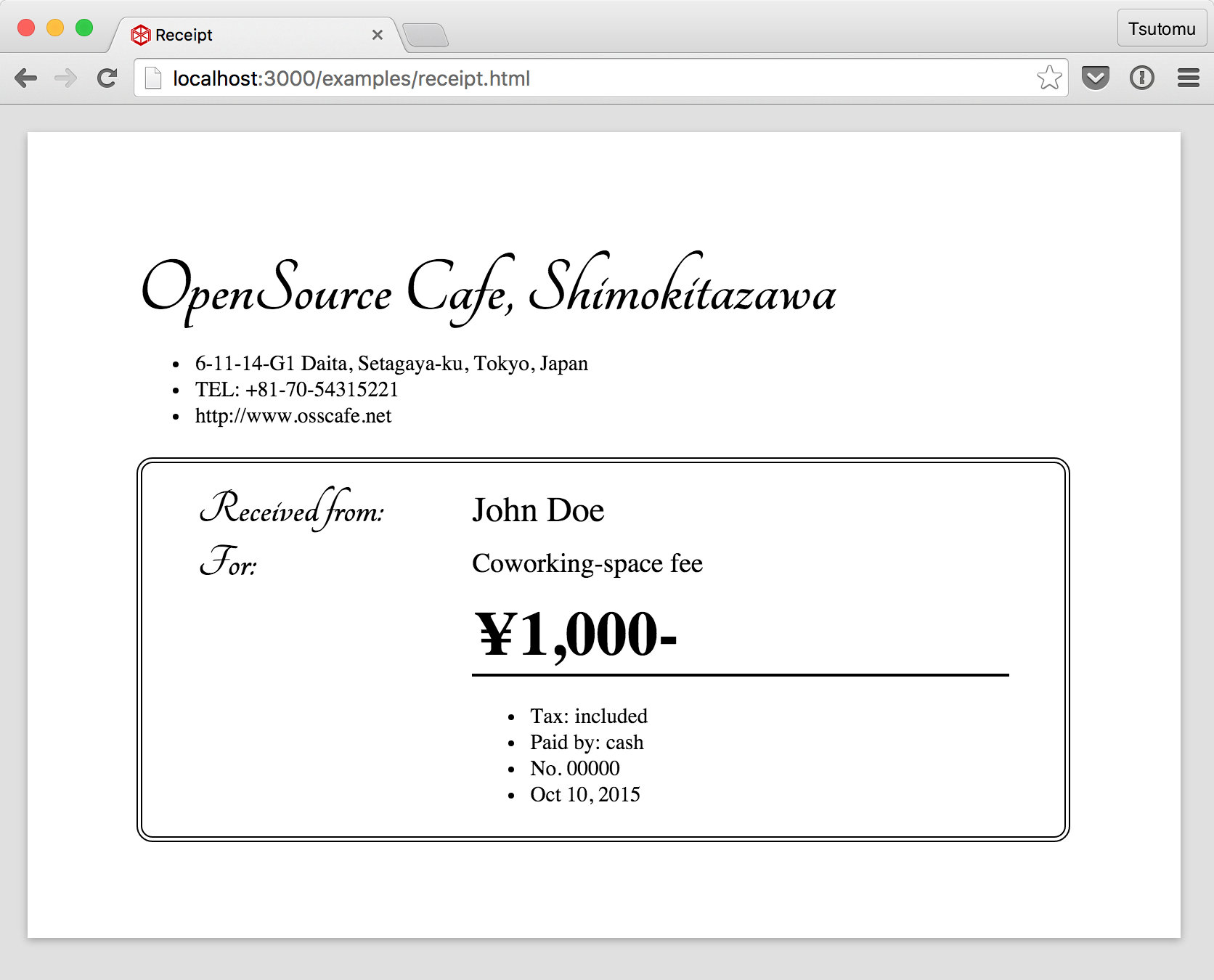
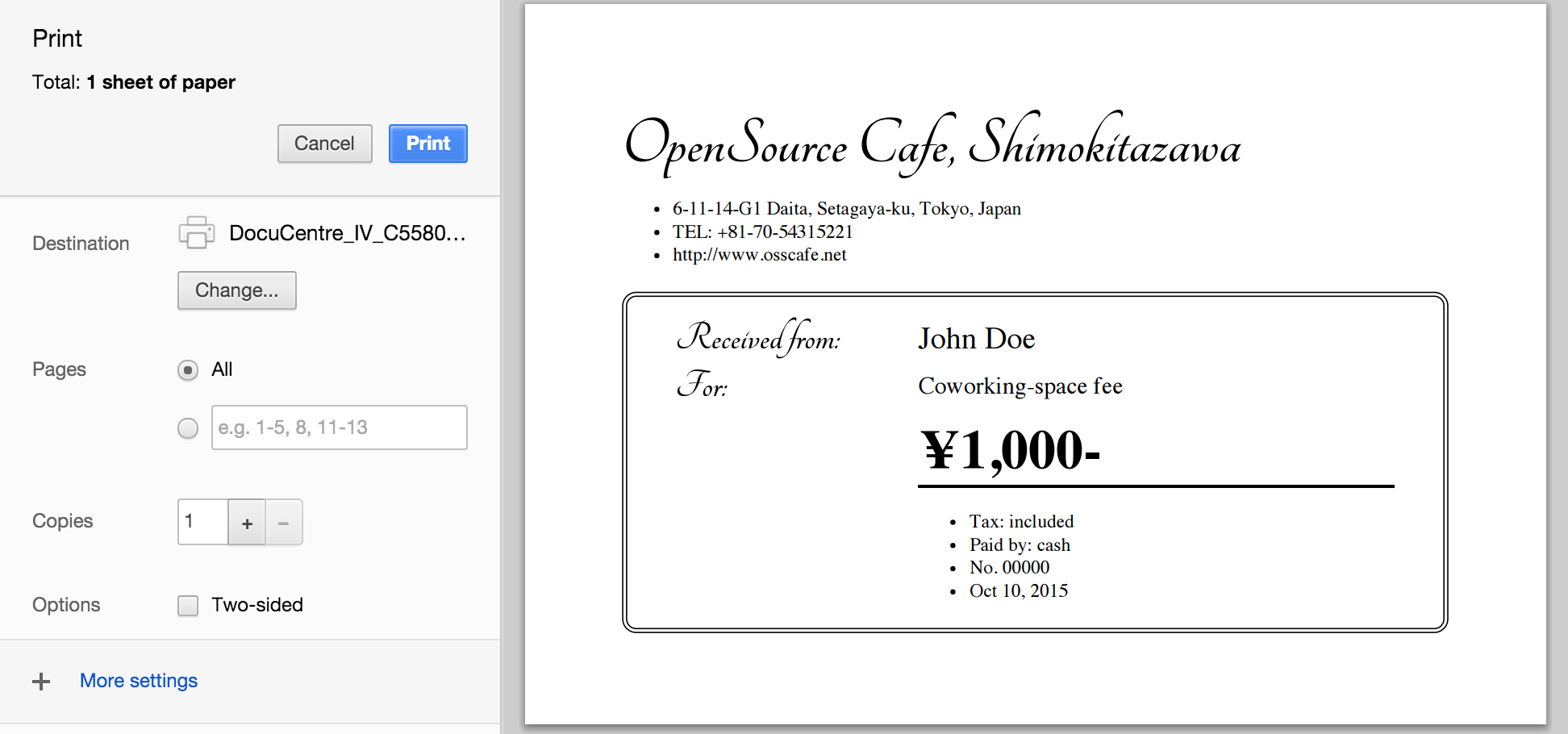
This example could be printed like this.
Live-reloading
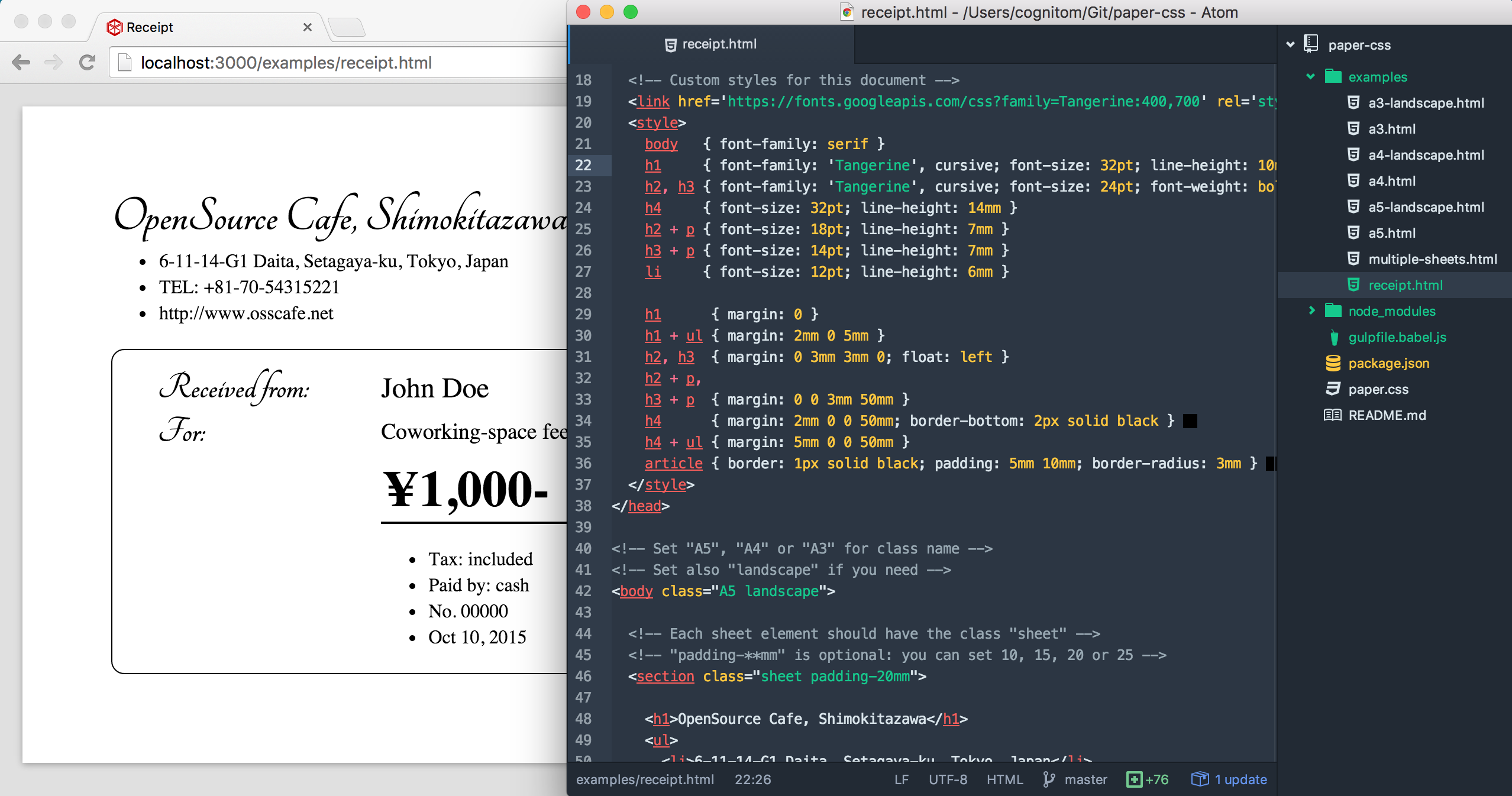
It's just HTML/CSS, so we can edit it with live-reloading. See Live Preview section above.
Comparisons
| type | expression | learning cost | editable | in-browser | multipage |
|---|---|---|---|---|---|
| HTML | Enough | already known | No | OK | ~100 pages * |
| SVG | Enough | not so difficult | No | OK | |
| Perfect | difficult | No | NG | no limit ** | |
| Excel | Not cool | sigh | Yes | NG | uncontrollable |
* It depends on user's environment. ** Only if you have huge memory on the server.
License
MIT © Tsutomu Kawamura
Explorer des projets similaires
Chargement…