Projets Voir sur GitHub
coderoad/coderoad-vscode
À propos
👩💻 Créez ou suivez des tutoriels de programmation interactifs dans VS Code.
ApprentissageProgression mesurée des étoiles
- in 24h
- 0
- in 7 days
- 0
- in 15 days
- Historique en cours
- in 1 month
- Historique en cours
Variations nettes sur des périodes qui se chevauchent, pas des totaux quotidiens. Les mesures absentes restent vides. Les étoiles indiquent l’intérêt, pas la qualité.
README.md
Original

CodeRoad


CodeRoad is a VSCode extension that allows you to create and play interactive coding tutorials in your editor.
Works with a variety of languages: JavaScript, Python, Bash, SQL, with more to come.
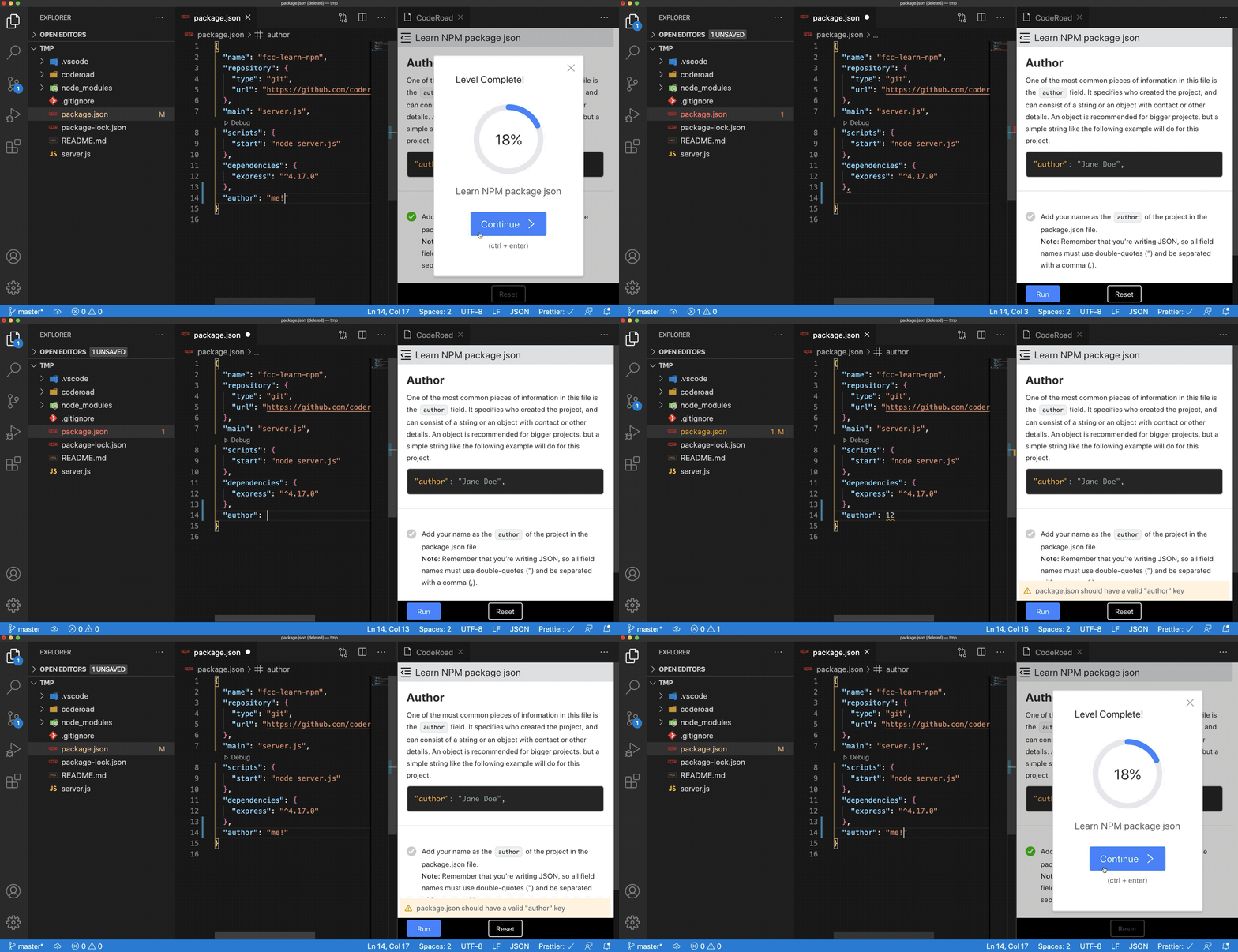
📖 Documentation
How CodeRoad Works
- Text is written in Markdown. 🔗
- Tutorials are built on Git using a TDD pattern. 🔗
- Hooks & actions give flexible access to the command line & VSCode API. 📖
▶️ See a video explaining how CodeRoad works
Getting Started
Requirements
- OS: MacOS, Linux, Windows
- VSCode 1.39.2+
- Git
Install
- install CodeRoad from the VSCode Marketplace.
- reload the window (
ctrl/cmd + R) to get started.
Start
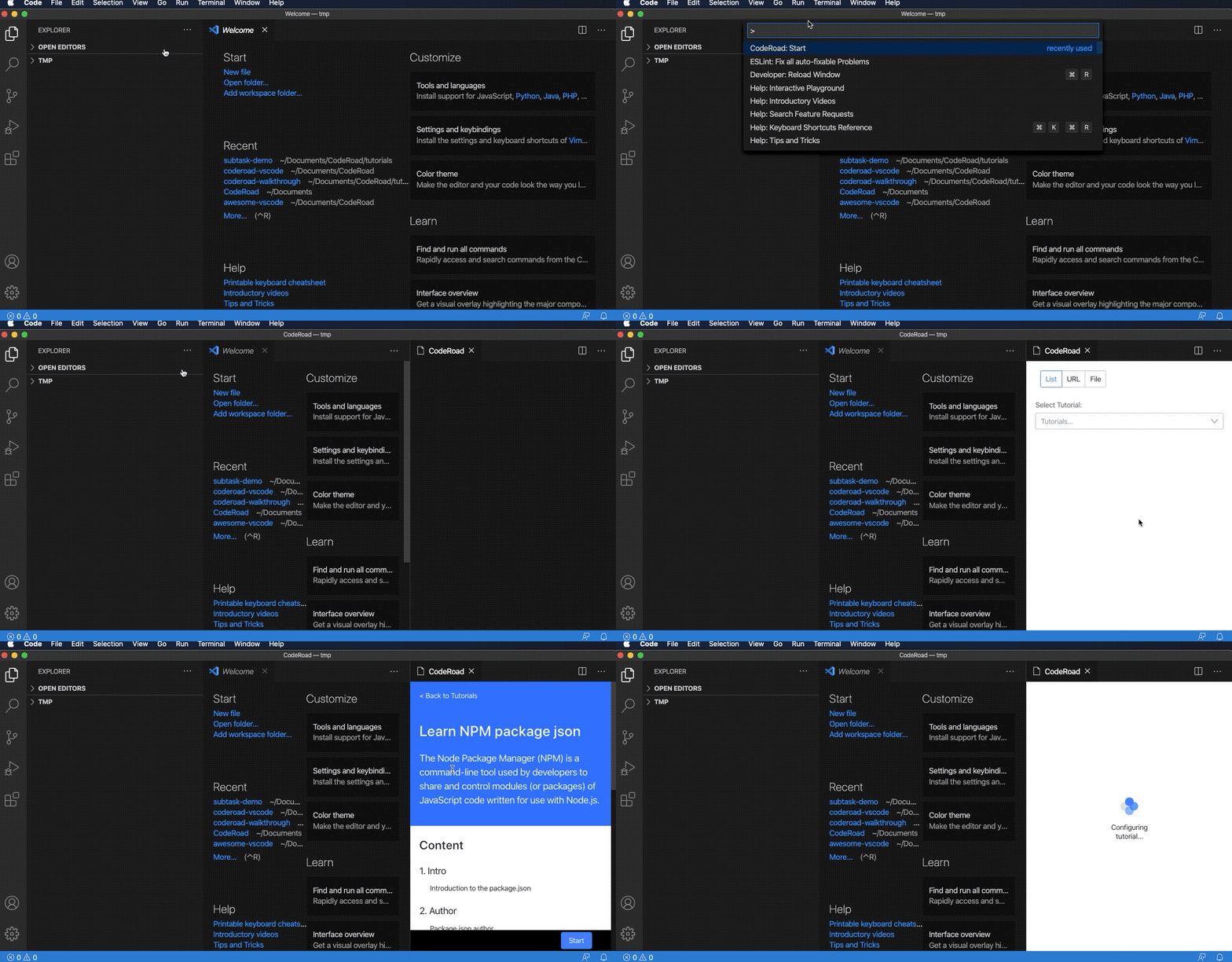
To start the extension, inside VSCode:
Open an empty VSCode workspace (a project folder)
Launch the app from the VSCode command palette. How?
- select “View” > “Command Palette” from the top panel OR press
cmd/ctrl + shift + P - in the command palette popup, search for and run
CodeRoad:Start
- select “View” > “Command Palette” from the top panel OR press
Contributing
CodeRoad is an ambitious project, we're always looking for contributors :)
See CONTRIBUTING.md.
License
Contact & Support
- Create a GitHub issue for bug reports, feature requests, or questions
- Reach out at
[email protected] - Leave a review in the VSCode Marketplace
- Add a ⭐️ star on GitHub to support the project!
Explorer des projets similaires
Chargement…