
clisuper/CLWeeklyCalendarView
À propos
Weekly calendar view for iphone, scrollable
Outils de développementProgression mesurée des étoiles
- in 24h
- 0
- in 7 days
- 0
- in 15 days
- Historique en cours
- in 1 month
- Historique en cours
Variations nettes sur des périodes qui se chevauchent, pas des totaux quotidiens. Les mesures absentes restent vides. Les étoiles indiquent l’intérêt, pas la qualité.
README.md
Original#CLWeeklyCalendarView
CLWeeklyCalendarView is a scrollable weekly calendarView for iPhone. It is easy to use and customised.
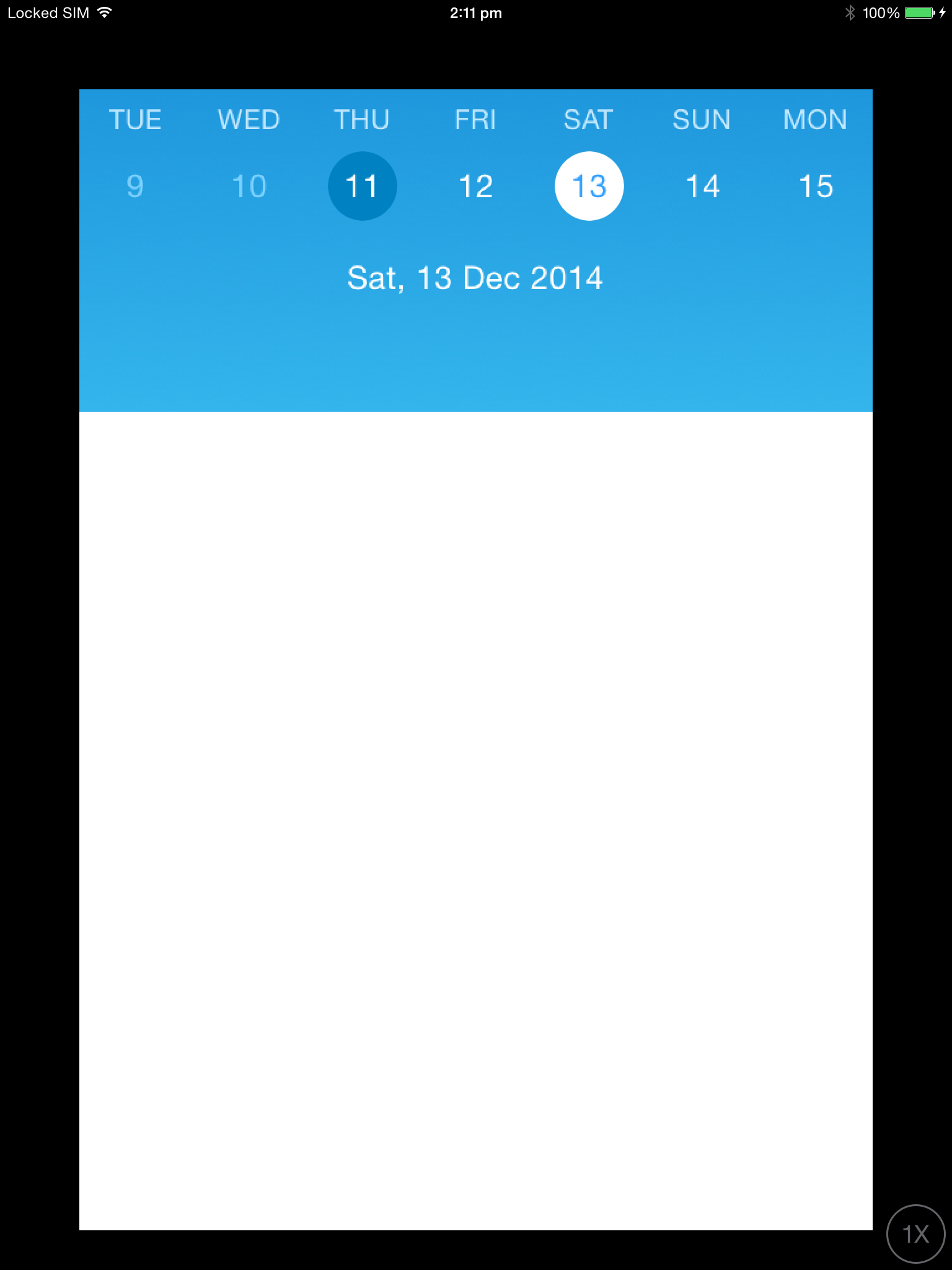
Installation
- Drag the
CLWeeklyCalendarViewSourcefolder into your project.
Demo Usage
Please download all of the files in the repo and run it directly to have a look.
Initialize
Using CLWeeklyCalendarViewSource in your app will usually look as simple as this :
//Initialize
-(CLWeeklyCalendarView *)calendarView
{
    if(!_calendarView){
        _calendarView = [[CLWeeklyCalendarView alloc] initWithFrame:CGRectMake(0, 0, self.view.bounds.size.width, 100)];
        _calendarView.delegate = self;
    }
    return _calendarView;
}

//Add it into parentView
[self.view addSubview:self.calendarView];
Delegate
After the date in the calendar has been selected , following delegate function will be fired
//After getting data callback
-(void)dailyCalendarViewDidSelect:(NSDate *)date
{
    //You can do any logic after the view select the date
}
You can delegate to tell the calenderView scrollTo specified date by using following delegate function
- (void)redrawToDate: (NSDate *)dt;
Customisation
**Please be aware customisation delegate function is optional, if u do not apply it, it will just fire the default value.
Using CLWeeklyCalendarViewDelegate to customise the behaviour
Following customisation key is allowed
// Keys for customize the calendar behavior
extern NSString *const CLCalendarWeekStartDay;    //The Day of weekStart from 1 - 7 - Default: 1

extern NSString *const CLCalendarDayTitleTextColor; //Day Title text color,  Mon, Tue, etc label text color

extern NSString *const CLCalendarSelectedDatePrintFormat;   //Selected Date print format,  - Default: @"EEE, d MMM yyyy"

extern NSString *const CLCalendarSelectedDatePrintColor;    //Selected Date print text color -Default: [UIColor whiteColor]

extern NSString *const CLCalendarSelectedDatePrintFontSize; //Selected Date print font size - Default : 13.f

extern NSString *const CLCalendarBackgroundImageColor;      //BackgroundImage color - Default : see applyCustomDefaults.
You need to fire below delegate function to apply your customisation
#pragma mark - CLWeeklyCalendarViewDelegate
-(NSDictionary *)CLCalendarBehaviorAttributes
{
    return @{
             CLCalendarWeekStartDay : @2, 	//Start from Tuesday every week
             CLCalendarDayTitleTextColor : [UIColor yellowColor],
             CLCalendarSelectedDatePrintColor : [UIColor greenColor],
             };
}
Credits
CLFaceDetectionImagePicker is brought to you by [Caesar Li]
Explorer des projets similaires
Chargement…