
cjinhuo/blazwitcher
À propos
A Chrome Extension to blaze through your tabs, bookmarks, and history — with powerful fuzzy Pinyin search and grouping tags by AI. 一款可以全局搜索标签、书签和历史记录的 Chrome 浏览器扩展,支持拼音模糊搜索和 AI 标签分组
Outils de développementProgression mesurée des étoiles
- in 24h
- 0
- in 7 days
- 0
- in 15 days
- +1
- in 1 month
- Historique en cours
Variations nettes sur des périodes qui se chevauchent, pas des totaux quotidiens. Les mesures absentes restent vides. Les étoiles indiquent l’intérêt, pas la qualité.
README.md
Original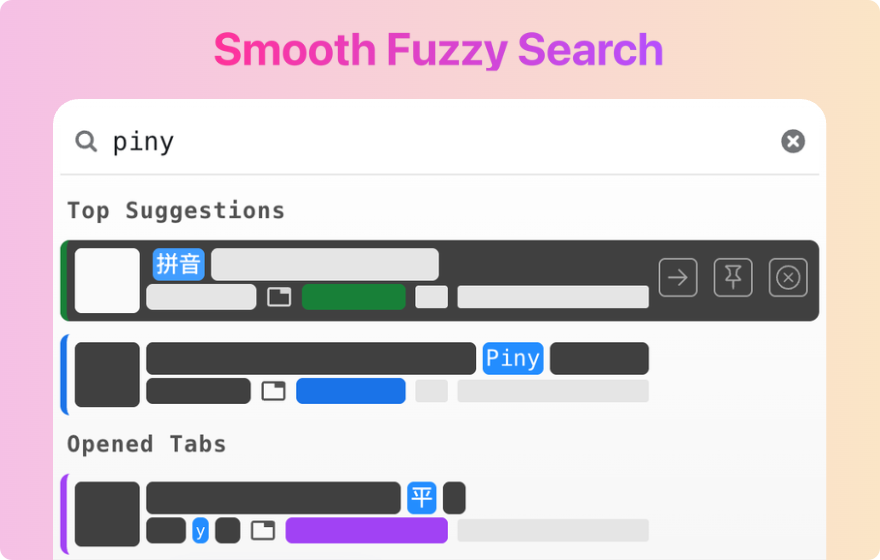





A browser extension for Chrome and Microsoft Edge to blaze through your tabs, bookmarks, and history — with powerful fuzzy Pinyin search and grouping tabs by AI
Overview
Blazwitcher is a local browser extension for Chrome and Microsoft Edge for searching tabs, bookmarks, and history, with support for fuzzy Pinyin search. It is also the perfect solution for those who work with multiple tabs open and want to switch the correct tab or create a new tab from history or bookmarks quickly without the hassle of manually operation.
Prefer searching from Raycast? Install Blazwitcher for Raycast to search tabs, bookmarks, and history with fuzzy Pinyin search. The Raycast edition supports Google Chrome on macOS only, not Microsoft Edge. See its README for setup and features.
Features
Fuzzy Pinyin Search
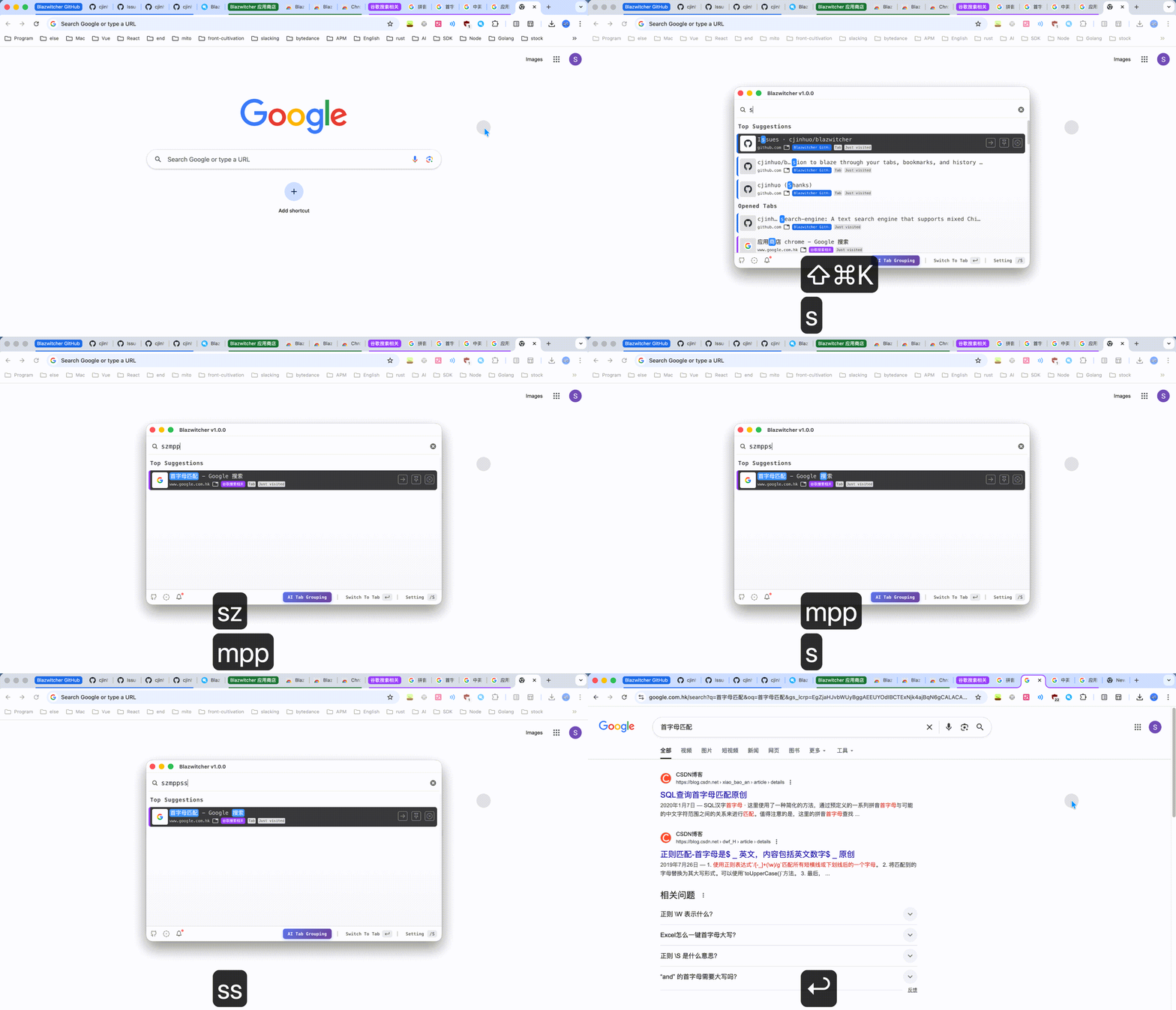
Supports Chinese and English mixed fuzzy search, Chinese-friendly (powered by text-search-engine). The search results are sorted by weight value (higher weight for more consecutive character matches) and last usage time in descending order, allowing you to locate your target faster. Search capabilities include:
- Initial Pinyin search
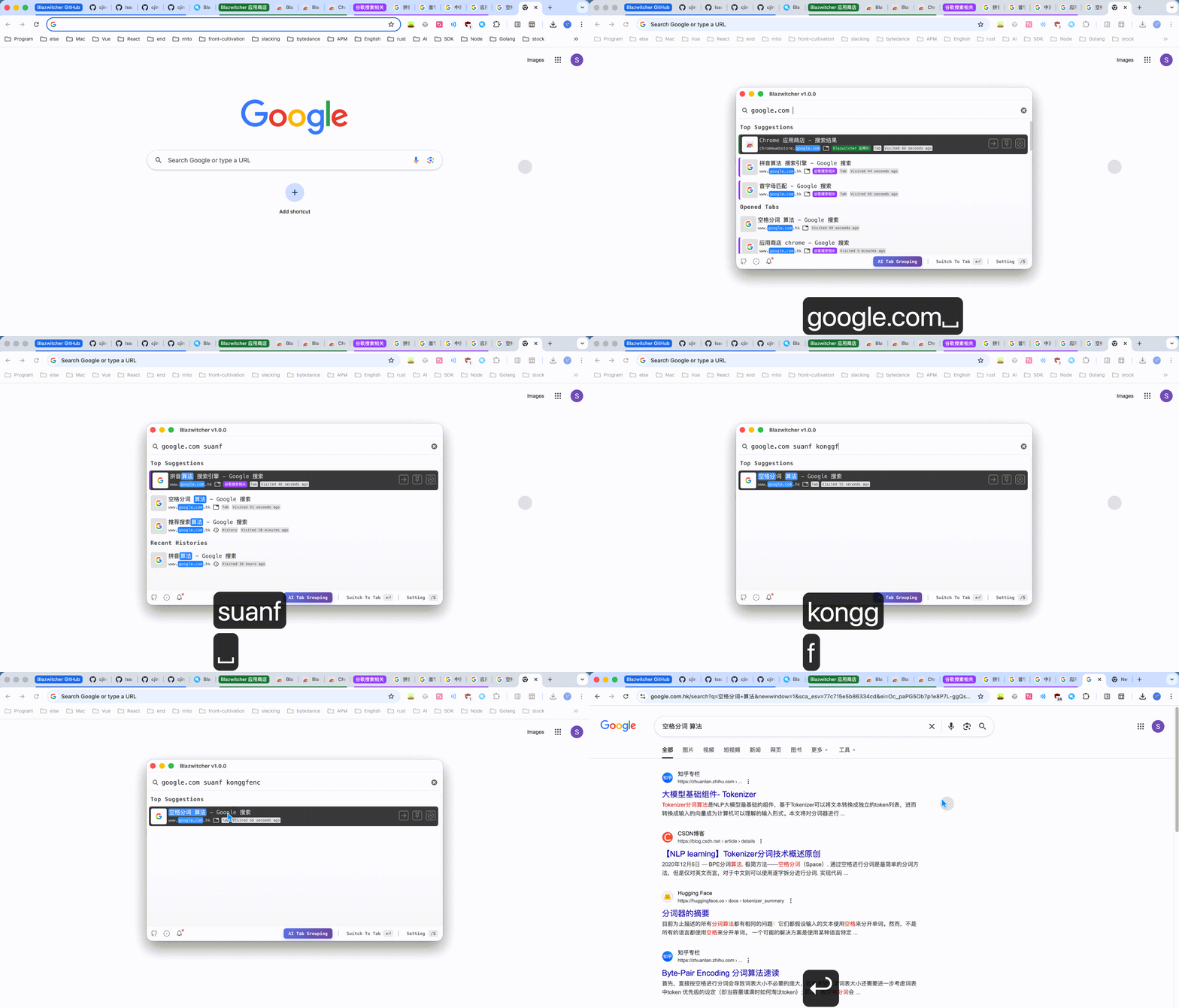
- Domain name search & Space-separated word search (no need to match in order after word segmentation)
AI Tab Grouping
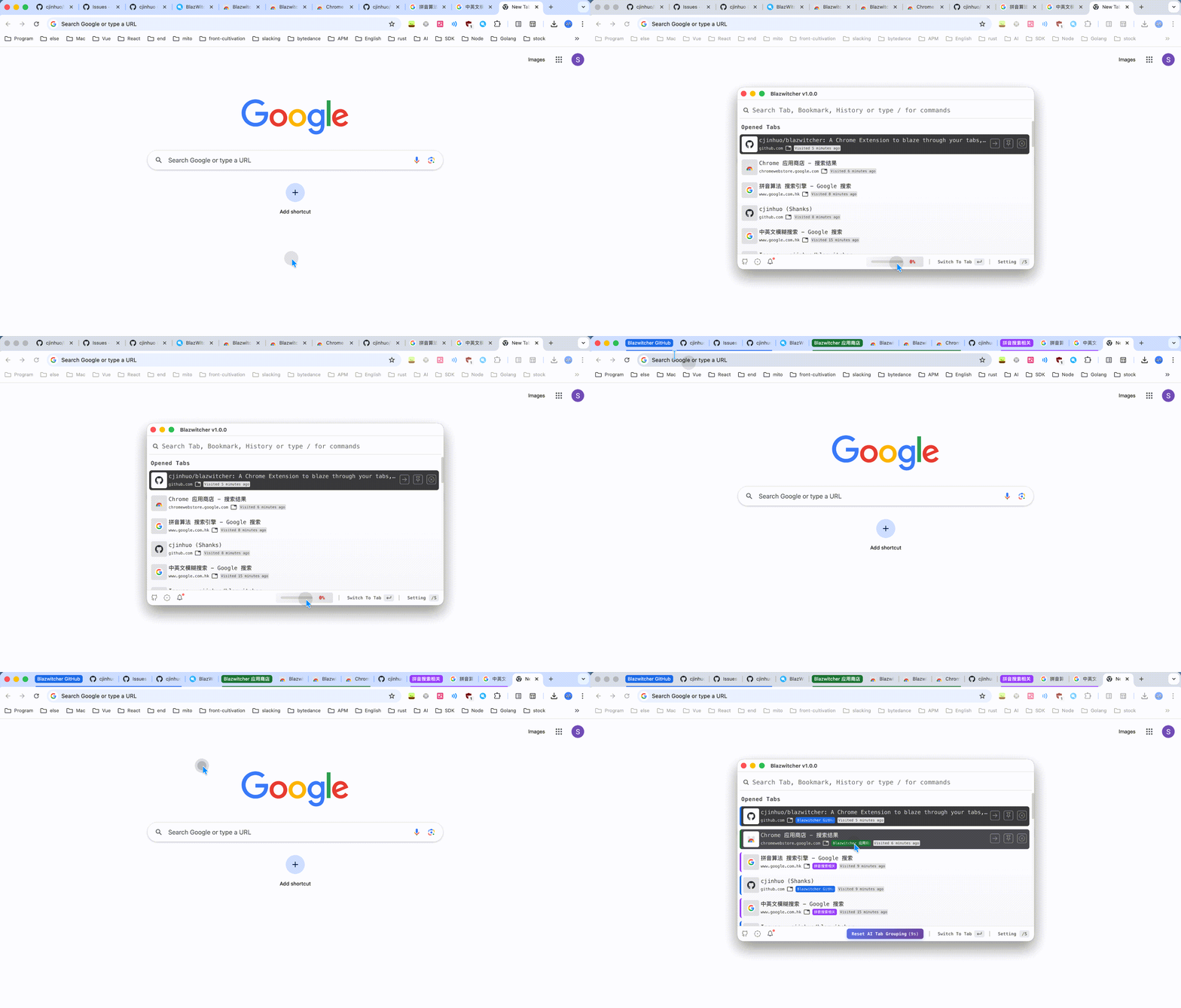
Intelligently group all tabs in the last focused window based on domain names, titles, and existing grouping situations with incremental smart grouping, greatly saving time on manually creating and updating tab groups. Of course, if you're not satisfied with the AI grouping, you can return to the initial snapshot state within 16 seconds of grouping.
Global Second-level Search
Search data sources include:
- All opened tabs
- All bookmark records
- By default, searches the last 1000 history items within 14 days, you can type
/s searchto modify the configuration
Also supports targeted search: type /t to search only opened tabs, similarly type /b and /h to search bookmarks and history respectively.
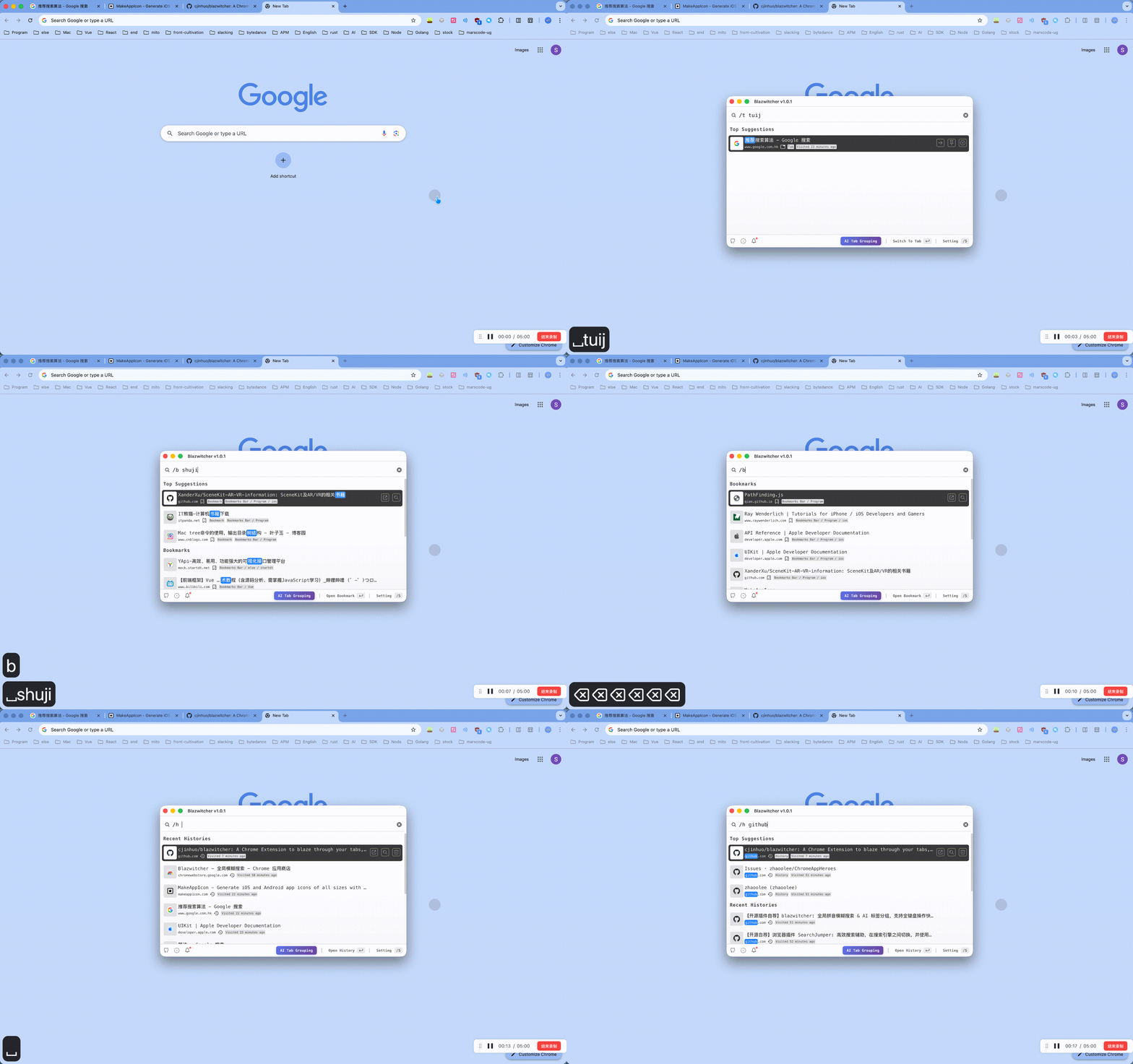
Full Keyboard Operation
- Default activation via
Command+Shift+K(Windows:Ctrl+Shift+K), you can type/s keyboardto customize, or directly visit chrome://extensions/shortcuts to modify it to suit your habits - Use arrow keys (↑↓) or
Tabkey to select content, pressEnterto switch or open the desired tab - Trigger actions directly through commands under
/, for example, typing/aifollowed by enter will trigger AI tab grouping - Use shortcuts to pin/unpin, open history, open current bookmark location, etc.
- Type
/sto enter the settings page, where you can customize shortcuts for various functions
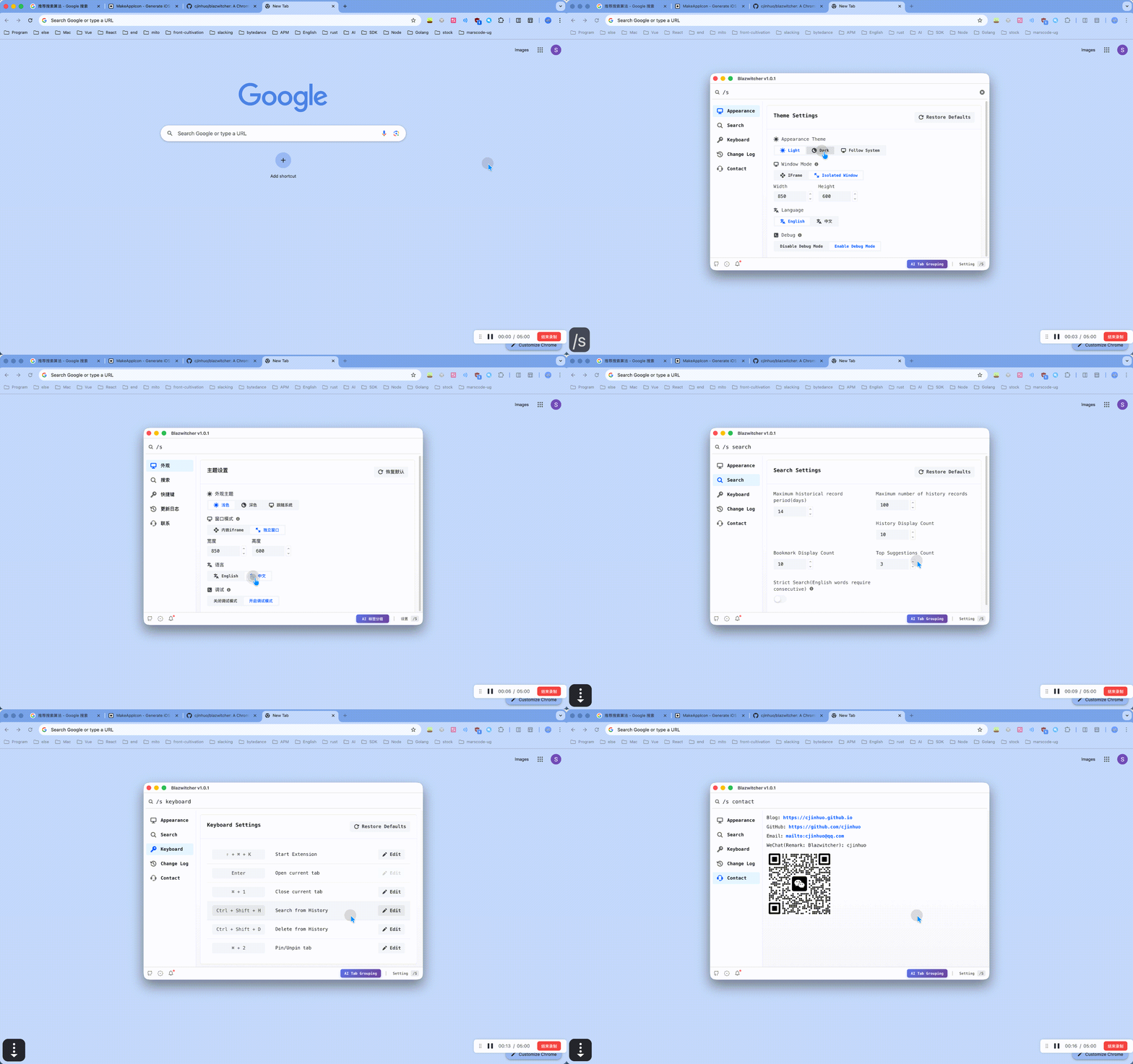
Ideal For
Those people who are looking for quick action and speed, like:
- 🧑💻 Developers
- 💻 Multitaskers
- 🏄🏻 Surfers
Quick Installation
- Open Blazwitcher in the Chrome Web Store in Chrome or Microsoft Edge.
- Add it to your browser. In Edge, allow extensions from other stores if prompted.
Shortcut
The default shortcut key to activate Blazwitcher Extension is Command+Shift+K on Mac, and Ctrl+Shift+K on Windows. Of course, you can type /s keyboard to customize it, or directly visit chrome://extensions/shortcuts to modify it to suit your habits.
Contributing
Please see the contributing guidelines to learn more.
A big thanks to all of our amazing contributors ❤️
Feel free to join the fun and send a PR!
📞 Contact
Welcome to raise issues. You can contact me via WeChat or email if you have good suggestions (note: Blazwitcher)
- wx: cjinhuo
- email: [email protected]
Explorer des projets similaires
Chargement…