
caponetto/vscode-diff-viewer
caponetto/vscode-diff-viewer has 68 GitHub stars and 8 forks. GitHot measured 0 stars in 24 hours and 0 in 7 days. Last checked 2026-11-20 18:04 UTC. Last push 2026-10-29.
What you can do
- Render .diff and .patch files in a custom editor instead of raw unified diff text.
- Switch between line-by-line and side-by-side layouts from the editor title bar.
- Collapse reviewed files and track progress across the current diff document.
- Optionally show a persistent footer scrollbar for wide diffs.
Progression mesurée des étoiles
- in 24h
- 0
- in 7 days
- 0
- in 15 days
- Historique en cours
- in 1 month
- Historique en cours
Variations nettes sur des périodes qui se chevauchent, pas des totaux quotidiens. Les mesures absentes restent vides. Les étoiles indiquent l’intérêt, pas la qualité.
À propos
A simple VS Code extension to easily visualize git diff files.
Outils de développementREADME.md
OriginalDiff Viewer extension for VS Code



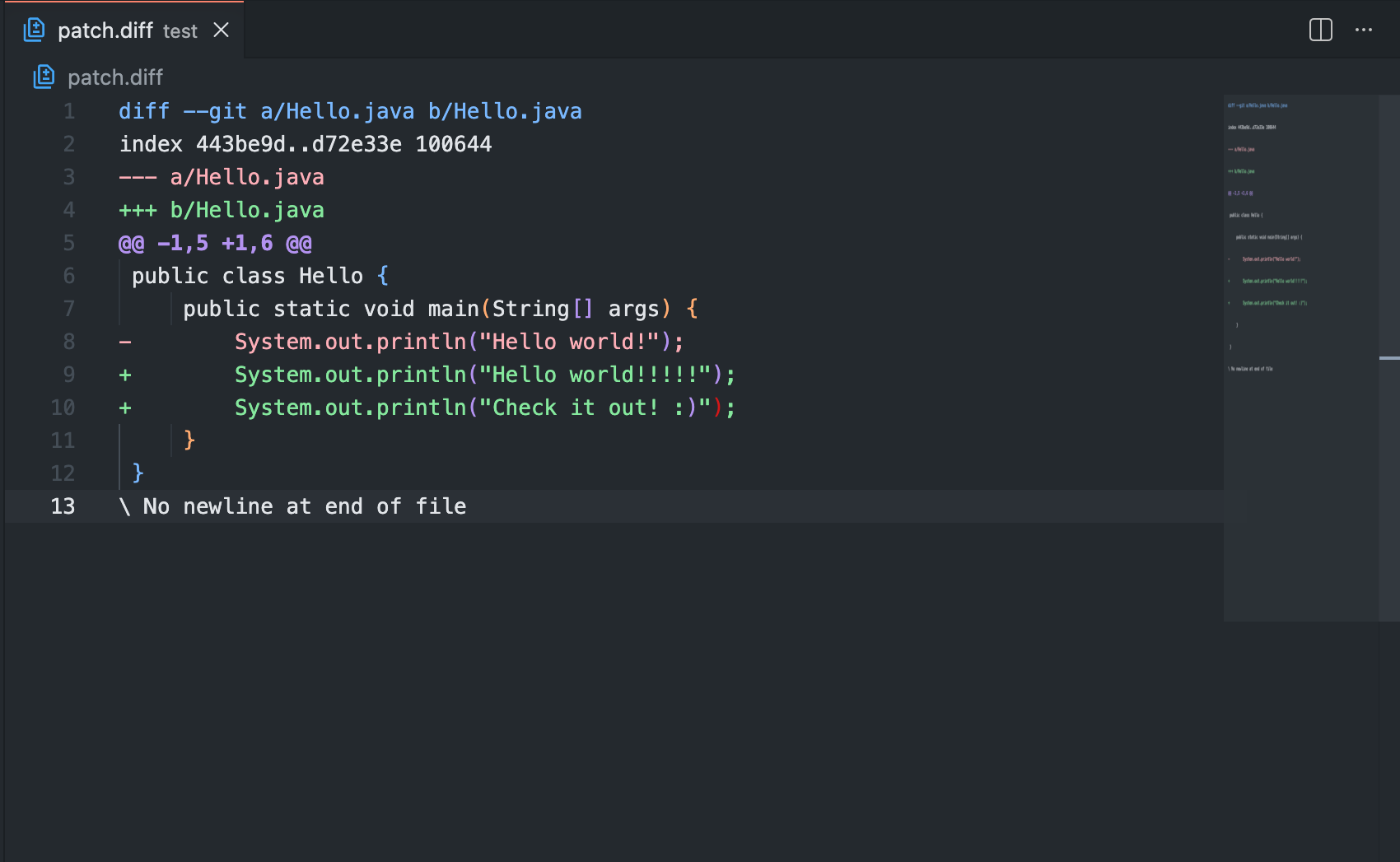
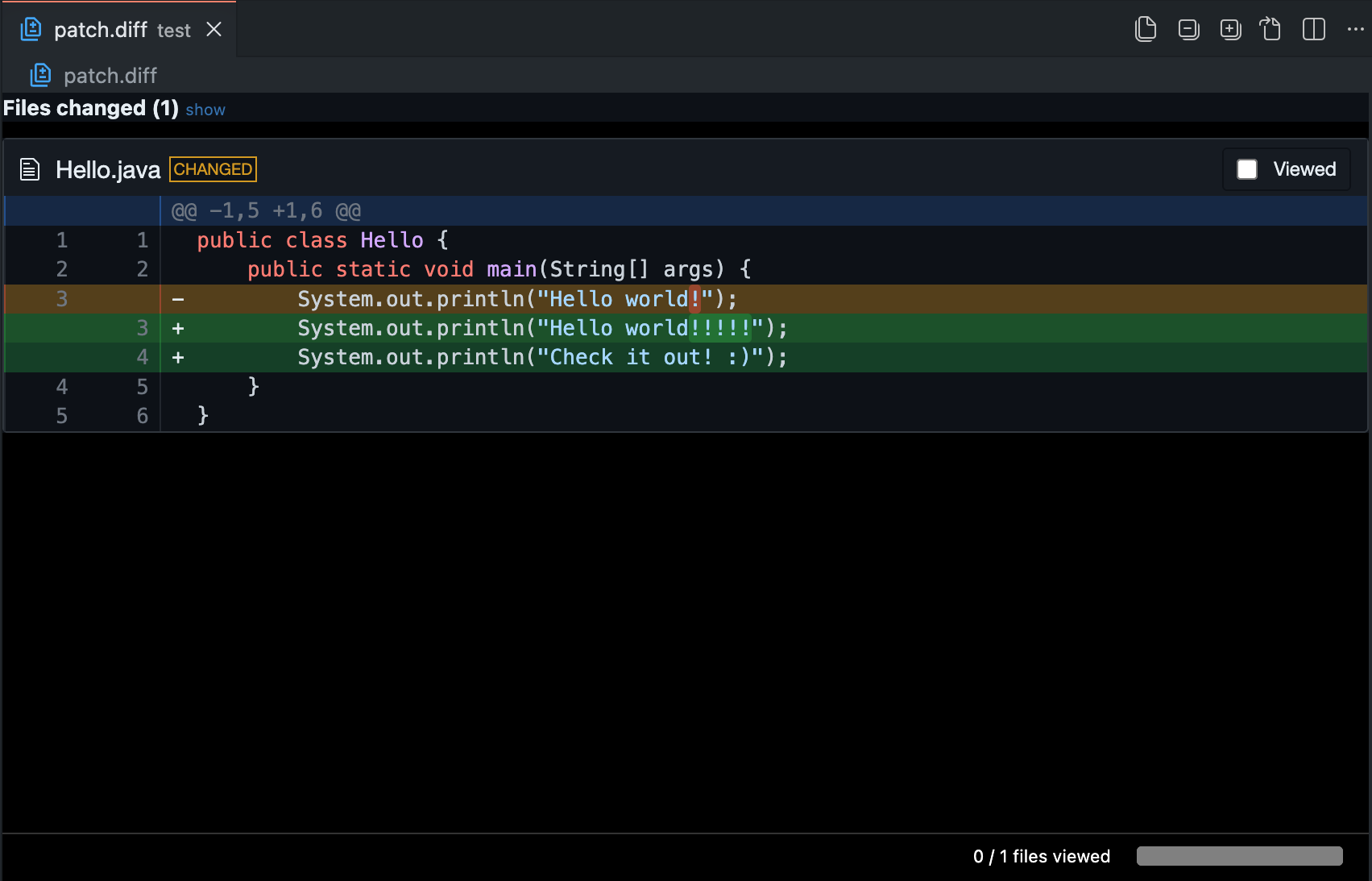
Diff Viewer renders .diff and .patch files inside VS Code with diff2html. It gives patch files a readable custom editor, layout switching, and a lightweight review workflow based on collapsing files as you view them.
Features ✨
- Render
.diffand.patchfiles in a custom editor instead of raw unified diff text. - Switch between line-by-line and side-by-side layouts from the editor title bar.
- Collapse reviewed files and track progress across the current diff document.
- Optionally show a persistent footer scrollbar for wide diffs.
- Reopen a diff with all files collapsed from the Explorer context menu.
- Open referenced files directly from file headers and line numbers when those paths are available in the current workspace or by absolute path.
Demo 🎬
Without the extension 📄
With the extension ✅
Usage 🚀
- Open a
.diffor.patchfile in VS Code. - VS Code will open it with the
Diff Viewercustom editor. - Use the editor title bar buttons to switch between line-by-line and side-by-side views.
- Use the checkbox beside each file header to collapse it after review, or use the title bar actions to expand or collapse all files.
If you prefer a persistent horizontal scrollbar for wide side-by-side diffs, enable diffviewer.globalScrollbar. Viewed state is stored per diff document. If a file's diff changes later, the extension expands it again and marks it as changed since the last view. File header actions are only shown for paths the extension can currently resolve.
Commands ⌘
Show diff line by lineShow diff side by sideExpand all filesCollapse all filesShow raw fileOpen diff collapsed (all viewed)from the Explorer context menu on.diffand.patchfiles
Settings ⚙️
| Setting | Default | Description |
|---|---|---|
diffviewer.colorScheme |
auto |
Renderer theme used in the webview. |
diffviewer.outputFormat |
line-by-line |
Layout used to render the diff. |
diffviewer.globalScrollbar |
false |
Show a persistent footer scrollbar for wide diffs. |
diffviewer.drawFileList |
true |
Show the file summary list above the diff. |
diffviewer.matching |
none |
Inline matching mode: none, words, or lines. |
diffviewer.matchWordsThreshold |
0.25 |
Similarity threshold used for words matching. |
diffviewer.matchingMaxComparisons |
2500 |
Upper bound for line matching work inside a changed block. |
diffviewer.maxLineSizeInBlockForComparison |
200 |
Maximum line size considered for block comparisons. |
diffviewer.maxLineLengthHighlight |
10000 |
Maximum line size eligible for inline highlight. |
diffviewer.renderNothingWhenEmpty |
false |
Skip rendering files with no visible changes. |
Limitations 📌
- The custom editor only activates for files with
.diffor.patchextensions. - The extension renders patch files; it does not generate diffs itself.
- Opening files from the rendered diff depends on the paths present in the patch and whether those paths are accessible from the current environment.
Contribute 🤝
Issues and pull requests are welcome. See CONTRIBUTING.md for the local setup, supported Node.js version, verification commands, and development workflow.
License 📄
Released under the MIT License. See LICENSE.