
bloznelis/typioca
À propos
Un test convivial de vitesse de frappe dans le terminal
Outils de développementWhat you can do
- Time or word/sentence count based typing speed tests
- Proper WPM results based on https://www.speedtypingonline.com/typing-equations
- Multiple word/sentence lists made out of classical books to spice your test up
- Cursor aware word lines
Progression mesurée des étoiles
- in 24h
- 0
- in 7 days
- -1
- in 15 days
- 0
- in 1 month
- Historique en cours
Variations nettes sur des périodes qui se chevauchent, pas des totaux quotidiens. Les mesures absentes restent vides. Les étoiles indiquent l’intérêt, pas la qualité.
README.md
Originaltypioca
Minimal, terminal based typing speed tester.


Tapioca (/ˌtæpiˈoʊkə/) is a starch extracted from the storage roots of the cassava plant. Pearl tapioca is a common ingredient in Asian desserts...and sweet drinks such as bubble tea.
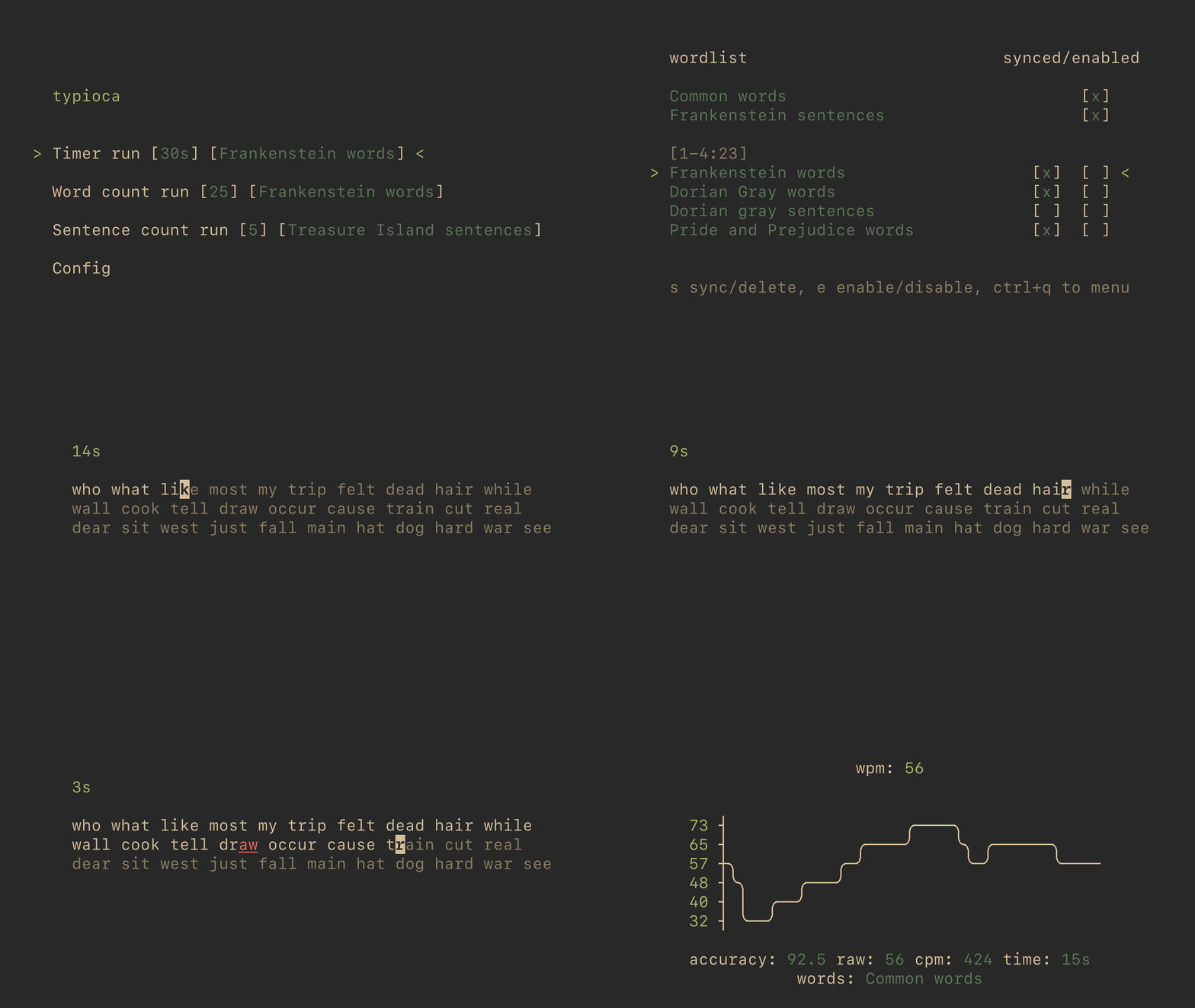
Features
- Time or word/sentence count based typing speed tests
- Proper WPM results based on https://www.speedtypingonline.com/typing-equations
- Multiple word/sentence lists made out of classical books to spice your test up
- Cursor aware word lines
- Interactive menu
- ctrl+w support
- SSH server
typioca serve - Dynamic word lists
- Custom word lists
- Linux/Mac/Win support
Installation

AUR
yay -S typioca-git
Go
go install github.com/bloznelis/typioca@latest
Note: This will install typioca in $GOBIN, which defaults to $GOPATH/bin or $HOME/go/bin if the GOPATH environment variable is not set.
Homebrew
brew install typioca
Nix
nix-shell -p typioca
openSUSE Tumbleweed
zypper install typioca
Scoop
scoop bucket add extras
scoop install typioca
Void Linux
xbps-install typioca
Winget
winget install bloznelis.typioca
Building from source
- Checkout the code
make build./execs/typioca
Prerequisites
makego
Custom wordlists
- Create your word list in a new line separated manner:
custom
words
are
the
best
or in the same JSON format as the official ones:
{
  "metadata" : {
    "name" : "My words",
    "size" : 5,
    "packagedAt" : "1970-01-01T00:00:00Z",
    "version" : 1
  },
  "words": [ "custom", "words", "are", "the", "best" ]
}
- Place your configuration to platform specific location:
| Platform | User configuration |
|---|---|
| Windows | %APPDATA%\typioca\typioca.conf or C:\Users\%USER%\AppData\Roaming\typioca\typioca.conf |
| Linux | $XDG_CONFIG_HOME/typioca/typioca.conf or $HOME/.config/typioca/typioca.conf |
| macOS | $HOME/Library/Application Support/typioca/typioca.conf |
Config example (it is TOML):
[[words]]
  name      = "Best hits '22"
  enabled   = false
  sentences = false
  path      = "/home/words/best-hits-22.json"
[[words]]
  name      = "Even better hits '23"
  enabled   = true
  sentences = false
  path      = "/home/words/better-hits-23.json"
- Use your words!

Note: Notice that custom wordlist controls are greyed-out, personal configuration must be handled via the file only.


Acknowledgments
Built with bubbletea
🧋
Explorer des projets similaires
Chargement…