
blackears/cyclopsLevelBuilder
blackears/cyclopsLevelBuilder has 1,665 GitHub stars and 67 forks. GitHot measured 0 stars in 24 hours, +7 in 7 days, and +16 in 15 days. Last checked 2026-11-23 00:22 UTC. Last push 2026-10-28.
Progression mesurée des étoiles
- in 24h
- 0
- in 7 days
- +7
- in 15 days
- +16
- in 1 month
- Historique en cours
Variations nettes sur des périodes qui se chevauchent, pas des totaux quotidiens. Les mesures absentes restent vides. Les étoiles indiquent l’intérêt, pas la qualité.
À propos
Un plugin Godot qui permet d’ébaucher les niveaux directement dans l’éditeur Godot.
Outils de développementREADME.md
OriginalCyclops Level Builder
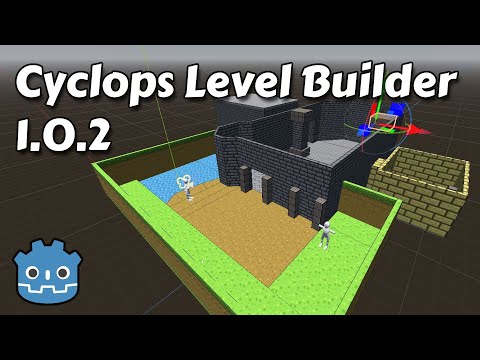
Cyclops Level Builder lets you quickly build environments in the Godot viewport. Click and drag to create and edit blocks. Use the material editor to assign materials. All blocks have collision, so you will be able to interact with them right away.
Cyclops Level Builder 1.5.0 works with Godot version 4.7 and later. Cyclops Level Builder 1.0.2 works with Godot version 4.2 and later. Versions 1.0.1 and earlier will work with Godot 4.0.
Installation
- Download the latest release from the releases page. Unzip it into a temporary directory.
- Copy the
/addons/cyclops_level_builderfolder and everything in it into the/addonsfolder of the project you want to use Cyclops Level Builder in. - Click on
Project/Project Settings.- Select the
Pluginstab and checkEnablenext to the Cyclops Level Builder entry.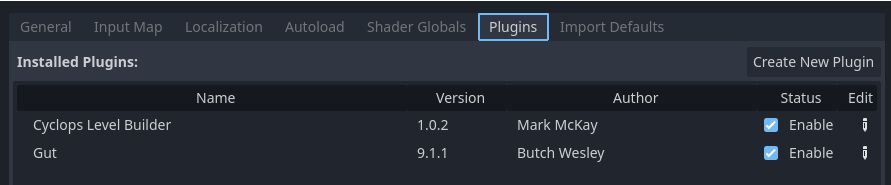
- Select the
Globalstab and make sure that there is an entry calledCyclopsAutoloadand it has the pathres://addons/cyclops_level_builder/cyclops_autoload.tscn, and that it is enabled. This should be done automatically with version 1.5.0, but needs to be added manually in earlier versions. It could also be disabled if you are upgrading from an earlier version of Cyclops Level Builder.
- Select the
This repository uses LFS to manage large files, so if you're cloning the git repository, make sure to use a git client that supports LFS. Many clients ship with LFS support included, but some systems like Mint Linux may need to have it specially enabled.
Upgrading
:warning: Warning: It is strongly recommended that you make a backup of your project before upgrading to a newer version of Cyclops Level Builder.
Some updates may break previously built scenes. You can use the import/export features to migrate level assets between incompatible versions. Also, if you use a version control system - such as Github - you can restore previously trashed assets and then export them.
If you're upgrading your project from Cyclops v1.0.0, v1.0.1 or an earlier development version of v1.0.2, you will need to upgrade your CyclopsBlocks object. To do this, simply select your CyclopsBlocks object in the Scene outliner and click the Upgrade button that appears in the toolbar. This will create a new subtree in your scene where the CyclopsConvexBlock objects are replaced with the new CyclopsBlock object. Your old CyclopsBlocks will still be there, but with its visibility turned off. You can now delete the CyclopsBlocks object if you no longer require it.
Documentation
Documentation for using Cyclops Level Builder is available here.
Contributing
Issues, Bug reports and Pull Requests
Please report bugs using the issue tracker on this website. PRs are welcome for small fixes.
Broader ideas can be opened for discussion in the Discussions forum.
Discord Server
You can join the Discord server to discuss things related to Cyclops.
Support
If you found this software useful, please consider buying me a coffee on Kofi. Every contribution helps me to make more software:

Explorer des projets similaires
Chargement…