
ben-gibson/GitLink
ben-gibson/GitLink has 940 GitHub stars and 60 forks. GitHot measured 0 stars in 24 hours, +1 in 7 days, +3 in 15 days, and +3 in 30 days. Last checked 2026-11-23 15:10 UTC. Last push 2026-10-31.
Progression mesurée des étoiles
- in 24h
- 0
- in 7 days
- +1
- in 15 days
- +3
- in 1 month
- +3
Variations nettes sur des périodes qui se chevauchent, pas des totaux quotidiens. Les mesures absentes restent vides. Les étoiles indiquent l’intérêt, pas la qualité.
À propos
Un plugin JetBrains qui ouvre, sur l’hôte distant et dans le navigateur par défaut, un fichier local géré avec Git.
Outils de développementREADME.md
Original

GitLink



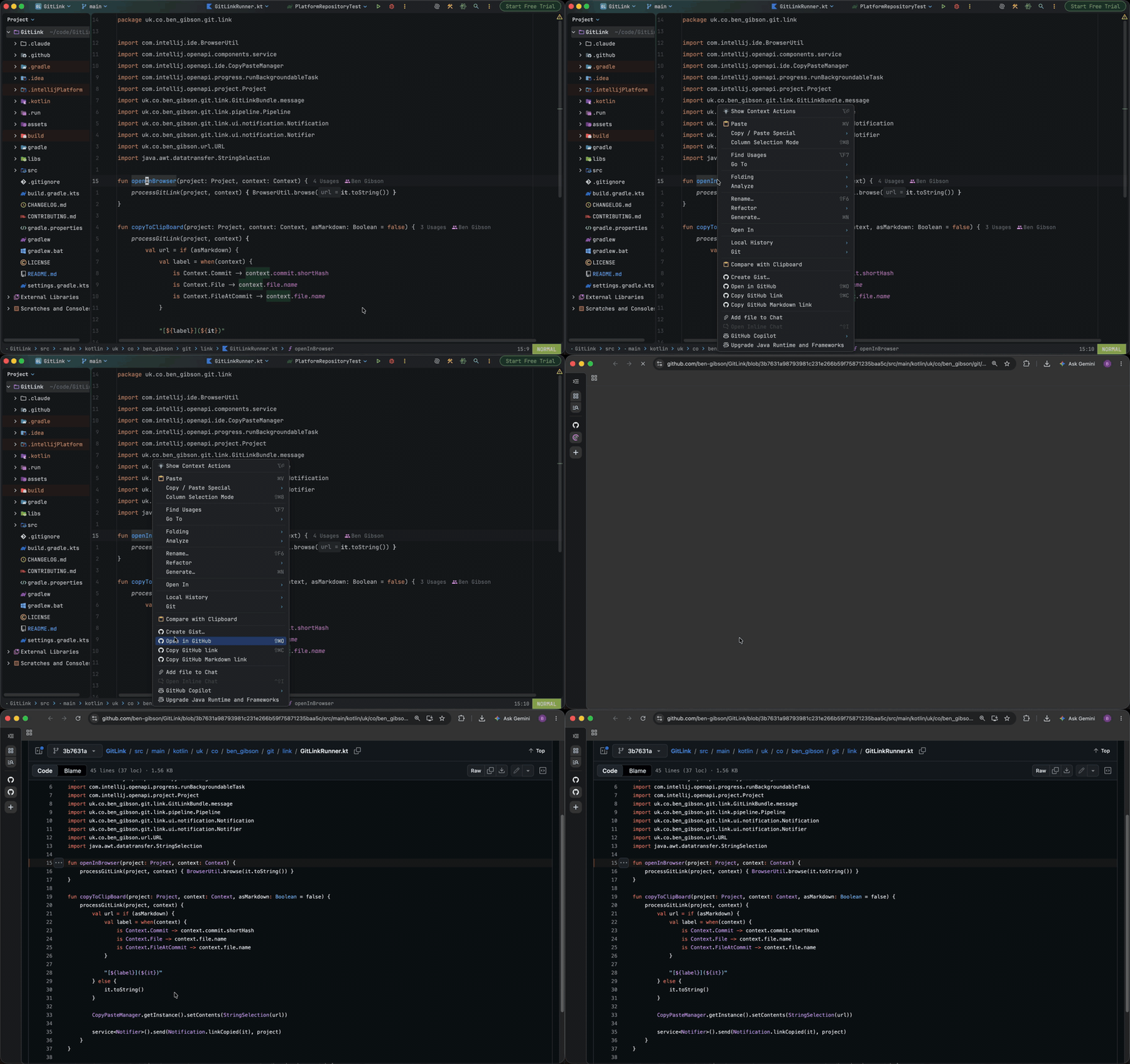
A Jetbrains plugin providing shortcuts to open or copy a file, directory or commit in GitHub, Bitbucket,
Codeberg, GitLab, Gitee, Gitea, Forgejo, Gogs, Azure, sourcehut, and Gerrit. Custom platforms can also be configured using the URL template syntax.
Usage
Install the plugin and configure your platform if it hasn't been auto-detected already:
Preferences → Tools → GitLink
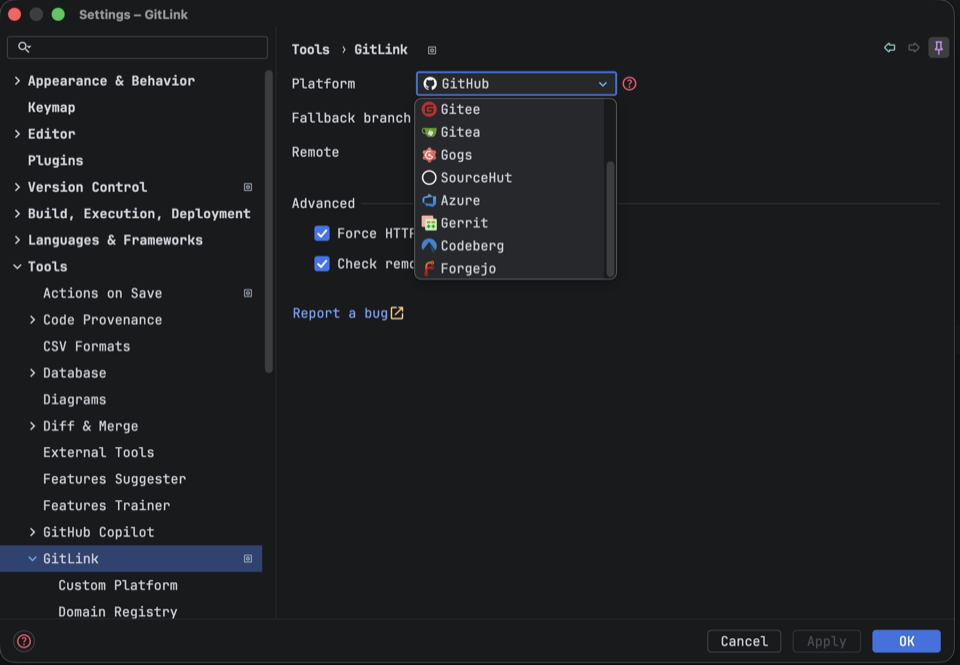
Make sure you have registered your projects root under the version control preferences:
Preferences → Version Control (see unregistered roots)
The actions live under the Git menu and in the editor, project view and editor tab context menus:
  Git → Open in (your selected platform)
  Git → Copy (your selected platform) link
  Git → Copy (your selected platform) Markdown link
The current file can also be opened from the select-in popup:
Select in... → (your selected platform)
Additional shortcuts are available from the editor gutter, the annotation gutter and the Git log window.
A URL can be generated in one of the following ways:
- File at a commit
- File at a branch
- Commit
By default, when generating a URL to a file, the latest commit hash is used, creating a reference to a fixed version of the file's content. If the latest commit has not been pushed to the remote, the current branch is used instead. While this avoids generating a URL to a 404, it does mean the linked contents can change over time.
Installation
Using IDE built-in plugin system:
Settings/Preferences > Plugins > Marketplace > Search for "GitLink" > Install Plugin
Manually:
Download the latest release and install it manually using Settings/Preferences > Plugins > ⚙️ > Install plugin from disk...
Support
- Star the repository
- Rate the plugin
- Share the plugin
Change log
Please see CHANGELOG for more information what has changed recently.
Contributing
Please see CONTRIBUTING for details.
License
Please see LICENSE for details.
Explorer des projets similaires
Chargement…