
avestura/EyesGuard
À propos
👀 Application Windows pour protéger vos yeux
Outils de développementWhat you can do
- Short Break - ✔ Implemented - ✔ Yes
- Long Break - ✔ Implemented - ✔ Yes
- Timing Customization - ✔ Implemented - ✔ Yes
- Stas - ✔ Implemented - ✔ Yes
Progression mesurée des étoiles
- in 24h
- 0
- in 7 days
- +3
- in 15 days
- Historique en cours
- in 1 month
- Historique en cours
Variations nettes sur des périodes qui se chevauchent, pas des totaux quotidiens. Les mesures absentes restent vides. Les étoiles indiquent l’intérêt, pas la qualité.
README.md
OriginalEyes Guard 



What is Eyes Guard?
Eyes Guard is a Windows Application for protecting your eyes. It will help you (also can force you!) to break if you are working with your PC for a long time using configurable times.
Download
Windows 10/11 (Official with latest features)
[!NOTE]
EyesGuard will no longer distribute its packages via Microsoft Store. You need to install the package manually using the instruction below:
📦 Method 1: Use the command-line WinGet tool (recommended):
Use WinGet command-line tool:
winget install -s winget Avestura.EyesGuard
📦 Method 2: Use the graphical setup (recommended):
- 🟩 Download the latest setup form the Releases section.
- For x64 systems:
EyesGuard-Setup-VERSION-x64.exe - For x86 systems:
EyesGuard-Setup-VERSION-x86.exe
- For x64 systems:
- Run the setup and install EyesGuard.
🪟 Method 3: Use Windows Store Package (needs Developer mode to be enabled):
- Enable Developer Mode from
Settings > System > For Developers - 🟩 Download the latest package form the Releases section.
- For x64 systems:
EyesGuard.release.x64.zip - For x86 systems:
EyesGuard.release.x86.zip
- For x64 systems:
- Unzip the package.
- Find the certificate file with
.cerextension and open it. - Click
Install Certificate>Local Machine>Place certificate in following store> pickTrusted People - Open the installation package with
.appxextension and install Eyes Guard.
Windows 7 (Unofficial Fork, not latest)
Download from ExplorerOL's GitHub
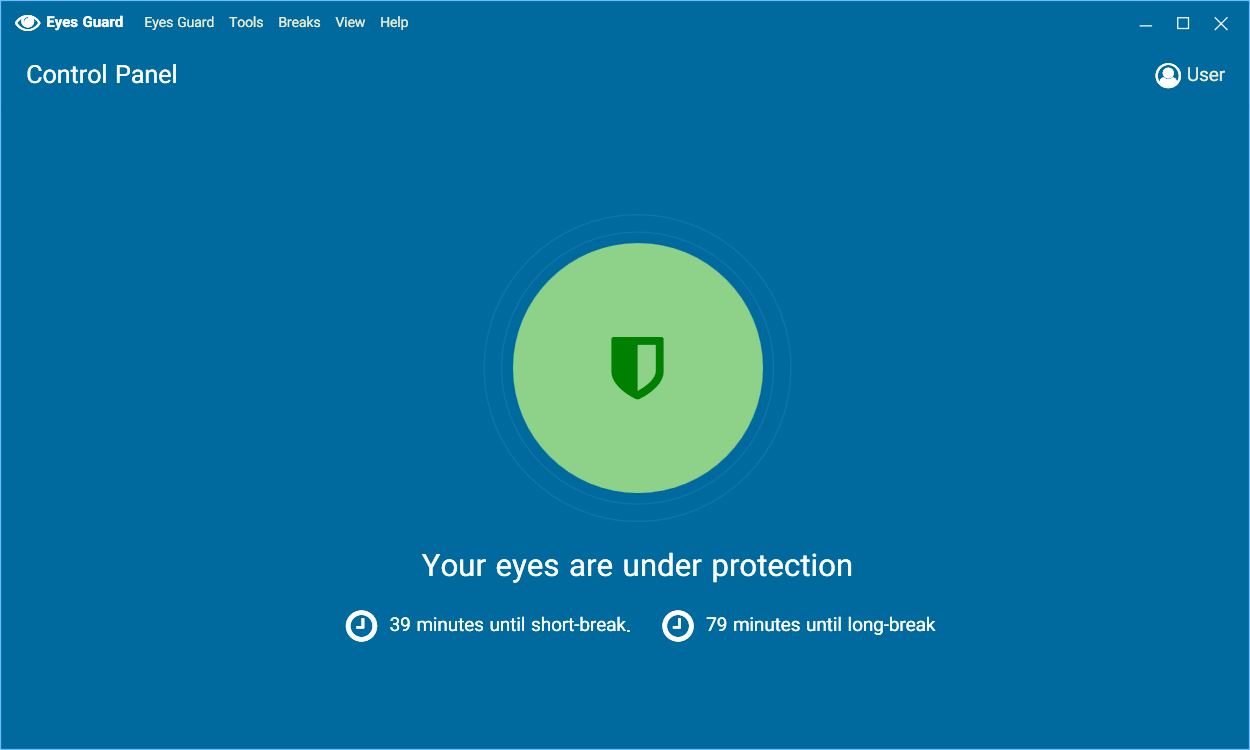
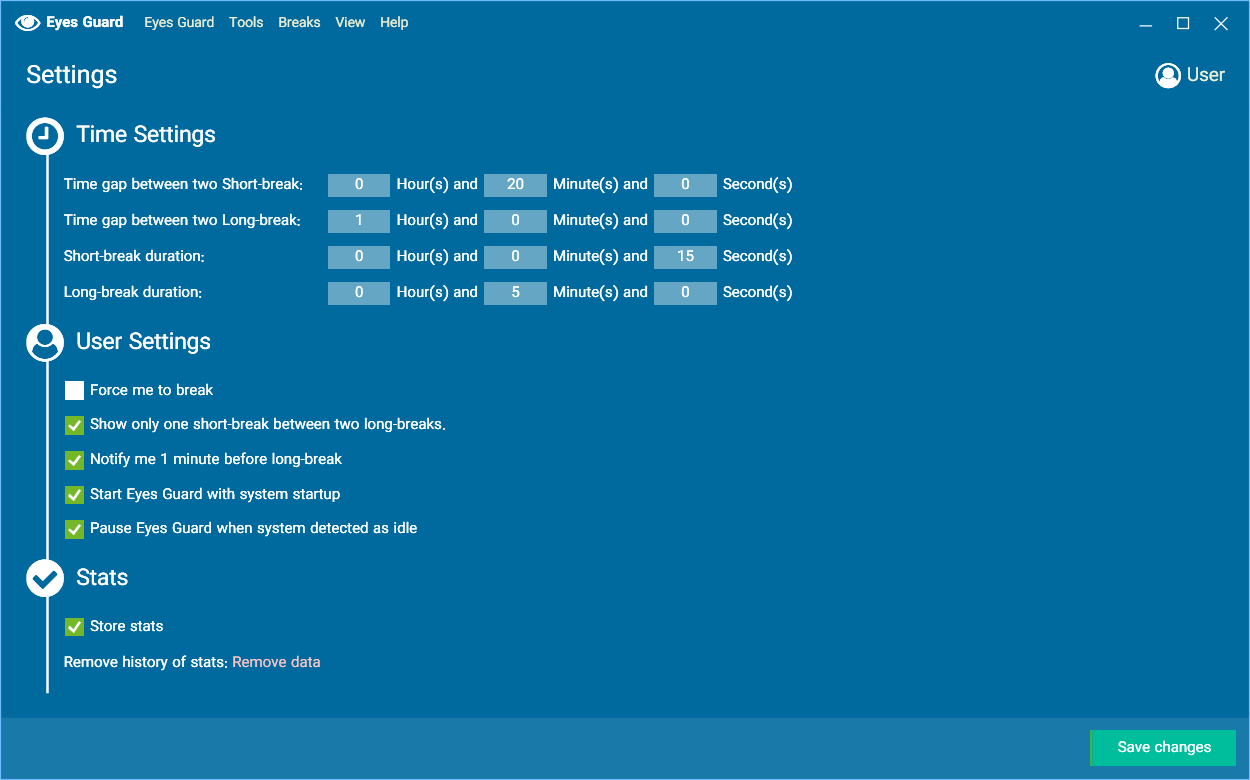
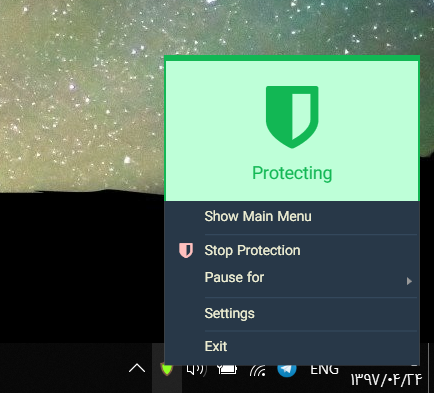
Any Screenshots?
Control Panel
Settings
Notify Icon
What features does it have?
| Feature | Implementation State | Is live on store version? |
|---|---|---|
| Short Break | ✔ Implemented | ✔ Yes |
| Long Break | ✔ Implemented | ✔ Yes |
| Timing Customization | ✔ Implemented | ✔ Yes |
| Stas | ✔ Implemented | ✔ Yes |
| Pause or Stop protection | ✔ Implemented | ✔ Yes |
| Windows Tray Integration | ✔ Implemented | ✔ Yes |
| Auto Start | ✔ Implemented | ✔ Yes |
| Customize messages | ✔ Implemented | ✔ Yes |
| Multi-language | ✔ Implemented | ✔ Yes |
How can I help?
Eyes Guard is a free and open-source app. If you like it, please consider:
- ⭐ Star this project in GitHub

- 👩💻 Contribute to Software Development of Eyes Guard
- ✏ Translate app to your language using guide below
Supported Languages
| Language | Locale | Translator | |
|---|---|---|---|
 |
English | en-US | Aryan Ebrahimpour, Gianpaolo Filippa, Akash Joshi |
 |
Persian | fa-IR | Aryan Ebrahimpour |
 |
Italian | it-IT | Gianpaolo Filippa |
 |
French | fr-FR | Bouillon Pierre |
 |
Russian | ru-RU | Dmitry Vorobjev |
 |
Norwegian | nb-NO | Thomas Rory Gummerson |
 |
Tamil | ta-IN | Muthu Kumar |
 |
Korean | ko-KR | Sung Jae Cho |
 |
Chinese | zh-CN | Qixiny |
 |
Turkish | tr-TR | Furkan KARADENİZ |
 |
German | de-DE | Marco Heinisch |
 |
Polish | po-PO | Bartlomiej Szmolke |
 |
Ukrainian | uk-UA | Yaroslav Shaposhnyk |
 |
Greek | el-GR | Alexandros Koulelis |
 |
Brazilian Portuguese | pt-BR | Daniel Alexandre Boaventura |
 |
Arabic | ar-EG | Mahmoud Elgohary |
 |
Add Language | You |
Can I contribute?
PRs are very welcome!
You can contribute to software development and/or create translations for the app.
How to contribute to translating app
Method 1 : using GitHub
Adding a new Language:
- Go to Languages folder and create a new yaml file with name
{StandardCountryCode}.ymllikeen-US.ymlorfa-IR.yml. Here is a List of country codes you can pick. - Copy the content of
en-US.ymlto the new created file. - In the meta part of yaml edit the
Translatorsarray. Remove the existing translators in the copied file and just put information of yourself. - Translate the
Translationsection of file and make a PR!
Modifying a translation file:
- Go to Languages and find the language you want to edit using its standard locale.
- In the meta part of yaml and in the
Translatorsarray, add yourself as a new translator without removing others from the list. - Make your changes in the
Translationsection and make a PR!
Method 2 : using Email
Use the links mentioned in above method, modify/add translation file, then email it to me: [email protected]
📜 RTL Languages
For right-to-left languages like Persian, Arabic, etc. It is not needed to explicitly state language layout in the meta section. Simply use a standard country code, and the app automatically detects if it has right-to-left direction or not and changes the design of elements in app.
📐 Solution Structure
| Project Name | Language | Description |
|---|---|---|
| EyesGuard | C# | Main Application (at the time of starting project I didn't know F# to write the app entirely in F#) |
| EyesGuard.Data | F# | Type Provider and Data Access / Translations |
| StorePackage | Used to publish WPF app into Store |
🔨 Build
You need Paket Package manager for .NET to restore the packages.
git clone https://github.com/avestura/EyesGuard
cd .\EyesGuard
paket install
cd .\Source\EyesGuard
dotnet run
Explorer des projets similaires
Chargement…