
asapach/peerflix-server
À propos
Client torrent en streaming pour Node.js avec interface web.
Outils de développementProgression mesurée des étoiles
- in 24h
- 0
- in 7 days
- 0
- in 15 days
- +2
- in 1 month
- Historique en cours
Variations nettes sur des périodes qui se chevauchent, pas des totaux quotidiens. Les mesures absentes restent vides. Les étoiles indiquent l’intérêt, pas la qualité.
README.md
Originalpeerflix-server


Streaming torrent client for node.js with web ui.
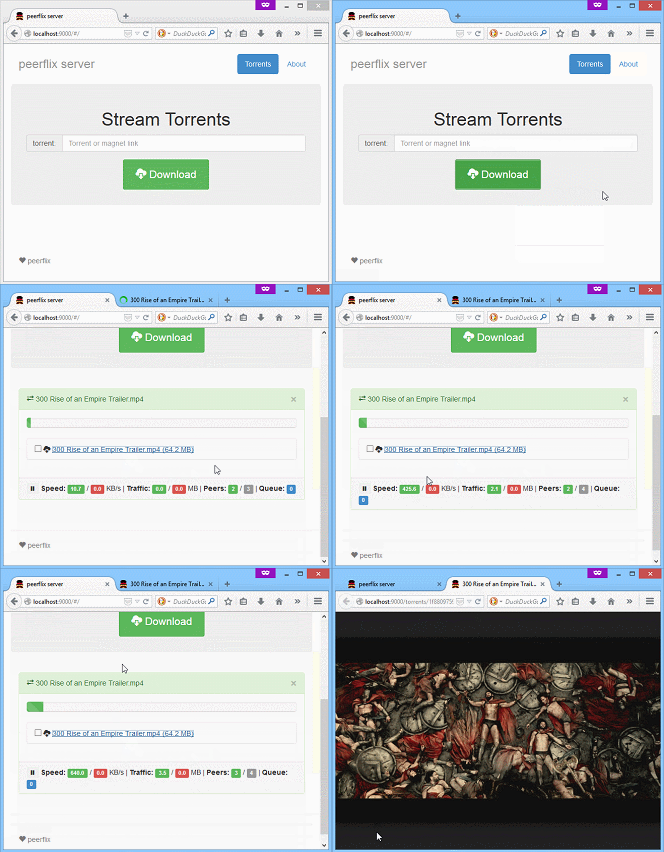
Based on torrent-stream, inspired by peerflix.
Usage
npm install -g peerflix-serverpeerflix-server- Open your browser at http://localhost:9000/
- Enjoy!
Configuration
You can configure the application using config.json file (doesn't exist by default).
The options are passed to all torrent-stream instances.
Here's an example that overrides the defaults:
{
  "connections": 50,
  "tmp": "/mnt/torrents"
}
The application stores its current state (list of torrents) in torrents.json
You can define configuration and state files location by PEERFLIX_CONFIG_PATH environmnt variable. Default value is $HOME/.config/peerflix-server/.
You can also change the default port by setting PORT environment variable:
PORT=1234 peerflix-server

# or on windows
SET PORT=1234
peerflix-server
Daemon
If you want to run peerflix-server as a daemon, you can do it using forever:
npm install -g forever
forever start $(which peerflix-server)
You might also want to enable logging -- see the docs.
FAQ
How do I add password protection?
Development
See Development.md
REST API
See REST.md
Docker
See Docker.md
Explorer des projets similaires
Chargement…