
aceinnolab/Inkycal
aceinnolab/Inkycal has 1,481 GitHub stars and 152 forks. GitHot measured 0 stars in 24 hours, -2 in 7 days, and -2 in 15 days. Last checked 2026-11-22 08:08 UTC. Last push 2026-09-12.
What you can do
- Calendars and schedules
- Weather forecasts
- Tasks and reminders
- Photos and slideshows
Progression mesurée des étoiles
- in 24h
- 0
- in 7 days
- -2
- in 15 days
- -2
- in 1 month
- Historique en cours
Variations nettes sur des périodes qui se chevauchent, pas des totaux quotidiens. Les mesures absentes restent vides. Les étoiles indiquent l’intérêt, pas la qualité.
À propos
Create awesome e-paper dashboards within minutes! Modularity? Check! Python3? Check? Works on Raspberry Pi Zero W? Check! Support for own modules? Check!
ApprentissageREADME.md
OriginalWelcome to InkyCal



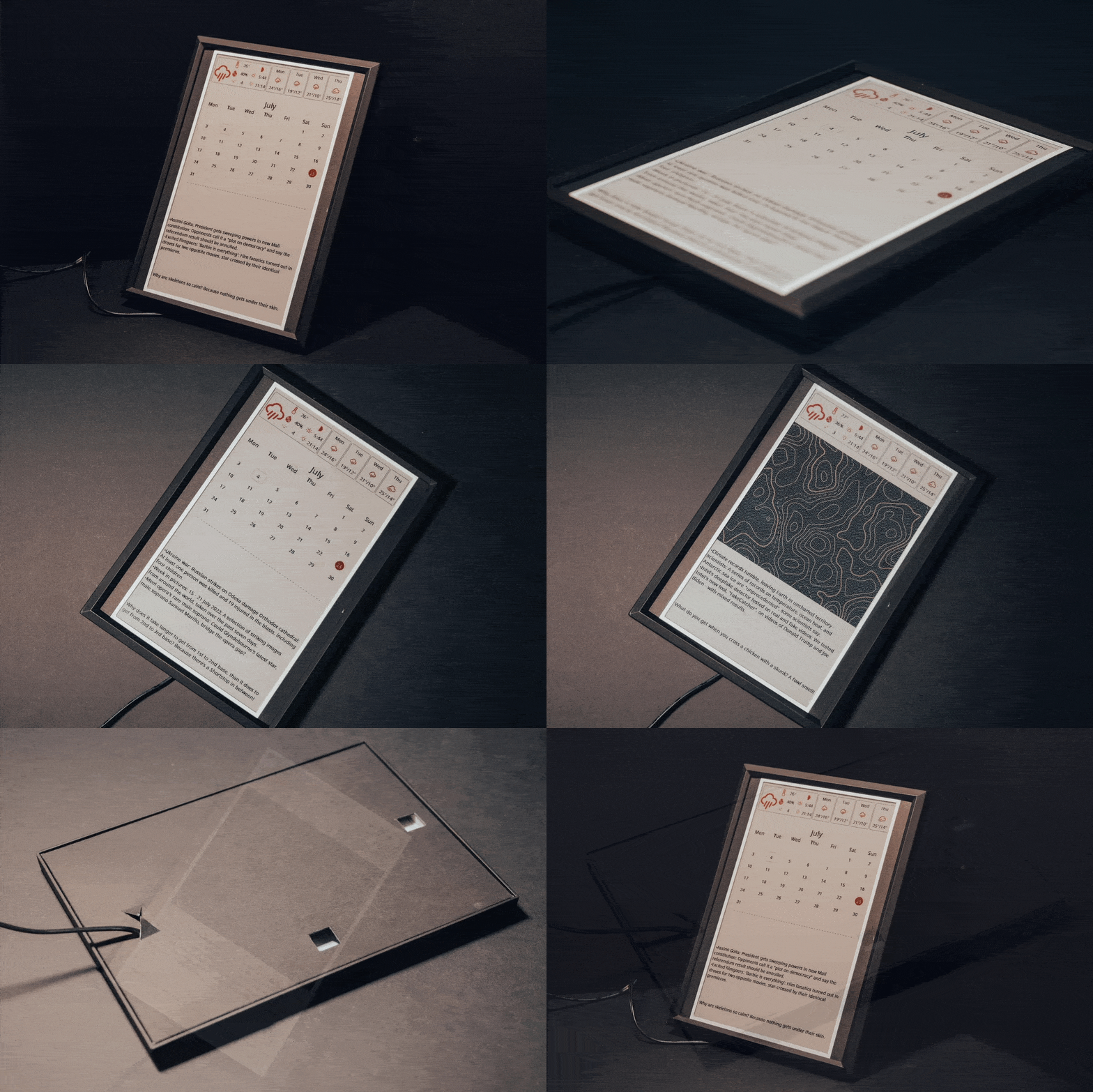
InkyCal is a small dashboard for e-paper screens. It shows calendars, weather, tasks, photos, and custom modules on a Raspberry Pi.
Two paths, one project:
- InkyCal v3 = the ready-made product/customer setup
- Inkycal = the open-source software you can install yourself
Where should I go?
- I bought InkyCal v3 → start at the customer hub: inkycal.aceinnolab.com
- I want to configure
settings.json→ use the Web UI generator: inkycal.aceinnolab.com/ui - I want to install manually → read the docs installation guide: aceinnolab.github.io/Inkycal/installation
- I want the source code → this repository: github.com/aceinnolab/Inkycal
- I need help → Discord or GitHub Issues
Quick start
- Pick your display model.
- Create
settings.jsonin the Web UI. - Follow the installation guide in the docs.
- Run InkyCal on your Pi.
What InkyCal can do
- Calendars and schedules
- Weather forecasts
- Tasks and reminders
- Photos and slideshows
- Custom Python modules
- Local web UI for settings and display tools
Documentation
- Canonical docs: aceinnolab.github.io/Inkycal
- Quickstart: aceinnolab.github.io/Inkycal/quickstart
- InkycalOS-Lite: aceinnolab.github.io/Inkycal/inkycalos-lite
- Local Web UI: aceinnolab.github.io/Inkycal/webui
- Support: Discord
Hardware and community
- Assembled hardware: Tindie store
- Printable cases: 3D-printable cases
- Community gallery: Hall of Fame
InkyCal is meant to be easy to start with, but flexible enough to grow with you.
❤️ Support the project
InkyCal is maintained in spare time. If it saves you hours of setup or powers your daily dashboard, consider sponsoring — it covers hardware costs, display testing, and keeps development going.
👉 Sponsor on GitHub — one-time or monthly, any amount helps.
Sponsors also get access to InkycalOS-Lite: a pre-built SD card image with everything already configured, so you can skip the installation entirely.
Explorer des projets similaires
Chargement…