
Yomguithereal/react-blessed
Yomguithereal/react-blessed has 4,489 GitHub stars and 180 forks. GitHot measured -2 in 7 days. Last checked 2026-11-11 04:09 UTC. Last push 2021-05-06.
Comment ces chiffres sont mesurés
A react renderer for blessed.
Progression mesurée des étoiles
- in 24h
- Mise à jour retardée
- in 7 days
- -2
- in 15 days
- Historique en cours
- in 1 month
- Historique en cours
Variations nettes sur des périodes qui se chevauchent, pas des totaux quotidiens. Les mesures absentes restent vides. Les étoiles indiquent l’intérêt, pas la qualité.
README.md
Originalreact-blessed
A React custom renderer for the blessed library.
This renderer should currently be considered as experimental, is subject to change and will only work with React's latest version (17.x.x, using Fiber).
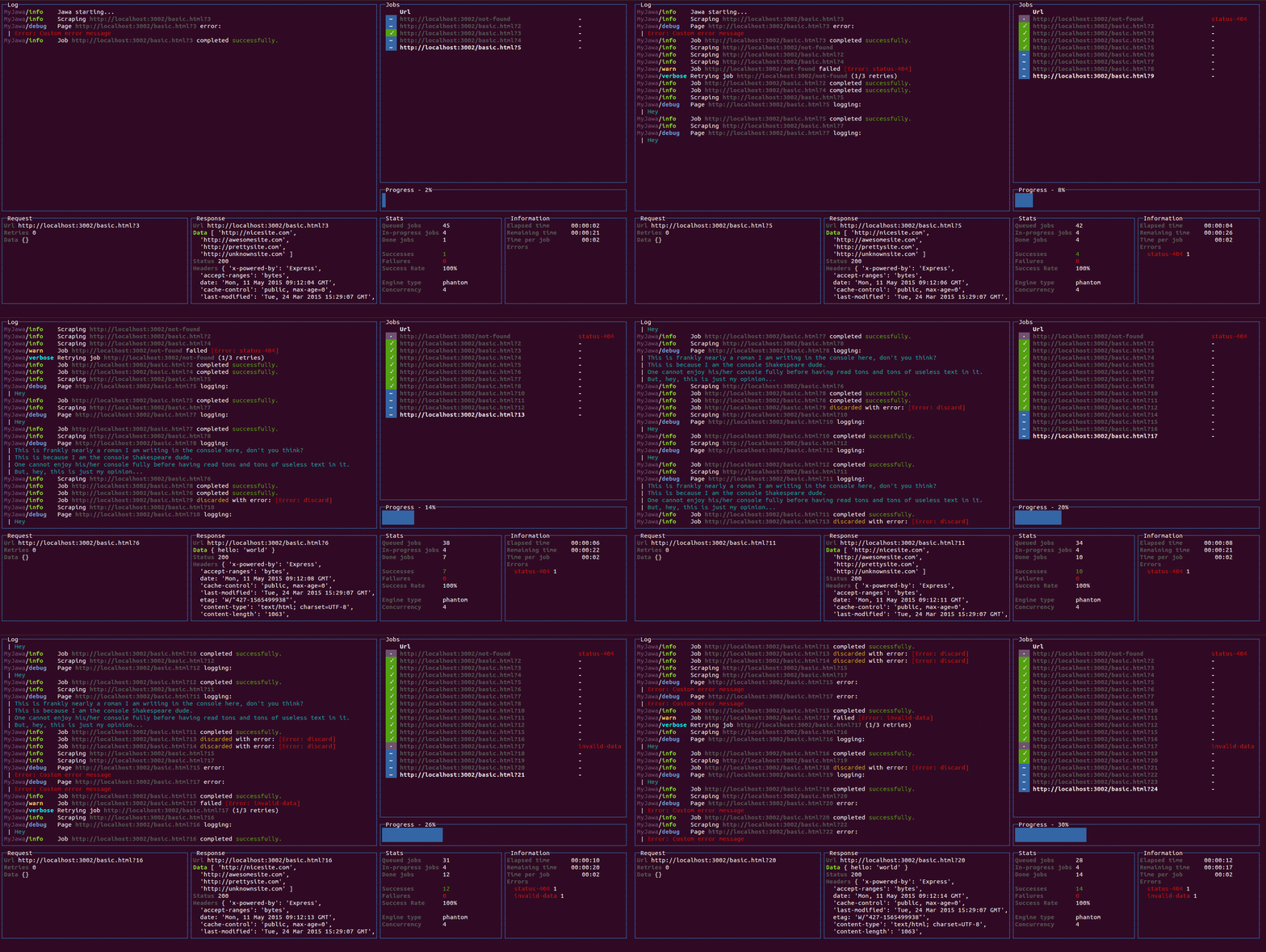
Summary
Installation
You can install react-blessed through npm:
# Be sure to install react>=17.0.0 & blessed>=0.1.81 before
npm install blessed react

# Then just install `react-blessed`
npm install react-blessed
Demo
For a quick demo of what you could achieve with such a renderer you can clone this repository and check some of the examples:
git clone https://github.com/Yomguithereal/react-blessed
cd react-blessed
npm install

# To see which examples you can run:
npm run demo

# Then choose one to run:
npm run demo animation
Usage
Rendering a basic application
import React, {Component} from 'react';
import blessed from 'blessed';
import {render} from 'react-blessed';

// Rendering a simple centered box
class App extends Component {
  render() {
    return (
      <box top="center"
           left="center"
           width="50%"
           height="50%"
           border={{type: 'line'}}
           style={{border: {fg: 'blue'}}}>
        Hello World!
      </box>
    );
  }
}

// Creating our screen
const screen = blessed.screen({
  autoPadding: true,
  smartCSR: true,
  title: 'react-blessed hello world'
});

// Adding a way to quit the program
screen.key(['escape', 'q', 'C-c'], function(ch, key) {
  return process.exit(0);
});

// Rendering the React app using our screen
const component = render(<App />, screen);
Nodes & text nodes
Any of the blessed widgets can be rendered through react-blessed by using a lowercased tag title.
Text nodes, on the other hand, will be rendered by applying the setContent method with the given text on the parent node.
Refs
As with React's DOM renderer, react-blessed lets you handle the original blessed nodes, if you ever need them, through refs.
class CustomList extends Component {
  componentDidMount() {

    // Focus on the first box
    this.refs.first.focus();
  }

  render() {
    return (
      <element>
        <box ref="first">
          First box.
        </box>
        <box ref="second">
          Second box.
        </box>
      </element>
    );
  }
}
Events
Any blessed node event can be caught through a on-prefixed listener:
class Completion extends Component {
  constructor(props) {
    super(props);

    this.state = {progress: 0, color: 'blue'};

    const interval = setInterval(() => {
      if (this.state.progress >= 100)
        return clearInterval(interval);

      this.setState({progress: this.state.progress + 1});
    }, 50);
  }

  render() {
    const {progress} = this.state,
          label = `Progress - ${progress}%`;

    // See the `onComplete` prop
    return <progressbar label={label}
                        onComplete={() => this.setState({color: 'green'})}
                        filled={progress}
                        style={{bar: {bg: this.state.color}}} />;
  }
}
Classes
For convenience, react-blessed lets you handle classes looking like what react-native proposes.
Just pass object or an array of objects as the class of your components likewise:
// Let's say we want all our elements to have a fancy blue border
const stylesheet = {
  bordered: {
    border: {
      type: 'line'
    },
    style: {
      border: {
        fg: 'blue'
      }
    }
  }
};

class App extends Component {
  render() {
    return (
      <element>
        <box class={stylesheet.bordered}>
          First box.
        </box>
        <box class={stylesheet.bordered}>
          Second box.
        </box>
      </element>
    );
  }
}
You can of course combine classes (note that the given array of classes will be compacted):
// Let's say we want all our elements to have a fancy blue border
const stylesheet = {
  bordered: {
    border: {
      type: 'line'
    },
    style: {
      border: {
        fg: 'blue'
      }
    }
  },
  magentaBackground: {
    style: {
      bg: 'magenta'
    }
  }
};

class App extends Component {
  render() {

    // If this flag is false, then the class won't apply to the second box
    const backgroundForSecondBox = this.props.backgroundForSecondBox;

    return (
      <element>
        <box class={[stylesheet.bordered, stylesheet.magentaBackground]}>
          First box.
        </box>
        <box class={[
          stylesheet.bordered,
          backgroundForSecondBox && stylesheet.magentaBackground
        ]}>
          Second box.
        </box>
      </element>
    );
  }
}
Using blessed forks
Because blessed is not actively maintained in quite a while, you might want to use one of it's forks. To do that, import createBlessedRenderer function instead:
import React, {Component} from 'react';
import blessed from 'neo-blessed';
import {createBlessedRenderer} from 'react-blessed';

const render = createBlessedRenderer(blessed);
Using the devtools
react-blessed can be used along with React's own devtools for convenience. To do so, just install react-devtools in your project and all should work out of the box when running the Electron app, as soon as a react-blessed program is running on one of your shells.
Roadmap
- Full support (meaning every tags and options should be handled by the renderer).
react-blessed-contribto add some sugar over the blessed-contrib library (probably through full-fledged components).
Faq
<list/>: To enable interactions, addmouse={ true }and/orkeys={ true }
Contribution
Contributions are obviously welcome.
Be sure to add unit tests if relevant and pass them all before submitting your pull request.
# Installing the dev environment
git clone [email protected]:Yomguithereal/react-blessed.git
cd react-blessed
npm install

# Running the tests
npm test
License
MIT
Explorer des projets similaires
codecrafters-io/build-your-own-x
Maîtrisez la programmation en recréant de zéro vos technologies préférées.
561,655 étoilespublic-apis/public-apis
Une liste collective d'API gratuites
498,047 étoilesmorluto/rea
Rétro-ingénierie de n'importe quoi avec des agents, du comportement des applications jusqu'aux binaires natifs.
450,720 étoilesopenclaw/openclaw
L'IA qui fait vraiment les choses. Tout système d'exploitation, toute plateforme. À la manière du homard. 🦞
394,314 étoiles