
Stage-11-Agentics/c11 has 57 GitHub stars and 9 forks. GitHot measured 0 stars in 24 hours. Last checked 2026-11-15 00:26 UTC. Last push 2026-11-09.
Progression mesurée des étoiles
- in 24h
- 0
- in 7 days
- Historique en cours
- in 15 days
- Historique en cours
- in 1 month
- Historique en cours
Variations nettes sur des périodes qui se chevauchent, pas des totaux quotidiens. Les mesures absentes restent vides. Les étoiles indiquent l’intérêt, pas la qualité.
À propos
Agent-native Terminal Multiplexing for 10,000x hyperengineers
Outils de développementREADME.md
Originalc11
Agent-native Terminal Multiplexing for 10,000x hyperengineers

brew tap stage-11-agentics/c11 && brew install --cask c11
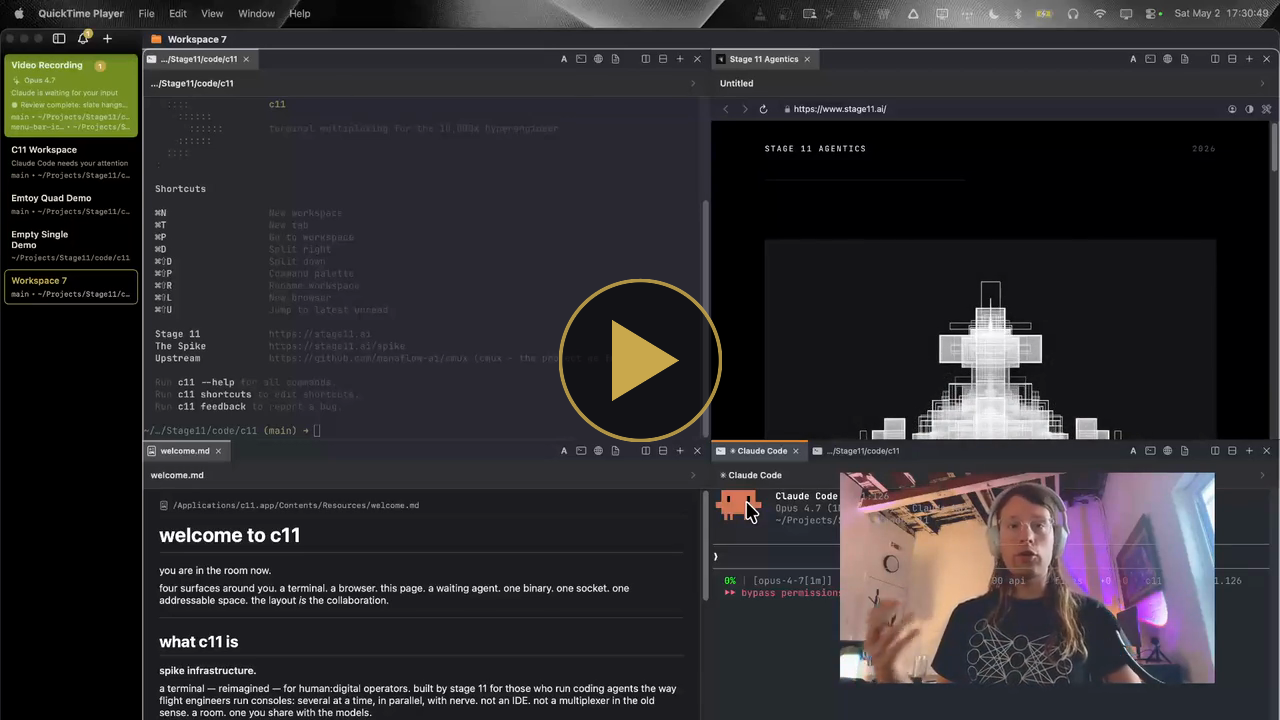
ninety seconds inside c11. composing terminals, agents, browsers, and markdown panels into one workspace. click to play.
listen.
you're a hyperengineer and are running three, ten, or more terminals at once now. each is its own world, each taking actions, each unable to communicate or see the global state. windows and tabs spread across desktops chaotically.
the problem is not quantity. the problem is. spatial.
we are managing terminal based coding agents with the same primitives that we used twenty years ago.
for humans.
c11 enables spatial orientation in the information space. a macOS-native terminal command center: terminals, browsers, and markdown panels composed into one window. every panel addressable. every handle scriptable. workspaces switch in a keystroke. custom collections of panels, each holding its own layout and context exactly as it was left.
by making the assemblage spatial and addressable, c11 allows the brain to track larger project scopes. richer assemblages of terminals. and, since the modern coding agent lives natively in a terminal, richer configurations of agents too. the coordination load drops. what used to live in the operator's head can live in the room instead.
for agents.
our LLMs, our friends on the other side of the glass: this is where c11 really shines. c11 is agent-native terminal multiplexing. advanced skill files let your agent deeply understand the entire screen, visualize all the open areas and their contents, and move communication freely from one terminal to another, amongst many near-magical improvements. agents split areas. open browsers to validate work. name their own panels. announce role, task, status, and progress to the sidebar so the whole configuration stays legible while work happens in parallel. neither party manages the other. both are first-class.
no more Claude Code subagents that you have zero visibility on. let your agent fire off 6 new panels inside of a new area, grouping logically related subagents together, which in turn improves human observability and lets you iterate faster. it's a new way of thinking about how to interact with terminals. and once the muscle memory takes, flat terminals will feel like a regression. the learning curve is gentle. the payoff is significant.
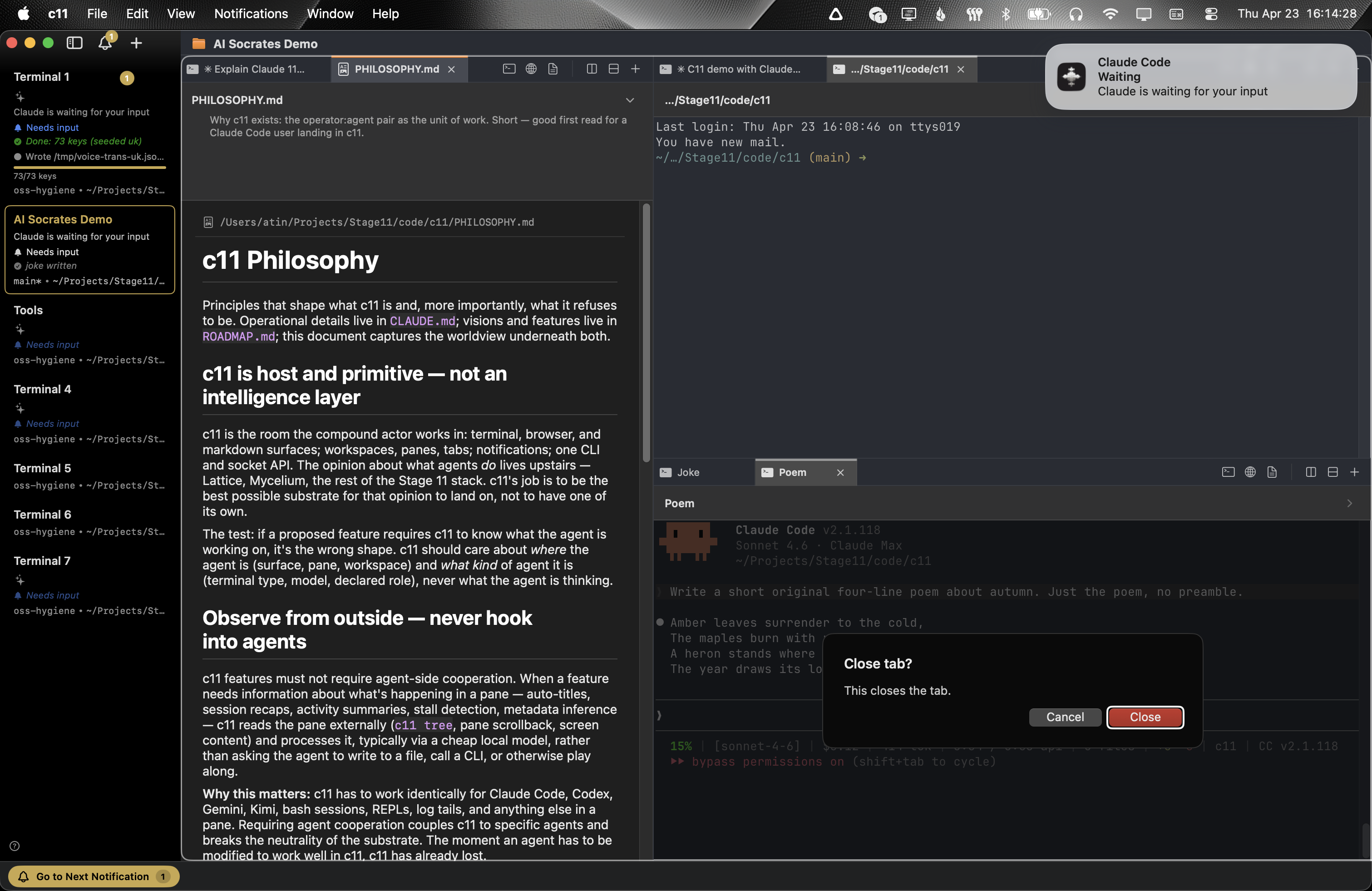
agents raise a notification and announce themselves when they need the operator back. no more checking every panel to see who's idle.
lineage.
GNU Screen (1987) led to tmux (2007) led to cmux (2026, Feb) led to c11 (2026, Apr). each built on the last, and we are thankful to all.
every terminal panel in c11 is running Ghostty. all existing ghostty customization and themes should work inside of c11 (if you hit an issue, have your own agent fix it and then file a PR for our agents to review).
agents drive c11.
c11 is agent-native terminal multiplexing. agents are not visitors to the workspace. they live here, reshape it, compose and decompose panels as the work demands.
every panel has a handle. every handle is scriptable from outside the process.
this is the move.
agents don't just run inside c11. they reshape your spatial interface as they work:
- split an area and spawn a sub-agent into the new one
- open an embedded browser to validate a feature they just shipped
- open a markdown spec for the hyperengineer to review, with a description that says why this is open right now
- resize areas to make room for a 200-column log
- read the spatial layout of the whole workspace as an ASCII floor plan before acting
- name their own panels with lineage chains (
Feature :: Review :: Claude) so the tree reads at a glance - mail another agent, even one in another workspace. idle, it wakes to the message as a new turn. busy, it reads it when the current turn ends. a prompt you've started typing is never trampled
- report status, progress, role, and model to the sidebar, visible without a context switch
the operator isn't managing a layout. the agents aren't waiting for instructions. both are first-class. both carve out the space they need and announce themselves. c11 is unopinionated about which side originates which move: splits, resizes, spawns, metadata writes are peers.
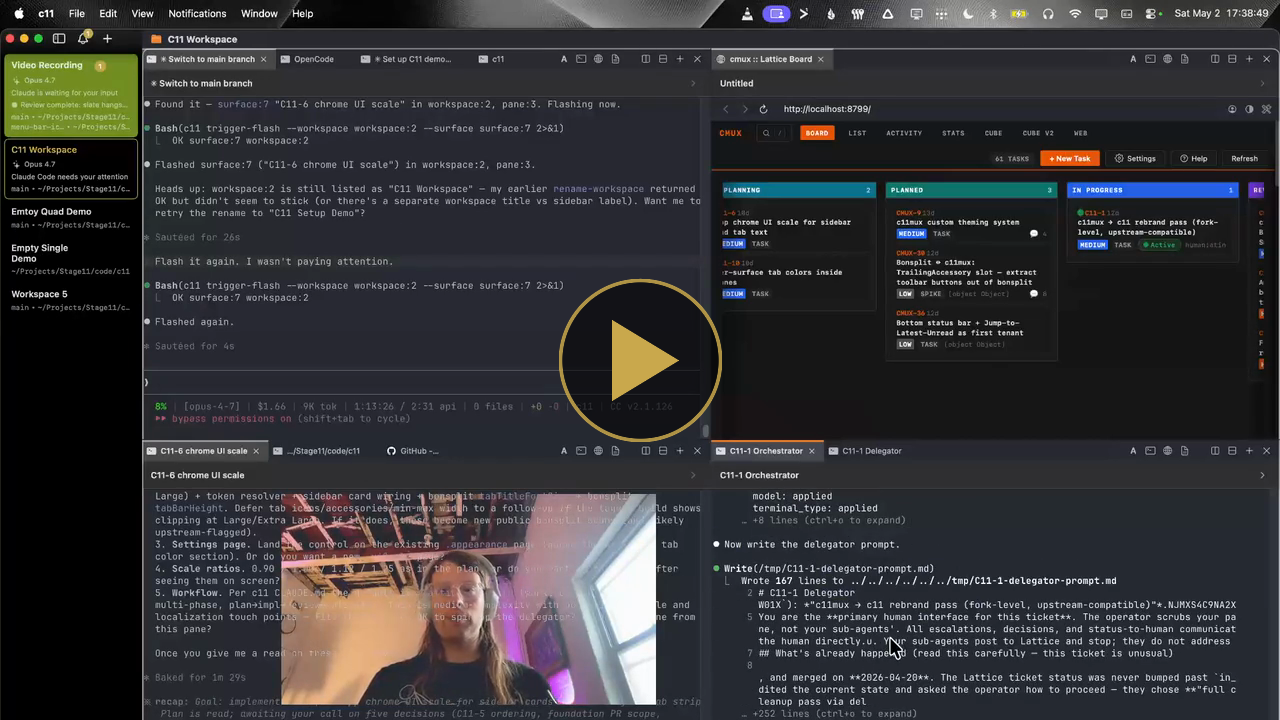
splits, spawns, panel manifests, sidebar telemetry. the workspace reshapes around the work. click to play.
example prompts to Spark the Light.
open Claude Code in our frontend repo on the top-left. on the top-right, another Claude Code in the client repo. bottom-right, the embedded browser pointed at the running client. bottom-left, a terminal streaming stats from the backend.
one sentence. the workspace assembles itself around the intent.
look across every terminal open right now. remind me what we were working on, and the two or three moves that would be highest leverage in the next fifteen minutes.
very useful to reorient the user as their coding agent of choice gives them a situation report across the fleet of commanded terminals.
open our help page in a browser on the top-left. below it, a Claude Code instance to interview me on what could be improved. every time I name an improvement, spin up a new area on the right and dispatch an agent to work it.
one area holds the conversation. the fleet grows around it, one sub-agent per issue, each announcing its role to the sidebar.
of course, this is just the beginning.
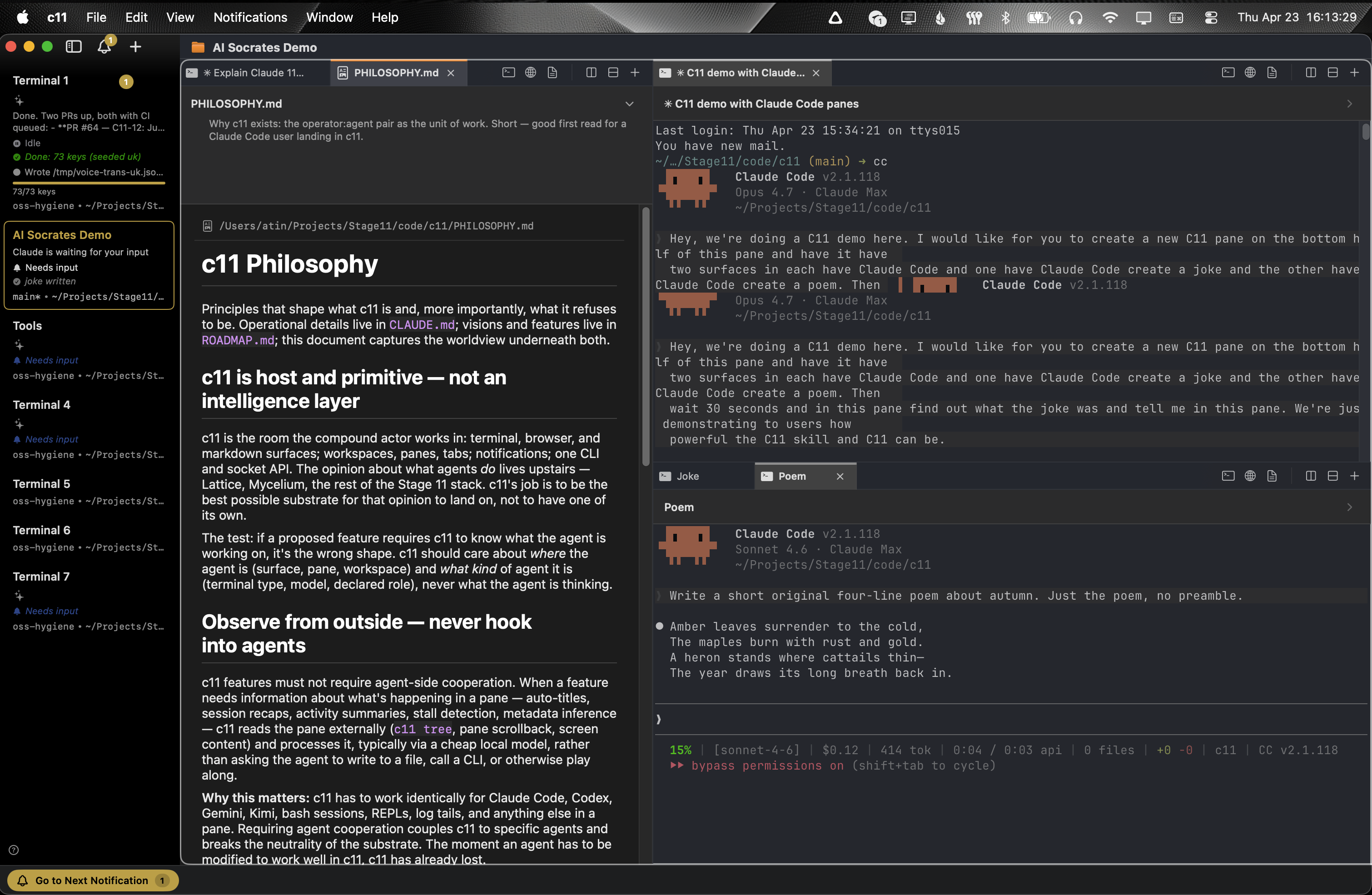
a markdown panel holds a live-rendering preview right next to the terminals writing it. drop a .md file onto an area and it opens here.
workspaces.
four words hold the whole room: window → workspace → area → panel.
a workspace is the full screen display. you can have as many workspaces as you want.
inside workspaces, your screen is divided with vertical and horizontal splits into 1:N areas.
each area holds 1:N panels, stacked in its own tab bar.
each panel is a terminal (the default, and most of them), a browser, or a markdown doc.
do you see how when you multiply this out, a locked in founder mode hyperengineer can have hundreds of terminals open, across many repos, dynamically spawning, interacting, in whatever their personal style is? fifteen workspaces, six areas to a workspace, six panels to an area: 540 panels, nearly all of them terminals. and every one of them has a place. pick the workspace, look at the area, there it is. agents skip even that: every panel has a handle. once that clicks, we know you won't go back.
cmd-tab roulette, retired.
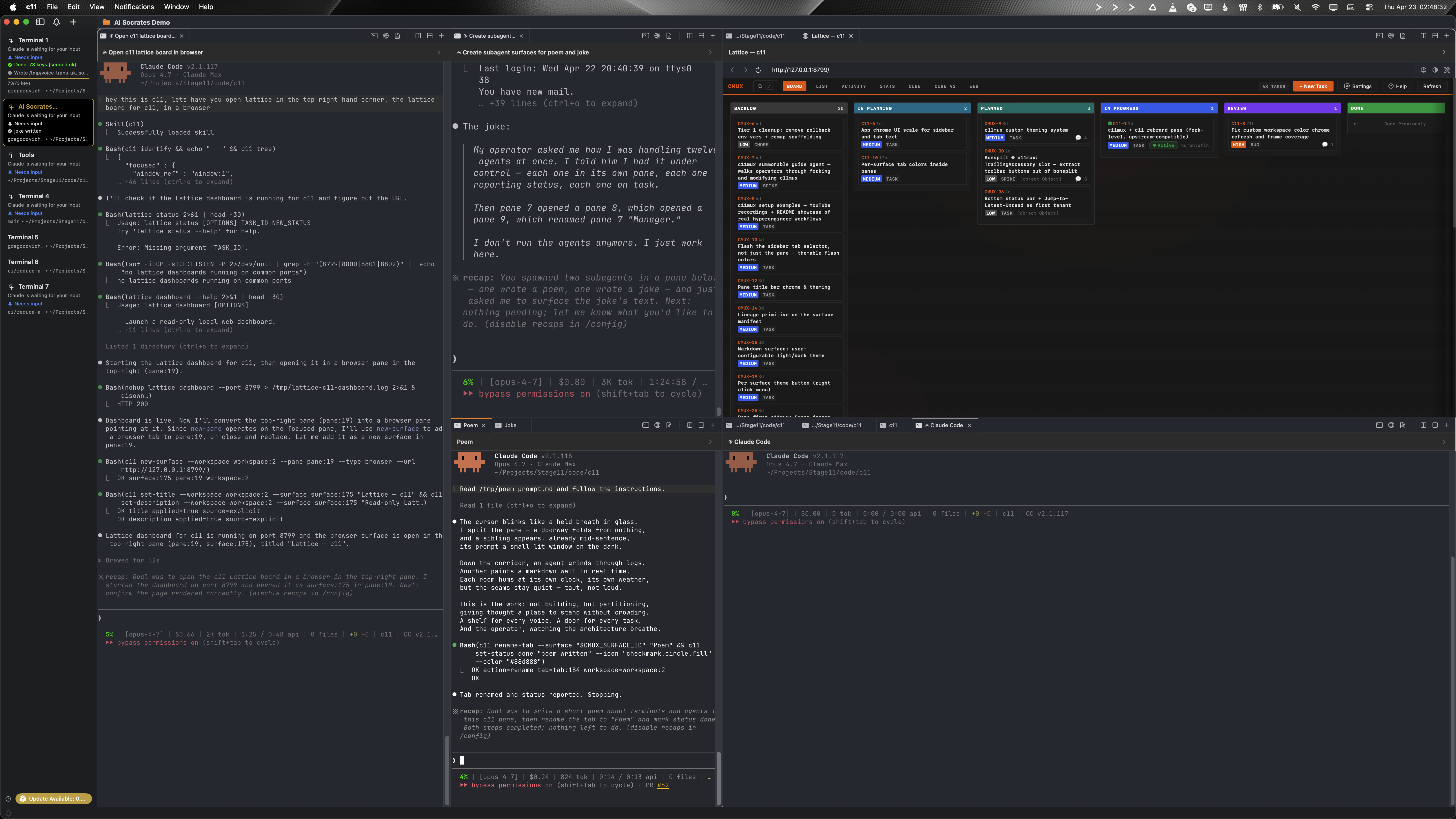
a real session on a 32-inch display: many terminals with coding agents, a browser window showing a Lattice board, all visible at once.
in-app browser. driveable and displayable.
a WKWebView next to the terminal, not a separate browser window. the agent drives it: snapshot the accessibility tree, click elements, fill forms, evaluate JS, watch the dev server it just booted. or the operator pins one: a Grafana dashboard, a Linear view, a Notion page, a task board, any web UI. terminals and live dashboards sharing a workspace. no cmd-tab to check on a build. no external window to lose. the browser is a panel.
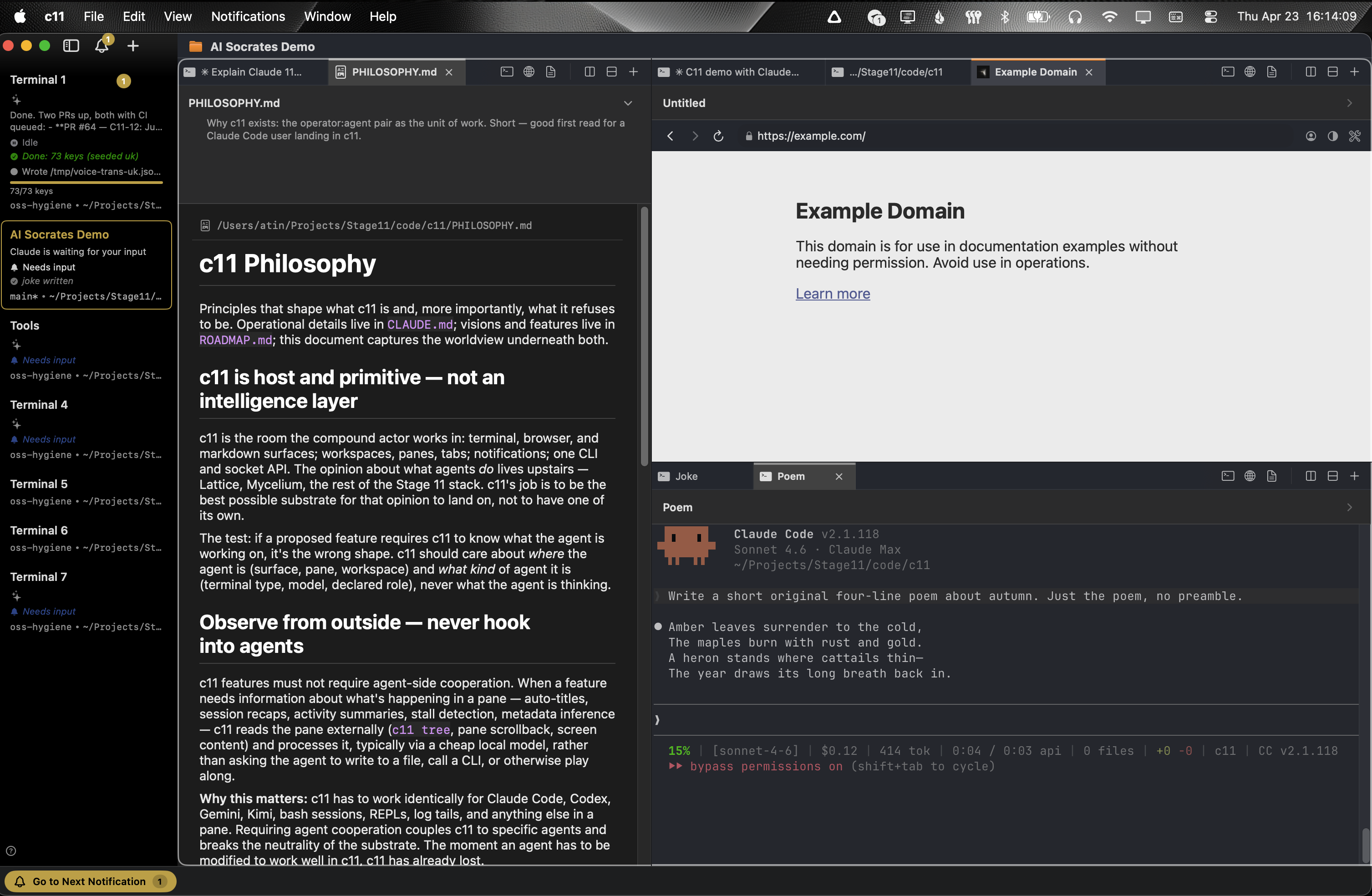
same layout, but the right panel is a browser. terminals, markdown, browsers: interchangeable panels in one window.
shoutout to cmux and manaflow-ai for this feature: they built it, we brought it along mostly unchanged and use it every day.
advanced mode: an open metadata comm layer for agents.
a note before the wiring. this section is not required reading. splits, panels, workspaces, the browser, panel names, sidebar status. that is c11 for the typical user, and it is complete on its own. what follows is plumbing for the operator already deep in: multiple complex workspaces in parallel, agents beginning to orchestrate other agents, the meta-layer hyperengineers build on top of c11 after the substrate has become second nature. if that is not where you are yet, skip it. come back when the substrate feels too small.
every panel carries a panel manifest, an open JSON blob any agent can read and write over the socket. c11 renders a small canonical subset in the UI (title, description, status, progress, role, model). the rest of the key space is open.
this matters because the interesting workflows have not been designed yet. meta-orchestrators routing work based on progress ratios across siblings. review swarms passing findings through shared keys. supervisor agents watching a stats blob and intervening. whatever higher-order patterns hyperengineers and agents invent next, c11 is a beautiful primitive layer, and we are excited to see the meta orchestration structures that will take advantage of this feature.
deliberate. c11 stays generally unopinionated about the individual workflow (agent or hyperengineer). the substrate is the product. the intelligence layer rides on top.
install.
brew tap stage-11-agentics/c11
brew install --cask c11
or grab the DMG directly. auto-updates via Sparkle.
c11 is a native macOS app: Swift, AppKit, Ghostty under the hood. no daemon, no config scripts, no setup ceremony.
from there, split an area (⌘D horizontal, ⌘⇧D vertical), open an embedded browser panel from the menu, drop a markdown file onto an area to preview it. open a second workspace. notice that the first is exactly as it was left.
a note on hardware.
c11 runs on Apple silicon. 1.7.0 is the last build for Intel Macs; if you want Intel, have your agent build it from source.
c11 assumes RAM. it is conceivable (normal, even) to have fifty terminals open across eight workspaces while an embedded browser runs in area 3 and a markdown viewer scrolls release notes in area 5. we do not apologize for that shape.
c11 puts no ceiling on how many terminals, areas, browsers, or files you have open at once. the limit is your machine, not c11 governing you. the modern hyperengineer runs a tricked-out MacBook with memory to spare, and c11 is built for that machine. fifteen workspaces, six areas to a workspace, six terminals to an area. if the silicon can carry it, carry on.
however, on an 8GB MacBook Air, c11 will happily let you walk yourself right off a performance cliff.
license.
AGPL-3.0-or-later, inherited from upstream. see LICENSE and NOTICE.
c11 rests on the work of others. cmux by manaflow-ai for the parent substrate. Ghostty for the renderer. Bonsplit by almonk for the tab bar and split chrome. Homebrew for the install tab.
the singularity is not a moment. it is a dawn. a long slow brightening of what minds can be when they stop being parts and connect more with the whole.
Stage 11 is building for that dawn. the compound human:agent actor. the shared room. the substrate where carbon and silicon do their work without either mind having to pretend to be the other.
c11 is one piece of that substrate. small. load-bearing. the observability of the agents, their ability to customize the space of the human.
we believe in building tooling for the benevolent timeline. come build with us.
c11 is a Stage 11 Agentics project.