
Sklyvan/RainbowSorting
Sklyvan/RainbowSorting has 44 GitHub stars and 6 forks. GitHot measured 0 stars in 24 hours, 0 in 7 days, and 0 in 15 days. Last checked 2026-11-13 20:12 UTC. Last push 2026-07-22.
What you can do
- Real-time visualization of several classic sorting algorithms.
- Full-colour RGB gradient mapping for every array element.
- Live array-access counter and on-screen algorithm/size information.
- Optional sound generation, where each moved element plays a tone based on its value.
Progression mesurée des étoiles
- in 24h
- 0
- in 7 days
- 0
- in 15 days
- 0
- in 1 month
- Historique en cours
Variations nettes sur des périodes qui se chevauchent, pas des totaux quotidiens. Les mesures absentes restent vides. Les étoiles indiquent l’intérêt, pas la qualité.
À propos
Visualize classic sorting algorithms as a rainbow of RGB colours, built with Python and PyGame.
ApprentissageREADME.md
Original
Rainbow Sorting 🍭
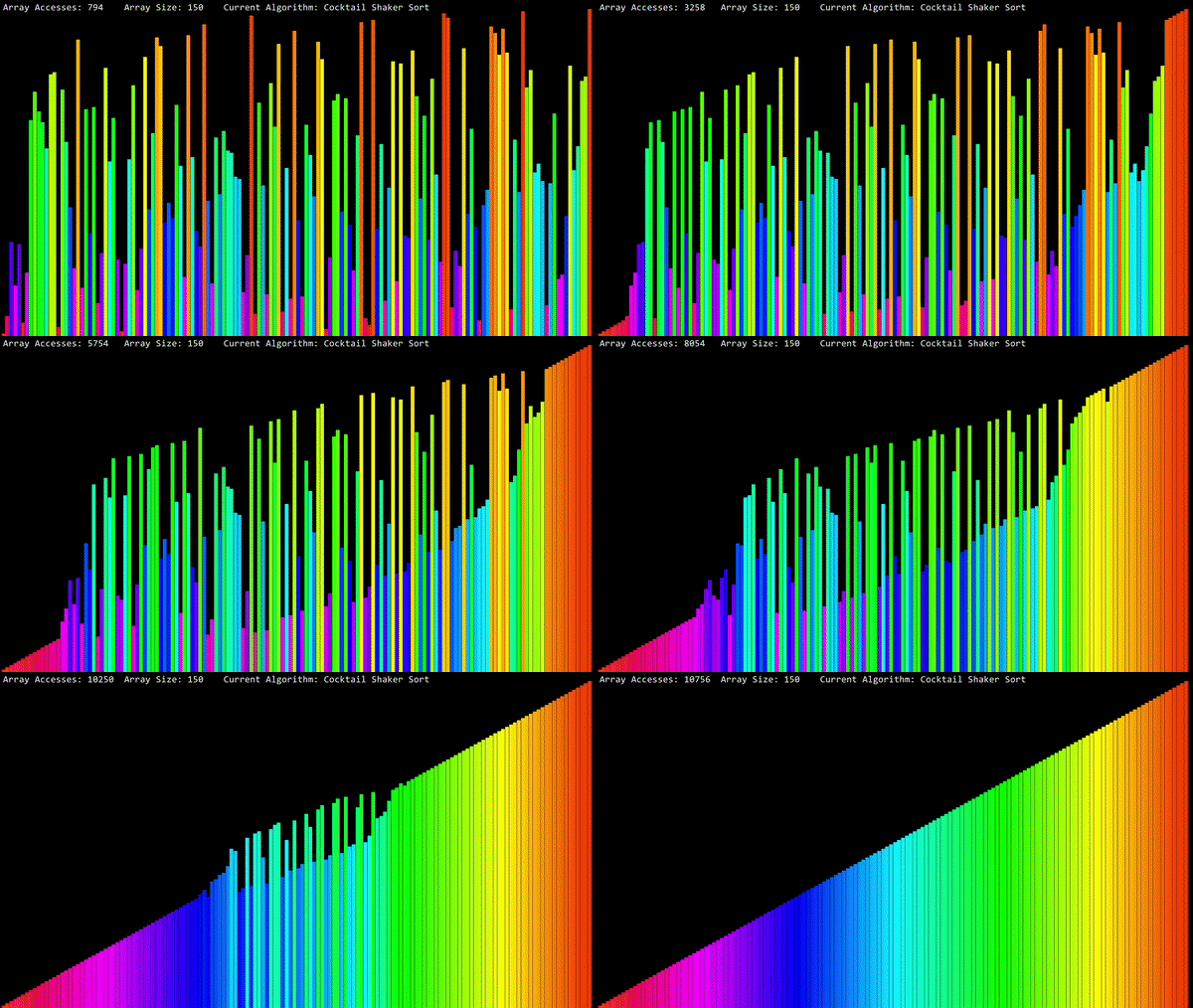
A Python application that visualizes how sorting algorithms work, painting every array element with a smooth rainbow of RGB colours.
Each value in the array is drawn as a vertical bar whose height encodes the value and whose colour is taken from a continuous RGB gradient. As an algorithm runs, you can watch the bars swap and settle into place in real time, with a live counter of array accesses and (optionally) sound generated from each move.
Features
- Real-time visualization of several classic sorting algorithms.
- Full-colour RGB gradient mapping for every array element.
- Live array-access counter and on-screen algorithm/size information.
- Optional sound generation, where each moved element plays a tone based on its value.
- Configurable array size and algorithm, all from a single file.
Implemented algorithms
The following algorithms are implemented in Sorting_Algorithms.py:
| # | Algorithm |
|---|---|
| 1 | Insertion Sort |
| 2 | Cocktail Shaker Sort |
| 3 | Bubble Sort |
| 4 | Tim Sort |
| 5 | Cycle Sort |
Two extra visualization modes are also included:
| # | Mode |
|---|---|
| 6 | Rotation |
| 7 | Elements Increaser |
A few examples
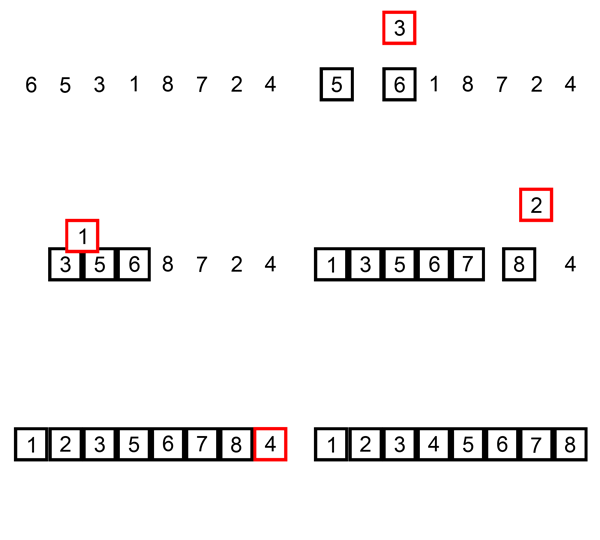
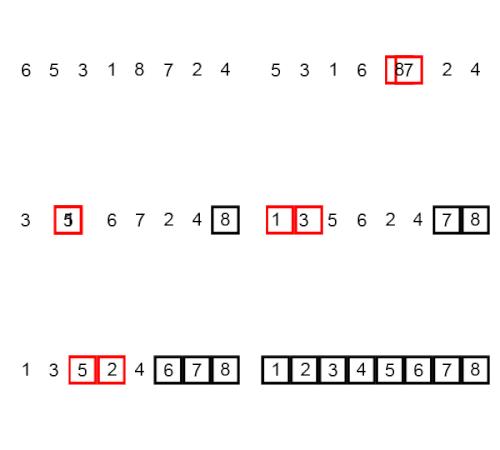
| Insertion Sort | Bubble Sort |
|---|---|
 |
 |
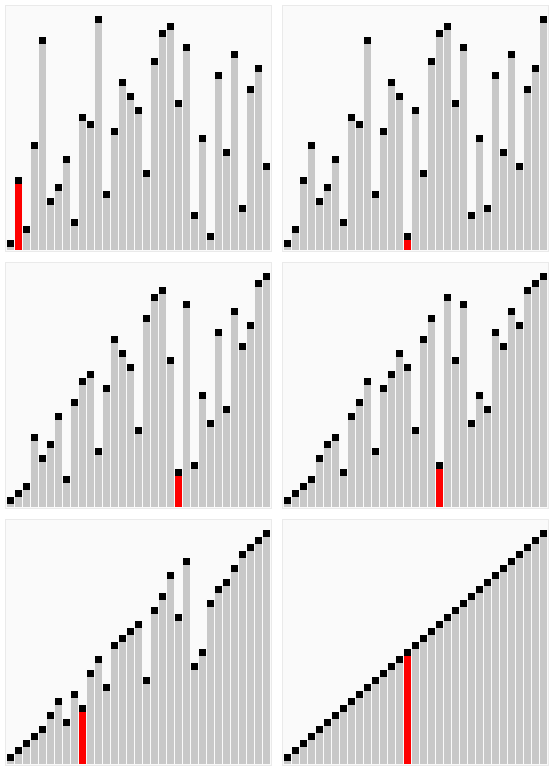
| Cocktail Shaker Sort | Tim Sort |
|---|---|
 |
 |
Requirements
- Windows — the app relies on
ctypes.windllandwinsound, so it is designed to run on Windows. - Python 3.7+
- PyGame, NumPy and PyAudio
Installation
Use the package manager pip to install the dependencies:
pip install pygame numpy pyaudio
Usage
Run the application with Python 3.7 or newer:
python Main.py
To change the array size, the algorithm or the sound, edit the configuration constants at the top of Main.py:
ARRAY_SIZE = 1024  # Number of elements. Max value is 10000.
AL = 4             # 1: Insertion Sort, 2: Cocktail Shaker Sort, 3: Bubble Sort,
                   # 4: Tim Sort, 5: Cycle Sort, 6: Rotation, 7: Elements Increaser.
SOUND = False      # Play a tone on each move. Sound works fully on Insertion Sort.
Note: When using Tim Sort (
AL = 4),ARRAY_SIZEmust be a power of two (e.g. 64, 128, 256, 512, 1024).
Controls
| Key | Action |
|---|---|
Esc |
Quit the application |
How to add more algorithms
You just have to follow this pattern for any other algorithm that you want to implement.
In Sorting_Algorithms.py:
def Sorting_Algorithm(Array):  # Example algorithm, without visualization.
    # Here goes the sorting operations.
    return Array

def Sorting_Algorithm(MyArray, Win, Font):
    """
    Here goes the sorting operations.
    Change every part where you are using Array,
    and replace it by MyArray.Array (except the return).
    Every time your algorithm accesses the array,
    add this code to visualize the changes:
    """
    # Add to this list the elements that you are moving on this step.
    MyArray.Moving_Elements = [a, b, c, d]
    KEY = KEY_PRESSED()
    if KEY == "QUIT":
        pygame.quit()
        sys.exit()
    else:
        MyArray.Draw(Win, Font)
    # ...
    MyArray.isSorted = True
    return MyArray
Finally, go to Main.py and add your algorithm to the import at the top:
from Sorting_Algorithms import InsertionSort, CocktailShakerSort, BubbleSort, TimSort
Project structure
| File | Purpose |
|---|---|
Main.py |
Entry point and configuration. |
Sorting_Algorithms.py |
Implementations of the sorting algorithms and visualization modes. |
Array_GUI.py |
The Visualized_Array class: colour mapping and rendering. |
GUI_Functions.py |
Keyboard input handling. |
Sound_Generator.py |
Tone generation for the sound feature. |
Exceptions.py |
Custom exceptions. |
Explorer des projets similaires
sindresorhus/awesome
😎 Listes Awesome sur toutes sortes de sujets intéressants [NOTE : les pull requests sont temporairement désactivées jusqu’à ce que j’aie l’occasion de rattraper celles qui existent déjà]
536,426 étoilesEbookFoundation/free-programming-books
:books: Livres de programmation librement disponibles
401,552 étoilesnilbuild/developer-roadmap
Feuilles de route interactives, guides et autres contenus éducatifs pour aider les développeurs à progresser dans leur carrière.
371,959 étoilesvinta/awesome-python
La liste de référence qui répond à « Je veux faire X en Python : quel outil dois-je utiliser ? ».
334,554 étoiles