
ReversePOCO/EntityFramework-Reverse-POCO-Code-First-Generator
ReversePOCO/EntityFramework-Reverse-POCO-Code-First-Generator has 715 GitHub stars and 227 forks. Star changes are not measured yet. Last checked 2026-11-09 16:03 UTC. Last push 2026-10-26.
Comment ces chiffres sont mesurés
EntityFramework Reverse POCO Code First Generator - Beautifully generated code that is fully customisable. This generator creates code as if you reverse engineered a database and lovingly created the code by hand. It is free to academics, commercial use requires a paid licence. Obtain your licence from:
Progression mesurée des étoiles
- in 24h
- Mise à jour retardée
- in 7 days
- Mise à jour retardée
- in 15 days
- Mise à jour retardée
- in 1 month
- Mise à jour retardée
Variations nettes sur des périodes qui se chevauchent, pas des totaux quotidiens. Les mesures absentes restent vides. Les étoiles indiquent l’intérêt, pas la qualité.
README.md
OriginalEntityFramework Reverse POCO Code First Generator
This generator creates code like an expert reverse-engineered your database and created the code for you. Perfectly.
Reverse engineers an existing database and generates Entity Framework Code First Poco classes, Configuration mappings, Enumerations, DbContext, FakeDbContext (for easy unit testing) and calling Stored procedures and table-valued functions.
Beautifully generated code first code that is fully customisable
Please note that this is not the Microsoft reverse generator. This generator creates code as if you reverse-engineered a database and lovingly created the code by hand. It also allows you to customise the generated code to your liking.
Requirements
- Visual Studio 2022 or later, including Visual Studio 2026. The v4 extension does not install on Visual Studio 2017 or 2019; v3 remains available for those.
- Or JetBrains Rider, without the extension: add
Database.ttandEF.Reverse.POCO.v4.ttincludeto the project and run the template. Same output. See JetBrains Rider on the wiki. - The
efrpgdotnet tool, which reads your database:dotnet tool install -g Efrpg. It needs the .NET 10 runtime and is installed once per machine.
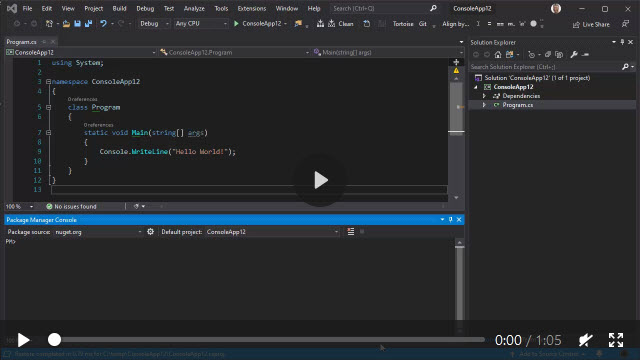
Watch a short video clip (no audio)
Installation
v4 comes in two parts. You need both.
1. The efrpg command-line tool - reads your database. Requires the .NET 10 runtime.
dotnet tool install -g Efrpg
2. The Visual Studio extension - generates the code. Install the VSIX from the Visual Studio Marketplace.
Then right-click your project → Add → New Item, search for reverse poco, and add it. Set your connection string in the .tt file and save. That's it.
The tool is installed once per machine and shared by every project on it.
Upgrade it with dotnet tool update -g Efrpg.
Why two parts?
In v3, the T4 template opened the database connection itself, which meant loading a database provider assembly inside the Visual Studio T4 host. That is where the "could not load file or assembly Npgsql / MySql.Data / System.Data.SQLite" problems came from, along with mismatches between the provider your project referenced and the one the T4 host found, and 32-bit/64-bit surprises.
In v4, the tool reads the schema in its own process and hands the result back to the template. Provider versions are the tool's problem, not your project's - and MySQL and Oracle are properly supported as a result. Your connection string is passed to the tool over stdin, so it stays out of process listings and command-line audit logs.
Upgrading from v3
Read Upgrading from v3 to v4. In short: install the tool, update the extension, then point your .tt file at EF.Reverse.POCO.v4.ttinclude and replace the block at the bottom of the file.
The include is versioned in its filename, so v3 and v4 sit side by side in one project and you can migrate one template at a time.
To remove trial limitations, you will require a licence key.
Free to academics (you need a .edu, .ac or .sch email address), not free for commercial use.
Go to the ReversePOCO website for your licence key.
What's new
Click here to see what's new in this release.
Supported databases
- SQL Server
- PostgreSQL
- MySQL
- Oracle
- SQLite
SQL Server Compact was removed in v4. It reached end of support in July 2021 and has no provider for modern .NET. If you still need it, stay on v3.
Highly customisable output
This generator is designed to be customisable from the very beginning and not fixed and rigid like other generators.
Play with the settings in the <database>.tt file. That's what it's there for.
If your database changes, re-save the <database>.tt file. That's it.
Click here to see a full list of features.
Example connection strings
Set these in your <database>.tt file. DatabaseType picks the reader; the connection string is passed
straight to that provider, so anything the provider accepts works here.
Settings.DatabaseType |
Example Settings.ConnectionString |
|---|---|
DatabaseType.SqlServer |
Data Source=(local);Initial Catalog=Northwind;Integrated Security=True;Encrypt=false;TrustServerCertificate=true |
DatabaseType.PostgreSQL |
Server=127.0.0.1;Port=5432;Database=Northwind;User Id=myuser;Password=mypassword; |
DatabaseType.MySql |
Server=localhost;Port=3306;Database=Northwind;User Id=myuser;Password=mypassword; |
DatabaseType.Oracle |
User Id=myschema;Password=mypassword;Data Source=localhost:1521/pdb1; |
DatabaseType.SQLite |
Data Source=C:\path\to\Northwind.db |
A few dialect quirks worth knowing:
- SQL Server -
Encrypt=false;TrustServerCertificate=trueis usually needed against a local instance, because Microsoft.Data.SqlClient now defaults to encrypting. - Oracle - there is no database name in the connection string. The user is the schema, and one run reads one schema.
- MySQL - a database is a schema, so the reader sees only the database you connect to.
Regards, Simon Hughes
Explorer des projets similaires
Asabeneh/30-Days-Of-Python
Le défi de programmation 30 Days of Python est un guide pas à pas pour apprendre le langage de programmation Python en 30 jours. Ce défi peut prendre plus de 100 jours. Avancez à votre rythme. Ces vidéos peuvent aussi vous aider : https://www.youtube.com/channel/UC7PNRuno1rzYPb1xLa4yktw
78,486 étoilesgrafana/grafana
Plateforme ouverte et composable d’observabilité et de visualisation de données. Visualise les métriques, les journaux et les traces issus de plusieurs sources, comme Prometheus, Loki, Elasticsearch, InfluxDB, Postgres et bien d’autres.
77,790 étoilesredis/redis
Pour les développeurs qui créent des applications en temps réel pilotées par les données, Redis est le cache, le serveur de structures de données et le moteur de requêtes documentaires et vectorielles préféré, le plus rapide et le plus riche en fonctionnalités.
77,332 étoilesapache/superset
Apache Superset est une plateforme de visualisation et d'exploration de données.
75,455 étoiles