
Ramotion/circle-menu
À propos
:octocat: ⭕️ CircleMenu est un menu d’interface simple et élégant, doté d’une disposition circulaire et d’animations Material Design. Une bibliothèque d’interface pour Swift créée par @Ramotion.
Création et médiasProgression mesurée des étoiles
- in 24h
- 0
- in 7 days
- 0
- in 15 days
- -2
- in 1 month
- Historique en cours
Variations nettes sur des périodes qui se chevauchent, pas des totaux quotidiens. Les mesures absentes restent vides. Les étoiles indiquent l’intérêt, pas la qualité.
README.md
Original
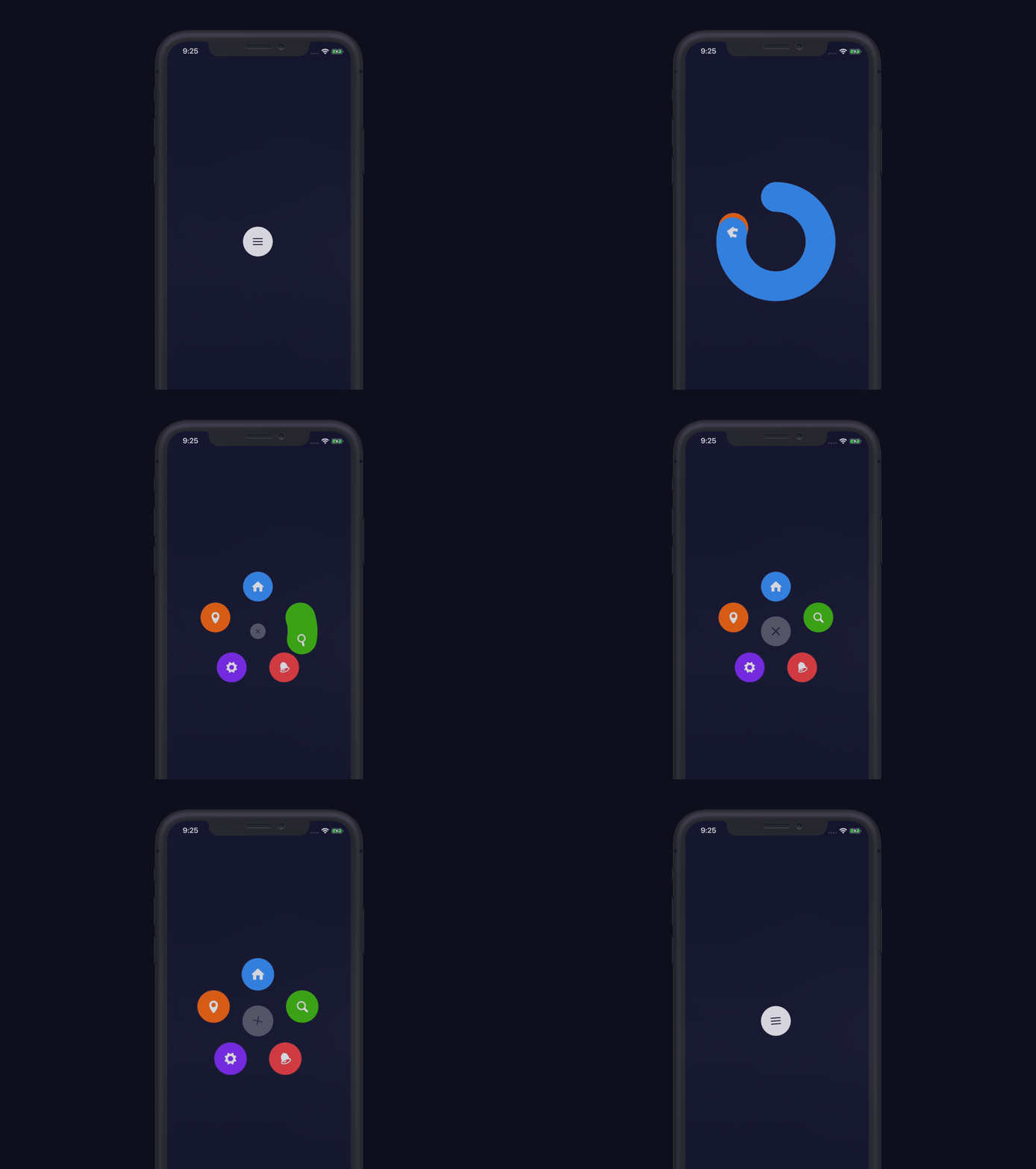
CIRCLE MENU
Simple, elegant UI menu with a circular layout and material design animations
We specialize in the designing and coding of custom UI for Mobile Apps and Websites.

Stay tuned for the latest updates:





Requirements
- iOS 9.0+
- Xcode 9.0.1
Installation
Just add CircleMenuLib folder to your project.
or use CocoaPods with Podfile:
pod 'CircleMenu'
or Carthage users can simply add to their Cartfile:
github "Ramotion/circle-menu"
Usage
with storyboard
Create a new UIButton inheriting from
CircleMenuAdd images for Normal and Selected state
Use delegate method to configure buttons
func circleMenu(circleMenu: CircleMenu, willDisplay button: UIButton, atIndex: Int)
- Use properties to configure CircleMenu
@IBInspectable var buttonsCount: Int = 3
@IBInspectable var duration: Double = 2 // circle animation duration
@IBInspectable var distance: Float = 100 // distance between center button and buttons
programmatically
let button = CircleMenu(
  frame: CGRect(x: 200, y: 200, width: 50, height: 50),
  normalIcon:"icon_menu",
  selectedIcon:"icon_close",
  buttonsCount: 4,
  duration: 4,
  distance: 120)
button.delegate = self
button.layer.cornerRadius = button.frame.size.width / 2.0
view.addSubview(button)
delegate methods
// configure buttons
optional func circleMenu(circleMenu: CircleMenu, willDisplay button: UIButton, atIndex: Int)

// call before animation
optional func circleMenu(circleMenu: CircleMenu, buttonWillSelected button: UIButton, atIndex: Int)

// call after animation
optional func circleMenu(circleMenu: CircleMenu, buttonDidSelected button: UIButton, atIndex: Int)

// call upon cancel of the menu - fires immediately on button press
optional func menuCollapsed(circleMenu: CircleMenu)

// call upon opening of the menu - fires immediately on button press
optional func menuOpened(circleMenu: CircleMenu)
🗂 Check this library on other language:


📄 License
Circle Menu is released under the MIT license. See LICENSE for details.
This library is a part of a selection of our best UI open-source projects.
If you use the open-source library in your project, please make sure to credit and backlink to www.ramotion.com
📱 Get the Showroom App for iOS to give it a try
Try this UI component and more like this in our iOS app. Contact us if interested.

Explorer des projets similaires
Chargement…