
Lision/WKWebViewJavascriptBridge
À propos
🌉 Un pont pour envoyer des messages entre Swift et JavaScript dans les WKWebView.
Web et applicationsWhat you can do
- Swift Support: Swift 3.2 ~ 5 Support.
- High Performance: The messaging performance is higher than intercept requests.
- High Speed: No need to consider alert box safety timeout.
- Lightweight: This framework contains only 3 files.
Progression mesurée des étoiles
- in 24h
- 0
- in 7 days
- 0
- in 15 days
- 0
- in 1 month
- Historique en cours
Variations nettes sur des périodes qui se chevauchent, pas des totaux quotidiens. Les mesures absentes restent vides. Les étoiles indiquent l’intérêt, pas la qualité.
README.md
Original


This project is inspired by WebViewJavascriptBridge!
What Can WKWebViewJavascriptBridge Do?
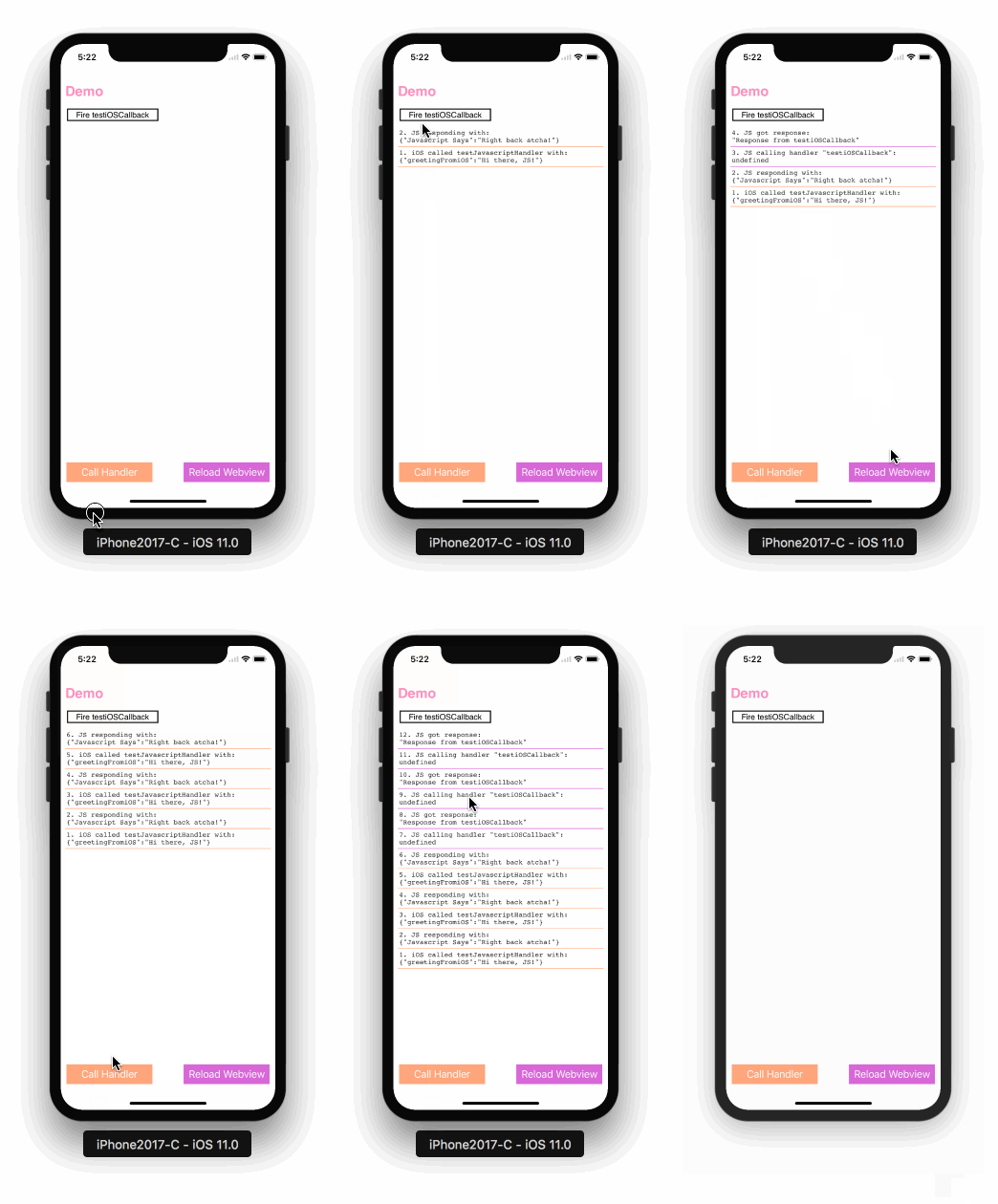
You can write hybrid modules in just a few lines of code by using WKWebViewJavascriptBridge without the need to be concerned with the underlying messaging implementation.
Why Only Support WKWebView?
Advantages of WKWebView
It is well known that WKWebView loads web pages faster and more efficiently than UIWebView, and also doesn't have as much memory overhead for you.
Under the current timeline, most iOS apps only support iOS 9.0+.
UIWebView Cross-Domain Access Vulnerability
The reason for the iOS platform cross-domain access vulnerability is due to UIWebView turning on the WebKitAllowUniversalAccessFromFileURLs and WebKitAllowFileAccessFromFileURLs options.
WKWebView default allowFileAccessFromFileURLs and allowUniversalAccessFromFileURLs option is false.
Features
- Swift Support: Swift 3.2 ~ 5 Support.
- High Performance: The messaging performance is higher than intercept requests.
- High Speed: No need to consider alert box safety timeout.
- Lightweight: This framework contains only 3 files.
- Non-intrusive: There is no need to make the webview class inherit from other base class.
Usage
1. Instantiate WKWebViewJavascriptBridge with a WKWebView:
bridge = WKWebViewJavascriptBridge(webView: webView)
2. Register a Handler in Native, and Call a JS Handler:
bridge.register(handlerName: "testiOSCallback") { (parameters, callback) in
    print("testiOSCallback called: \(String(describing: parameters))")
    callback?("Response from testiOSCallback")
}

bridge.call(handlerName: "testJavascriptHandler", data: ["foo": "before ready"], callback: nil)
3. Copy and Paste setupWKWebViewJavascriptBridge into Your JS:
function setupWKWebViewJavascriptBridge(callback) {
    if (window.WKWebViewJavascriptBridge) { return callback(WKWebViewJavascriptBridge); }
    if (window.WKWVJBCallbacks) { return window.WKWVJBCallbacks.push(callback); }
    window.WKWVJBCallbacks = [callback];
    window.webkit.messageHandlers.iOS_Native_InjectJavascript.postMessage(null)
}
4. Finally, Call setupWKWebViewJavascriptBridge and then Use The Bridge to Register Handlers and Call Native Handlers:
setupWKWebViewJavascriptBridge(function(bridge) {

	/* Initialize your app here */

	bridge.registerHandler('testJavascriptHandler', function(data, responseCallback) {
		console.log('iOS called testJavascriptHandler with', data)
		responseCallback({ 'Javascript Says':'Right back atcha!' })
	})

	bridge.callHandler('testiOSCallback', {'foo': 'bar'}, function(response) {
		console.log('JS got response', response)
	})
})
Installation
Swift Package Manager
- In Xcode, select File > Add Package Dependencies....
- Enter
https://github.com/Lision/WKWebViewJavascriptBridge.git. - Add the
WKWebViewJavascriptBridgepackage to your app target. - Add
import WKWebViewJavascriptBridge.
Cocoapods
- Add
pod 'WKWebViewJavascriptBridge', '~> 1.2.0'to your Podfile. - Run
pod installorpod update. - Add
import WKWebViewJavascriptBridge.
Carthage
- Add
github "Lision/WKWebViewJavascriptBridge" ~> 1.2.0to your Cartfile. - Run
carthage update --platform ios. - Add the
WKWebViewJavascriptBridgeframework to your project.
Manually
Either clone the repo and manually add the Files in WKWebViewJavascriptBridge.
Requirements
This framework requires iOS 9.0+ and Xcode 9.0+.
Contact
- Email: [email protected]
- Sina: @Lision
- Twitter: @Lision
License

WKWebViewJavascriptBridge is provided under the MIT license. See LICENSE file for details.
Explorer des projets similaires
Chargement…