
Faceplugin-ltd/FaceRecognition-Android
Faceplugin-ltd/FaceRecognition-Android has 475 GitHub stars and 217 forks. GitHot measured +1 stars in 24 hours and +2 in 7 days. Last checked 2026-11-20 21:48 UTC. Last push 2026-11-11.
What you can do
- Recognition only — Enroll / Identify / Attribute
- Liveness only — Capture
- Recognition + Liveness — all four tiles
- Not licensed — tiles stay locked until you activate
Progression mesurée des étoiles
- in 24h
- +1
- in 7 days
- +2
- in 15 days
- Historique en cours
- in 1 month
- Historique en cours
Variations nettes sur des périodes qui se chevauchent, pas des totaux quotidiens. Les mesures absentes restent vides. Les étoiles indiquent l’intérêt, pas la qualité.
À propos
Face Recognition, Face Liveness Detection, Face Anti-Spoofing, Face Detection, Face Landmarks, Face Compare, Face Matching, Face Pose, Face Expression, Face Attributes, Face Templates Extraction, Face Landmarks
Apprentissage automatiqueREADME.md
Original
🌐 Company Site - Here
🤗 Hugging Face - Here
🛟 Help Center - Here
🐳 Docker Hub - Here
FacePlugin Face Recognition SDK — Android (Fully On-Premise)
Ready in ~10 minutes (after AAR download): Drop
facerecognitionsdk.aarintolibfacesdk/→ Run on a phone Jump: Quick start · Get the AAR · Run the demo · Setup · About SDK · Demo kit
Customer repo: FaceRecognition-Android · Help Center: doc.faceplugin.com
Quick start checklist
- Clone
https://github.com/Faceplugin-ltd/FaceRecognition-Android - Download
facerecognitionsdk.aarfrom Google Drive - Place it in
libfacesdk/(next tolibfacesdk/build.gradle) - Open this folder in Android Studio → Run on a physical phone
- Home status bar disappears → Enroll / Identify / Capture / Attribute unlock
Your own app? Skip to Setup on your own app. Optional copy-paste helpers: Demo kit.
Introduction
FacePlugin Face Recognition SDK for Android is a fully on-device biometric engine for KYC and mobile onboarding. Enroll faces from gallery, identify in 1:N with live camera and 2D liveness, capture with an oval coach, and read attributes (liveness, quality, pose, age, gender, emotion, and more).
All processing stays on the device. No biometric data is sent to FacePlugin cloud — built for banking, access control, and privacy-first identity apps.
This repository is the Android demo app — a standalone customer repo. Runtime is libfacesdk/facerecognitionsdk.aar (download from Google Drive). No other FacePlugin repository is required.
You get:
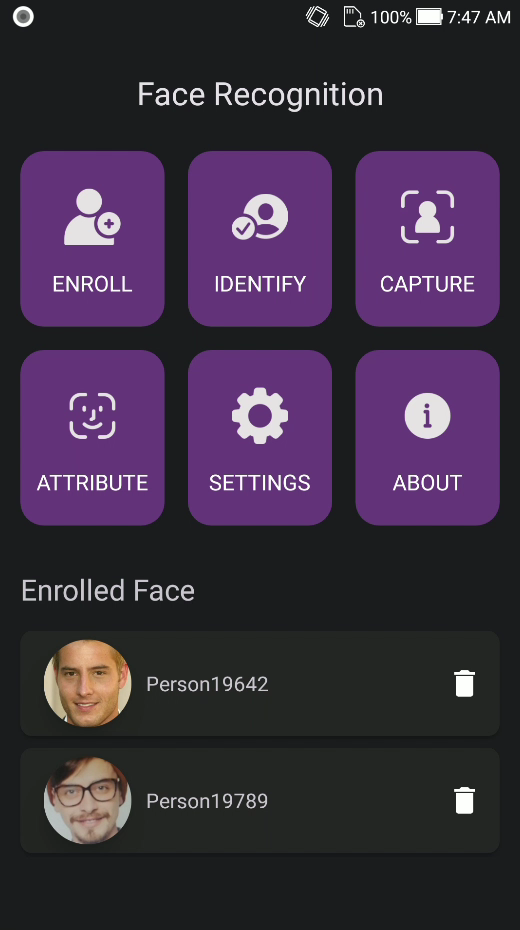
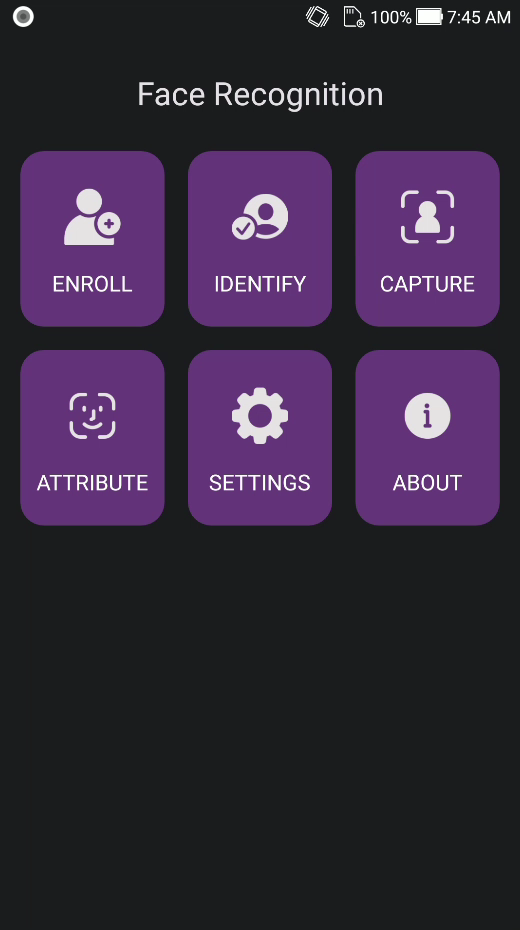
- A working demo with six home tiles: Enroll, Identify, Capture, Attribute, Settings, About.
app/.../kit/— copy-paste Kotlin helpers (FaceRecognitionClient) so you can call every SDK function without rewriting threading, CameraX, or VideoWorker plumbing. See Demo kit.
Main Functionalities
| Demo tile | What it does |
|---|---|
| Enroll | Enroll a person from a gallery photo (exactly one face) into the on-device database |
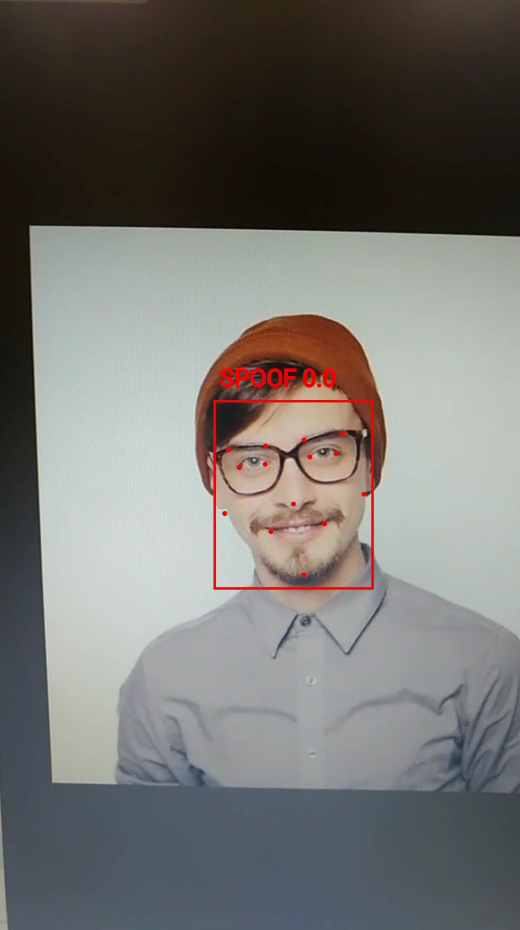
| Identify | Live 1:N camera match (stop on first hit) with 2D liveness / anti-spoofing |
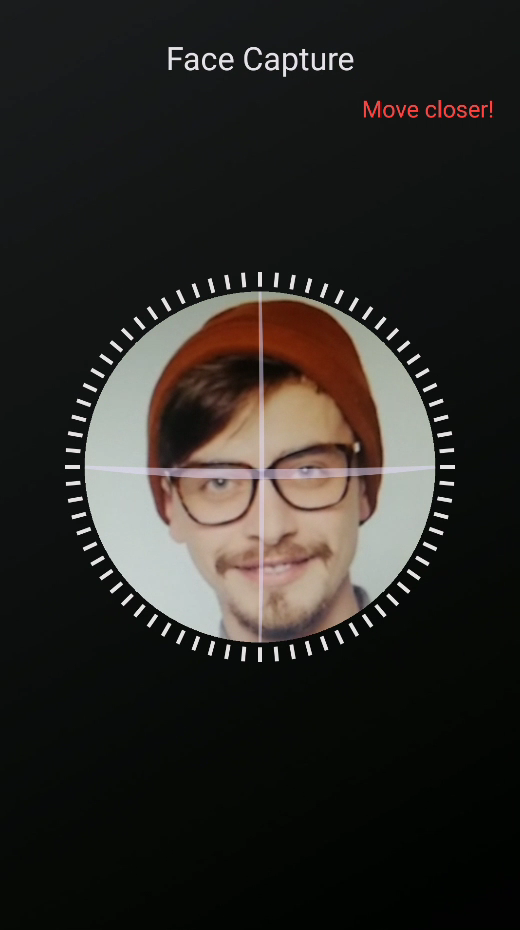
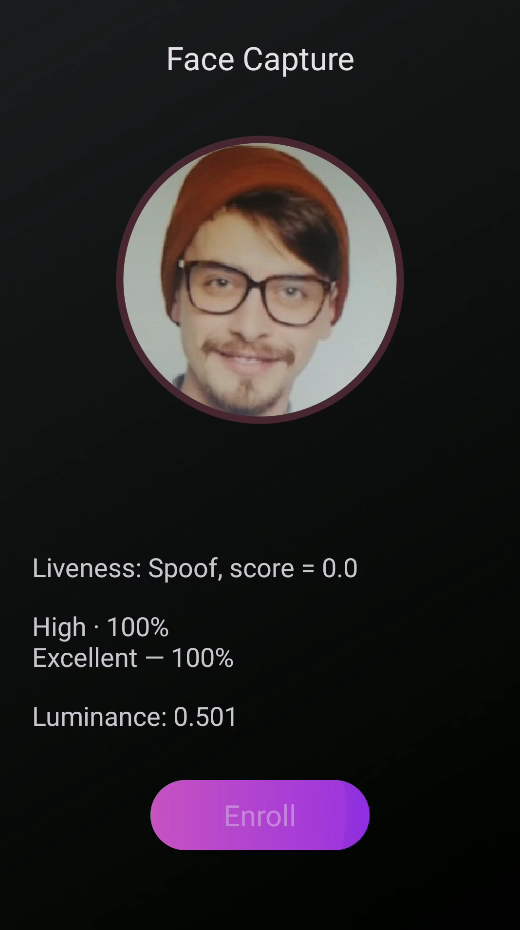
| Capture | Oval coach capture → still with attributes → optional enroll |
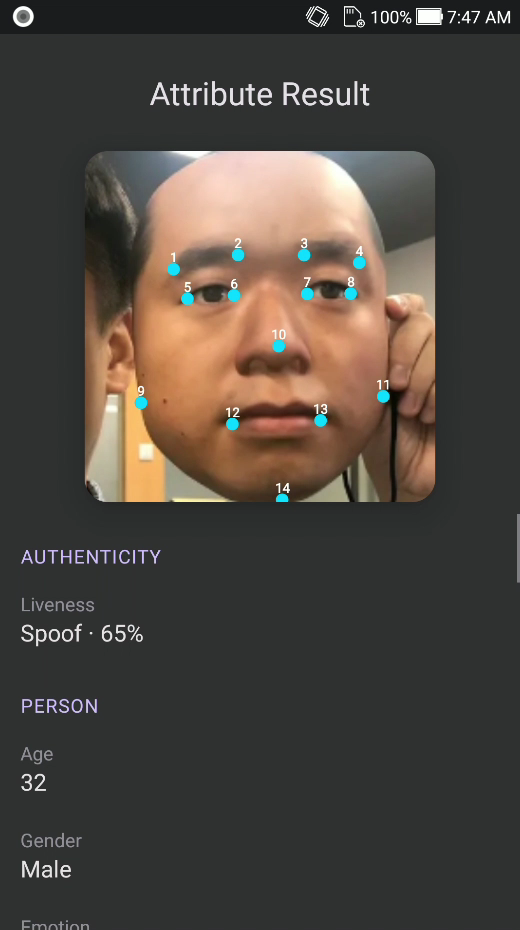
| Attribute | Gallery analysis: landmarks, liveness, pose, quality, age, gender, emotion |
| Settings | Camera lens, identify / liveness / pose / eye-close thresholds |
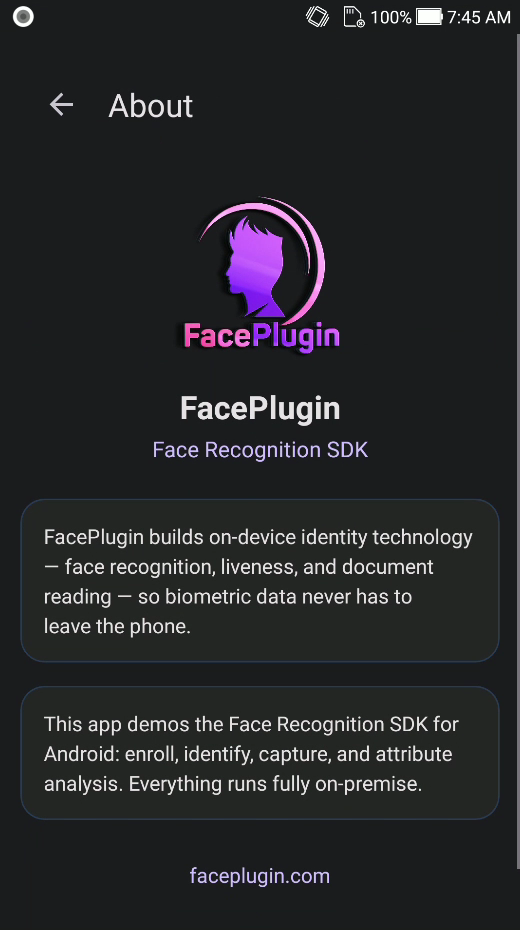
| About | FacePlugin Face Recognition SDK — on-device identity |
Also: 14-point landmarks, template extraction, 1:N similarity, and offline license.
Product List
| Platform | Repository |
|---|---|
| Android (Recognition) | FaceRecognition-Android (this repo) |
| iOS (Recognition) | FaceRecognition-iOS |
| React Native (Recognition) | FaceRecognition-React-Native |
| Flutter (Recognition) | FaceRecognition-Flutter |
| Ionic Capacitor (Recognition) | FaceRecognition-Ionic-Capacitor |
| Ionic Cordova (Recognition) | FaceRecognition-Ionic-Cordova |
| Windows (Recognition) | FaceRecognition-Windows |
| Linux / Docker (Recognition) | FaceRecognition-Docker |
| Android (Liveness) | FaceLivenessDetection-Android |
| iOS (Liveness) | FaceLivenessDetection-iOS |
| Windows (Liveness) | FaceLivenessDetection-Windows |
| Linux / Docker (Liveness) | FaceLivenessDetection-Docker |
Before you start
| Step | What you need |
|---|---|
| 1 | Android Studio + a real device (emulator is not recommended) |
| 2 | facerecognitionsdk.aar in ./libfacesdk/ — see Get the AAR |
| 3 | Demo license is already in the repo (LICENSE_KEY for com.faceplugin.facerecognitionsdk). Request a new key only if you change applicationId — see SDK License |
You can run the sample app as-is. Enroll / Identify / Capture / Attribute unlock when the status bar disappears.
System requirements
facerecognitionsdk.aar includes native libs for arm64-v8a and armeabi-v7a. The sample app filters to those two ABIs.
| Item | Minimum | Recommended |
|---|---|---|
| Android | API 24 (7.0) | API 29 (10) or newer |
| ABI | arm64-v8a, armeabi-v7a |
arm64-v8a (typical phones) |
| RAM | 4 GB | 6 GB or more |
| CPU | 4+ cores | Mid-range SoC from ~2019 or newer |
| Camera | Front camera | 720p or 1080p |
| Device | Physical device | Same; emulator is not for camera / liveness |
Get the AAR (libfacesdk)
libfacesdk/facerecognitionsdk.aar is empty on GitHub because the binary is too large.
Where to download
FaceRecognitionSDK-Android-App runtime (Google Drive)
How to place it
- Clone this repo (if you have not already):
git clone https://github.com/Faceplugin-ltd/FaceRecognition-Android.git
cd FaceRecognition-Android
- Download
facerecognitionsdk.aarfrom the Drive folder. - Put it here (not in a nested folder):
FaceRecognition-Android/
└── libfacesdk/
    ├── build.gradle
    └── facerecognitionsdk.aar
Run the demo
- Open this folder in Android Studio.
- Run on a device. The demo already has a valid
LICENSE_KEYforcom.faceplugin.facerecognitionsdk.
The warning bar on the home screen is the SDK status (Loading native SDK…). Enroll / Identify / Capture / Attribute stay disabled until it disappears.
Keep applicationId com.faceplugin.facerecognitionsdk for the included license.
Screenshots
| Home | Identify | Capture |
|---|---|---|
|
|
|
| Capture result | Attribute | Attribute (emotion) |
|---|---|---|
|
|
|
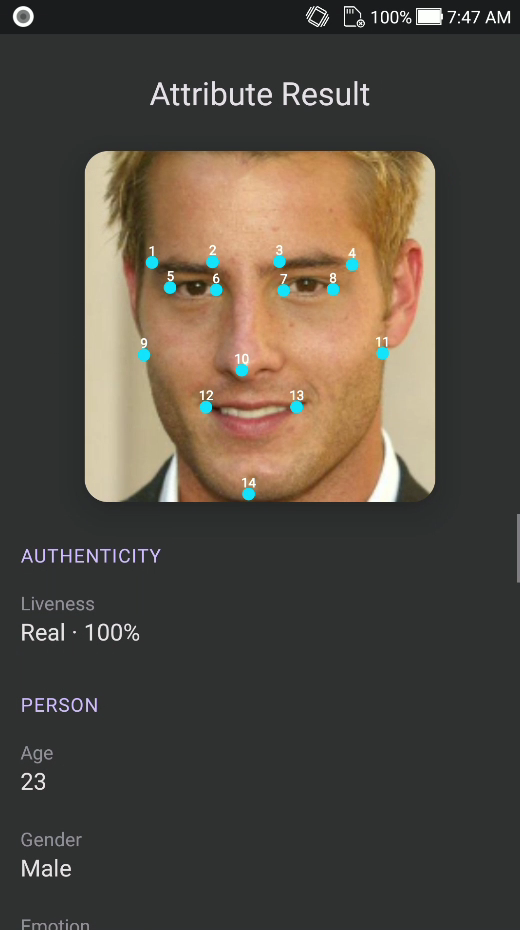
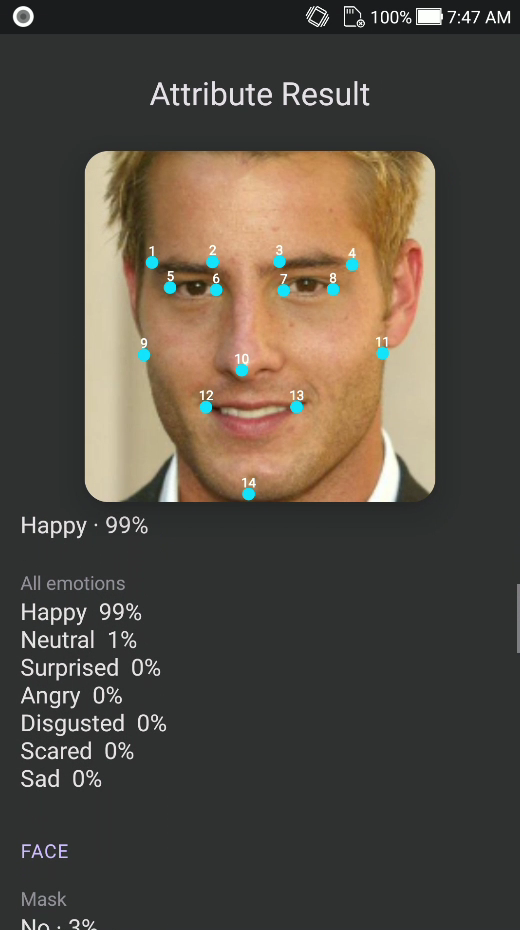
| Attribute (quality) | Settings | About |
|---|---|---|
|
|
|
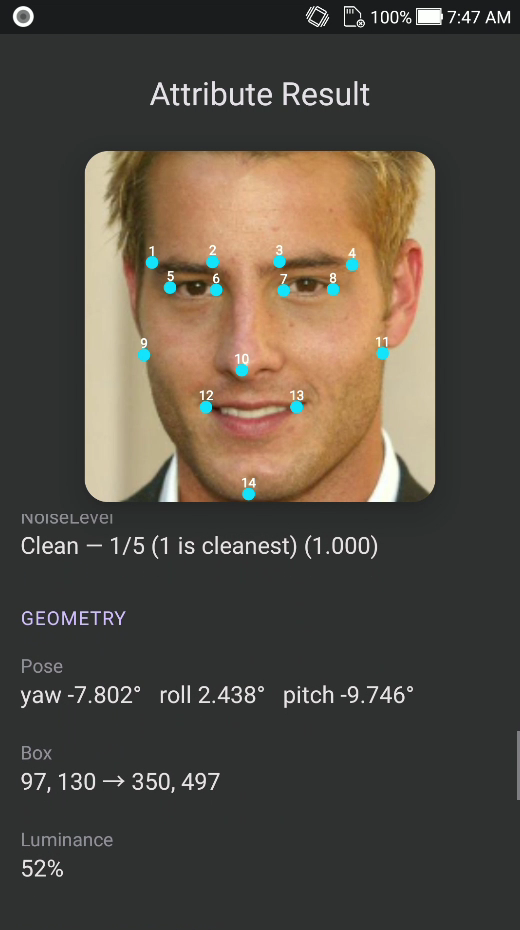
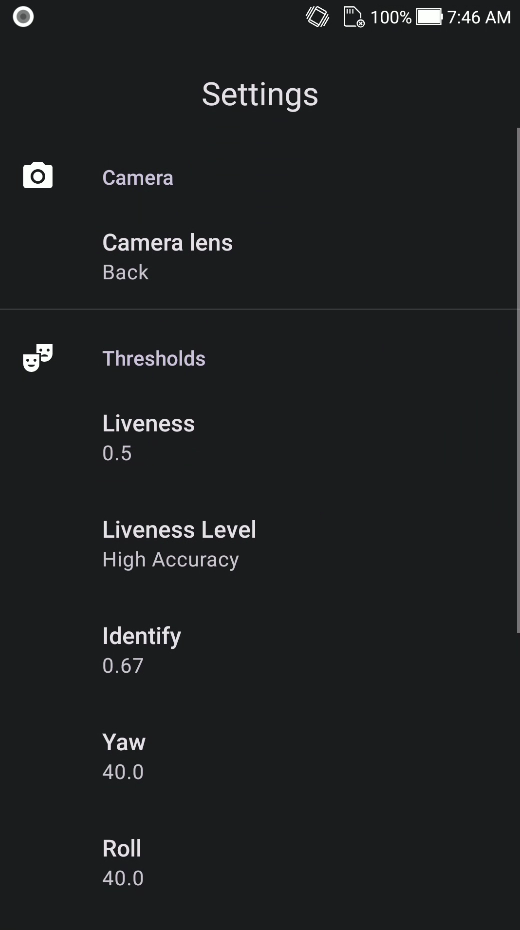
| Home (tiles) | Attribute (liveness) |
|---|---|
|
|
SDK License
Licenses are offline and bound to your applicationId.
The sample app already includes a valid key for com.faceplugin.facerecognitionsdk. You only need a new key if you use a different applicationId.
How to get a license
The code below shows how to use the license:
Please contact us to get a license for your own app.
License capabilities
After activation, FaceRecognitionSDK.getLicenseStatus() (and LicenseStatus.current() in the demo kit) reports what the key unlocks:
- Recognition only — Enroll / Identify / Attribute
- Liveness only — Capture
- Recognition + Liveness — all four tiles
- Not licensed — tiles stay locked until you activate
Setup on your own app
You need libfacesdk/ (the AAR) and com.faceplugin.facerecognitionsdk.FaceRecognitionSDK. You do not need this demo’s Activities.
Optional: also copy app/src/main/java/com/faceplugin/facerecognitionsdk/kit/ — that is the fastest way to use every function. See Demo kit.
- Copy the
libfacesdkfolder into your project root. - Put
facerecognitionsdk.aarinside it (from Drive). - Wire Gradle:
settings.gradle:
include ':app'
include ':libfacesdk'
app/build.gradle:
android {
    defaultConfig {
        minSdk 24
        ndk {
            abiFilters 'arm64-v8a', 'armeabi-v7a'
        }
    }
    packaging {
        jniLibs {
            useLegacyPackaging = true
        }
    }
}
dependencies {
    implementation project(':libfacesdk')
    // only if you copy kit/ CameraPreview + CameraFrameUtils:
    def camerax = '1.4.2'
    implementation "androidx.camera:camera-core:$camerax"
    implementation "androidx.camera:camera-camera2:$camerax"
    implementation "androidx.camera:camera-lifecycle:$camerax"
    implementation "androidx.camera:camera-view:$camerax"
}
- Add permissions in your
AndroidManifest.xml:
<uses-feature android:name="android.hardware.camera" android:required="true" />
<uses-permission android:name="android.permission.CAMERA" />
<uses-permission android:name="android.permission.READ_MEDIA_IMAGES" />
<uses-permission
    android:name="android.permission.READ_EXTERNAL_STORAGE"
    android:maxSdkVersion="32" />
The license is bound to your applicationId. Request a key for that id, not the demo’s.
Then follow About SDK. Call init and all process methods off the UI thread. First init unpacks the on-device models (a few seconds). Full API: doc.faceplugin.com.
About SDK
Public class: com.faceplugin.facerecognitionsdk.FaceRecognitionSDK (Java; call it from Kotlin the same way). All work stays on the device. 0 = SDK_SUCCESS.
Call once per process, on a background thread: setActivation → init. The engine is not concurrent — serialize calls (or copy the Demo kit). Do not copy MainActivity / CameraActivity unless you want the demo UI.
| Your product needs | Call this |
|---|---|
| Start the engine | setActivation → init |
| Find a face / attributes | faceDetection (FaceDetectionParam.allAttributes() for liveness, age, gender, …) |
| Save a person | templateExtraction → store byte[] in your DB |
| 1:1 / 1:N | similarityCalculation (loop for 1:N) |
| Live camera box + 1:N | VideoWorker (start → syncDatabase → addFrame) |
| Stop | stopVideoWorker then deinit |
Thread {
    var ret = FaceRecognitionSDK.setActivation(context, "YOUR_LICENSE_KEY")
    if (ret == FaceRecognitionSDK.SDK_SUCCESS) {
        ret = FaceRecognitionSDK.init(context)
    }
    // ret == 0 → enable camera / gallery
}.start()
| Code | Constant | Status |
|---|---|---|
| 0 | SDK_SUCCESS |
Activate / init OK |
| 1 | SDK_LICENSE_INVALID |
Invalid license |
| 2 | SDK_LICENSE_EXPIRED |
Expired license |
| 3 | SDK_NOT_ACTIVATED |
Not activated |
| 4 | SDK_INIT_FAILED |
Init failed |
Demo kit
app/src/main/java/com/faceplugin/facerecognitionsdk/kit/ is not inside the AAR. Copy that Kotlin folder if you want the demo’s wiring instead of calling FaceRecognitionSDK yourself.
Use FaceRecognitionClient.get(context) as the only entry. Do not mix raw FaceRecognitionSDK.* on other threads while the client is running.
| File | Use it for |
|---|---|
FaceRecognitionClient |
Activate, detect, enroll, 1:N, VideoWorker |
FaceRecognitionQueue |
Serial native access; live addFrame does not block CameraX |
FaceDatabase |
Local enrolled people (filesDir/face_database.json) |
CameraFrameUtils / CameraPreview |
ImageProxy → bitmap; CameraX bind |
LiveDetect / IdentityLiveness |
Live 2D liveness / eyes + active-liveness configs |
FaceJson / FaceModels |
Parse detect JSON and VideoWorker events |
val client = FaceRecognitionClient.get(this)
client.activate("YOUR_LICENSE_KEY") { code ->
    runOnUiThread {
        if (code == FaceRecognitionSDK.SDK_SUCCESS) {
            client.loadDatabase()
        }
    }
}
Skip the kit if you already have a camera pipeline and a person DB — then call FaceRecognitionSDK on one background thread.
Contact


