
CopilotKit/open-multi-agent-canvas
À propos
Une interface de chat open source multi-agents qui permet de gérer plusieurs agents dans une même conversation dynamique et d’ajouter des serveurs MCP pour effectuer des recherches approfondies
Outils de développementProgression mesurée des étoiles
- in 24h
- 0
- in 7 days
- +1
- in 15 days
- Historique en cours
- in 1 month
- Historique en cours
Variations nettes sur des périodes qui se chevauchent, pas des totaux quotidiens. Les mesures absentes restent vides. Les étoiles indiquent l’intérêt, pas la qualité.
README.md
OriginalOpen Multi-Agent Canvas
Open Multi-Agent Canvas, created by CopilotKit is an open-source multi-agent chat interface that lets you manage multiple agents in one dynamic conversation. It's built with Next.js, LangGraph, and CopilotKit to help with travel planning, research, and general-purpose tasks through MCP servers.
Existing Agents
Check out these awesome agents (they live in separate repositories). You can run them separately or deploy them on LangSmith:
Additionally, this project now includes a built-in MCP (Multi-Channel Protocol) Agent:
- MCP Agent: A general-purpose agent capable of handling various tasks through configurable MCP servers.
Copilot Cloud is required to run this project:
Quick Start 🚀
1. Prerequisites
Make sure you have:
2. API Keys
Running the Frontend
Rename the example.env file in the frontend folder to .env:
NEXT_PUBLIC_CPK_PUBLIC_API_KEY=...
Install dependencies:
cd frontend
pnpm i
Need a CopilotKit API key? Get one here.
Then, fire up the Next.js project:
pnpm run build && pnpm run start
MCP Agent Setup
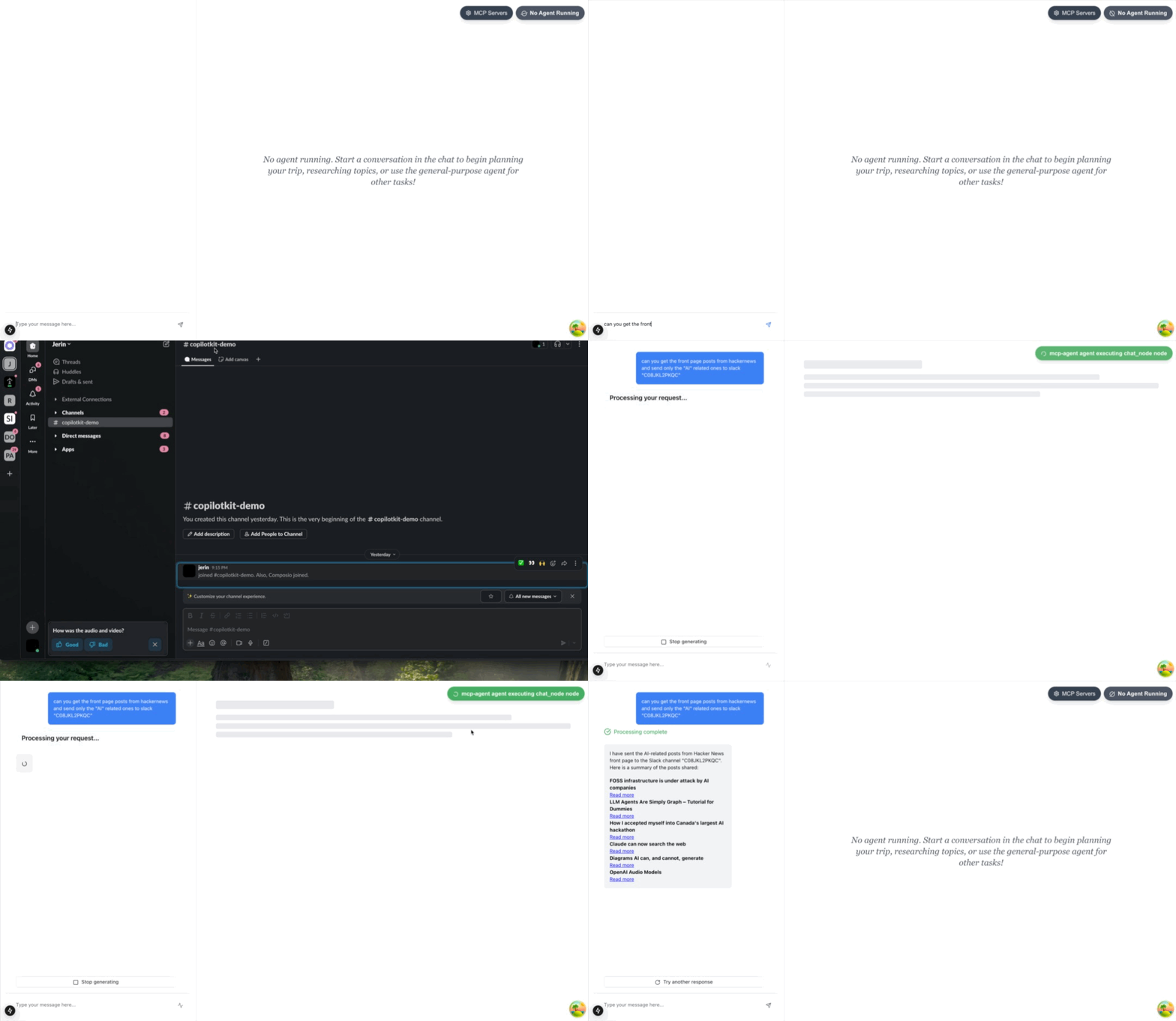
The MCP Agent allows you to connect to various MCP-compatible servers:
Configuring Custom MCP Servers:
- Click the "MCP Servers" button in the top right of the interface
- Add servers via the configuration panel:
- Standard IO: Run commands locally (e.g., Python scripts)
- SSE: Connect to external MCP-compatible servers (via Server-Sent Events)
Public MCP Servers:
- You can connect to public MCP servers like mcp.composio.dev and mcp.run
Running the MCP Agent Backend (Optional)
Rename the example.env file in the agent folder to .env:
OPENAI_API_KEY=...
LANGSMITH_API_KEY=...
If you want to use the included MCP Agent with the built-in math server:
cd agent
poetry install
poetry run langgraph dev --host localhost --port 8123 --no-browser
Running a tunnel
Add another terminal and select Remote Endpoint.
Then select Local Development.
Once this is done, copy the command into your terminal and change the port to match the LangGraph server 8123
Documentation
License
Distributed under the MIT License. See LICENSE for more info.
Note: This project has been consolidated into the CopilotKit monorepo. The latest version lives at
examples/showcases/multi-agent-canvas. Please open issues and pull requests in the main CopilotKit repository.
Explorer des projets similaires
Chargement…