Projets Voir sur GitHub
Collective-Software/ClickPaste
À propos
Application C# pour la zone de notification de Windows 10/11, qui saisit le contenu du presse-papiers sous forme de frappes clavier à l’endroit où vous cliquez.
Outils de développementProgression mesurée des étoiles
- in 24h
- 0
- in 7 days
- +1
- in 15 days
- Historique en cours
- in 1 month
- Historique en cours
Variations nettes sur des périodes qui se chevauchent, pas des totaux quotidiens. Les mesures absentes restent vides. Les étoiles indiquent l’intérêt, pas la qualité.
README.md
OriginalClickPaste
Windows 10/11 notification area app in C# that can paste clipboard contents as keystrokes to whatever location you click.
Starting
- You can install ClickPaste using the MSI installer or get the portable ZIP from the Releases page
- Note that in order to paste to UAC-elevated processes, Microsoft requires the ClickPaste binary to be run from the system drive's "Program Files" folder. (The easiest way to achieve that is to use the MSI installer.)
- Launch ClickPaste from a shortcut or by double-clicking ClickPaste.exe.
Usage
First of course, you need to have some text in your clipboard. Then:
- Click the target notification icon to begin:

- Click to choose a location you want to paste the text:
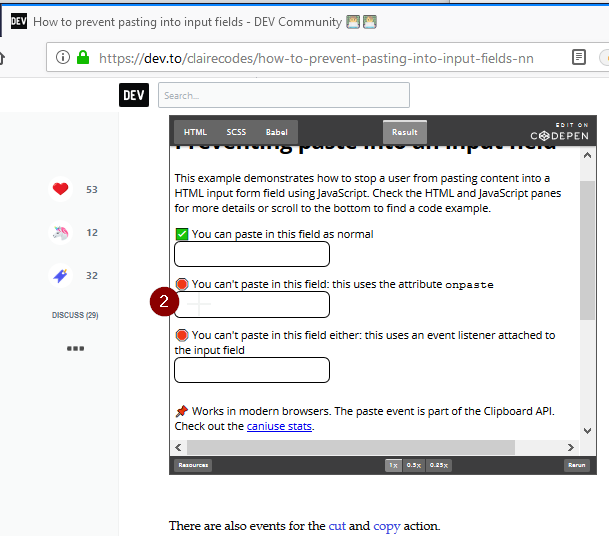
- Your clipboard contents should be typed as keystrokes onto the window you selected:

Settings
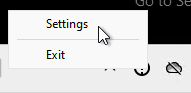
Right-click the notification icon and select Settings.
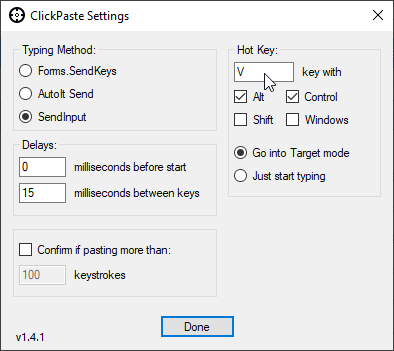
- You can change between key typing modes,
- Set how much delay there is before and between keystrokes,
- Trigger a confirmation when the clipboard contains more than a chosen number of characters,
- Configure what "hot key" combination will be used (Clear the key textbox with delete or backspace if you wish to have no hotkey),
- Configure whether the "hot key" will activate the target selector to pick a paste location or just start typing immediately.
Stopping
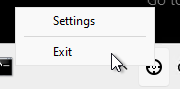
- Right-click the notification icon and select Exit.
Download
Explorer des projets similaires
Chargement…