
Clash-Projects/LastWave-Desktop
Clash-Projects/LastWave-Desktop has 1,114 GitHub stars and 27 forks. GitHot measured +24 stars in 24 hours. Last checked 2026-11-11 22:54 UTC. Last push 2026-11-09.
Comment ces chiffres sont mesurés
Simple Desktop YouTube Music client with WinUI for Windows, Linux & MacOS, Bit-Perfect playback, Automix, Lossless addons & advanced audiophile features.
Progression mesurée des étoiles
- in 24h
- +24
- in 7 days
- Historique en cours
- in 15 days
- Historique en cours
- in 1 month
- Historique en cours
Variations nettes sur des périodes qui se chevauchent, pas des totaux quotidiens. Les mesures absentes restent vides. Les étoiles indiquent l’intérêt, pas la qualité.
README.md
Original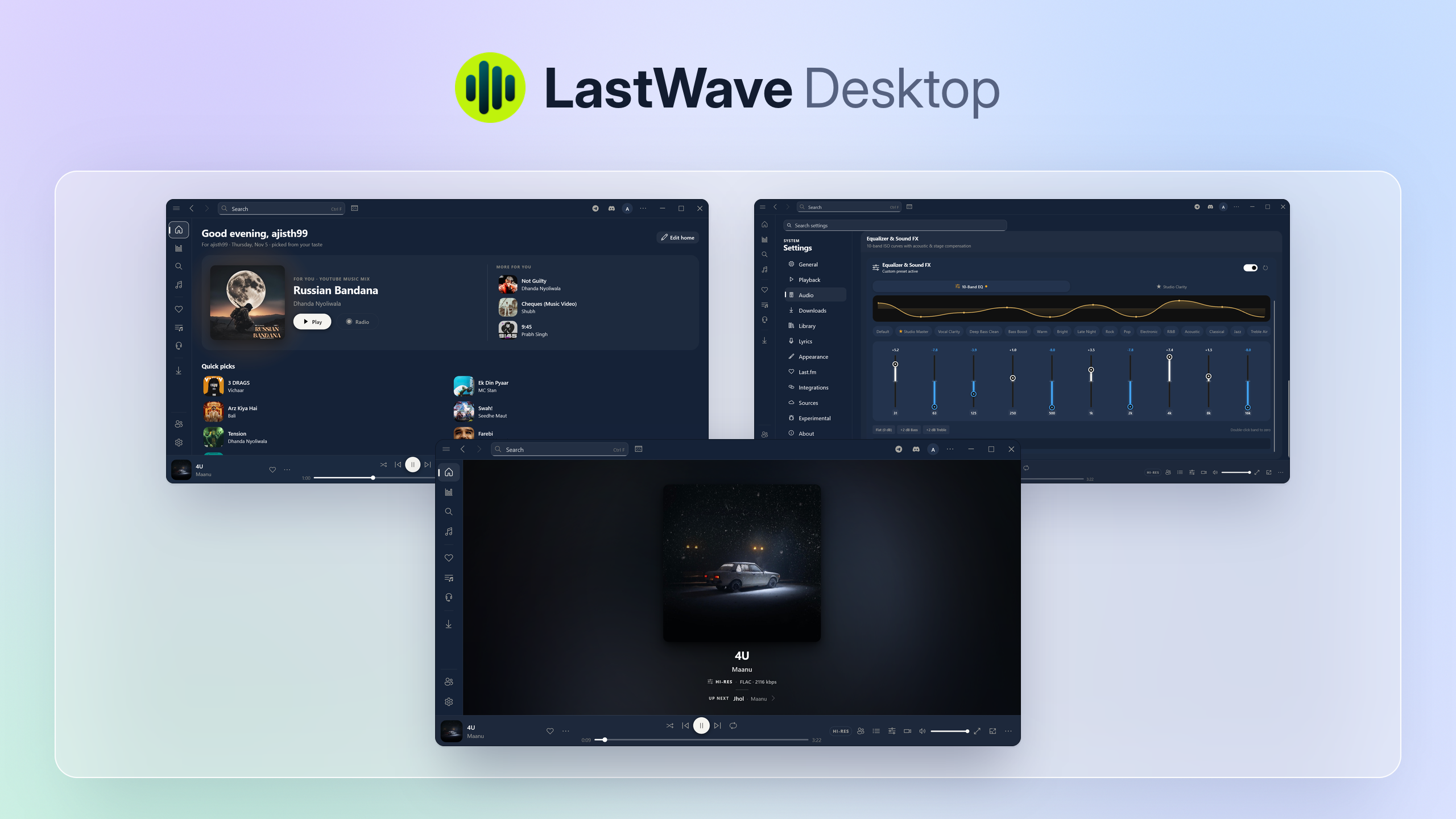
LastWave
Simple Desktop YouTube Music client with WinUI, Bit-Perfect playback, Automix, Lossless addons & advanced audiophile features.



Overview
LastWave Desktop is a fast, native desktop YouTube Music client with modern WinUI styling for Windows, Linux, and macOS. It delivers high-fidelity audio playback and a fluid interface that adapts to your music.
For audio lovers, LastWave Desktop packs Bit-Perfect audio output, Lossless FLAC addon support, 15-band parametric equalizer, smooth Automix transitions, Spotify Canvas & integration, and real-time synchronized lyrics, all in a lightweight desktop application.
Features
Playback
|
Audio
|
Lyrics & Discovery
|
Library & Account
|
Social
|
Interface
|
Getting Started
Installation
| Channel | Source | Compatibility |
|---|---|---|
| Windows | GitHub Releases | Windows 10 & 11 (.exe / .msix installer) |
| Linux | GitHub Releases | AppImage / Flatpak / deb packages |
| macOS | GitHub Releases | Apple Silicon & Intel (.dmg) |
| Android App | LastWave-Native | Official mobile client for Android devices |
Quick Setup
- Download and run the installer for your operating system.
- (Optional) Navigate to Settings → Audio to configure:
- Bit-Perfect Output: Enable exclusive output mode for bit-perfect audio.
- Equalizer Presets: Apply parametric EQ curves or headphone correction.
- Lossless Addons: Enable the modular addon service for Hi-Res FLAC playback.
- Start streaming music, exploring smart radios, and enjoying synced lyrics!
Building from Source
Prerequisites
- Flutter SDK: Version 3.13+ or higher
- C++ Build Tools: Visual Studio (Windows), build-essential (Linux), or Xcode (macOS)
Build Instructions
# Clone the repository
git clone https://github.com/Clash-Projects/LastWave-Desktop.git
cd LastWave-Desktop

# Install dependencies
flutter pub get

# Build release executable for your platform
flutter build windows --release   # Windows
flutter build linux --release     # Linux
flutter build macos --release     # macOS
[!TIP] For local development and hot reload, connect your target environment and run
flutter run -d windows(or-d linux/-d macos).
Support the Project
If LastWave has been useful to you, consider supporting its development.

|

|

|
Acknowledgements
LastWave Desktop is made possible thanks to these open-source projects:
- media_kit — Audio playback engine powered by libmpv
- Limusic — InnerTube client registry & stream resolution fast path
- LRCLIB — Real-time millisecond-synchronized lyrics database
- NewPipe — Signature decipher patterns & extraction logic
- fluent_ui — WinUI & Fluent design system for desktop
Contributors
LastWave wouldn't be possible without our incredible community of contributors. Thank you for making it better every day!
Disclaimer
LastWave is an open-source, non-commercial application developed strictly for educational and research purposes.
- No Affiliation: This project is not affiliated with, funded, authorized, endorsed by, or in any way associated with Google LLC, YouTube, YouTube Music, Spotify, Apple Inc., Last.fm, or any of their subsidiaries.
- Content Delivery: LastWave does not host, store on private servers, or distribute copyrighted media. All playback streams and metadata are resolved directly from public endpoints.
- Trademarks: All product names, logos, trademarks, and registered trademarks belong to their respective owners.
Explorer des projets similaires
ytdl-org/youtube-dl
Programme en ligne de commande pour télécharger des vidéos depuis YouTube.com et d’autres sites vidéo
141,539 étoilesexcalidraw/excalidraw
Tableau blanc virtuel pour esquisser des diagrammes au style dessiné à la main
135,492 étoilesgodotengine/godot
Godot Engine – Moteur de jeu 2D et 3D multiplateforme
120,003 étoilesmrdoob/three.js
Bibliothèque 3D en JavaScript.
118,122 étoiles