
Brimizer/Slidden
Brimizer/Slidden has 594 GitHub stars and 86 forks. GitHot measured 0 stars in 24 hours and 0 in 7 days. Last checked 2026-11-21 16:24 UTC. Last push 2019-12-16.
Progression mesurée des étoiles
- in 24h
- 0
- in 7 days
- 0
- in 15 days
- Historique en cours
- in 1 month
- Historique en cours
Variations nettes sur des périodes qui se chevauchent, pas des totaux quotidiens. Les mesures absentes restent vides. Les étoiles indiquent l’intérêt, pas la qualité.
À propos
An open source, customizable, iOS 8 keyboard.
Outils de développementREADME.md
Original
Slidden is an open source, customizable, iOS 8 keyboard, written in Swift. iOS 8 brought us the ability to create fully customizable keyboards, but does not provide a strong foundation to start from. Slidden aims to remedy that by providing an easy way to get started making your own iOS keyboards.
Slidden is named after the Sholes and Glidden typewriter, the first commercially successful typewriter and the origin of the QWERTY keyboard.
Features
Planned for 1.0 Release
- Multiple states (Shift, numbers/symbols, etc.)
- Full default English keyboard
- Delegate
Notice
Slidden is in its early stages of life. Code will change dramatically between updates. Please consider contributing your ideas if you think something is missing!
Requirements
- Xcode 10
- Swift 5.0
- iOS 8.0+
Installation
At the current moment, the best installation method is to add Slidden as a git submodule and add Slidden.framework to your list of Target Dependencies.
Don't forget to add Slidden.framework to your keyboard's list of target dependencies as well!
Usage
Simple
If you subclass Slidden.KeyboardViewController, you get a KeyboardView and nice autolayout constraints right out of the box. Subclassing is as easy as:
class KeyboardViewController: Slidden.KeyboardViewController {
    override func viewDidLoad() {
        super.viewDidLoad()

        // Add the keys we need to the keyboard
        setupKeys()
    }
Add keys to the keyboard.
func setupKeys() {
        let helloKey = KeyboardKeyView(type: .Character, keyCap: "Hello", outputText: "Hello")
        helloKey.textColor = UIColor.whiteColor()
        helloKey.color = UIColor.blueColor()
        self.keyboardView.addKey(helloKey, row: 0)

        let worldKey = KeyboardKeyView(type: .Character, keyCap: "World", outputText: "World")
        worldKey.textColor = UIColor.whiteColor()
        worldKey.color = UIColor.redColor()
        self.keyboardView.addKey(worldKey, row: 0)
}
Add images to your keys.
func setupKeys() {
	let shiftKey = KeyboardKeyView(type: .Shift, keyCap:"", outputText: "")
    let img = UIImage(named:"Shift")
    shiftKey.image = img
    shiftKey.imageView.contentMode = .Center
}
If you want your image to be the same color as your other keys' text, you can use shouldColorImage to have CoreGraphics redraw the image of your key with the uniform color.
func setupKeys() {
	let shiftKey = KeyboardKeyView(type: .Shift, keyCap:"", outputText: "")
    let img = UIImage(named:"Shift")

    shiftKey.image = img
    shiftKey.imageView.contentMode = .Center

    shiftKey.color = UIColor.blueColor()
    shiftKey.selectedColor = UIColor.darkerBlueColor()
    shiftKey.textColor = UIColor.whiteColor()
    shiftKey.shouldColorImage = true // Will redraw the Shift image to match `textColor`
}
Complex
More Coming Soon
Examples
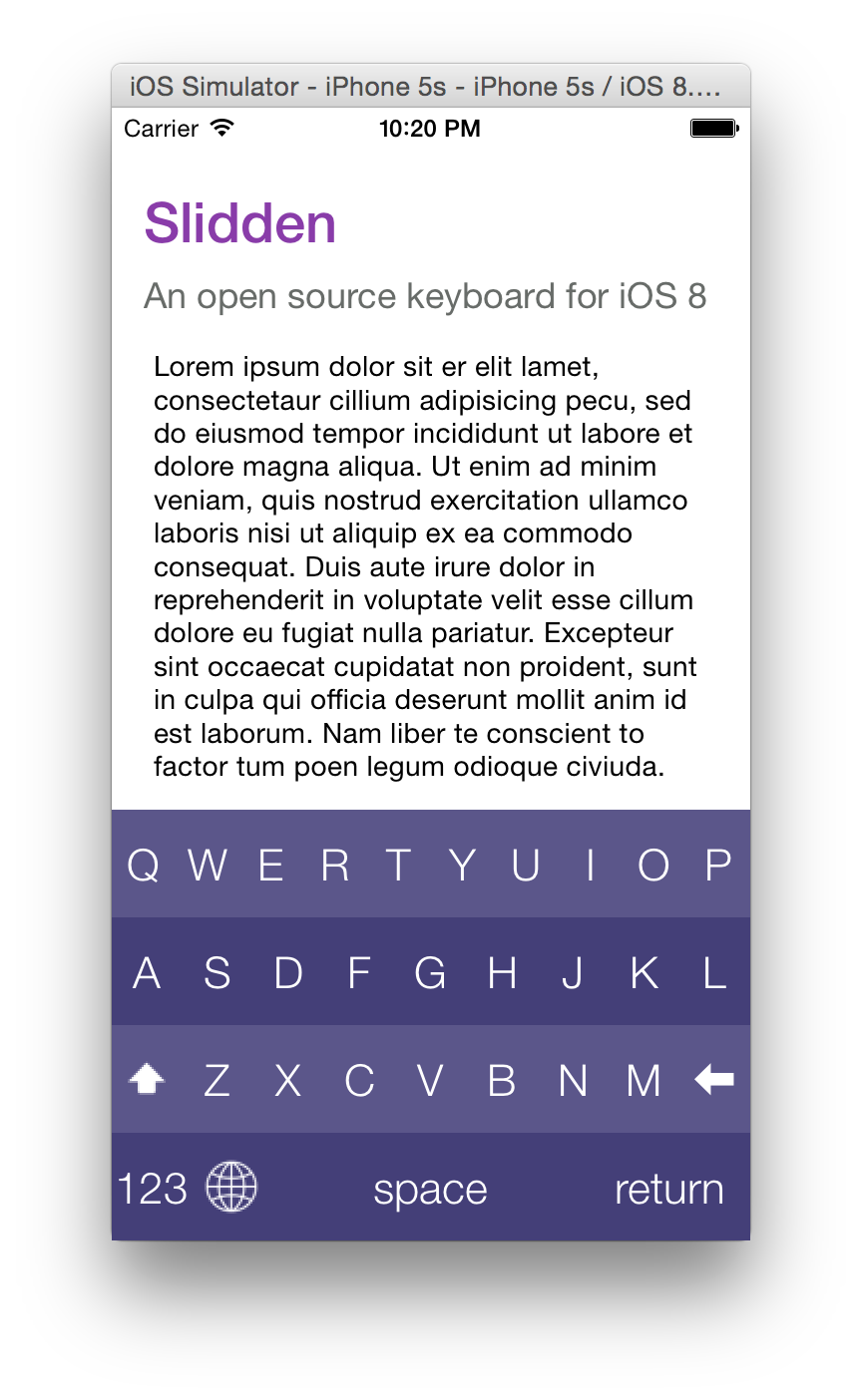
Creator
License
Slidden is released under an MIT license. See LICENSE for more information.