
Bellspringsteen/OurCamera
Bellspringsteen/OurCamera has 372 GitHub stars and 34 forks. GitHot measured 0 stars in 24 hours. Last checked 2026-11-20 11:22 UTC. Last push 2018-03-21.
Progression mesurée des étoiles
- in 24h
- 0
- in 7 days
- Historique en cours
- in 15 days
- Historique en cours
- in 1 month
- Historique en cours
Variations nettes sur des périodes qui se chevauchent, pas des totaux quotidiens. Les mesures absentes restent vides. Les étoiles indiquent l’intérêt, pas la qualité.
À propos
https://www.nytimes.com/2018/03/15/nyregion/bike-lane-blocked-new-york.html
Apprentissage automatiqueREADME.md
OriginalOurCamera
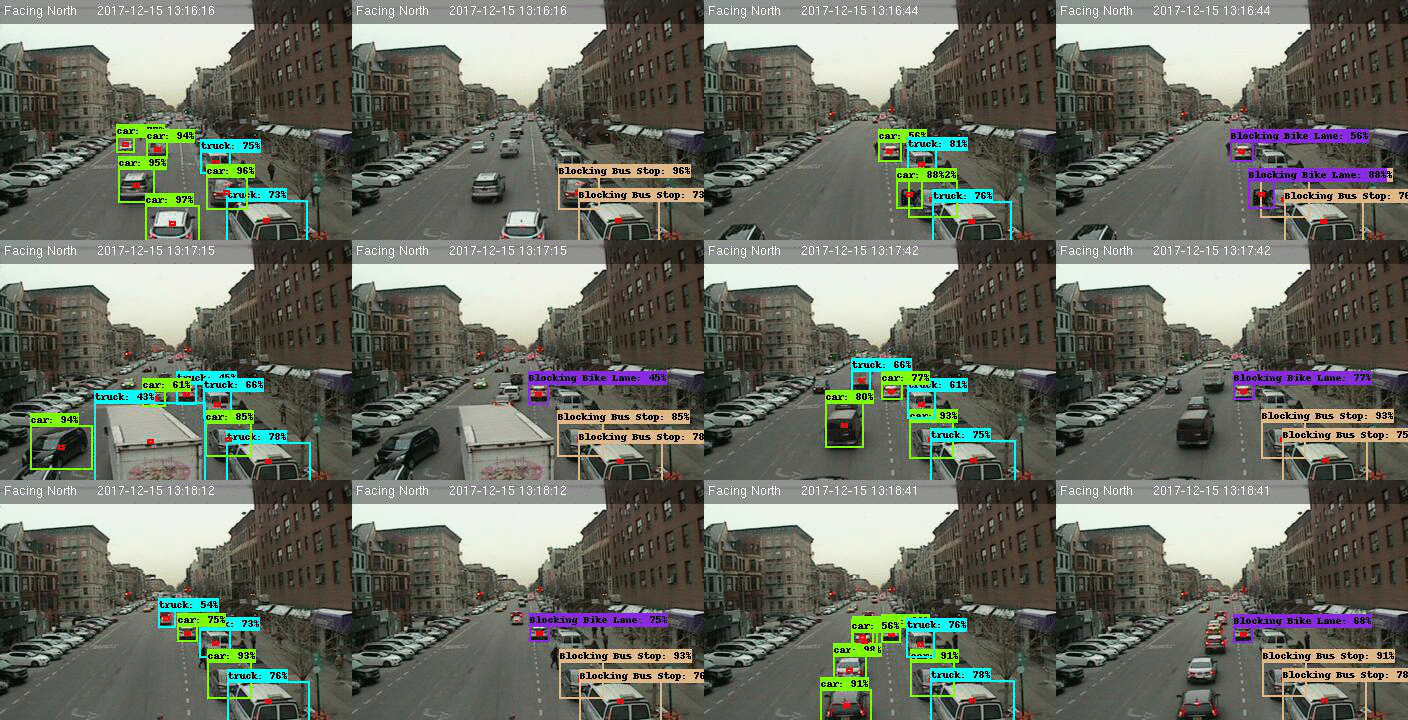
This project uses Google's TensorFlow Machine learning package to identify and categorize types of vehicles on NYC streets.
The data images are downloaded from NYC DOT cameras.
The training data folder has a series of images and training annotations.
Setup
- Install Tensorflow from https://www.tensorflow.org/install/
- Download the github repo for tensorflow models and place it in the top level folder
- Follow the Object Detection Installation instructions here
Run
Create a test.record file and a train.record file:
./generate_tfrecord --folder=path/to/data_dir --train_ratio=.70
Download COCO-pretrained Faster R-CNN with Resnet-101 model Unzip model in the data/models/ folder
Your data structure should look like
data/test.record data/train.record models/model/faster_rcnn_resnet101_coco_11_06_2017 models/model/train models/model/eval
In three seperate command line windows run:
export PYTHONPATH=$PYTHONPATH:pwd:pwd/slim
python models-master/research/object_detection/train.py     --logtostderr
    --pipeline_config_path=./data/faster_rcnn_resnet101_cars.config
    --train_dir=./data/models/model/train
python models-master/research/object_detection/eval.py     --logtostderr
    --pipeline_config_path=./data/faster_rcnn_resnet101_cars.config
    --checkpoint_dir=./data/models/model/train
    --eval_dir=./data/models/model/eval
tensorboard --logdir=./data/models/model/
After a thousand or so steps you should be getting results. Look at your tensorflow eval images to gauge when to stop. FYI it took my 4770k Intel i7 about 24 hours to train.
Create a frozen version of your graph by selecting a checkpoint:
python object_detection/export_inference_graph.py \
    --input_type image_tensor \
    --pipeline_config_path /path/data/models/faster_rcnn_resnet101_cars.config \
    --trained_checkpoint_prefix /path/data/models/model/train/model.ckpt-18557 \
    --output_directory output_inference_graph.pb
Run saveimages.py to create a folder of images. This will save an image every second so leave it open as long as you want.
Analyze the images
analyzeimages \
        -path_images ./data/rawimages/
        -path_labels_map data/car_label_map.pbtxt
        -save_directory data/processedimages/
Gotchas:
- When you start up an Amazon EC2 Instance using the AWS Deep Learning AMI you have to enable tensorflow