Proyectos Ver en GitHub
yellowcath/VideoProcessor
Acerca de
Procesa vídeo con MediaCodec: recorta, cambia la escala, aumenta, disminuye e invierte la reproducción.
Creación y multimediaCrecimiento de estrellas medido
- in 24h
- -1
- in 7 days
- 0
- in 15 days
- Recopilando historial
- in 1 month
- Recopilando historial
Cambios netos en períodos que se solapan, no totales diarios. Los datos no disponibles se dejan en blanco. Las estrellas indican interés, no calidad.
README.md
OriginalVideoProcessor
VideoProcessor使用Android原生的MediaCodec实现视频压缩、剪辑、混音、快慢放及倒流的功能(快慢放及倒流支持音频同步变化),在支持MediaCodec的手机上优于使用FFmpeg的方案
- 体积小 :编译后的aar只有262K,ffmpeg一个so就7、8M,精简之后也差不多还有一半大小
- 速度快 :在huaweiP9上压缩(1080P 20s 20000k -> 720p 2000k)
| lib | 耗时 |
|---|---|
| VideoProcessor | 13.3s |
| ffmpeg | 172s |
| ffmpeg(ultrafast) | 74s |
Gradle
在根目录下的build.gradle里添加maven仓库
allprojects {
		repositories {
			...
			maven { url 'https://www.jitpack.io' }
		}
	}
添加依赖 要求minSdkVersion 21
	dependencies {
	        implementation 'com.github.yellowcath:VideoProcessor:2.4.2'
	}
Changelog
2.4.2
- 解决arm64的机器上crash的问题
- 解决某些情况下进度计算错误的问题
2.4.0
- 兼容Android Q
- 去掉对support lib的依赖
使用
基本用法如下
    VideoProcessor.processor(context)
            .input(inputVideoPath)
            .output(outputVideoPath)
            .outWidth(outWidth)
            .outHeight(outHeight)
            .process();
VideoProcessor支持多种参数同时处理,完整参数如下
VideoProcessor.processor(context)
       .input(inputVideoPath) // .input(inputVideoUri)
       .output(outputVideoPath)
       //以下参数全部为可选
       .outWidth(width)
       .outHeight(height)
       .startTimeMs(startTimeMs)//用于剪辑视频
       .endTimeMs(endTimeMs)    //用于剪辑视频
       .speed(speed)            //改变视频速率,用于快慢放
       .changeAudioSpeed(changeAudioSpeed) //改变视频速率时,音频是否同步变化
       .bitrate(bitrate)       //输出视频比特率
       .frameRate(frameRate)   //帧率
       .iFrameInterval(iFrameInterval)  //关键帧距,为0时可输出全关键帧视频(部分机器上需为-1)
       .progressListener(listener)      //可输出视频处理进度
       .process();
用户使用时可自行根据需要调用,例如
    //视频两倍速
    VideoProcessor.processor(context)
            .input(inputVideoPath)
            .output(outputVideoPath)
            .speed(2.0f)
            .process();
此外,其它功能
//视频逆序
VideoProcessor.reverseVideo(context, inputVideoPath, outputVideoPath,reverseAudio,listener);
//混音,支持渐入渐出
VideoProcessor.mixAudioTrack(context, inputVideoPath, aacAudioPath, outputVideoPath, startMs, endMs, videoVolume, audioVolume,fadeInSec, fadeOutSec);
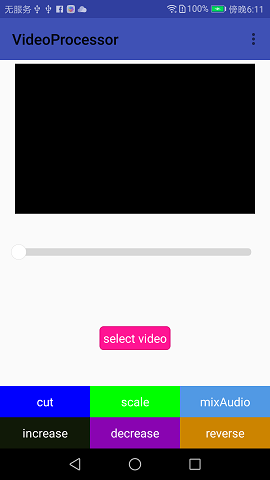
Demo
Explorar proyectos relacionados
Cargando…